
일러스트 살펴보기 및 Grok으로 비주얼 콘셉트
Highsfield로 Grok 이미지 아이디어 탐색하기
선택한 모델에 표시된 해상도와 화면 비율만 선택하세요. 완성된 이미지에서 프레이밍, 세부 사항 및 텍스트를 확인하세요. 더 큰 출력 크기가 더 정확한 결과를 보장하지는 않습니다.

검증된 프롬프트
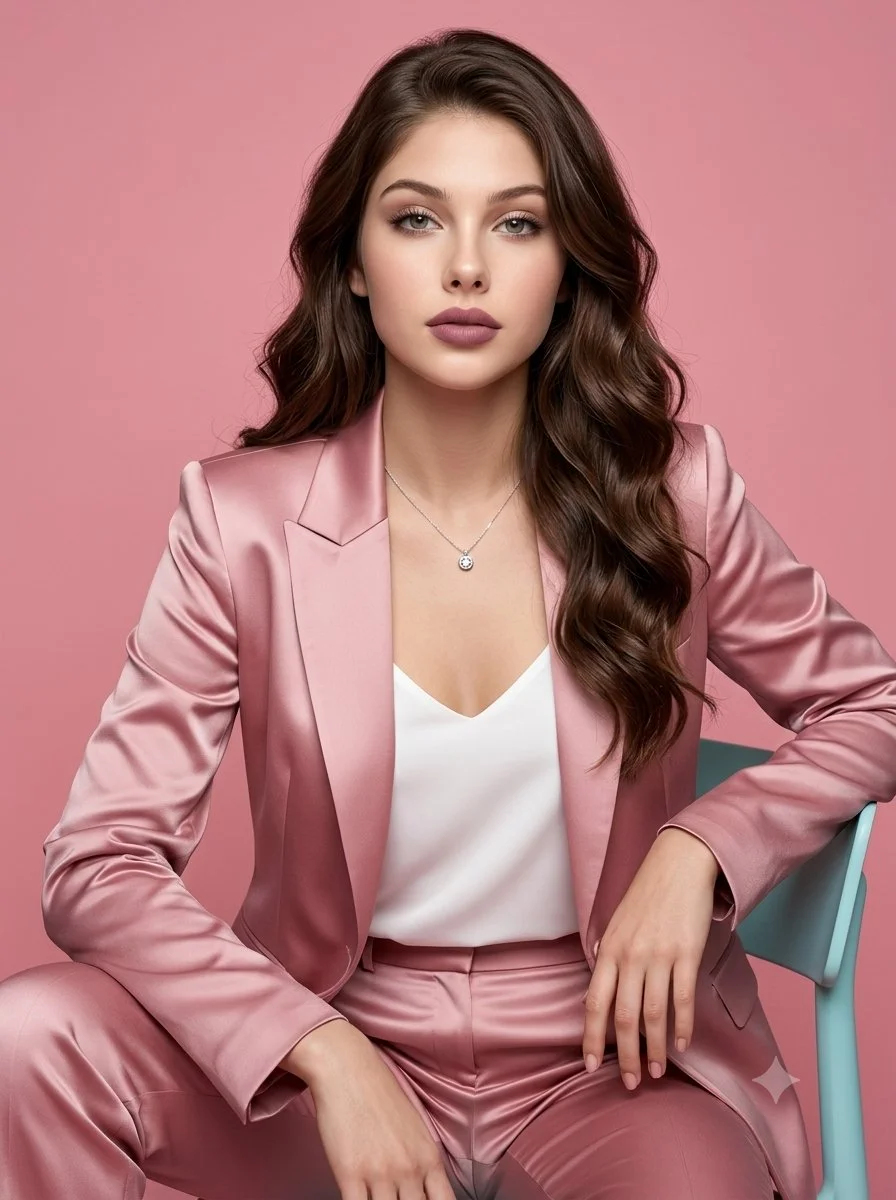
Use an uploaded adult portrait as an optional identity reference for a polished studio fashion photograph. Seat the subject on a turquoise chair in a blush-pink satin pantsuit with a simple white top. Arrange the blazer and trousers naturally, with one arm resting on the chair and both hands visible. Set the scene against a dusty pink background and use broad soft light to reveal gentle satin highlights. Keep facial proportions realistic, hair softly waved and jewelry minimal. Aim for a clean, composed magazine portrait with believable material detail.
Use an uploaded adult portrait as an optional identity reference for a polished studio fashion photograph. Seat the subject on a turquoise chair in a blush-pink satin pantsuit with a simple white top. Arrange the blazer and trousers naturally, with one arm resting on the chair and both hands visible. Set the scene against a dusty pink background and use broad soft light to reveal gentle satin highlights. Keep facial proportions realistic, hair softly waved and jewelry minimal. Aim for a clean, composed magazine portrait with believable material detail.
검증된 프롬프트
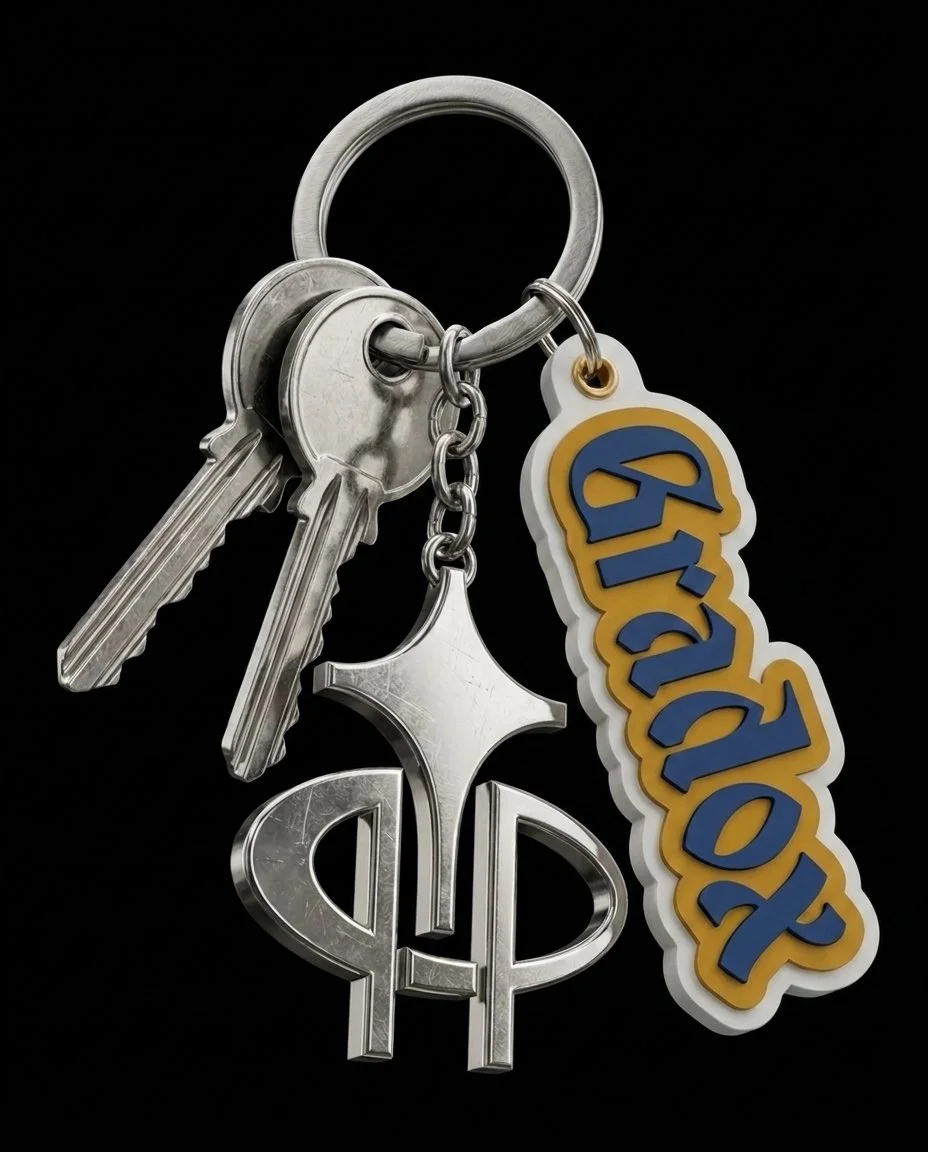
Use uploaded logo artwork as the brand reference for a collectible streetwear keychain packshot. Arrange a metal split ring with a few realistic silver keys, a polished decorative charm and a raised rubber logo tag. Let the pieces overlap naturally and hang diagonally against a black studio background. Preserve the supplied logo's shapes and lettering. Show fine scratches, brushed metal edges, glossy reflections and layered rubber texture under controlled product lighting. Keep the frame close and uncluttered so the small materials and attachment details remain easy to see.
Use uploaded logo artwork as the brand reference for a collectible streetwear keychain packshot. Arrange a metal split ring with a few realistic silver keys, a polished decorative charm and a raised rubber logo tag. Let the pieces overlap naturally and hang diagonally against a black studio background. Preserve the supplied logo's shapes and lettering. Show fine scratches, brushed metal edges, glossy reflections and layered rubber texture under controlled product lighting. Keep the frame close and uncluttered so the small materials and attachment details remain easy to see.

검증된 프롬프트
Ultra-realistic 8k portrait of a stunning young woman with long, dark, wavy hair, wearing a plush red and white Santa hat and a fitted red strapless dress. She has a soft, alluring expression looking directly at camera. Background: softly blurred Christmas tree with glowing golden bokeh lights. Warm festive atmosphere. DSLR photography, cinematic lighting, warm ambient light, high detail skin texture, bokeh effect, depth of field, f/1.8 aperture, 85mm lens. Aspect ratio 9:16, cinematic portrait style.
Ultra-realistic 8k portrait of a stunning young woman with long, dark, wavy hair, wearing a plush red and white Santa hat and a fitted red strapless dress. She has a soft, alluring expression looking directly at camera. Background: softly blurred Christmas tree with glowing golden bokeh lights. Warm festive atmosphere. DSLR photography, cinematic lighting, warm ambient light, high detail skin texture, bokeh effect, depth of field, f/1.8 aperture, 85mm lens. Aspect ratio 9:16, cinematic portrait style.
검증된 프롬프트
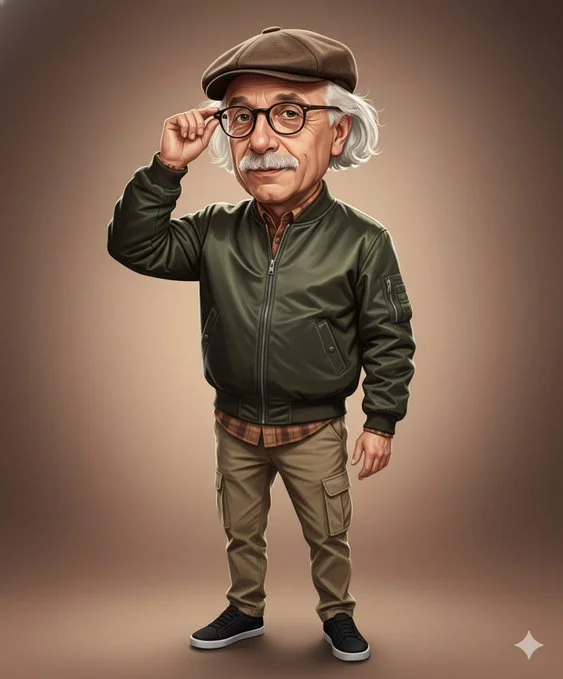
Create a realistic digital caricature painting of a middle-aged man (attached photo) with a slightly oversized head, exuding charm and quiet confidence. He is dressed in a modern, stylish bomber jacket made of dark olive nylon with subtle reflective highlights that give it a sleek and fashionable look. Underneath, he wears a warm-toned flannel shirt slightly visible at the collar and cuffs, paired with khaki cargo pants and black sneakersthat ground the outfit with a casual yet confident energy. Completing his look, he wears a brown flat cap tilted slightly forward — a small detail that adds personality and flair. The man is portrayed in a mid-shot, adjusting his glasses with one hand while gazing directly at the viewer with a self-assured and composed expression. His head is slightly larger than normal, emphasizing his thoughtful character and giving the image a light caricature charm without losing realism.The facial expression radiates intelligence, humor, and approachability. The lighting is warm and soft, like that of a late afternoon sun filtering through a studio setup. Smooth gradual shadows enhance the contours of his face, while subtle highlights accentuate the texture of his bomber jacket and the reflection in his glasses. His skin tones glow naturally under the warm light, creating a pleasant sense of depth and realism.The background is a gradient of warm brown and beige hues, blending smoothly from light to dark. This background is simple yet elegant, allowing the subject to stand out while maintaining a professional, editorial quality. The art style should combine semi-realistic digital painting with the texture of oil brushstrokes, delivering a balanced fusion of realism and stylized charm.Clean outlines, smooth blending, and controlled highlights give the impression of a modern portrait illustration—detailed, expressive, and visually captivating.
Create a realistic digital caricature painting of a middle-aged man (attached photo) with a slightly oversized head, exuding charm and quiet confidence. He is dressed in a modern, stylish bomber jacket made of dark olive nylon with subtle reflective highlights that give it a sleek and fashionable look. Underneath, he wears a warm-toned flannel shirt slightly visible at the collar and cuffs, paired with khaki cargo pants and black sneakersthat ground the outfit with a casual yet confident energy. Completing his look, he wears a brown flat cap tilted slightly forward — a small detail that adds personality and flair. The man is portrayed in a mid-shot, adjusting his glasses with one hand while gazing directly at the viewer with a self-assured and composed expression. His head is slightly larger than normal, emphasizing his thoughtful character and giving the image a light caricature charm without losing realism.The facial expression radiates intelligence, humor, and approachability. The lighting is warm and soft, like that of a late afternoon sun filtering through a studio setup. Smooth gradual shadows enhance the contours of his face, while subtle highlights accentuate the texture of his bomber jacket and the reflection in his glasses. His skin tones glow naturally under the warm light, creating a pleasant sense of depth and realism.The background is a gradient of warm brown and beige hues, blending smoothly from light to dark. This background is simple yet elegant, allowing the subject to stand out while maintaining a professional, editorial quality. The art style should combine semi-realistic digital painting with the texture of oil brushstrokes, delivering a balanced fusion of realism and stylized charm.Clean outlines, smooth blending, and controlled highlights give the impression of a modern portrait illustration—detailed, expressive, and visually captivating.
검증된 프롬프트
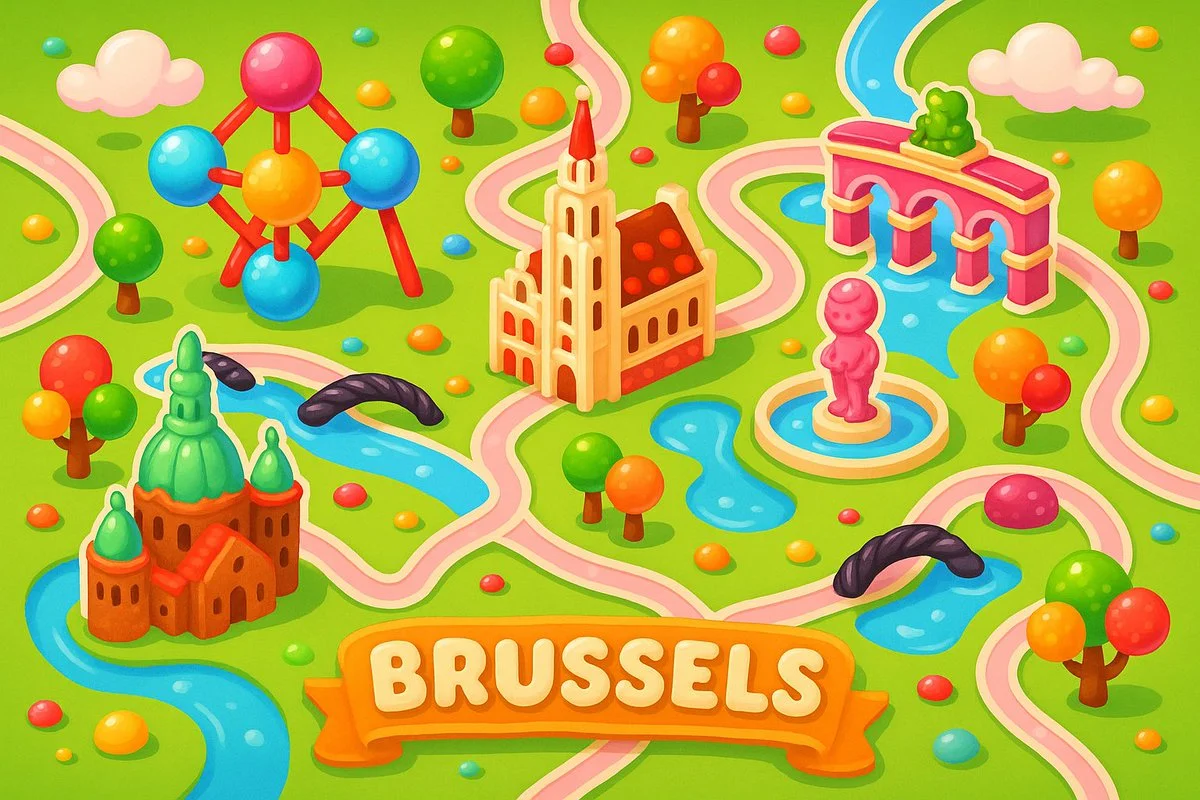
A colorful, playful 2D map of [city name], in the style of Candy Crush Saga, featuring the city’s iconic landmarks as candy-inspired buildings, cute gumdrop trees, licorice bridges, pastel roads, and glossy water elements, floating clouds, vibrant cartoon style, top-down view, kid-friendly game aesthetics, horizontal layout
A colorful, playful 2D map of [city name], in the style of Candy Crush Saga, featuring the city’s iconic landmarks as candy-inspired buildings, cute gumdrop trees, licorice bridges, pastel roads, and glossy water elements, floating clouds, vibrant cartoon style, top-down view, kid-friendly game aesthetics, horizontal layout
검증된 프롬프트
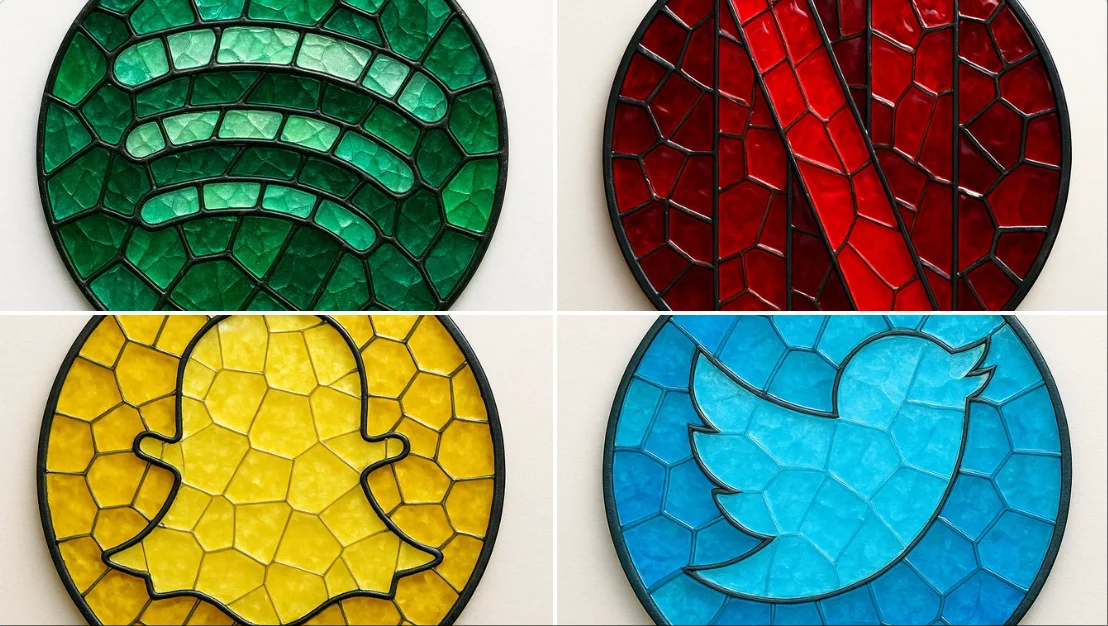
create image: { "style": "mosaic stained glass emblem", "object": "brand logo", "brand": { "name": "Spotify", "logo_shape": "circular", "icon_style": "three curved bars", "color_palette": { "primary": "#1DB954", "secondary": "#1ED760", "glass_variants": ["#147A3E", "#0F5C30", "#26C178"] } }, "material": { "type": "colored glass", "effect": "semi-transparent with light reflections", "outline": { "color": "#111111", "width": "medium", "style": "lead-line traditional mosaic" } }, "composition": { "layout": "logo composed of tessellated glass pieces", "geometry": "irregular but fitted glass shapes", "contrast": "dark outlines define shape clearly" }, "lighting": { "type": "diffused natural light", "highlight": "glass texture and color depth emphasized" }, "background": { "type": "flat surface", "color": "#F4F4F4" }, "camera": { "angle": "top-down", "focus": "centered on entire logo" }, "render": { "quality": "high", "shadows": "soft", "reflections": "minimal" } }
create image: { "style": "mosaic stained glass emblem", "object": "brand logo", "brand": { "name": "Spotify", "logo_shape": "circular", "icon_style": "three curved bars", "color_palette": { "primary": "#1DB954", "secondary": "#1ED760", "glass_variants": ["#147A3E", "#0F5C30", "#26C178"] } }, "material": { "type": "colored glass", "effect": "semi-transparent with light reflections", "outline": { "color": "#111111", "width": "medium", "style": "lead-line traditional mosaic" } }, "composition": { "layout": "logo composed of tessellated glass pieces", "geometry": "irregular but fitted glass shapes", "contrast": "dark outlines define shape clearly" }, "lighting": { "type": "diffused natural light", "highlight": "glass texture and color depth emphasized" }, "background": { "type": "flat surface", "color": "#F4F4F4" }, "camera": { "angle": "top-down", "focus": "centered on entire logo" }, "render": { "quality": "high", "shadows": "soft", "reflections": "minimal" } }
검증된 프롬프트
검증된 프롬프트
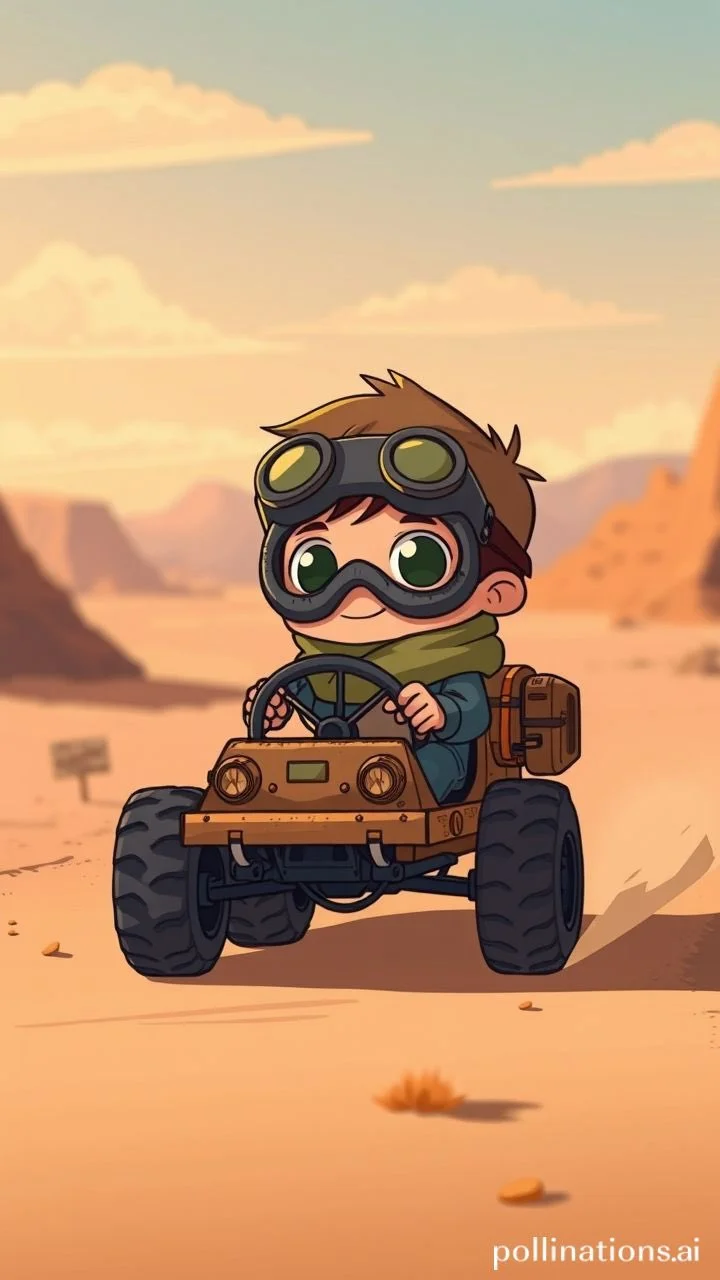
a young cartoon boy with big goggles and scarf driving a tiny makeshift vehicle in the desert, cute post-apocalyptic vibe, indie animation style, soft colors, emotional and adventurous --ar 3:4 --raw --p
a young cartoon boy with big goggles and scarf driving a tiny makeshift vehicle in the desert, cute post-apocalyptic vibe, indie animation style, soft colors, emotional and adventurous --ar 3:4 --raw --p

검증된 프롬프트
검증된 프롬프트
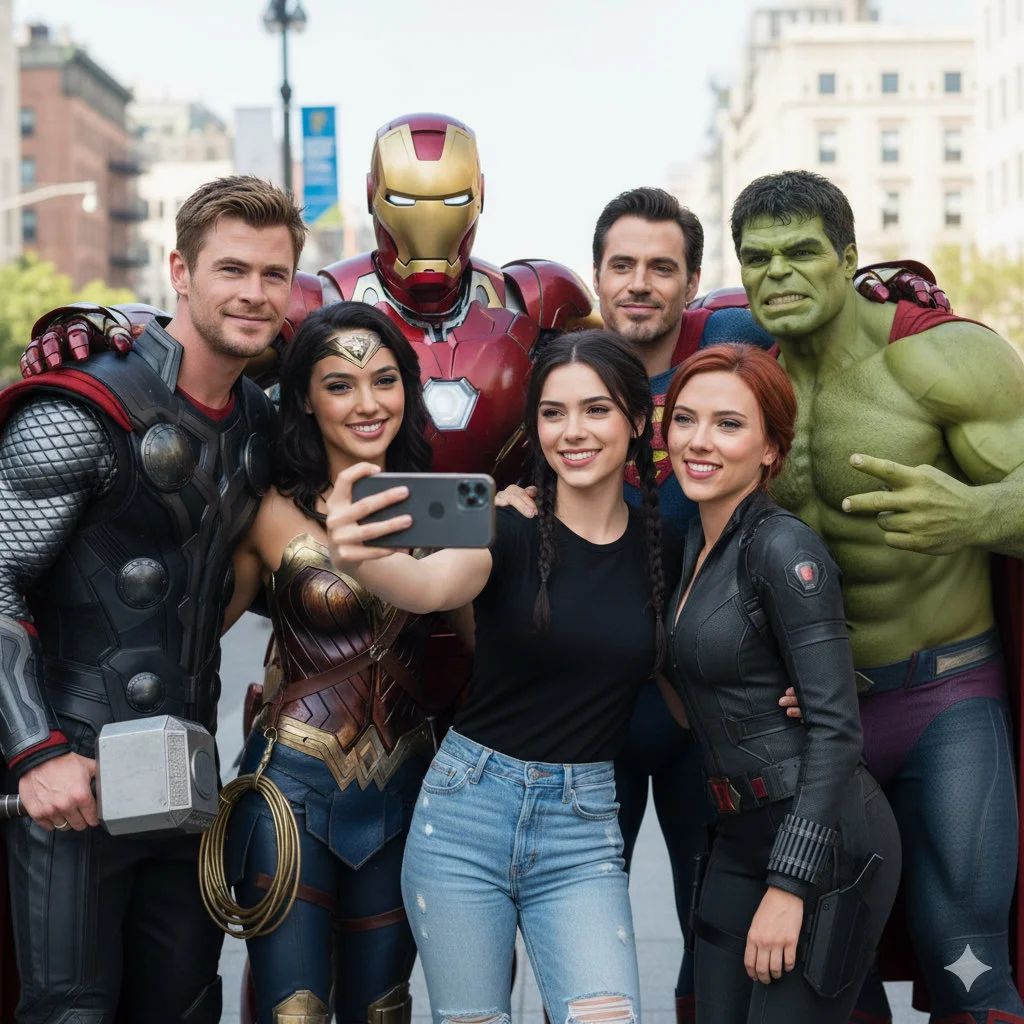
A ultra realistic group selfie, center is the person from the attached image (uploaded image facial details), wearing a fitted black shirt and ripped jeans, holding an iPhone for the selfie. Around are Chris Hemsworth as Thor, Gal Gadot as Wonder Woman, Scarlett Johansson as Black Widow, Mark Ruffalo as Hulk, Henry Cavill as Superman, RDJ in full armor all hugging, smiling, posing casually like close friends. Fun, joyful mood, bright daylight, cinematic quality, natural look, high detail.
A ultra realistic group selfie, center is the person from the attached image (uploaded image facial details), wearing a fitted black shirt and ripped jeans, holding an iPhone for the selfie. Around are Chris Hemsworth as Thor, Gal Gadot as Wonder Woman, Scarlett Johansson as Black Widow, Mark Ruffalo as Hulk, Henry Cavill as Superman, RDJ in full armor all hugging, smiling, posing casually like close friends. Fun, joyful mood, bright daylight, cinematic quality, natural look, high detail.
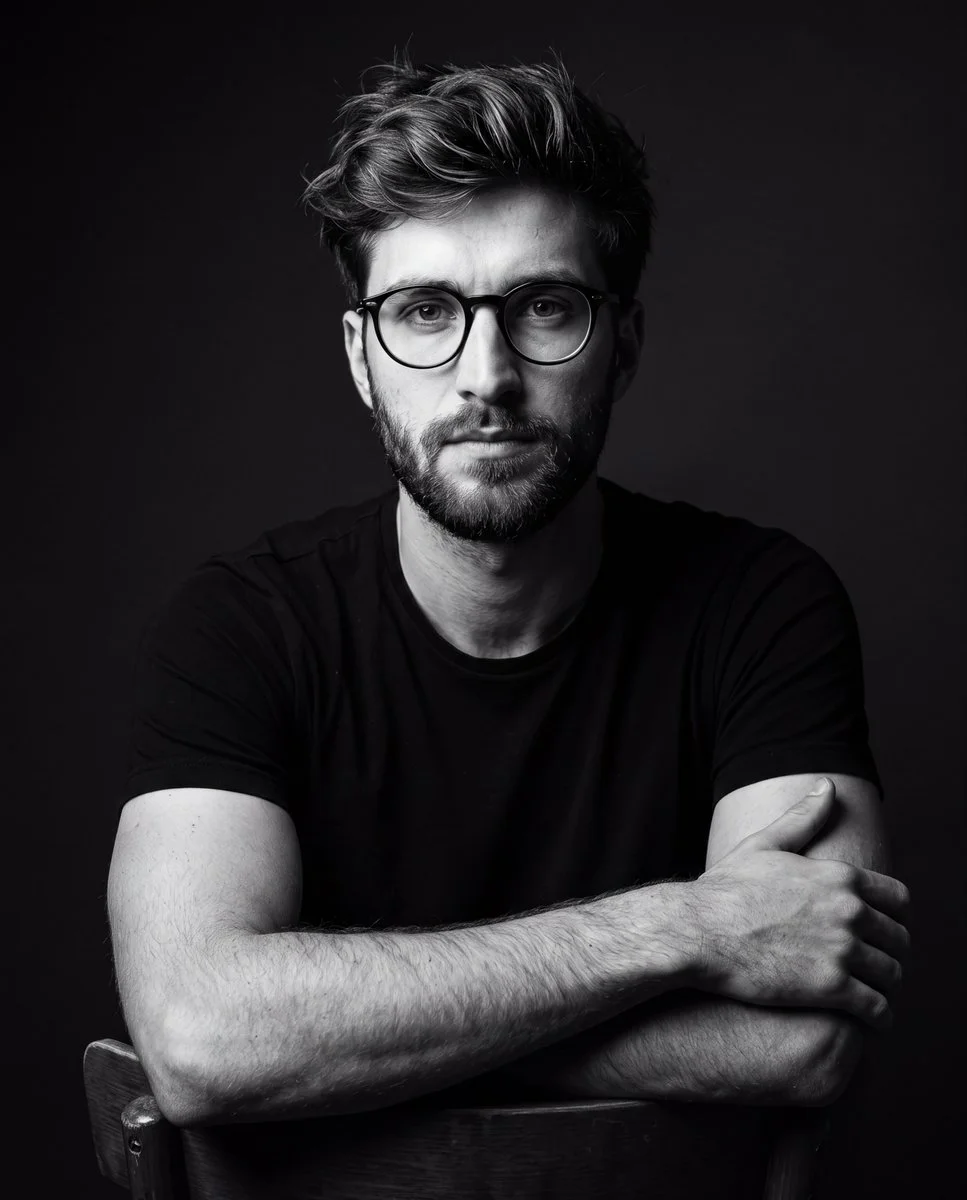
검증된 프롬프트
A dramatic black-and-white studio portrait of a young man wearing a plain black t-shirt and glasses, seated on a chair posing confidently. Dark minimalist background, cinematic lighting with strong shadows, high contrast, sharp details, professional photography style, moody atmosphere. Focus on realistic textures, facial features, and fabric, with no color, emphasizing dramatic light and shadow play for a timeless editorial look.
A dramatic black-and-white studio portrait of a young man wearing a plain black t-shirt and glasses, seated on a chair posing confidently. Dark minimalist background, cinematic lighting with strong shadows, high contrast, sharp details, professional photography style, moody atmosphere. Focus on realistic textures, facial features, and fabric, with no color, emphasizing dramatic light and shadow play for a timeless editorial look.
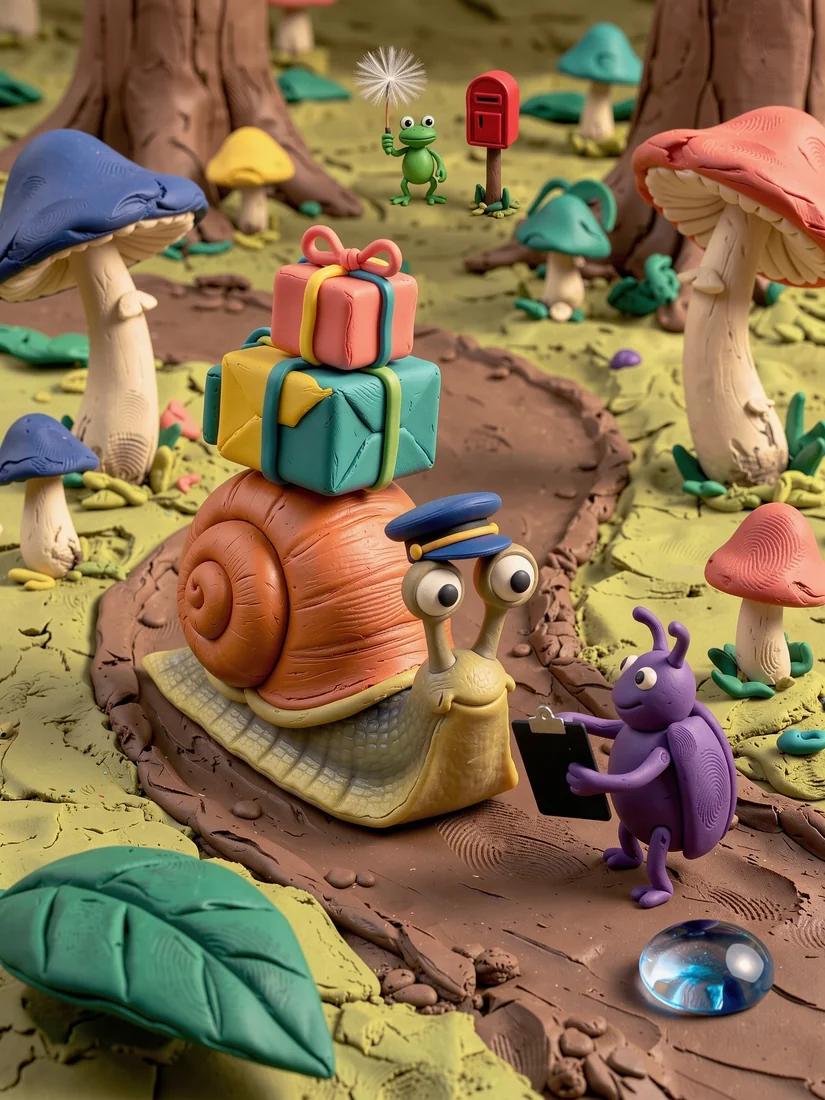
검증된 프롬프트


Grok으로 창의력 발휘
Grok 워크플로를 살펴보고 관련 이미지 페이지와 비교하세요. 생성기는 현재 모델 접근 및 설정의 기준입니다. 프롬프트 라이브러리를 사용하여 게시된 결과와 이를 생성한 모델을 연구하세요.
각 이미지 결과를 검사하고 브리프를 다듬을 시간을 확보하세요. 처리 시간은 모델, 요청 및 서비스 부하에 따라 달라집니다. 한 번에 하나의 방향을 변경하여 어떤 편집이 결과를 개선하는지 판단할 수 있습니다.
Grok 살펴보기
브리프에서 검토된 이미지까지: Grok 워크플로
사용 권한이 있는 소스 이미지로 Grok 이미지 브리프를 시작하세요. 변경할 영역과 보존할 색상, 비율 또는 객체를 명시하세요. 참조 수와 편집 지원은 선택한 모델에 따라 다릅니다.

프롬프트 입력 또는 참조 업로드
사용 권한이 있는 소스 이미지로 Grok 이미지 브리프를 시작하세요. 변경할 영역과 보존할 색상, 비율 또는 객체를 명시하세요. 참조 수와 편집 지원은 선택한 모델에 따라 다릅니다.

가용성, 설정 및 크레딧 확인
각 이미지 결과를 검사하고 브리프를 다듬을 시간을 확보하세요. 처리 시간은 모델, 요청 및 서비스 부하에 따라 달라집니다. 한 번에 하나의 방향을 변경하여 어떤 편집이 결과를 개선하는지 판단할 수 있습니다.

완성된 결과 검토 및 다운로드
요청이 완료되면 History에서 이미지를 검사하고 보관할 결과를 다운로드하세요. 팀과 공유하거나 게시하기 전에 구도와 의도하지 않은 세부 사항을 검토하세요.
Grok 이미지 브리프 작성
주제, 구도, 조명 및 의도한 스타일을 중심으로 Grok 이미지 브리프를 작성하세요. 중요한 경우 소재나 질감을 추가하세요. 편집의 경우 하나의 정확한 변경 사항을 명시하고 소스의 어떤 부분이 그대로 유지되어야 하는지 설명하세요.

텍스트-이미지 생성
주제, 구도, 조명 및 의도한 스타일을 중심으로 Grok 이미지 브리프를 작성하세요. 중요한 경우 소재나 질감을 추가하세요. 편집의 경우 하나의 정확한 변경 사항을 명시하고 소스의 어떤 부분이 그대로 유지되어야 하는지 설명하세요.
- 사용grok AI 이미지 생성기주제, 구도, 조명 및 의도한 스타일을 중심으로 Grok 이미지 브리프를 작성하세요. 중요한 경우 소재나 질감을 추가하세요. 편집의 경우 하나의 정확한 변경 사항을 명시하고 소스의 어떤 부분이 그대로 유지되어야 하는지 설명하세요.
- 는상상해봐주제, 구도, 조명 및 의도한 스타일을 중심으로 Grok 이미지 브리프를 작성하세요. 중요한 경우 소재나 질감을 추가하세요. 편집의 경우 하나의 정확한 변경 사항을 명시하고 소스의 어떤 부분이 그대로 유지되어야 하는지 설명하세요.grok 텍스트를 이미지 생성기로 변환.
- 선택한 모델에 표시된 해상도와 화면 비율만 선택하세요. 완성된 이미지에서 프레이밍, 세부 사항 및 텍스트를 확인하세요. 더 큰 출력 크기가 더 정확한 결과를 보장하지는 않습니다.grok AI 사진 생성기.
- 이것에 의지하십시오grok 이미지 프롬프트 생성기Grok 워크플로를 살펴보고 관련 이미지 페이지와 비교하세요. 생성기는 현재 모델 접근 및 설정의 기준입니다. 프롬프트 라이브러리를 사용하여 게시된 결과와 이를 생성한 모델을 연구하세요.

정확한 편집 및 스타일 지침 작성
Grok 워크플로를 살펴보고 관련 이미지 페이지와 비교하세요. 생성기는 현재 모델 접근 및 설정의 기준입니다. 프롬프트 라이브러리를 사용하여 게시된 결과와 이를 생성한 모델을 연구하세요.
- 사용 권한이 있는 소스 이미지로 Grok 이미지 브리프를 시작하세요. 변경할 영역과 보존할 색상, 비율 또는 객체를 명시하세요. 참조 수와 편집 지원은 선택한 모델에 따라 다릅니다.grok AI 이미지 생성기필요한 결과를 중심으로 Grok 이미지 브리프를 작성하세요. 주요 방향을 구체적으로 유지하고, 생성기에서 지원되는 설정을 확인하며, 프로젝트에 사용하기 전에 완성된 작업을 검토하세요.
- 는상상해봐플랫폼은 정교한 역할을 합니다.grok AI 이미지 편집기Grok 제품 콘셉트의 경우 제품 형태, 소재, 핵심 세부 사항 및 설정을 지정하세요. 로고와 주장을 정확하게 유지하고, 자체 타이포그래피를 위한 공간을 남기며, 광고에 사용하기 전에 결과를 검토하세요.
- 사용grok 이미지 편집 aiGrok 이미지 브리프에서 중요한 세부 정보를 나열하세요: 정체성, 형태, 색상, 의상 및 배경. 적절한 경우 지원되는 참조를 사용하고 모든 결과를 비교하세요. 정확한 일관성은 보장되지 않습니다.
- 이grok AI 사진 생성기필요한 결과를 중심으로 Grok 이미지 브리프를 작성하세요. 주요 방향을 구체적으로 유지하고, 생성기에서 지원되는 설정을 확인하며, 프로젝트에 사용하기 전에 완성된 작업을 검토하세요.

참조를 사용하여 의도한 결과 설명
사용 권한이 있는 소스 이미지로 Grok 이미지 브리프를 시작하세요. 변경할 영역과 보존할 색상, 비율 또는 객체를 명시하세요. 참조 수와 편집 지원은 선택한 모델에 따라 다릅니다.
- 는grok AI 이미지 생성기Grok 이미지 브리프에서 중요한 세부 정보를 나열하세요: 정체성, 형태, 색상, 의상 및 배경. 적절한 경우 지원되는 참조를 사용하고 모든 결과를 비교하세요. 정확한 일관성은 보장되지 않습니다.
- 와상상해봐, 당신은 일을 우연에 맡기지 않습니다. 는grok 참조 이미지 생성기무작위성을 최소화합니다.
- 브랜드 일관성을 보장하세요.grok AI 사진 생성기제공된 참조의 정확한 미학과 일치합니다.
- 사용 시 일관된 룩을 유지하기 위한 크리에이티브 마케팅 비주얼을 위한 Grok.

주제, 변경 사항 및 참조 설명
Grok 워크플로를 살펴보고 관련 이미지 페이지와 비교하세요. 생성기는 현재 모델 접근 및 설정의 기준입니다. 프롬프트 라이브러리를 사용하여 게시된 결과와 이를 생성한 모델을 연구하세요.
- 는grok AI 이미지 생성기각 이미지 결과를 검사하고 브리프를 다듬을 시간을 확보하세요. 처리 시간은 모델, 요청 및 서비스 부하에 따라 달라집니다. 한 번에 하나의 방향을 변경하여 어떤 편집이 결과를 개선하는지 판단할 수 있습니다.
- 사용상상해봐Grok 제품 콘셉트의 경우 제품 형태, 소재, 핵심 세부 사항 및 설정을 지정하세요. 로고와 주장을 정확하게 유지하고, 자체 타이포그래피를 위한 공간을 남기며, 광고에 사용하기 전에 결과를 검토하세요.
- 는grok AI 사진 생성기다양한 옵션을 제공하여 이상적입니다.소셜 미디어를 위한 Grok.
- 필요한 결과를 중심으로 Grok 이미지 브리프를 작성하세요. 주요 방향을 구체적으로 유지하고, 생성기에서 지원되는 설정을 확인하며, 프로젝트에 사용하기 전에 완성된 작업을 검토하세요.grok 상상 AI 이미지 생성기.
Grok을 위한 더 명확한 크리에이티브 브리프
각 이미지 결과를 검사하고 브리프를 다듬을 시간을 확보하세요. 처리 시간은 모델, 요청 및 서비스 부하에 따라 달라집니다. 한 번에 하나의 방향을 변경하여 어떤 편집이 결과를 개선하는지 판단할 수 있습니다.

복잡한 소프트웨어 건너뛰기
각 이미지 결과를 검사할 시간을 두고 브리프를 개선하세요. 처리 시간은 모델, 요청 및 서비스 부하에 따라 다릅니다. 한 번에 하나의 방향을 변경하여 어떤 편집이 결과를 개선하는지 판단할 수 있습니다.

아이디어를 시각적 자료로 전환
선택한 모델에 표시된 해상도와 화면 비율만 선택하세요. 완성된 이미지의 구도, 세부 사항 및 텍스트를 확인하세요. 더 큰 출력 크기가 더 정확한 결과를 보장하지는 않습니다.

모든 결과에서 세부 사항 확인
사용 권한이 있는 소스 이미지로 Grok 이미지 브리프를 시작하세요. 변경할 영역과 보존할 색상, 비율 또는 객체를 명시하세요. 참조 수 와 편집 지원은 선택한 모델에 따라 다릅니다.

마케팅 및 소셜용으로 제작됨
Grok 제품 콘셉트의 경우 제품 형태, 소재, 핵심 세부 사항 및 설정을 지정하세요. 로고와 주장을 정확하게 유지하고, 자체 타이포그래피를 위한 공간을 남기며, 광고에 사용하기 전에 결과를 검토하세요.

쉬운 자연어 편집
각 이미지 결과를 검사할 시간을 두고 브리프를 개선하세요. 처리 시간은 모델, 요청 및 서비스 부하에 따라 다릅니다. 한 번에 하나의 방향을 변경하여 어떤 편집이 결과를 개선하는지 판단할 수 있습니다.

신속한 시각적 반복
각 이미지 결과를 검사할 시간을 두고 브리프를 개선하세요. 처리 시간은 모델, 요청 및 서비스 부하에 따라 다릅니다. 한 번에 하나의 방향을 변경하여 어떤 편집이 결과를 개선하는지 판단할 수 있습니다.
Grok 이미지 브리프를 위한 크리에이티브 노트
주요 주제에 하나의 명확한 행동을 부여하세요. Grok 콘셉트의 경우 정확한 브리프가 경쟁하는 효과 목록보다 평가하기 쉽습니다.

Grok 이미지 워크플로: 질문과 답변
필요한 결과를 중심으로 Grok 이미지 브리프를 작성하세요. 주요 방향을 구체적으로 유지하고, 생성기에서 지원되는 설정을 확인하며, 프로젝트에 사용하기 전에 완성된 작업을 검토하세요.
이 Highsfield 페이지는 Grok 이미지 워크플로를 설명합니다. 집중된 브리프를 작성하고 사용 가능한 입력을 검토하는 데 도움이 됩니다. 현재 액세스는 생성기에 표시됩니다. 가이드의 모델 이름이 현재 요청을 수락한다는 의미는 아닙니다.
이 Highsfield 페이지는 Grok 이미지 워크플로를 설명합니다. 집중된 브리프를 작성하고 사용 가능한 입력을 검토하는 데 도움이 됩니다. 현재 액세스는 생성기에 표시됩니다. 가이드의 모델 이름이 현재 요청을 수락한다는 의미는 아닙니다.
필요한 결과를 중심으로 Grok 이미지 브리프를 작성하세요. 주요 방향을 구체적으로 유지하고, 생성기에서 지원되는 설정을 확인하며, 프로젝트에 사용하기 전에 완성된 작업을 검토하세요.
주제, 구도, 조명 및 의도한 스타일을 중심으로 Grok 이미지 브리프를 작성하세요. 중요한 경우 소재나 질감을 추가하세요. 편집의 경우 하나의 정확한 변경 사항을 명시하고 소스의 어떤 부분이 그대로 유지되어야 하는지 설명하세요.
선택한 모델에서 제공하는 입력 모드와 컨트롤만 사용하세요. 의도한 이미지를 명확하게 설명하고 유용한 경우 지원되는 참조를 추가하세요. 이 페이지는 별도의 모션 브러시, 오디오 업로드, 복원 또는 편집 도구를 약속하지 않습니다.
필요한 결과를 중심으로 Grok 이미지 브리프를 작성하세요. 주요 방향을 구체적으로 유지하고, 생성기에서 지원되는 설정을 확인하며, 프로젝트에 사용하기 전에 완성된 작업을 검토하세요.
Grok 제품 콘셉트의 경우 제품 형태, 소재, 핵심 세부 사항 및 설정을 지정하세요. 로고와 주장을 정확하게 유지하고, 자체 타이포그래피를 위한 공간을 남기며, 광고에 사용하기 전에 결과를 검토하세요.
선택한 모델에 표시된 해상도와 화면 비율만 선택하세요. 완성된 이미지에서 프레이밍, 세부 사항 및 텍스트를 확인하세요. 더 큰 출력 크기가 더 정확한 결과를 보장하지는 않습니다.
다음 Grok 이미지 아이디어를 탐색해 보세요
각 이미지 결과를 검사하고 브리프를 다듬을 시간을 확보하세요. 처리 시간은 모델, 요청 및 서비스 부하에 따라 달라집니다. 한 번에 하나의 방향을 변경하여 어떤 편집이 결과를 개선하는지 판단할 수 있습니다.