
イラストとGrokによるビジュアルコンセプトを探索
HighsfieldでGrok画像のアイデアを探求
選択したモデルに表示されている解像度とアスペクト比のみを選択してください。完成した画像のフレーミング、細部、テキストを確認してください。より大きな出力サイズは、より正確な結果を保証するものではありません。

検証済みプロンプト
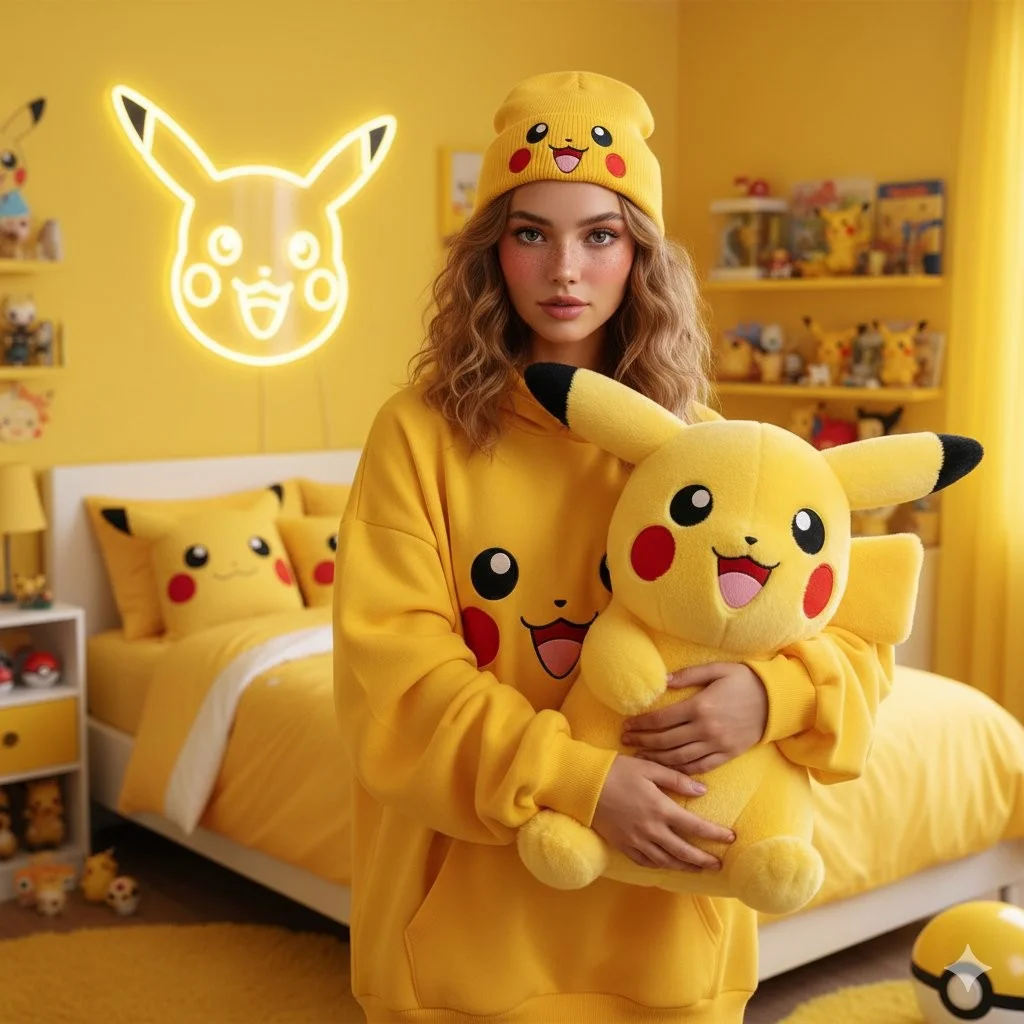
A photorealistic portrait of a young woman with shoulder-length, textured wavy light brown hair and soft, natural makeup with rosy cheeks. She is standing in a vibrant, bright yellow-themed bedroom. She is wearing an oversized yellow hoodie featuring a graphic of Pikachu's face and a matching yellow beanie with a Pikachu face on it. She is holding a large, fluffy Pikachu plush toy with big round eyes, red cheeks, and a happy expression. Behind her, a neon outline of Pikachu's face glows on a yellow wall. The background features a bed with yellow bedding, pillows with Pikachu designs, and various Pokémon-themed accessories on a table. The atmosphere is bright, cheerful, and cozy. High resolution, 4k.
A photorealistic portrait of a young woman with shoulder-length, textured wavy light brown hair and soft, natural makeup with rosy cheeks. She is standing in a vibrant, bright yellow-themed bedroom. She is wearing an oversized yellow hoodie featuring a graphic of Pikachu's face and a matching yellow beanie with a Pikachu face on it. She is holding a large, fluffy Pikachu plush toy with big round eyes, red cheeks, and a happy expression. Behind her, a neon outline of Pikachu's face glows on a yellow wall. The background features a bed with yellow bedding, pillows with Pikachu designs, and various Pokémon-themed accessories on a table. The atmosphere is bright, cheerful, and cozy. High resolution, 4k.
検証済みプロンプト
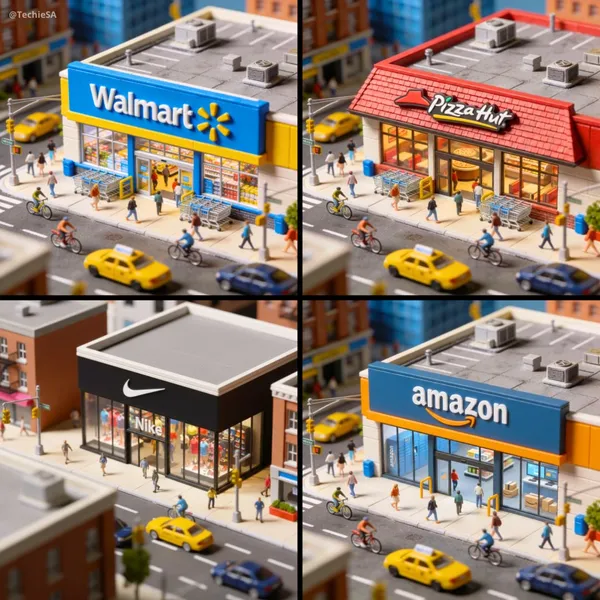
namic aerial view of a bustling city street, focusing on a miniature [BRAND] store. The camera performs a smooth, sweeping dolly in towards the storefront, capturing the vibrant activity of pedestrians, cyclists, and vehicles. Bright daylight illuminates the scene, highlighting the distinctive branding and merchandise displayed in the window. The atmosphere is lively and energetic, with a playful, miniature aesthetic that emphasizes the intricate details of the cityscape. 1080x1080 dimension.
namic aerial view of a bustling city street, focusing on a miniature [BRAND] store. The camera performs a smooth, sweeping dolly in towards the storefront, capturing the vibrant activity of pedestrians, cyclists, and vehicles. Bright daylight illuminates the scene, highlighting the distinctive branding and merchandise displayed in the window. The atmosphere is lively and energetic, with a playful, miniature aesthetic that emphasizes the intricate details of the cityscape. 1080x1080 dimension.
検証済みプロンプト
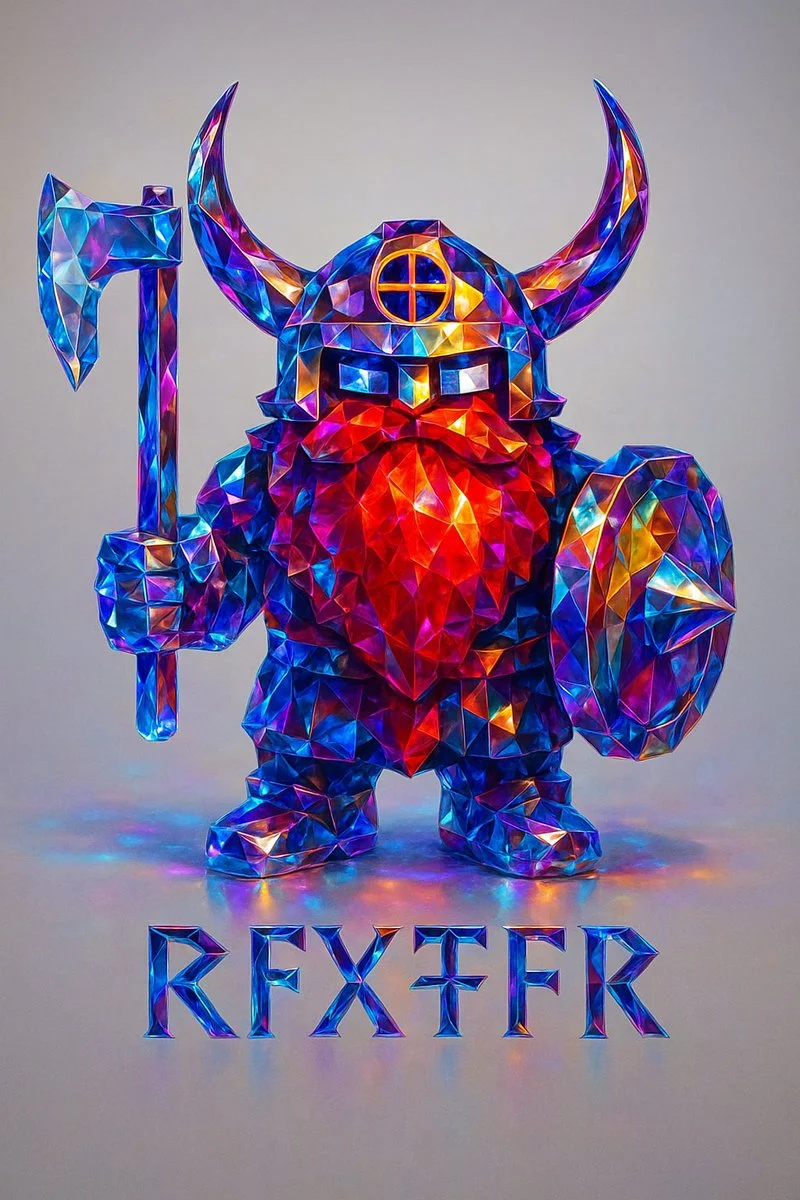
Recreate this image using the parameters of the JSON provided. { "style_transfer": { "name": "Prismatic Crystal", "description": "Applies a highly realistic prismatic crystal style to any object, using precise light dispersion and photographic clarity. Ideal for adding a premium, gem-like finish to metallic or structured forms.", "style_attributes": { "surface_texture": "polished faceted crystal, sharp and clean edges, flawless transparency", "lighting": "soft studio lighting with clear specular highlights and smooth ambient shadows", "color_palette": ["sapphire blue", "electric cyan", "sunset amber", "violet", "magenta", "neutral white"], "material": "dense optical glass or cut gemstone with prismatic inner reflections", "effects": [ "realistic spectral dispersion", "micro-refractions along edges", "soft caustics on adjacent surfaces", "lens-sharp gloss finish", "subtle light blooming in high contrast areas" ], "contrast": "balanced with high edge definition and natural depth falloff" }, "application_method": { "blend_mode": "photographic overlay", "intensity": 1.0, "masking": "precise masking to preserve structure and cast shadows", "edge_enhancement": "controlled sharpening for facets only", "preserve_original_shape": true, "realism_priority": true, "depth_mapping": true, "chromatic_aberration_limit": "minimal" } } }
Recreate this image using the parameters of the JSON provided. { "style_transfer": { "name": "Prismatic Crystal", "description": "Applies a highly realistic prismatic crystal style to any object, using precise light dispersion and photographic clarity. Ideal for adding a premium, gem-like finish to metallic or structured forms.", "style_attributes": { "surface_texture": "polished faceted crystal, sharp and clean edges, flawless transparency", "lighting": "soft studio lighting with clear specular highlights and smooth ambient shadows", "color_palette": ["sapphire blue", "electric cyan", "sunset amber", "violet", "magenta", "neutral white"], "material": "dense optical glass or cut gemstone with prismatic inner reflections", "effects": [ "realistic spectral dispersion", "micro-refractions along edges", "soft caustics on adjacent surfaces", "lens-sharp gloss finish", "subtle light blooming in high contrast areas" ], "contrast": "balanced with high edge definition and natural depth falloff" }, "application_method": { "blend_mode": "photographic overlay", "intensity": 1.0, "masking": "precise masking to preserve structure and cast shadows", "edge_enhancement": "controlled sharpening for facets only", "preserve_original_shape": true, "realism_priority": true, "depth_mapping": true, "chromatic_aberration_limit": "minimal" } } }
検証済みプロンプト
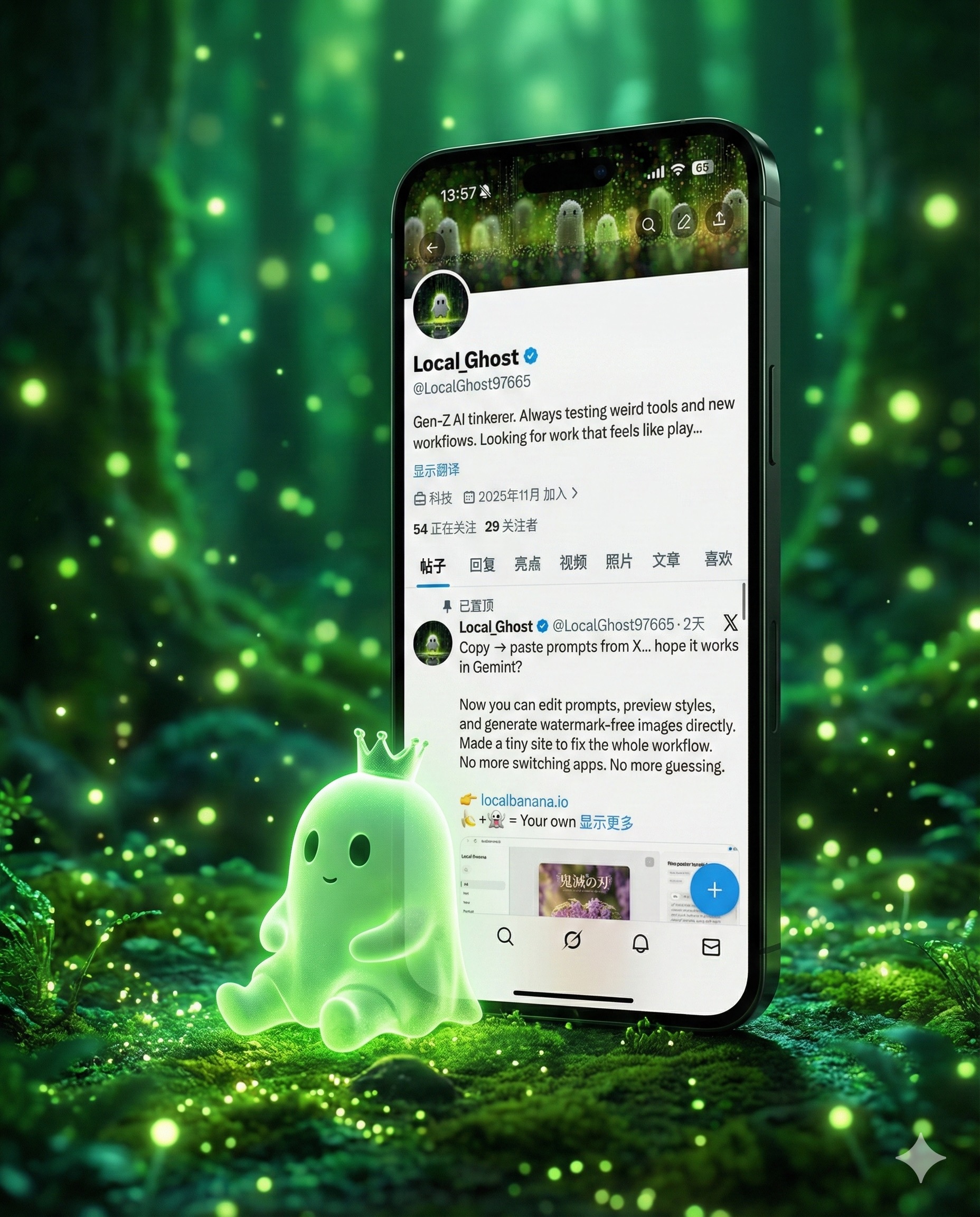
te a highly detailed 3D “breaking the fourth wall” art piece featuring a giant, sleek smartphone standing vertically. The phone must display the exact profile UI from the provided screenshot (username, display name, banner, and layout). The character from the profile picture — a glowing, soft, jelly-like green ghost with a small crown — has stepped out of the phone screen. Place the character sitting on the ground, leaning naturally and comfortably against the phone bezel, with realistic body weight and contact shadows. Match the background environment and floor to the exact “vibe & palette” of the screenshot banner: bioluminescent forest ambience, green luminous particles, soft fog, glowing light orbs, dreamy atmosphere. Use cinematic lighting, photorealistic materials, 8K render detail, crisp subsurface scattering on the ghost character, and realistic reflections on the smartphone. The composition should feel magical, grounded, and premium.
te a highly detailed 3D “breaking the fourth wall” art piece featuring a giant, sleek smartphone standing vertically. The phone must display the exact profile UI from the provided screenshot (username, display name, banner, and layout). The character from the profile picture — a glowing, soft, jelly-like green ghost with a small crown — has stepped out of the phone screen. Place the character sitting on the ground, leaning naturally and comfortably against the phone bezel, with realistic body weight and contact shadows. Match the background environment and floor to the exact “vibe & palette” of the screenshot banner: bioluminescent forest ambience, green luminous particles, soft fog, glowing light orbs, dreamy atmosphere. Use cinematic lighting, photorealistic materials, 8K render detail, crisp subsurface scattering on the ghost character, and realistic reflections on the smartphone. The composition should feel magical, grounded, and premium.
検証済みプロンプト
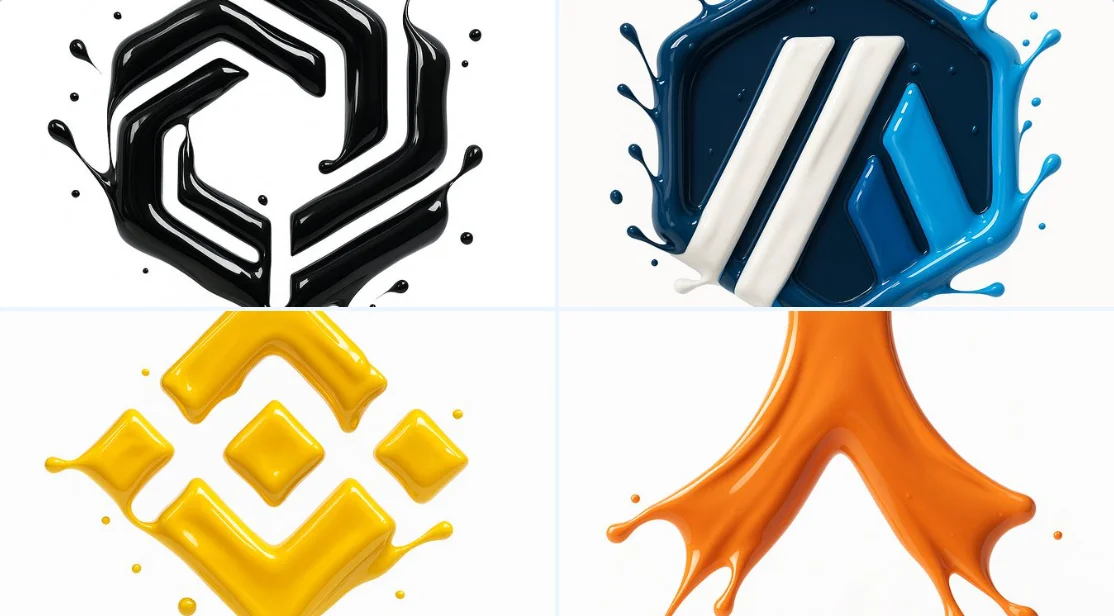
make a hyper-realistic 3D render of the attached logo, formed by glossy liquid paint splashes. Paint sculpts the outline using the exact palette from the reference. Smooth, fluid high-gloss splashes catch highlights; logo floats on pure white.
make a hyper-realistic 3D render of the attached logo, formed by glossy liquid paint splashes. Paint sculpts the outline using the exact palette from the reference. Smooth, fluid high-gloss splashes catch highlights; logo floats on pure white.
検証済みプロンプト
検証済みプロンプト
検証済みプロンプト
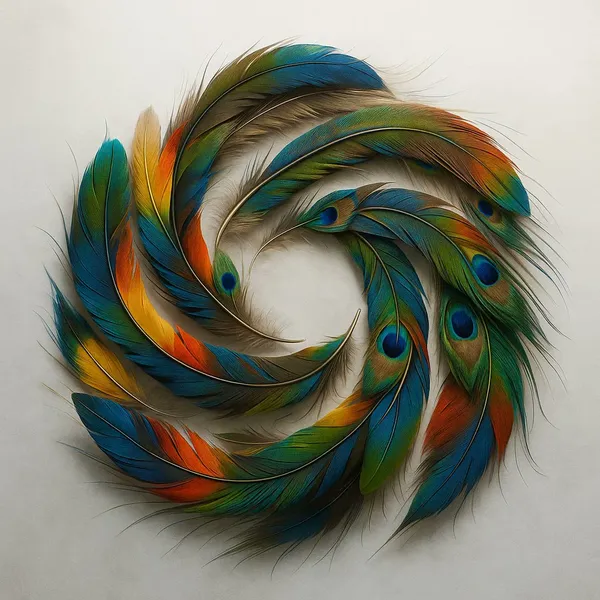
検証済みプロンプト
tailed overhead shot of a fluid, colorful OpenAI logo created by arranging hundreds of naturally shed exotic bird feathers. Capture the incredible iridescence, delicate barbs, and varied textures against a misty white backdrop with side lighting.
tailed overhead shot of a fluid, colorful OpenAI logo created by arranging hundreds of naturally shed exotic bird feathers. Capture the incredible iridescence, delicate barbs, and varied textures against a misty white backdrop with side lighting.
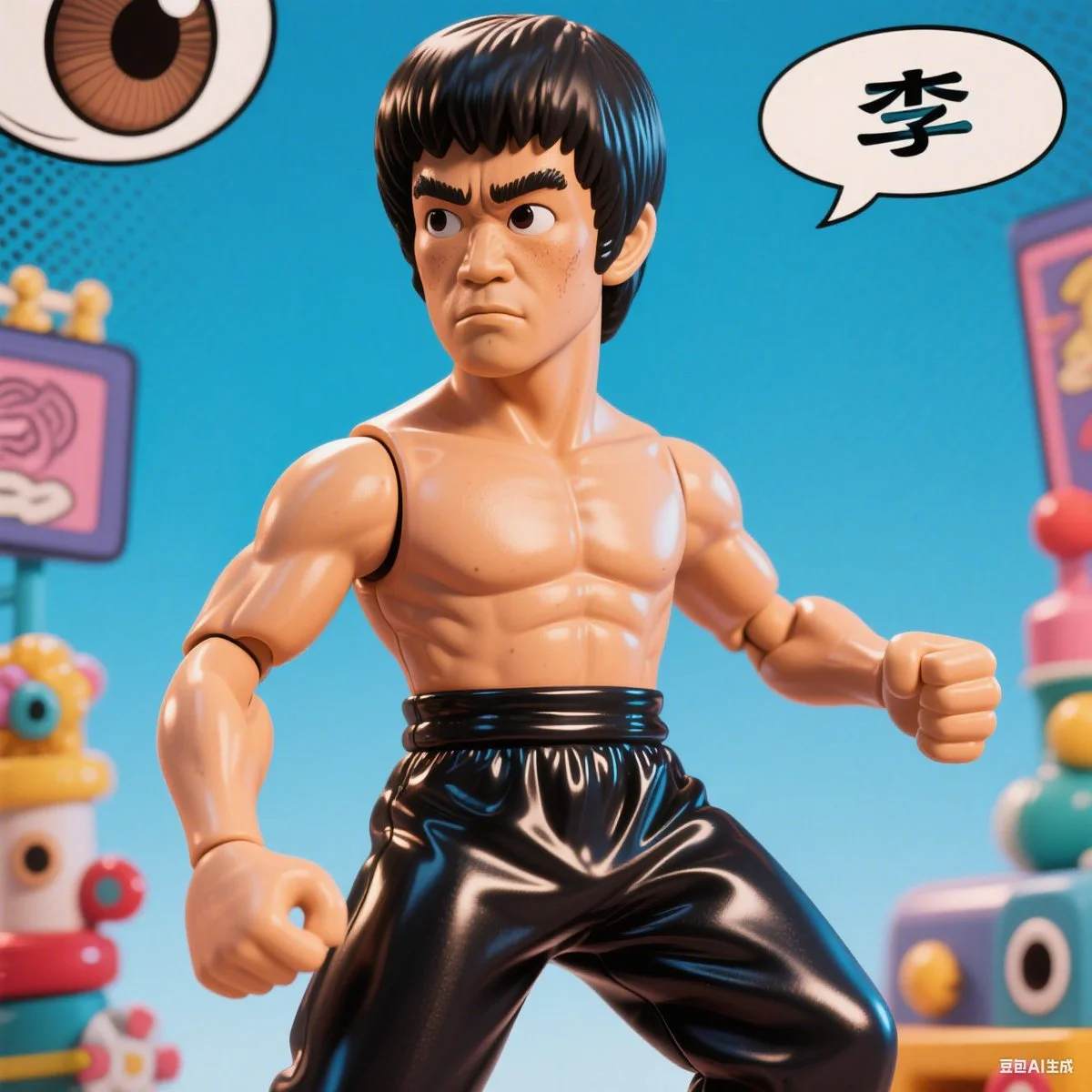
検証済みプロンプト
A comic-style caricature illustration of [subject], with an oversized head and expressive eyes, rendered in a hyper-realistic vinyl toy aesthetic. The character features exaggerated proportions, glossy textures, and playful details, blending caricature art with collectible figure charm.
A comic-style caricature illustration of [subject], with an oversized head and expressive eyes, rendered in a hyper-realistic vinyl toy aesthetic. The character features exaggerated proportions, glossy textures, and playful details, blending caricature art with collectible figure charm.
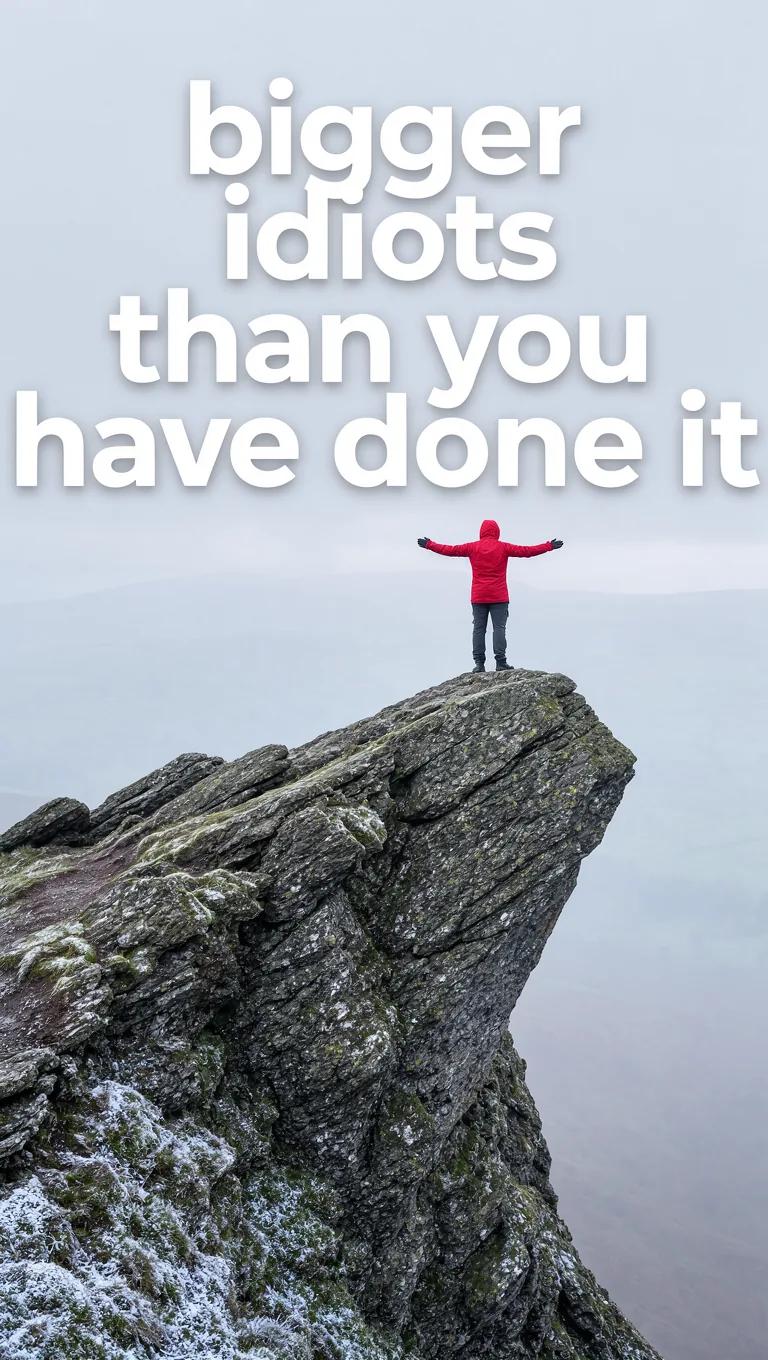
検証済みプロンプト
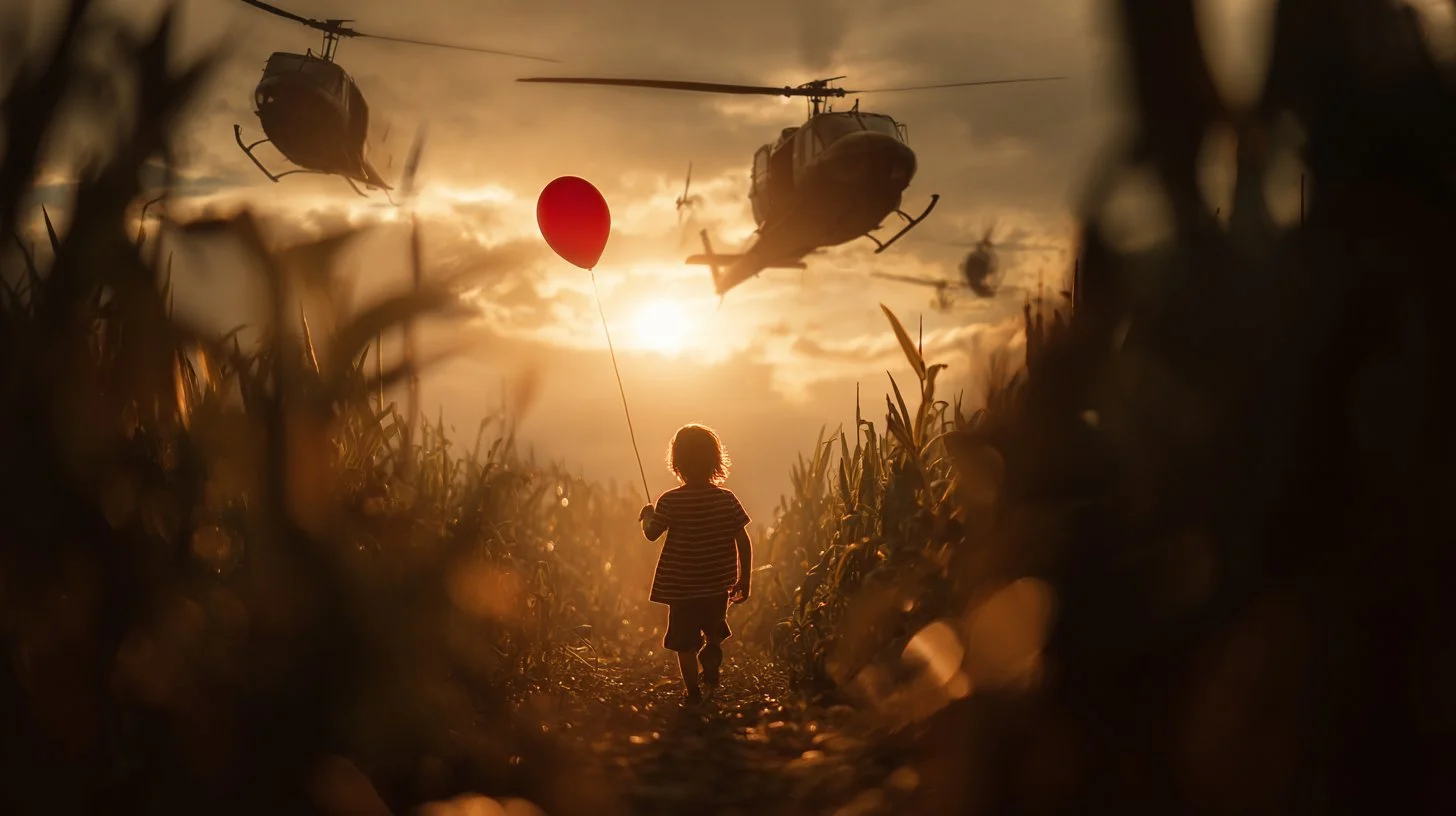
検証済みプロンプト
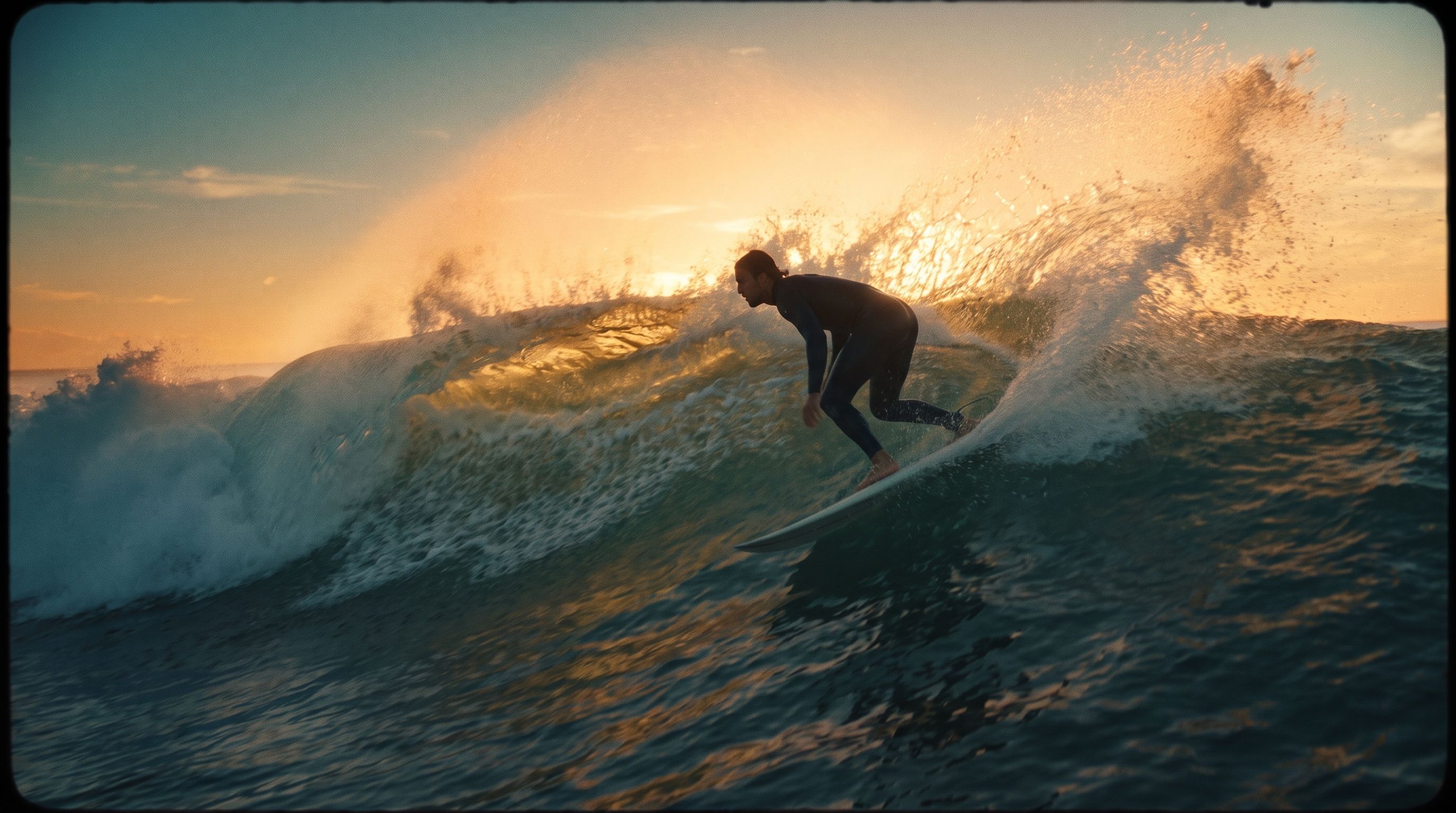
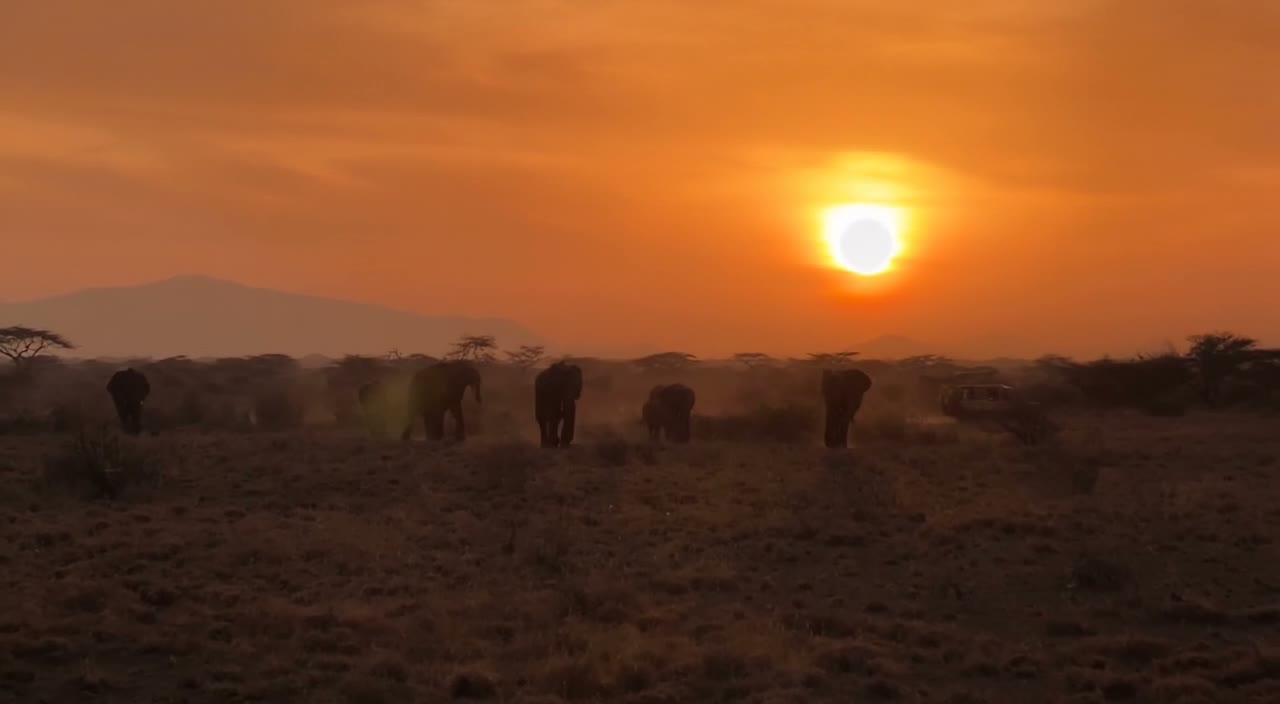
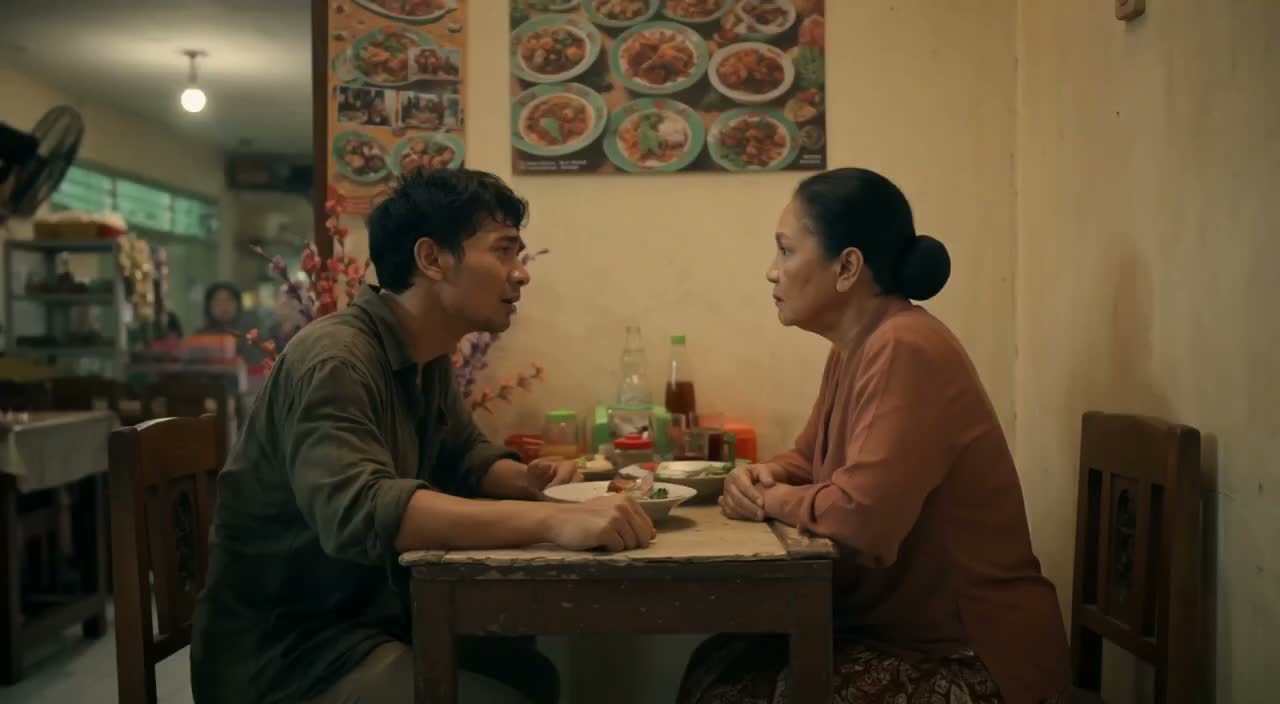
Cinematic still, A [ description of the character or action scene], with a [ background/environment], a dynamic angle, a [light effect or lighting condition], motion blur, high-resolution photography, a cinematic scene, cinematic lighting, and high contrast.
Cinematic still, A [ description of the character or action scene], with a [ background/environment], a dynamic angle, a [light effect or lighting condition], motion blur, high-resolution photography, a cinematic scene, cinematic lighting, and high contrast.


Grokで創造性を解き放つ
Grokのワークフローを探索し、関連する画像ページと比較してください。ジェネレーターは現在のモデルアクセスと設定の信頼できる情報源です。プロンプトライブラリを使用して、公開された結果とそれを作成したモデルを調査してください。
各画像結果を検査し、ブリーフを改善する時間を確保してください。処理時間はモデル、リクエスト、サービスの負荷によって異なります。一度に1つの方向性だけを変更して、どの編集が結果を改善するかを判断できるようにしてください。
Grokを探索
ブリーフからレビュー済み画像まで:Grokワークフロー
Grokの画像ブリーフは、使用許可のあるソース画像から始めてください。変更する領域と、保持する色、比率、オブジェクトを指定してください。参照数と編集サポートは選択したモデルによって異なります。

プロンプトを入力するか、参照をアップロードしてください
Grokの画像ブリーフは、使用許可のあるソース画像から始めてください。変更する領域と、保持する色、比率、オブジェクトを指定してください。参照数と編集サポートは選択したモデルによって異なります。

利用可能性、設定、クレジットを確認する
各画像結果を検査し、ブリーフを改善する時間を確保してください。処理時間はモデル、リクエスト、サービスの負荷によって異なります。一度に1つの方向性だけを変更して、どの編集が結果を改善するかを判断できるようにしてください。

完成した結果を確認してダウンロード
リクエストが完了したら、Historyで画像を検査し、保持したい結果をダウンロードします。チームと共有したり公開したりする前に、構図と意図しない細部を確認してください。
Grokの画像ブリーフを作成
Grokの画像ブリーフは、被写体、構図、照明、意図するスタイルを中心に書いてください。重要な場合は素材やテクスチャを追加してください。編集の場合は、1つの正確な変更を述べ、ソースのどの部分をそのまま保持すべきかを説明してください。

テキストから画像への作成
Grokの画像ブリーフは、被写体、構図、照明、意図するスタイルを中心に書いてください。重要な場合は素材やテクスチャを追加してください。編集の場合は、1つの正確な変更を述べ、ソースのどの部分をそのまま保持すべきかを説明してください。
- を使用します。Grok AI画像ジェネレーターGrokの画像ブリーフは、被写体、構図、照明、意図するスタイルを中心に書いてください。重要な場合は素材やテクスチャを追加してください。編集の場合は、1つの正確な変更を述べ、ソースのどの部分をそのまま保持すべきかを説明してください。
- の想像してみてくださいGrokの画像ブリーフは、被写体、構図、照明、意図するスタイルを中心に書いてください。重要な場合は素材やテクスチャを追加してください。編集の場合は、1つの正確な変更を述べ、ソースのどの部分をそのまま保持すべきかを説明してください。grok テキストから画像へのジェネレーター.
- 選択したモデルに表示されている解像度とアスペクト比のみを選択してください。完成した画像のフレーミング、細部、テキストを確認してください。より大きな出力サイズは、より正確な結果を保証するものではありません。Grok AIフォトジェネレーター.
- これに頼ってくださいgrok イメージ プロンプト ジェネレーターGrokのワークフローを探索し、関連する画像ページと比較してください。ジェネレーターは現在のモデルアクセスと設定の信頼できる情報源です。プロンプトライブラリを使用して、公開された結果とそれを作成したモデルを調査してください。

正確な編集とスタイルの指示を書く
Grokのワークフローを探索し、関連する画像ページと比較してください。ジェネレーターは現在のモデルアクセスと設定の信頼できる情報源です。プロンプトライブラリを使用して、公開された結果とそれを作成したモデルを調査してください。
- Grokの画像ブリーフは、使用許可のあるソース画像から始めてください。変更する領域と、保持する色、比率、オブジェクトを指定してください。参照数と編集サポートは選択したモデルによって異なります。Grok AI画像ジェネレーター必要な結果を中心にGrokの画像ブリーフを作成してください。メインの方向性を具体的に保ち、ジェネレーターでサポートされている設定を確認し、プロジェクトで使用する前に完成した作品をレビューしてください。
- の想像してみてくださいプラットフォームは洗練されたものとして機能しますGrok AI画像エディターGrokの製品コンセプトでは、製品の形状、素材、重要なディテール、設定を指定してください。ロゴと主張は正確に保ち、独自のタイポグラフィの余地を残し、広告で使用する前に結果を確認してください。
- を使用します。Grok画像編集AIGrokの画像ブリーフに重要な詳細を記載してください:アイデンティティ、形状、色、服装、背景。適切な場合はサポートされている参照を使用し、すべての結果を比較してください。完全な一貫性は保証されません。
- これGrok AIフォトジェネレーター必要な結果を中心にGrokの画像ブリーフを作成してください。メインの方向性を具体的に保ち、ジェネレーターでサポートされている設定を確認し、プロジェクトで使用する前に完成した作品をレビューしてください。

参照を使用して意図する結果を説明
Grokの画像ブリーフは、使用許可のあるソース画像から始めてください。変更する領域と、保持する色、比率、オブジェクトを指定してください。参照数と編集サポートは選択したモデルによって異なります。
- のGrok AI画像ジェネレーターGrokの画像ブリーフに重要な詳細を記載してください:アイデンティティ、形状、色、服装、背景。適切な場合はサポートされている参照を使用し、すべての結果を比較してください。完全な一貫性は保証されません。
- と想像してみてください、物事を成り行きに任せているわけではありません。のgrok 参照画像ジェネレーターランダム性を最小限に抑えます。
- ブランドの一貫性を確保するには、Grok AIフォトジェネレーター提供された参考資料の美しさと正確に一致します。
- 使用時に一貫した外観を維持するためのクリエイティブマーケティングビジュアル用のGrok.

被写体、変更、参照を説明する
Grokのワークフローを探索し、関連する画像ページと比較してください。ジェネレーターは現在のモデルアクセスと設定の信頼できる情報源です。プロンプトライブラリを使用して、公開された結果とそれを作成したモデルを調査してください。
- のGrok AI画像ジェネレーター各画像結果を検査し、ブリーフを改善する時間を確保してください。処理時間はモデル、リクエスト、サービスの負荷によって異なります。一度に1つの方向性だけを変更して、どの編集が結果を改善するかを判断できるようにしてください。
- 使用する想像してみてくださいGrokの製品コンセプトでは、製品の形状、素材、重要なディテール、設定を指定してください。ロゴと主張は正確に保ち、独自のタイポグラフィの余地を残し、広告で使用する前に結果を確認してください。
- のGrok AIフォトジェネレーターさまざまなオプションを提供し、理想的なものにしますソーシャルメディア用のGrok.
- 必要な結果を中心にGrokの画像ブリーフを作成してください。メインの方向性を具体的に保ち、ジェネレーターでサポートされている設定を確認し、プロジェクトで使用する前に完成した作品をレビューしてください。Grok 想像 AI 画像ジェネレーター.
Grokのためのより明確なクリエイティブブリーフ
各画像結果を検査し、ブリーフを改善する時間を確保してください。処理時間はモデル、リクエスト、サービスの負荷によって異なります。一度に1つの方向性だけを変更して、どの編集が結果を改善するかを判断できるようにしてください。

複雑なソフトウェアをスキップする
各画像結果を検査し、ブリーフを改善する時間を確保してください。処理時間はモデル、リクエスト、サービスの負荷によって異なります。一度に1つの方向性を変更して、どの編集が結果を改善するかを判断できるようにしてください。

アイデアをビジュアルに変える
選択したモデルに表示されている解像度とアスペクト比のみを選択してください。完成した画像のフレーミング、細部、テキストを確認してください。より大きな出力サイズは、より正確な結果を保証するものではありません。

すべての結果でディテールを確認する
Grokの画像ブリーフは、使用許可のあるソース画像から始めてください。変更する領域と、保持する色、比率、オブジェクトを指定してください。参照数と編集サポートは選択したモデルによって異なります。

マーケティングとソーシャル向けに構築
Grokの製品コンセプトでは、製品の形状、素材、重要なディテール、設定を指定してください。ロゴと主張は正確に保ち、独自のタイポグラフィの余地を残し、広告で使用する前に結果を確認してください。

簡単な自然言語編集
各画像結果を検査し、ブリーフを改善する時間を確保してください。処理時間はモデル、リクエスト、サービスの負荷によって異なります。一度に1つの方向性を変更して、どの編集が結果を改善するかを判断できるようにしてください。

迅速な視覚的反復
各画像結果を検査し、ブリーフを改善する時間を確保してください。処理時間はモデル、リクエスト、サービスの負荷によって異なります。一度に1つの方向性を変更して、どの編集が結果を改善するかを判断できるようにしてください。
Grokの画像ブリーフのためのクリエイティブノート
メインの被写体に1つの明確なアクションを与えてください。Grokのコンセプトでは、競合する効果のリストよりも正確なブリーフの方が評価しやすいです。

Grokの画像ワークフロー:質問と回答
必要な結果を中心にGrokの画像ブリーフを作成してください。メインの方向性を具体的に保ち、ジェネレーターでサポートされている設定を確認し、プロジェクトで使用する前に完成した作品をレビューしてください。
このHighsfieldページではGrok画像ワークフローを説明します。集中したブリーフを書き、利用可能な入力を確認するのに役立ちます。現在のアクセス状況はジェネレーターに表示されます。ガイドにモデル名が記載されていても、現在リクエストを受け付けていることを意味するものではありません。
このHighsfieldページではGrok画像ワークフローを説明します。集中したブリーフを書き、利用可能な入力を確認するのに役立ちます。現在のアクセス状況はジェネレーターに表示されます。ガイドにモデル名が記載されていても、現在リクエストを受け付けていることを意味するものではありません。
必要な結果を中心にGrokの画像ブリーフを作成してください。メインの方向性を具体的に保ち、ジェネレーターでサポートされている設定を確認し、プロジェクトで使用する前に完成した作品をレビューしてください。
Grokの画像ブリーフは、被写体、構図、照明、意図するスタイルを中心に書いてください。重要な場合は素材やテクスチャを追加してください。編集の場合は、1つの正確な変更を述べ、ソースのどの部分をそのまま保持すべきかを説明してください。
選択したモデルが提供する入力モードとコントロールのみを使用してください。意図する画像を明確に記述し、必要に応じて対応する参照を追加してください。このページは、独立したモーションブラシ、音声アップロード、復元、編集ツールを約束するものではありません。
必要な結果を中心にGrokの画像ブリーフを作成してください。メインの方向性を具体的に保ち、ジェネレーターでサポートされている設定を確認し、プロジェクトで使用する前に完成した作品をレビューしてください。
Grokの製品コンセプトでは、製品の形状、素材、重要なディテール、設定を指定してください。ロゴと主張は正確に保ち、独自のタイポグラフィの余地を残し、広告で使用する前に結果を確認してください。
選択したモデルに表示されている解像度とアスペクト比のみを選択してください。完成した画像のフレーミング、細部、テキストを確認してください。より大きな出力サイズは、より正確な結果を保証するものではありません。
次のGrok画像のアイデアを探索
各画像結果を検査し、ブリーフを改善する時間を確保してください。処理時間はモデル、リクエスト、サービスの負荷によって異なります。一度に1つの方向性だけを変更して、どの編集が結果を改善するかを判断できるようにしてください。