
Prompt verificado
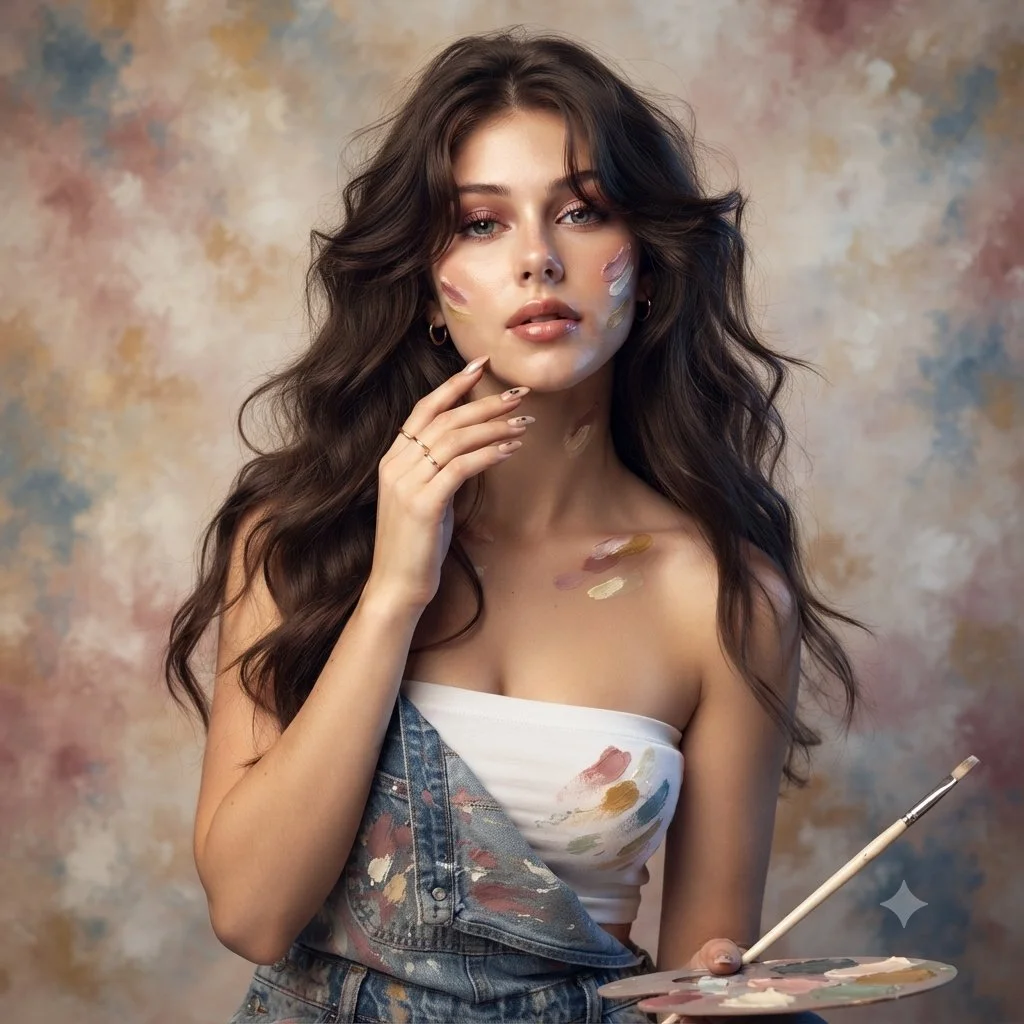
Use an uploaded adult portrait as the identity reference for an artist-inspired studio photograph. Dress the subject in denim overalls over a simple cream top, with a few restrained paint marks on the clothing and fingertips. Include a small palette and a thin brush near the lower frame. Let one hand rest lightly beside the face and keep the eyes unobstructed. Use softly waved hair, delicate jewelry and a mottled painted backdrop in ivory, rose and muted blue. Combine warm and cool soft light while preserving natural skin and facial proportions.
Use an uploaded adult portrait as the identity reference for an artist-inspired studio photograph. Dress the subject in denim overalls over a simple cream top, with a few restrained paint marks on the clothing and fingertips. Include a small palette and a thin brush near the lower frame. Let one hand rest lightly beside the face and keep the eyes unobstructed. Use softly waved hair, delicate jewelry and a mottled painted backdrop in ivory, rose and muted blue. Combine warm and cool soft light while preserving natural skin and facial proportions.
Prompt verificado
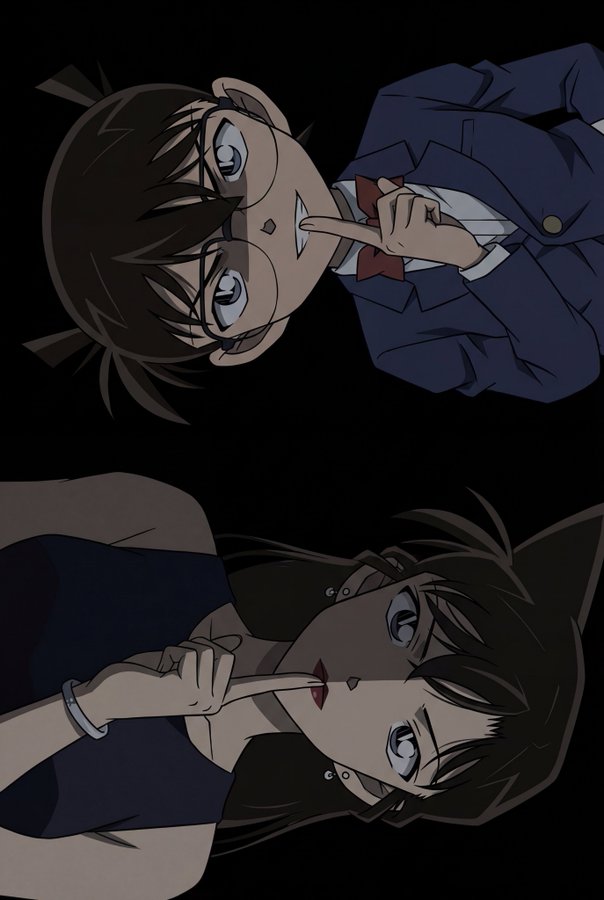
terpiece, best quality, highres:1.4), (official anime art source:1.3), (anime screencap style:1.3), (portrait dimensions:1.5), (tall aspect ratio:1.5), (vertical dual portrait:1.3), (continuous composition:1.2), (unified image:1.2), pure black background, (extremely dramatic chiaroscuro lighting:1.6), (heavy deep shadows:1.5), (sharp shadow edges:1.3), (low key lighting:1.5), (characters blending into darkness:1.4), minimal lighting, mysterious atmosphere, dark tones, (warm skin tones:1.3), (healthy complexion:1.2), (natural skin color:1.2), BREAK (bust shot, tight focus:1.3), 1boy, kudo shinichi, male focus, (lying flat on back:1.5), (perfectly horizontal body alignment:1.5), parallel to frame edge, head on left, (index finger on lips:1.3), shushing gesture, (closed mouth:1.3), (slight mysterious smirk:1.2), intense cold stare, (eyes shaded by hair:1.4), dark hair, (face half obscured by deep sharp shadow:1.4), (warm skin tone:1.2), wearing dark black suit jacket, dark tie, (clothes merging with shadow), absolutely no rim lighting, BREAK (bust shot, tight focus:1.3), 1girl, mouri ran, female focus, (lying flat on back:1.5), (inverted:1.4), upside down, (perfectly horizontal body alignment:1.5), parallel to frame edge, head on right, (index finger on lips:1.3), shushing gesture, (silver bracelet on left wrist:1.3), (serious cold expression:1.5), (calm steady look:1.3), (both eyes open sharp stare:1.4), (subtle blush:0.8), dark red lips, (warm skin tone:1.2), dark long hair flowing into darkness, earrings, wearing dark dress, (body and face hidden in deep sharp shadow:1.4), absolutely no rim lighting
terpiece, best quality, highres:1.4), (official anime art source:1.3), (anime screencap style:1.3), (portrait dimensions:1.5), (tall aspect ratio:1.5), (vertical dual portrait:1.3), (continuous composition:1.2), (unified image:1.2), pure black background, (extremely dramatic chiaroscuro lighting:1.6), (heavy deep shadows:1.5), (sharp shadow edges:1.3), (low key lighting:1.5), (characters blending into darkness:1.4), minimal lighting, mysterious atmosphere, dark tones, (warm skin tones:1.3), (healthy complexion:1.2), (natural skin color:1.2), BREAK (bust shot, tight focus:1.3), 1boy, kudo shinichi, male focus, (lying flat on back:1.5), (perfectly horizontal body alignment:1.5), parallel to frame edge, head on left, (index finger on lips:1.3), shushing gesture, (closed mouth:1.3), (slight mysterious smirk:1.2), intense cold stare, (eyes shaded by hair:1.4), dark hair, (face half obscured by deep sharp shadow:1.4), (warm skin tone:1.2), wearing dark black suit jacket, dark tie, (clothes merging with shadow), absolutely no rim lighting, BREAK (bust shot, tight focus:1.3), 1girl, mouri ran, female focus, (lying flat on back:1.5), (inverted:1.4), upside down, (perfectly horizontal body alignment:1.5), parallel to frame edge, head on right, (index finger on lips:1.3), shushing gesture, (silver bracelet on left wrist:1.3), (serious cold expression:1.5), (calm steady look:1.3), (both eyes open sharp stare:1.4), (subtle blush:0.8), dark red lips, (warm skin tone:1.2), dark long hair flowing into darkness, earrings, wearing dark dress, (body and face hidden in deep sharp shadow:1.4), absolutely no rim lighting
Prompt verificado
Prompt verificado
Prompt verificado
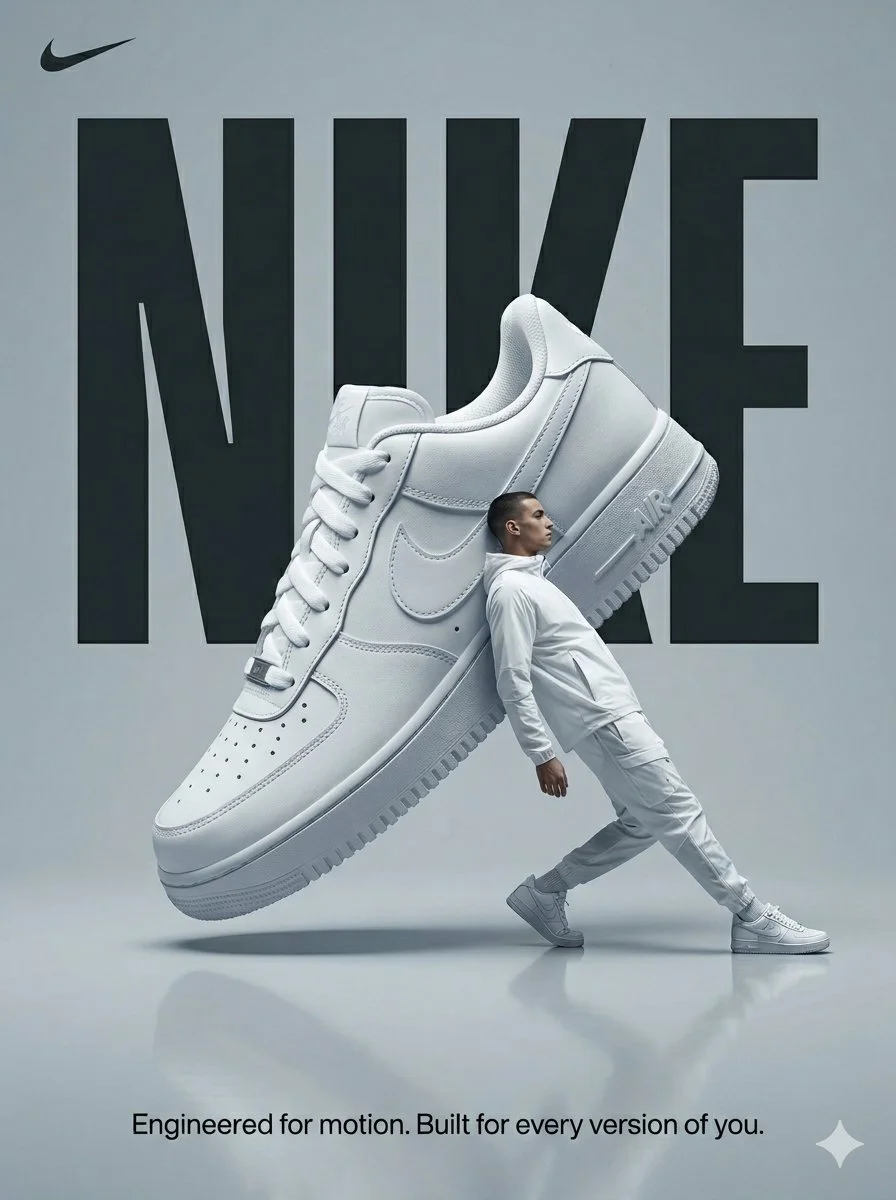
Design a surreal sportswear advertising poster in a cool gray studio. Suspend an oversized white Nike sneaker diagonally above a softly reflective floor. Place an adult male model in white athletic clothing beside it, leaning back in a stretching pose to create a playful contrast of scale. Set large condensed NIKE lettering behind the shoe, partially covered by the product and figure. Use soft directional light, crisp shoe texture and restrained shadows. Keep the vertical composition clean, energetic and almost monochrome, with a small line of supporting copy at the bottom.
Design a surreal sportswear advertising poster in a cool gray studio. Suspend an oversized white Nike sneaker diagonally above a softly reflective floor. Place an adult male model in white athletic clothing beside it, leaning back in a stretching pose to create a playful contrast of scale. Set large condensed NIKE lettering behind the shoe, partially covered by the product and figure. Use soft directional light, crisp shoe texture and restrained shadows. Keep the vertical composition clean, energetic and almost monochrome, with a small line of supporting copy at the bottom.
Prompt verificado
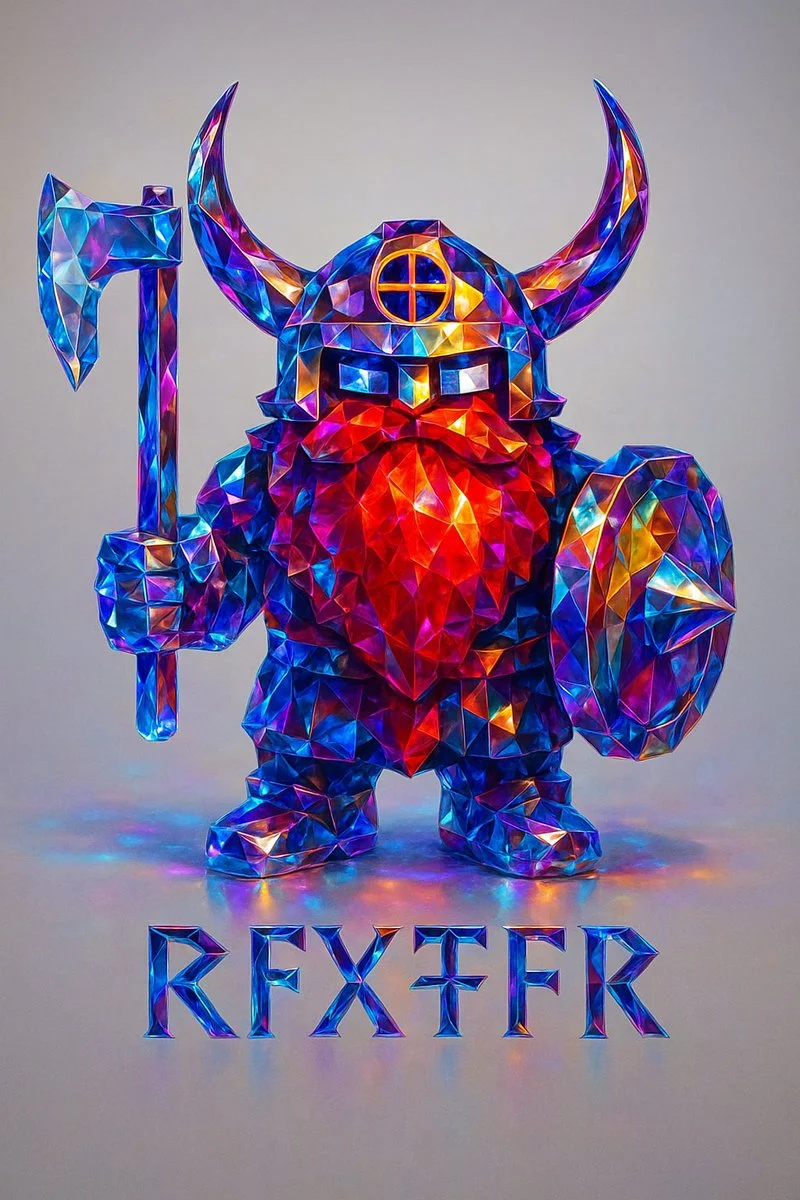
Recreate this image using the parameters of the JSON provided. { "style_transfer": { "name": "Prismatic Crystal", "description": "Applies a highly realistic prismatic crystal style to any object, using precise light dispersion and photographic clarity. Ideal for adding a premium, gem-like finish to metallic or structured forms.", "style_attributes": { "surface_texture": "polished faceted crystal, sharp and clean edges, flawless transparency", "lighting": "soft studio lighting with clear specular highlights and smooth ambient shadows", "color_palette": ["sapphire blue", "electric cyan", "sunset amber", "violet", "magenta", "neutral white"], "material": "dense optical glass or cut gemstone with prismatic inner reflections", "effects": [ "realistic spectral dispersion", "micro-refractions along edges", "soft caustics on adjacent surfaces", "lens-sharp gloss finish", "subtle light blooming in high contrast areas" ], "contrast": "balanced with high edge definition and natural depth falloff" }, "application_method": { "blend_mode": "photographic overlay", "intensity": 1.0, "masking": "precise masking to preserve structure and cast shadows", "edge_enhancement": "controlled sharpening for facets only", "preserve_original_shape": true, "realism_priority": true, "depth_mapping": true, "chromatic_aberration_limit": "minimal" } } }
Recreate this image using the parameters of the JSON provided. { "style_transfer": { "name": "Prismatic Crystal", "description": "Applies a highly realistic prismatic crystal style to any object, using precise light dispersion and photographic clarity. Ideal for adding a premium, gem-like finish to metallic or structured forms.", "style_attributes": { "surface_texture": "polished faceted crystal, sharp and clean edges, flawless transparency", "lighting": "soft studio lighting with clear specular highlights and smooth ambient shadows", "color_palette": ["sapphire blue", "electric cyan", "sunset amber", "violet", "magenta", "neutral white"], "material": "dense optical glass or cut gemstone with prismatic inner reflections", "effects": [ "realistic spectral dispersion", "micro-refractions along edges", "soft caustics on adjacent surfaces", "lens-sharp gloss finish", "subtle light blooming in high contrast areas" ], "contrast": "balanced with high edge definition and natural depth falloff" }, "application_method": { "blend_mode": "photographic overlay", "intensity": 1.0, "masking": "precise masking to preserve structure and cast shadows", "edge_enhancement": "controlled sharpening for facets only", "preserve_original_shape": true, "realism_priority": true, "depth_mapping": true, "chromatic_aberration_limit": "minimal" } } }
Prompt verificado
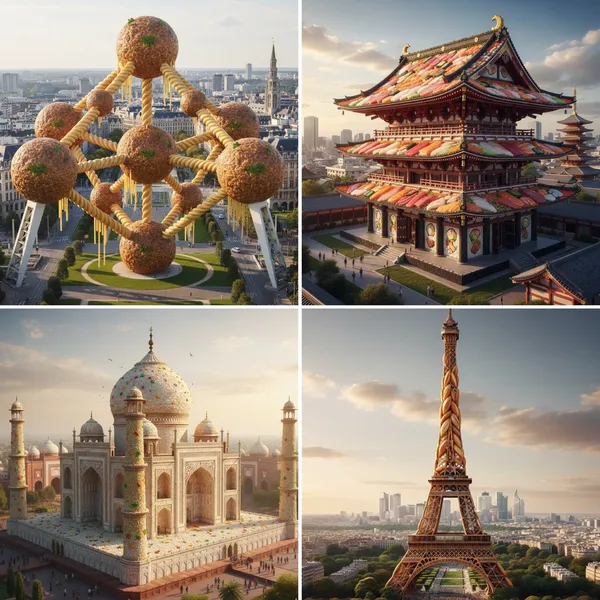
a-realistic 3D render of [MONUMENT] made entirely out of [FOOD], seamlessly integrated into a photorealistic, bustling cityscape of [REAL CITY]. The object must be instantly recognizable as [MONUMENT], but entirely composed of realistic textures and materials from [FOOD]. Ensure accurate proportions and architectural detail, adapted to the food’s form, appearing as if it truly belongs in the city. The city should be vibrant and detailed, with realistic lighting that complements the monument. 1:1 aspect ratio, no text or extra elements.
a-realistic 3D render of [MONUMENT] made entirely out of [FOOD], seamlessly integrated into a photorealistic, bustling cityscape of [REAL CITY]. The object must be instantly recognizable as [MONUMENT], but entirely composed of realistic textures and materials from [FOOD]. Ensure accurate proportions and architectural detail, adapted to the food’s form, appearing as if it truly belongs in the city. The city should be vibrant and detailed, with realistic lighting that complements the monument. 1:1 aspect ratio, no text or extra elements.
Prompt verificado
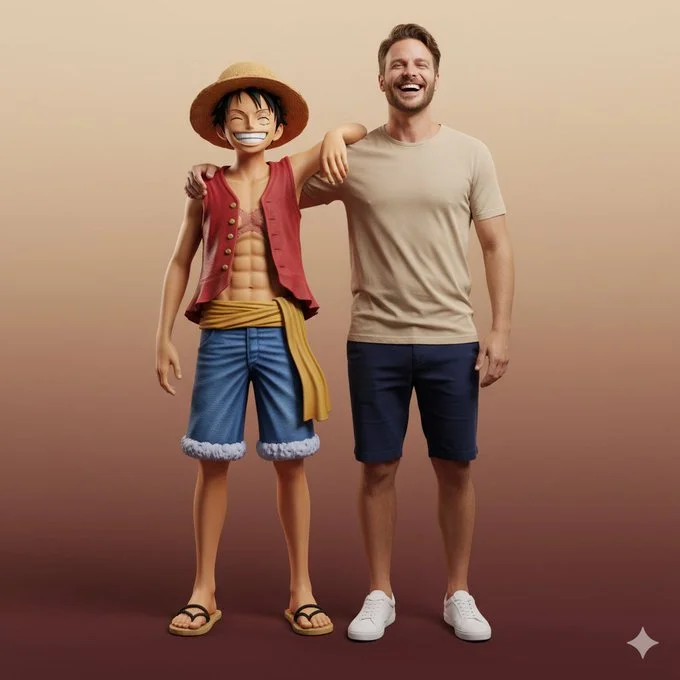
Ultra-realistic full-body portrait of the attached image. The person is interacting with Monkey D. Luffy in a front-facing pose, both standing side by side, smiling directly at the camera. Their body language is friendly and natural — Luffy’s arm rests around the person’s shoulder, while both share a joyful, relaxed laugh. Studio or neutral environment with soft cinematic lighting and a warm beige-to-burgundy gradient background. The person wears casual modern clothes: beige T-shirt, navy shorts, and white sneakers, while Luffy retains his original look — straw hat, red vest, blue shorts, yellow sash, and sandals. Expression and mood: happy, authentic, full of energy and camaraderie, captured in photorealistic textures, realistic lighting, and cinematic composition with high-fashion editorial quality.
Ultra-realistic full-body portrait of the attached image. The person is interacting with Monkey D. Luffy in a front-facing pose, both standing side by side, smiling directly at the camera. Their body language is friendly and natural — Luffy’s arm rests around the person’s shoulder, while both share a joyful, relaxed laugh. Studio or neutral environment with soft cinematic lighting and a warm beige-to-burgundy gradient background. The person wears casual modern clothes: beige T-shirt, navy shorts, and white sneakers, while Luffy retains his original look — straw hat, red vest, blue shorts, yellow sash, and sandals. Expression and mood: happy, authentic, full of energy and camaraderie, captured in photorealistic textures, realistic lighting, and cinematic composition with high-fashion editorial quality.
Prompt verificado
Prompt verificado
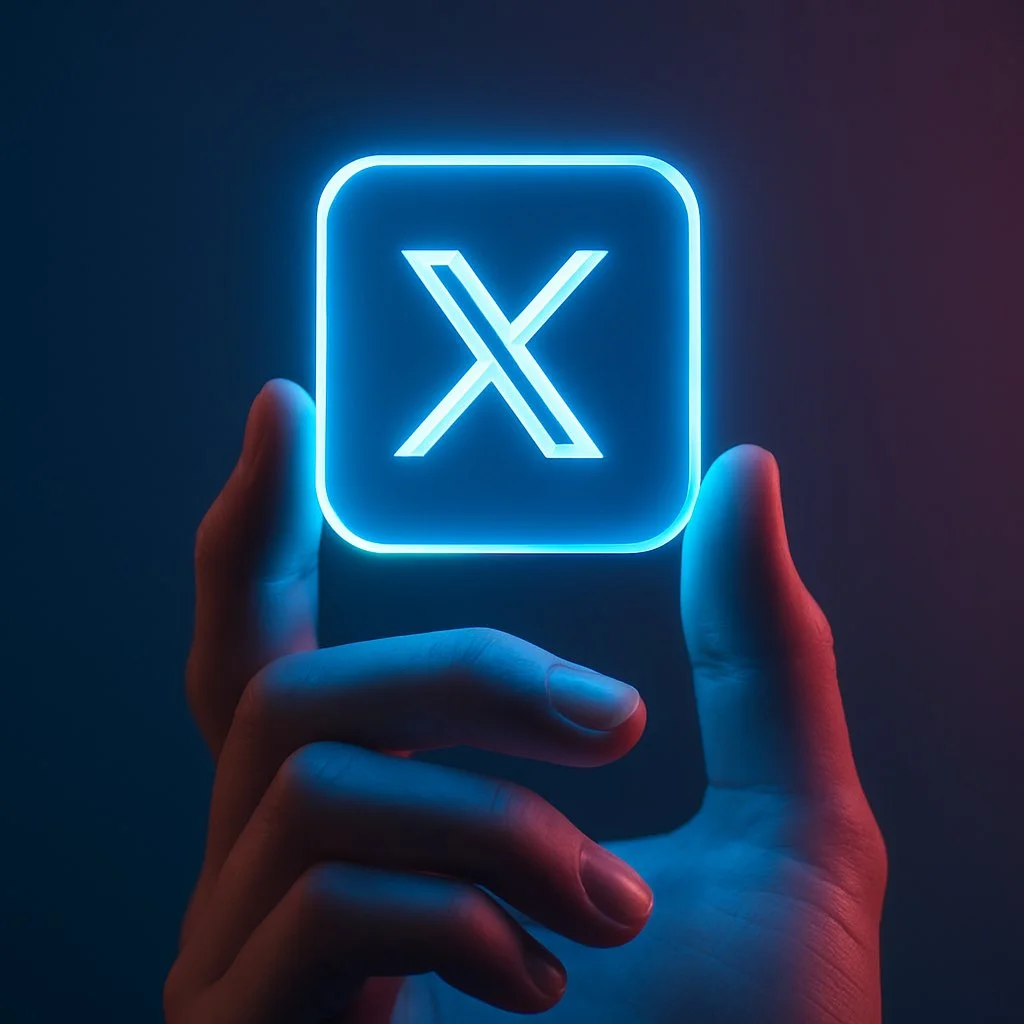
A close-up digital photo of a human hand gently holding a glowing neon blue square icon featuring the [LOGO NAME] logo, set against a smooth dark gradient background. The blue light from the icon softly illuminates the fingers, casting a futuristic glow. The background is minimal and blurred, emphasizing the icon and the hand. High detail, cinematic lighting, modern tech aesthetic.
A close-up digital photo of a human hand gently holding a glowing neon blue square icon featuring the [LOGO NAME] logo, set against a smooth dark gradient background. The blue light from the icon softly illuminates the fingers, casting a futuristic glow. The background is minimal and blurred, emphasizing the icon and the hand. High detail, cinematic lighting, modern tech aesthetic.
Prompt verificado
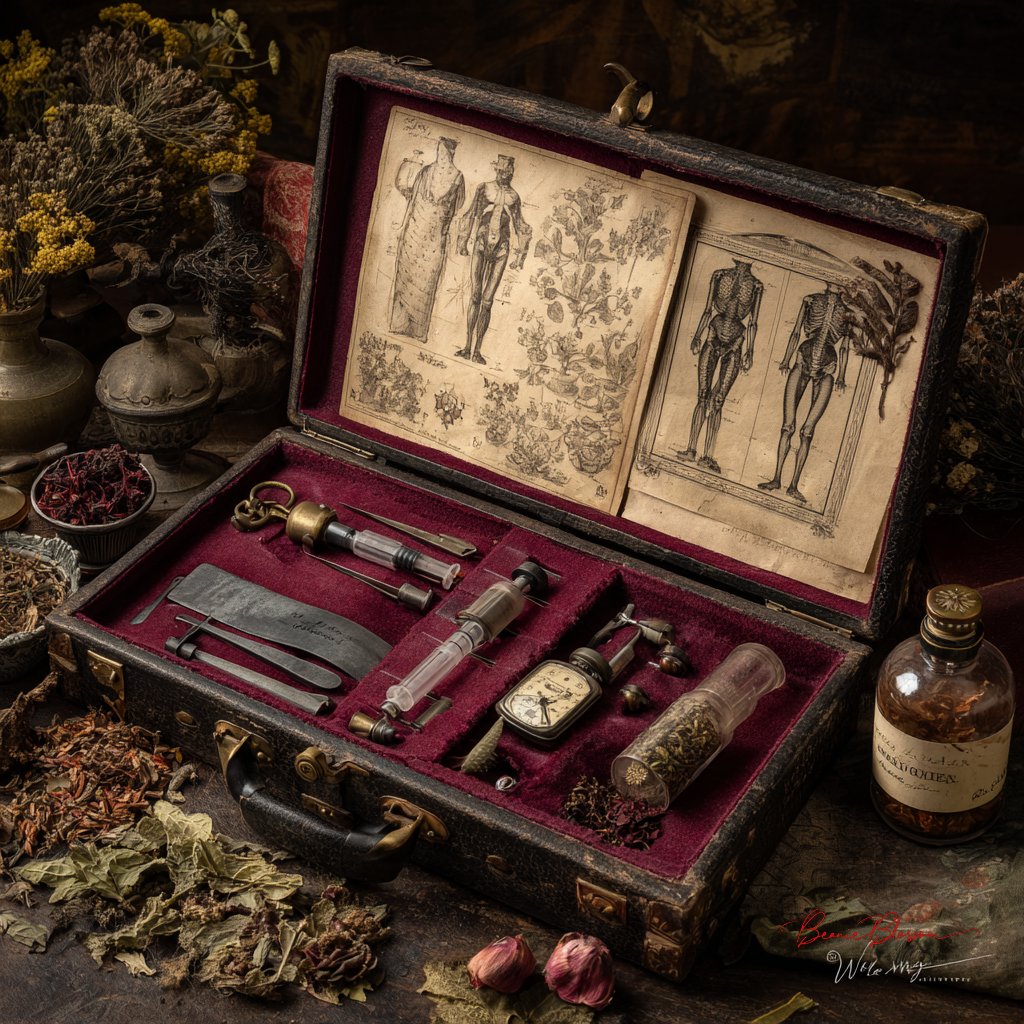
ctorian surgeon's medical kit laid open on aged leather, featuring antique bone saws, glass syringes with brass fittings, faded anatomical sketches, and a pocket watch, arranged on burgundy velvet with dried medicinal herbs scattered around, painted in classical Dutch Golden Age still life style with rich shadows and meticulous detail
ctorian surgeon's medical kit laid open on aged leather, featuring antique bone saws, glass syringes with brass fittings, faded anatomical sketches, and a pocket watch, arranged on burgundy velvet with dried medicinal herbs scattered around, painted in classical Dutch Golden Age still life style with rich shadows and meticulous detail
Prompt verificado
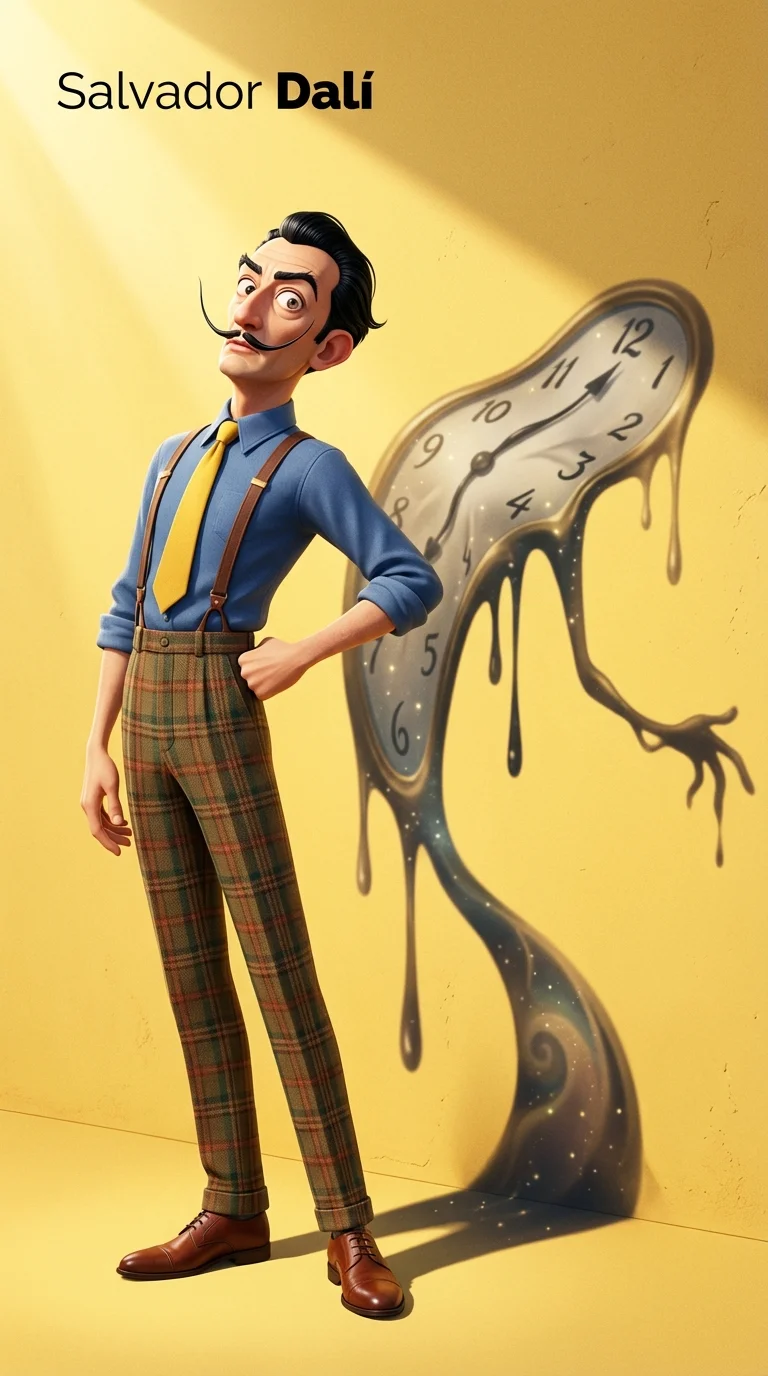
gh-resolution vertical Pixar-style 3D character illustration. Main character: Salvador Dalí — depicted as a tall, slim, and slightly exaggerated Pixar-style 3D character. Wearing a classic blue shirt, yellow tie, high-waisted plaid trousers with suspenders, and leather shoes. His iconic long upturned mustache, slick black hair, sharply arched eyebrows, and slightly eccentric posture. Stands with chest out, one hand on hip, head tilted slightly back in his typical theatrical flair. Background: Flat, clean yellow background with subtle surface texture. Strong sunlight from top-left casts a distinct and enlarged shadow on the wall behind him. Key Concept – Shadow as spiritual projection: The shadow cast behind him does **not** mirror his body shape. Instead, it takes the form of one of his most iconic artworks — a surreal melted clock with long dripping arms, inspired by “The Persistence of Memory”. The melted clock shadow is positioned diagonally, starting from his shoulder, stretching wide and low across the yellow wall, surreal and fluid, yet unmistakably symbolic. This shadow is **Dalí’s legacy made visible** — a symbolic extension of his identity through time, dream, and visual distortion. Lighting & Rendering: Pixar-like rendering with detailed but stylized textures. Use subtle filmic grain, soft shadows, and warm color grading. Subtle sparkles or light speckles inside the shadow to evoke dreamlike texture. Typography (top-left corner): “Salvador Dalí” in minimalist black sans-serif font, “Dalí” bolded.
gh-resolution vertical Pixar-style 3D character illustration. Main character: Salvador Dalí — depicted as a tall, slim, and slightly exaggerated Pixar-style 3D character. Wearing a classic blue shirt, yellow tie, high-waisted plaid trousers with suspenders, and leather shoes. His iconic long upturned mustache, slick black hair, sharply arched eyebrows, and slightly eccentric posture. Stands with chest out, one hand on hip, head tilted slightly back in his typical theatrical flair. Background: Flat, clean yellow background with subtle surface texture. Strong sunlight from top-left casts a distinct and enlarged shadow on the wall behind him. Key Concept – Shadow as spiritual projection: The shadow cast behind him does **not** mirror his body shape. Instead, it takes the form of one of his most iconic artworks — a surreal melted clock with long dripping arms, inspired by “The Persistence of Memory”. The melted clock shadow is positioned diagonally, starting from his shoulder, stretching wide and low across the yellow wall, surreal and fluid, yet unmistakably symbolic. This shadow is **Dalí’s legacy made visible** — a symbolic extension of his identity through time, dream, and visual distortion. Lighting & Rendering: Pixar-like rendering with detailed but stylized textures. Use subtle filmic grain, soft shadows, and warm color grading. Subtle sparkles or light speckles inside the shadow to evoke dreamlike texture. Typography (top-left corner): “Salvador Dalí” in minimalist black sans-serif font, “Dalí” bolded.
Explorar Fluxos de Trabalho de Imagem
Explore o fluxo de trabalho Nano Banana 2 e compare-o com as páginas de imagens relacionadas. O gerador é a fonte de verdade para o acesso atual ao modelo e as configurações. Use a biblioteca de prompts para estudar resultados publicados e o modelo que os criou.


Gerador de imagens com IA Nano Banana 2
Descreva seu assunto, composição, iluminação e estilo. Escolha um tamanho de imagem suportado e verifique a estimativa de créditos antes de gerar.
Para editar uma imagem, envie uma referência e explique o que deve mudar e o que deve permanecer igual. Compare o resultado final no Histórico antes de baixá-lo.
Explore o Nano Banana 2Construa o Seu Briefing de Imagem Nano Banana 2
Escolha uma proporção para o local onde sua imagem aparecerá. Deixe espaço ao redor do assunto se pretende recortá-la depois.
Geração e personalização avançada de imagens de IA
Descreva iluminação, materiais e fundo em conjunto para dar à imagem uma direção visual consistente.
Escreva Direções Precisas de Edição e Estilo
Nomeie o objeto ou a área que deseja editar. Mantenha a instrução focada para que você possa avaliar a mudança com clareza.
Preserve Seu Assunto Durante a Edição
Para um conjunto relacionado de imagens, mantenha a descrição do assunto e as instruções de estilo consistentes. Revise cada resultado em busca de diferenças indesejadas.
Compare Variations Before Downloading
Escolha apenas a resolução e o rácio de aspeto apresentados para o modelo selecionado. Verifique o enquadramento, os detalhes finos e qualquer texto na imagem concluída. Um tamanho de saída maior não garante um resultado mais preciso.
Reveja os Termos de Utilização Antes de Partilhar
Verifique os termos aplicáveis do modelo e da plataforma antes de usar um resultado comercialmente. É responsável pelos direitos das imagens carregadas, pessoas identificáveis, logótipos e qualquer outro material de origem no seu briefing de imagem Nano Banana 2.
Mantenha o Seu Fluxo de Trabalho Simples
Desenvolva o seu briefing de imagem Nano Banana 2 em torno do resultado de que precisa. Mantenha a direção principal específica, verifique as configurações suportadas no gerador e reveja o trabalho concluído antes de o usar no seu projeto.
Um Briefing Criativo Mais Claro para Nano Banana 2
Diversos estilos e efeitos para cada visão
Experimente um tratamento fotográfico, ilustrado ou gráfico para o mesmo assunto. Compare os resultados antes de escolher uma direção.
Descreva iluminação, materiais e fundo em conjunto para dar ao estilo escolhido uma direção visual consistente.
Gerador versátil de imagens com IA Nano Banana 2 para a visão de cada criador
Comece o seu briefing de imagem Nano Banana 2 com uma imagem de origem que tenha permissão para usar. Indique a área a alterar e as cores, proporções ou objetos a preservar. A contagem de referências e o suporte de edição dependem do modelo selecionado.


Para arquitetos e designers
Escreva o seu briefing de imagem Nano Banana 2 em torno de um tema, composição, iluminação e estilo pretendido. Adicione um material ou textura quando for relevante. Para edições, indique uma alteração precisa e explique que partes da origem devem permanecer intactas.

Para profissionais de comércio eletrônico
Liste os detalhes que importam no seu briefing de imagem Nano Banana 2: identidade, forma, cores, vestuário e fundo. Use referências suportadas quando apropriado e compare cada resultado; a consistência exata não é garantida.

Para editores de conteúdo
Escolha apenas a resolução e o rácio de aspeto apresentados para o modelo selecionado. Verifique o enquadramento, os detalhes finos e qualquer texto na imagem concluída. Um tamanho de saída maior não garante um resultado mais preciso.

Para planejadores de eventos
Escreva o seu briefing de imagem Nano Banana 2 em torno de um tema, composição, iluminação e estilo pretendido. Adicione um material ou textura quando for relevante. Para edições, indique uma alteração precisa e explique que partes da origem devem permanecer intactas.
De um Briefing a uma Imagem Revisada: O Fluxo de Trabalho do Nano Banana 2
Adicione sua opinião
Comece o seu briefing de imagem Nano Banana 2 com uma imagem de origem que tenha permissão para usar. Indique a área a alterar e as cores, proporções ou objetos a preservar. A contagem de referências e o suporte de edição dependem do modelo selecionado.
Personalize suas opções
O gerador mostra a disponibilidade atual do modelo. Quando um modelo aceita pedidos, escolha as definições suportadas e reveja os créditos necessários antes de submeter. Um modelo indisponível não pode iniciar uma tarefa nem deduzir créditos de geração.
Gerar e refinar
Escreva o seu briefing de imagem Nano Banana 2 em torno de um tema, composição, iluminação e estilo pretendido. Adicione um material ou textura quando for relevante. Para edições, indique uma alteração precisa e explique que partes da origem devem permanecer intactas.
Reveja e Transfira Resultados Concluídos
Comece o seu briefing de imagem Nano Banana 2 com uma imagem de origem que tenha permissão para usar. Indique a área a alterar e as cores, proporções ou objetos a preservar. A contagem de referências e o suporte de edição dependem do modelo selecionado.
Ideias de imagem Nano Banana 2 para os seus projetos
Escolha apenas a resolução e o rácio de aspeto apresentados para o modelo selecionado. Verifique o enquadramento, os detalhes finos e qualquer texto na imagem concluída. Um tamanho de saída maior não garante um resultado mais preciso.
Arte Digital e Ilustração
Escolha apenas a resolução e o rácio de aspeto apresentados para o modelo selecionado. Verifique o enquadramento, os detalhes finos e qualquer texto na imagem concluída. Um tamanho de saída maior não garante um resultado mais preciso.
Visuais de marketing e comércio eletrônico
Para um conceito de produto Nano Banana 2, especifique a forma do produto, o material, o detalhe principal e o cenário. Mantenha logótipos e afirmações precisos, deixe espaço para a sua própria tipografia e reveja o resultado antes de o usar num anúncio.
Conteúdo educacional e apresentações
Use um conceito visual Nano Banana 2 para apoiar um ponto de ensino ou de apresentação. Verifique os factos e as etiquetas por si e adicione as legendas finais no seu fluxo de trabalho de edição em vez de confiar no texto gerado.
Desenvolvimento de Jogos
Liste os detalhes que importam no seu briefing de imagem Nano Banana 2: identidade, forma, cores, vestuário e fundo. Use referências suportadas quando apropriado e compare cada resultado; a consistência exata não é garantida.
Notas Criativas para o Seu Briefing de Imagem Nano Banana 2
Dê ao tema principal uma ação clara. Para um conceito Nano Banana 2, um briefing preciso é mais fácil de avaliar do que uma lista de efeitos concorrentes.

Fluxo de Trabalho de Imagem Nano Banana 2: Perguntas e Respostas
Esta página da Highsfield explica o fluxo de trabalho de imagens Nano Banana 2. Ajuda-o a escrever um briefing focado e a rever as entradas disponíveis. O acesso atual é mostrado no gerador; um nome de modelo num guia não significa que atualmente aceite pedidos.
Escreva o seu briefing de imagem Nano Banana 2 em torno de um tema, composição, iluminação e estilo pretendido. Adicione um material ou textura quando for relevante. Para edições, indique uma alteração precisa e explique que partes da origem devem permanecer intactas.
Esta página da Highsfield explica o fluxo de trabalho de imagens Nano Banana 2. Ajuda-o a escrever um briefing focado e a rever as entradas disponíveis. O acesso atual é mostrado no gerador; um nome de modelo num guia não significa que atualmente aceite pedidos.
Use apenas os modos de entrada e controles oferecidos pelo modelo selecionado. Descreva a imagem pretendida com clareza e adicione referências suportadas quando for útil. Esta página não promete ferramentas separadas de motion-brush, upload de áudio, restauração ou edição.
Use apenas os modos de entrada e controles oferecidos pelo modelo selecionado. Descreva a imagem pretendida com clareza e adicione referências suportadas quando for útil. Esta página não promete ferramentas separadas de motion-brush, upload de áudio, restauração ou edição.
Verifique os termos aplicáveis do modelo e da plataforma antes de usar um resultado comercialmente. É responsável pelos direitos das imagens carregadas, pessoas identificáveis, logótipos e qualquer outro material de origem no seu briefing de imagem Nano Banana 2.
O gerador mostra a disponibilidade atual do modelo. Quando um modelo aceita pedidos, escolha as definições suportadas e reveja os créditos necessários antes de submeter. Um modelo indisponível não pode iniciar uma tarefa nem deduzir créditos de geração.
Desenvolva o seu briefing de imagem Nano Banana 2 em torno do resultado de que precisa. Mantenha a direção principal específica, verifique as configurações suportadas no gerador e reveja o trabalho concluído antes de o usar no seu projeto.
Explore a Sua Próxima Ideia de Imagem Nano Banana 2
Explore o fluxo de trabalho Nano Banana 2 e compare-o com as páginas de imagens relacionadas. O gerador é a fonte de verdade para o acesso atual ao modelo e as configurações. Use a biblioteca de prompts para estudar resultados publicados e o modelo que os criou.