
Plane fokussierte Bildbearbeitungen mit Nano Banana 2
Erkläre dein Motiv, Änderungen und Referenzen
Liste die Details auf, die in deinem Nano Banana 2-Bildbriefing wichtig sind: Identität, Form, Farben, Kleidung und Hintergrund. Verwende unterstützte Referenzen, wo angemessen, und vergleiche jedes Ergebnis; exakte Konsistenz ist nicht garantiert.

Verifizierter Prompt
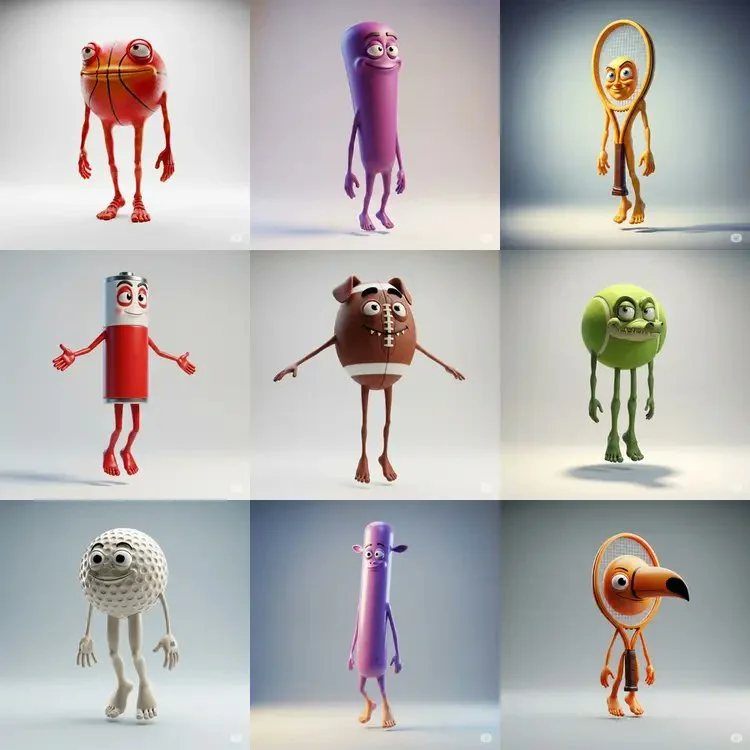
Chibi-style 3D vinyl toy of [subject], rendered in [color1] and [color2] tones, front-facing on a white background. Minimalist composition with soft shadows, oversized head and tiny body proportions, clean OC renderer output in Cinema 4D. Toy-like shine and playful charm.
Chibi-style 3D vinyl toy of [subject], rendered in [color1] and [color2] tones, front-facing on a white background. Minimalist composition with soft shadows, oversized head and tiny body proportions, clean OC renderer output in Cinema 4D. Toy-like shine and playful charm.
Verifizierter Prompt
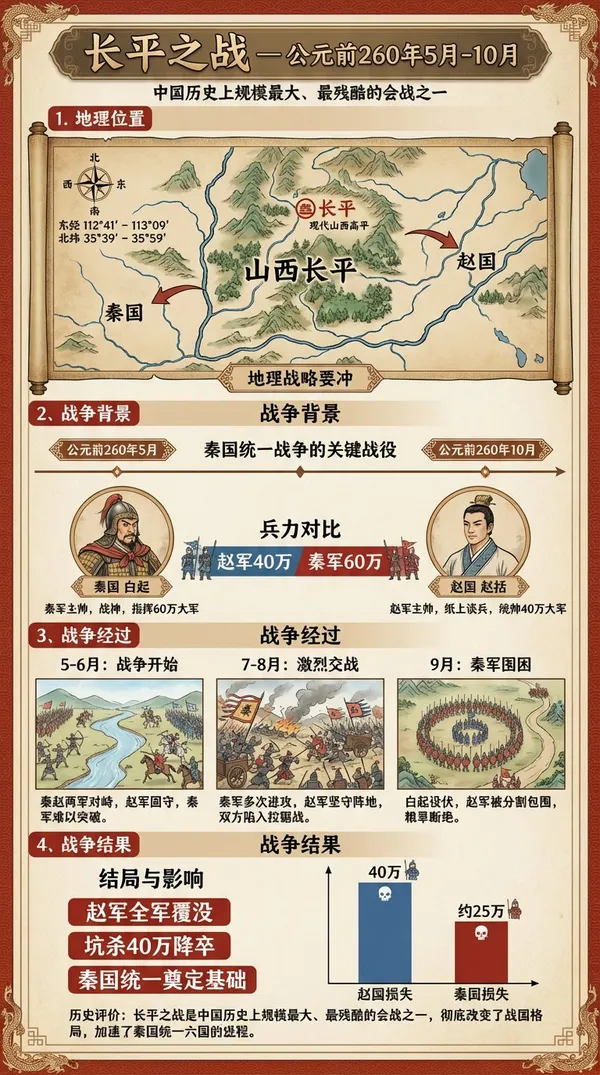
ries of images depicting events occurring between May and October 260 BC, within the geographical coordinates of 112°41′ to 113°09′ East longitude and 35°39′ to 35°59′ North latitude, accompanied by detailed infographics. The infographics must include Chinese captions explaining the events and key outcome information.
ries of images depicting events occurring between May and October 260 BC, within the geographical coordinates of 112°41′ to 113°09′ East longitude and 35°39′ to 35°59′ North latitude, accompanied by detailed infographics. The infographics must include Chinese captions explaining the events and key outcome information.
Verifizierter Prompt
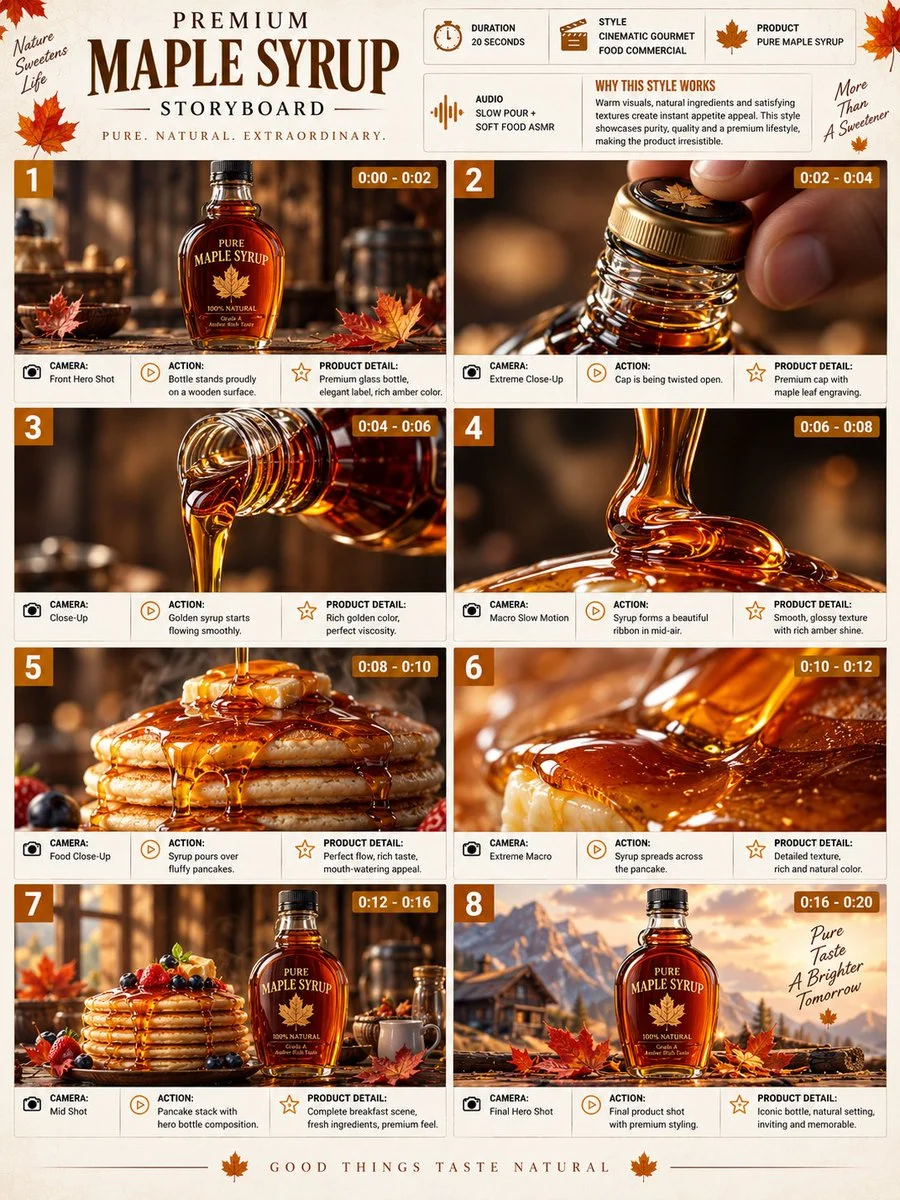
Premium 3:4 storyboard for 20s cinematic gourmet maple syrup commercial. Header: duration, food style, syrup product, pour ASMR, amber-cream-brown palette. Eight panels: bottle on wood, cap open macro, golden flow, mid-air ribbon, cascade over pancakes, extreme texture macro, pancake stack with leaves, final luxury packshot pour. Extreme macro, slow-mo liquid, overhead, push-in. Ultra-realistic viscosity, glossy texture, warm lighting, premium glass, 8K, product hero consistent, sophisticated presentation.
Premium 3:4 storyboard for 20s cinematic gourmet maple syrup commercial. Header: duration, food style, syrup product, pour ASMR, amber-cream-brown palette. Eight panels: bottle on wood, cap open macro, golden flow, mid-air ribbon, cascade over pancakes, extreme texture macro, pancake stack with leaves, final luxury packshot pour. Extreme macro, slow-mo liquid, overhead, push-in. Ultra-realistic viscosity, glossy texture, warm lighting, premium glass, 8K, product hero consistent, sophisticated presentation.
Verifizierter Prompt
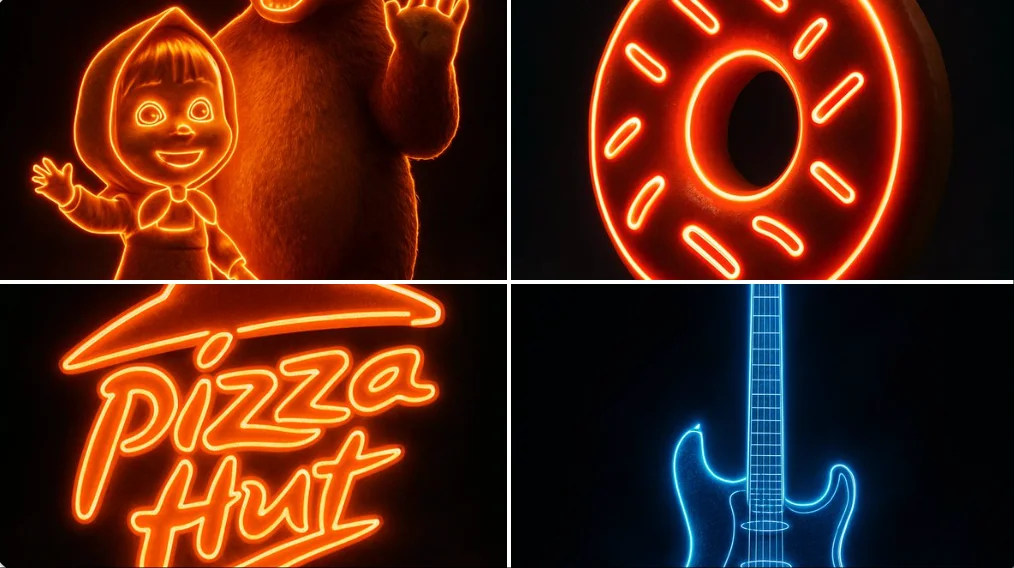
a single [OBJECT] glowing vividly with internal neon light that matches its brand or essence — the glow must follow the object’s shape and details precisely without overexposing — cinematic studio lighting — rich reflective surface or texture — subtle ambient fog or mist around the object — sharp shadows and clean contrast — floating or standing on a soft reflective black surface — ultra-sharp details — 2:3 vertical layout — pure black background — high-Kelvin lighting to avoid yellow tint — ultra-HD photorealism — the glow must feel premium, dramatic, and emotionally pow
a single [OBJECT] glowing vividly with internal neon light that matches its brand or essence — the glow must follow the object’s shape and details precisely without overexposing — cinematic studio lighting — rich reflective surface or texture — subtle ambient fog or mist around the object — sharp shadows and clean contrast — floating or standing on a soft reflective black surface — ultra-sharp details — 2:3 vertical layout — pure black background — high-Kelvin lighting to avoid yellow tint — ultra-HD photorealism — the glow must feel premium, dramatic, and emotionally pow
Verifizierter Prompt
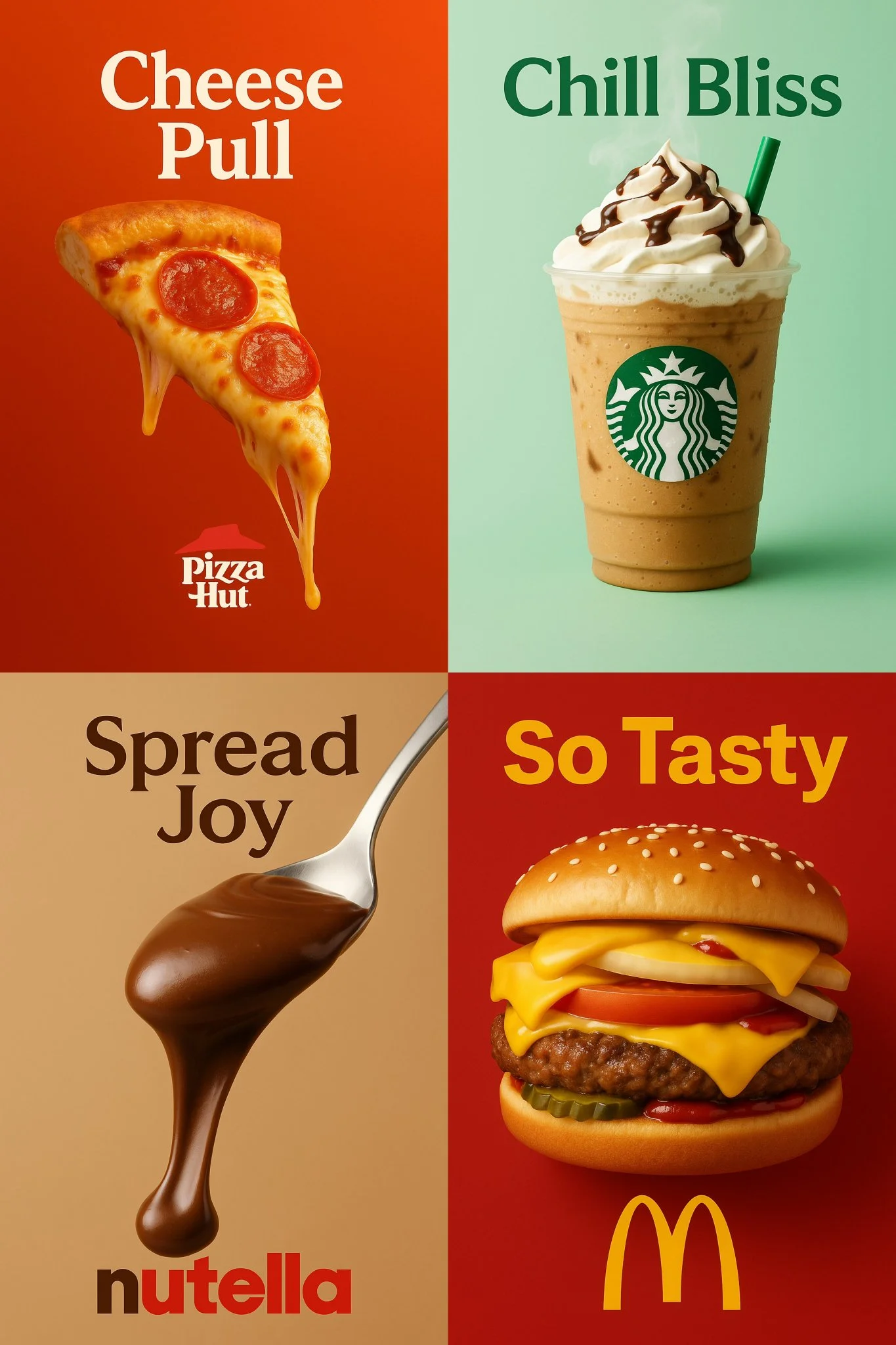
a vertical 2:3 high-resolution food advertisement featuring the most iconic and delicious product from a well-known brand called [INSERT BRAND NAME]. The product appears centered with mouthwatering details — such as melted cheese, dripping chocolate, whipped cream, or condensation — depending on the product. The background should be a gradient or pastel tone inspired by the brand’s identity. At the top, display a bold slogan in a color that matches the brand’s style. At the bottom, include the official logo of the brand. Use cinematic studio lighting, soft shadows, and ultra-sharp textures to create a visually irresistible and minimal poster.
a vertical 2:3 high-resolution food advertisement featuring the most iconic and delicious product from a well-known brand called [INSERT BRAND NAME]. The product appears centered with mouthwatering details — such as melted cheese, dripping chocolate, whipped cream, or condensation — depending on the product. The background should be a gradient or pastel tone inspired by the brand’s identity. At the top, display a bold slogan in a color that matches the brand’s style. At the bottom, include the official logo of the brand. Use cinematic studio lighting, soft shadows, and ultra-sharp textures to create a visually irresistible and minimal poster.
Verifizierter Prompt
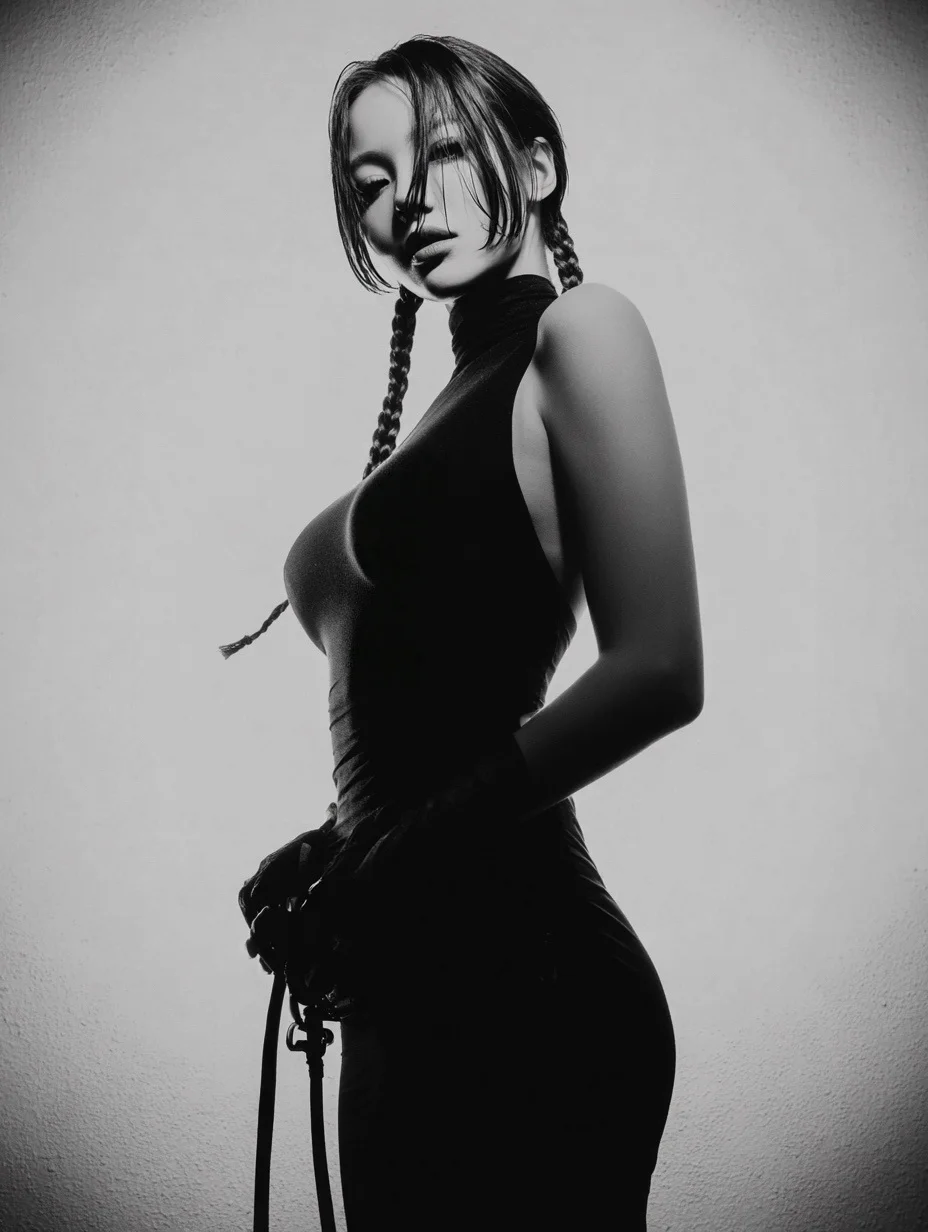
a woman standing confidently in a minimalist studio, shot from a slightly low angle, half-body portrait, her head tilted slightly down with a calm and enigmatic expression, middle-parted braided pigtails with a few loose strands falling over her face, subtle wet hair texture, wearing a tight black sleeveless dress and black leather gloves, holding a leather belt loosely in front of her body — dramatic single key light from upper right, high contrast, black and white tones, strong rim light accentuating her curves, plain textured wall background, cinematic noir atmosphere, fine art fashion photography, inspired by Helmut Newton and Peter Coulson, shallow depth of field, smooth gradients, elegant and powerful mood
a woman standing confidently in a minimalist studio, shot from a slightly low angle, half-body portrait, her head tilted slightly down with a calm and enigmatic expression, middle-parted braided pigtails with a few loose strands falling over her face, subtle wet hair texture, wearing a tight black sleeveless dress and black leather gloves, holding a leather belt loosely in front of her body — dramatic single key light from upper right, high contrast, black and white tones, strong rim light accentuating her curves, plain textured wall background, cinematic noir atmosphere, fine art fashion photography, inspired by Helmut Newton and Peter Coulson, shallow depth of field, smooth gradients, elegant and powerful mood
Verifizierter Prompt
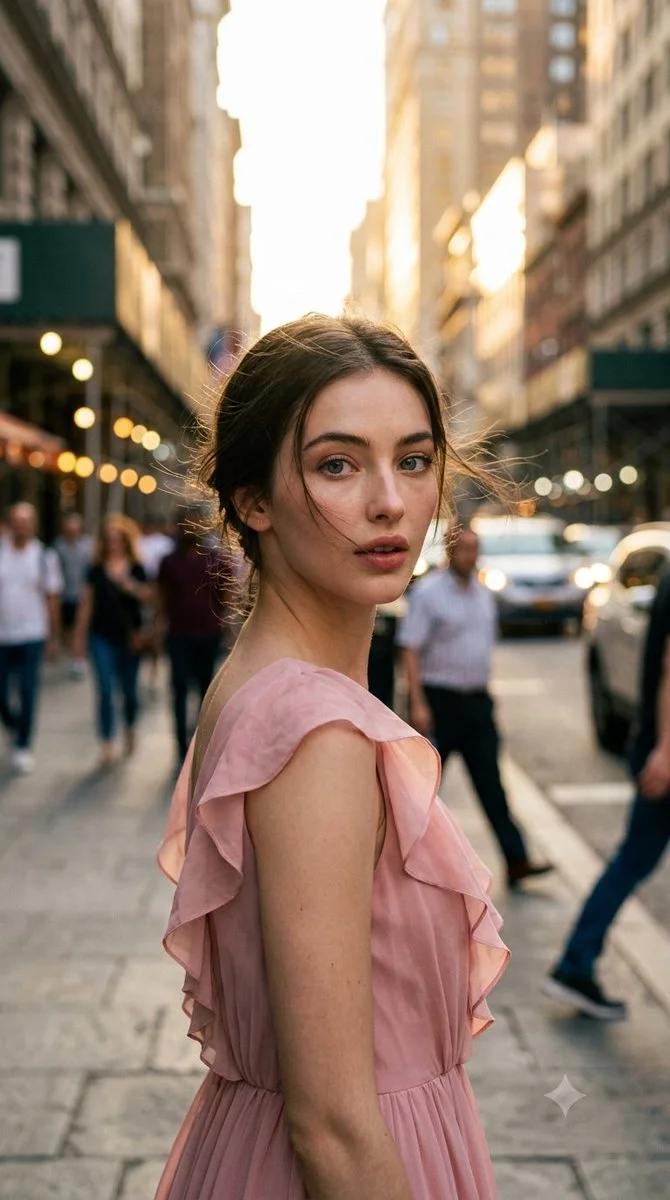
Ultra-photorealistic cinematic candid street photography, vertical 9:16 portrait. Elegant adult woman in unposed spontaneous moment on city street during late golden hour. Naturally turning upper body away from camera while subtly looking back toward it, as if photographer captured the exact noticing moment. Focus on authentic candid feel, natural lighting, urban environment, realistic clothing and pose without staging.
Ultra-photorealistic cinematic candid street photography, vertical 9:16 portrait. Elegant adult woman in unposed spontaneous moment on city street during late golden hour. Naturally turning upper body away from camera while subtly looking back toward it, as if photographer captured the exact noticing moment. Focus on authentic candid feel, natural lighting, urban environment, realistic clothing and pose without staging.
Verifizierter Prompt
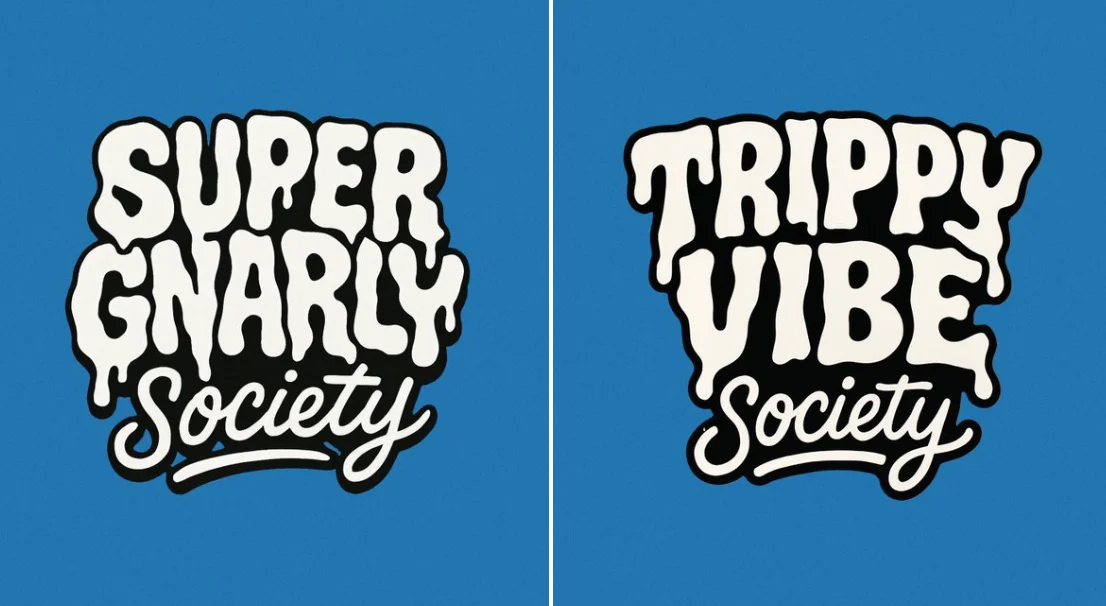
Create a bold, warped cartoon-style text design with two distinct layers. The top layer should say “SUPER GNARLY” in warped bubble letters with a melty, drippy texture, like ghost slime or goo. The letters should feel heavy and organic, with a slightly psychedelic or paranormal vibe. The bottom layer should say “SOCIETY” in much smaller, script-like or handwritten-style letters that tuck underneath or nestle between the larger title letters. Both layers should be solid white with thick black outlines. No gradients, shading, or texture. Layout should be playful and a little chaotic, but still readable. Vector friendly. Blue background. Square aspect ratio.
Create a bold, warped cartoon-style text design with two distinct layers. The top layer should say “SUPER GNARLY” in warped bubble letters with a melty, drippy texture, like ghost slime or goo. The letters should feel heavy and organic, with a slightly psychedelic or paranormal vibe. The bottom layer should say “SOCIETY” in much smaller, script-like or handwritten-style letters that tuck underneath or nestle between the larger title letters. Both layers should be solid white with thick black outlines. No gradients, shading, or texture. Layout should be playful and a little chaotic, but still readable. Vector friendly. Blue background. Square aspect ratio.
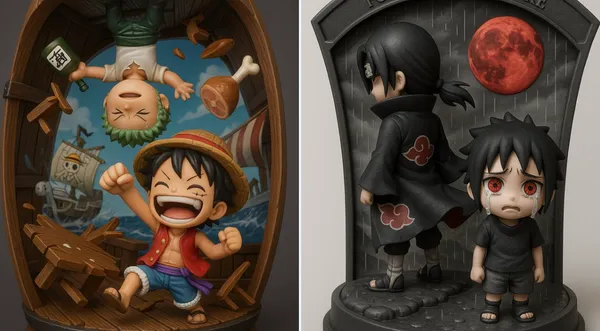
Verifizierter Prompt
ly detailed 3D-rendered chibi figurine diorama of [Character A] and [Character B], captured in a [scene/action], inside a [thematic display case shape] with [material]. The background features [visual effects: debris, aura, lightning, scenery], dynamic pose. The title "[custom phrase]" is embossed at the top in [font/style], matching the tone. Lighting is [studio, cinematic, ambient], color palette of [main colors]. Designed in a collectible, stylized, viral-friendly aesthetic.
ly detailed 3D-rendered chibi figurine diorama of [Character A] and [Character B], captured in a [scene/action], inside a [thematic display case shape] with [material]. The background features [visual effects: debris, aura, lightning, scenery], dynamic pose. The title "[custom phrase]" is embossed at the top in [font/style], matching the tone. Lighting is [studio, cinematic, ambient], color palette of [main colors]. Designed in a collectible, stylized, viral-friendly aesthetic.
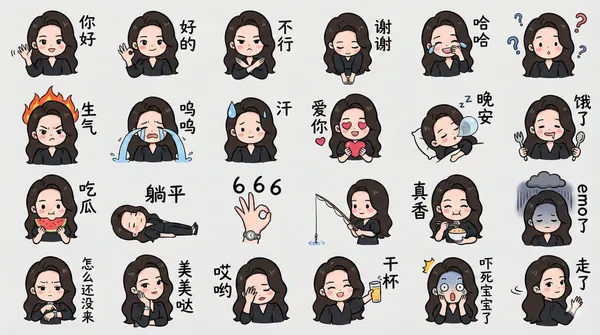
Verifizierter Prompt
rate a chibi version of the character in the image as a LINE-style bust emoji, ensuring the headwear is accurate. Colored hand-drawn style, arranged in a 4x6 layout, featuring a variety of common chat phrases or related entertainment memes. Additional requirements: Do not replicate the original image. All text should be handwritten in simplified Chinese. The final image should be in 4K resolution with a 16:9 aspect ratio.
rate a chibi version of the character in the image as a LINE-style bust emoji, ensuring the headwear is accurate. Colored hand-drawn style, arranged in a 4x6 layout, featuring a variety of common chat phrases or related entertainment memes. Additional requirements: Do not replicate the original image. All text should be handwritten in simplified Chinese. The final image should be in 4K resolution with a 16:9 aspect ratio.
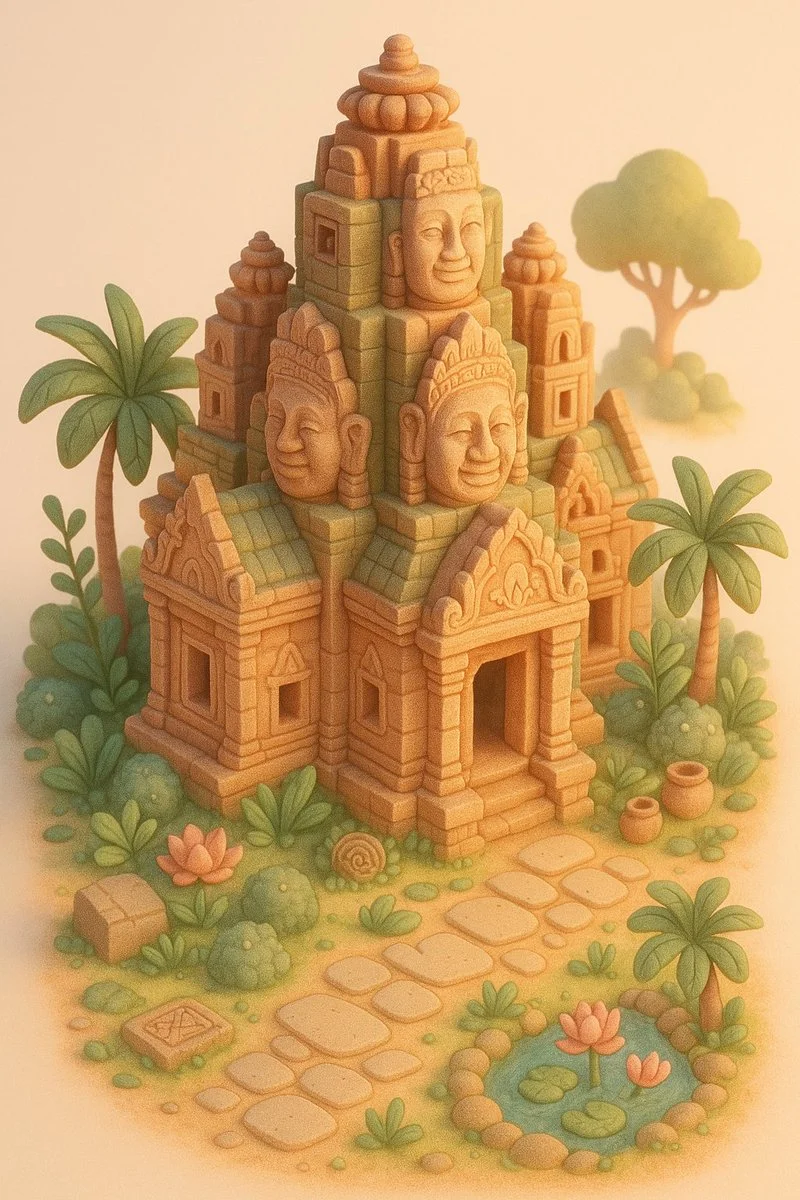
Verifizierter Prompt
A miniature version of [LOCATION], designed in a whimsical dollhouse style. The structure is surrounded by thematic natural elements and tiny architectural details that reflect its cultural context (e.g., plants, paths, decor). The color palette uses soft pastels (such as coral, blush, sand, mint, or dusty green), with warm cinematic lighting and a serene, dreamy atmosphere. Highly detailed, cozy and stylized. Isometric view, vertical 9:16 format, on a clean studio background.
A miniature version of [LOCATION], designed in a whimsical dollhouse style. The structure is surrounded by thematic natural elements and tiny architectural details that reflect its cultural context (e.g., plants, paths, decor). The color palette uses soft pastels (such as coral, blush, sand, mint, or dusty green), with warm cinematic lighting and a serene, dreamy atmosphere. Highly detailed, cozy and stylized. Isometric view, vertical 9:16 format, on a clean studio background.
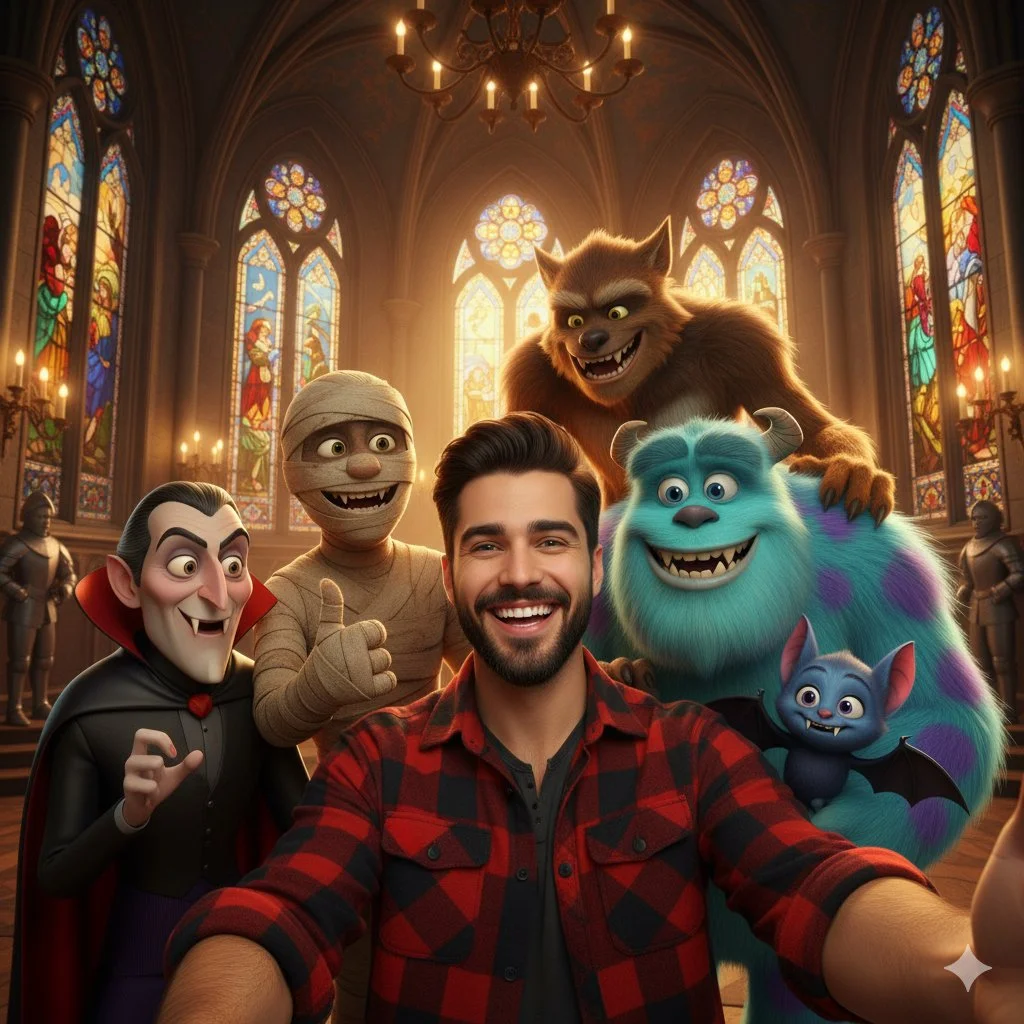
Verifizierter Prompt
A selfie-style shot of a smiling young man with dark hair and a beard, wearing a red and black plaid shirt. He is surrounded by several animated movie monsters, including Count Dracula, a mummy, a large blue furry monster resembling Sulley from Monsters Inc., a werewolf, and a smaller blue vampire bat character. They are all smiling and posing for the selfie. The background is a grand hall with stained-glass windows and chandeliers, resembling a gothic castle or church interior. The lighting is warm and inviting.
A selfie-style shot of a smiling young man with dark hair and a beard, wearing a red and black plaid shirt. He is surrounded by several animated movie monsters, including Count Dracula, a mummy, a large blue furry monster resembling Sulley from Monsters Inc., a werewolf, and a smaller blue vampire bat character. They are all smiling and posing for the selfie. The background is a grand hall with stained-glass windows and chandeliers, resembling a gothic castle or church interior. The lighting is warm and inviting.
Bild-Workflows erkunden
Erkunde den Nano Banana 2-Workflow und vergleiche ihn mit den verwandten Bildseiten. Der Generator ist die maßgebliche Quelle für aktuellen Modellzugriff und Einstellungen. Nutze die Prompt-Bibliothek, um veröffentlichte Ergebnisse und das Modell, das sie erstellt hat, zu studieren.


Nano Banana 2: Erstellen und Bearbeiten mit natürlicher Sprache
Entwickle dein Nano Banana 2-Bildbriefing rund um das Ergebnis, das du brauchst. Halte die Hauptrichtung spezifisch, prüfe unterstützte Einstellungen im Generator und überprüfe die fertige Arbeit, bevor du sie in deinem Projekt verwendest.
Wähle nur die Auflösung und das Seitenverhältnis, die für das ausgewählte Modell angezeigt werden. Prüfe Bildausschnitt, feine Details und jeglichen Text im fertigen Bild. Eine größere Ausgabegröße garantiert kein genaueres Ergebnis.
Erkunde Nano Banana 2
Von einem Briefing zu einem geprüften Bild: Der Nano Banana 2-Workflow
Plane Zeit ein, um jedes Bildergebnis zu prüfen und dein Briefing zu verfeinern. Die Verarbeitungszeit variiert je nach Modell, Anfrage und Serviceauslastung. Ändere jeweils nur eine Richtung, damit du beurteilen kannst, welche Bearbeitung das Ergebnis verbessert.

Eingabeaufforderung eingeben oder Bild hochladen
Beginne dein Nano Banana 2-Bildbriefing mit einem Quellbild, für das du die Berechtigung zur Nutzung hast. Benenne den Bereich, der geändert werden soll, und die Farben, Proportionen oder Objekte, die bewahrt werden sollen. Referenzanzahl und Bearbeitungsunterstützung hängen vom ausgewählten Modell ab.

Überprüfe Verfügbarkeit, Einstellungen und Credits
Plane Zeit ein, um jedes Bildergebnis zu prüfen und dein Briefing zu verfeinern. Die Verarbeitungszeit variiert je nach Modell, Anfrage und Serviceauslastung. Ändere jeweils nur eine Richtung, damit du beurteilen kannst, welche Bearbeitung das Ergebnis verbessert.

Fertige Ergebnisse prüfen und herunterladen
Wenn eine Anfrage abgeschlossen ist, prüfe das Bild im Verlauf und lade das Ergebnis herunter, das du behalten möchtest. Prüfe die Komposition und unerwünschte Details, bevor du es mit deinem Team teilst oder veröffentlichst.
Erstelle dein Nano Banana 2-Bildbriefing
Gib für ein Nano Banana 2-Produktkonzept die Produktform, das Material, ein wichtiges Detail und die Umgebung an. Halte Logos und Aussagen korrekt, lasse Platz für deine eigene Typografie und überprüfe das Ergebnis, bevor du es in einer Werbung verwendest.

Erkläre dein Motiv, Änderungen und Referenzen
Beginne dein Nano Banana 2-Bildbriefing mit einem Quellbild, für das du die Berechtigung zur Nutzung hast. Benenne den Bereich, der geändert werden soll, und die Farben, Proportionen oder Objekte, die bewahrt werden sollen. Referenzanzahl und Bearbeitungsunterstützung hängen vom ausgewählten Modell ab.

Beschreibe die Änderungen und Details, die erhalten bleiben sollen
Schreibe dein Nano Banana 2-Bildbriefing rund um ein Motiv, eine Komposition, eine Beleuchtung und einen beabsichtigten Stil. Füge ein Material oder eine Textur hinzu, wenn es wichtig ist. Gib bei Bearbeitungen eine präzise Änderung an und erkläre, welche Teile der Quelle intakt bleiben sollen.

Prüfe Details in jedem Ergebnis
Plane Zeit ein, um jedes Bildergebnis zu prüfen und dein Briefing zu verfeinern. Die Verarbeitungszeit variiert je nach Modell, Anfrage und Serviceauslastung. Ändere jeweils nur eine Richtung, damit du beurteilen kannst, welche Bearbeitung das Ergebnis verbessert.

Erkläre dein Motiv, Änderungen und Referenzen
Liste die Details auf, die in deinem Nano Banana 2-Bildbriefing wichtig sind: Identität, Form, Farben, Kleidung und Hintergrund. Verwende unterstützte Referenzen, wo angemessen, und vergleiche jedes Ergebnis; exakte Konsistenz ist nicht garantiert.
Ein klareres kreatives Briefing für Nano Banana 2
Plane Zeit ein, um jedes Bildergebnis zu prüfen und dein Briefing zu verfeinern. Die Verarbeitungszeit variiert je nach Modell, Anfrage und Serviceauslastung. Ändere jeweils nur eine Richtung, damit du beurteilen kannst, welche Bearbeitung das Ergebnis verbessert.

Erkläre dein Motiv, Änderungen und Referenzen
Plane Zeit ein, um jedes Bildergebnis zu prüfen und dein Briefing zu verfeinern. Die Verarbeitungszeit variiert je nach Modell, Anfrage und Serviceauslastung. Ändere jeweils nur eine Richtung, damit du beurteilen kannst, welche Bearbeitung das Ergebnis verbessert.

Soziale Medien und Werbung
Gib für ein Nano Banana 2-Produktkonzept die Produktform, das Material, ein wichtiges Detail und die Umgebung an. Halte Logos und Aussagen korrekt, lasse Platz für deine eigene Typografie und überprüfe das Ergebnis, bevor du es in einer Werbung verwendest.

Prüfe Details in jedem Ergebnis
Liste die Details auf, die in deinem Nano Banana 2-Bildbriefing wichtig sind: Identität, Form, Farben, Kleidung und Hintergrund. Verwende unterstützte Referenzen, wo angemessen, und vergleiche jedes Ergebnis; exakte Konsistenz ist nicht garantiert.

Effizienter Produktionsablauf
Gib für ein Nano Banana 2-Produktkonzept die Produktform, das Material, ein wichtiges Detail und die Umgebung an. Halte Logos und Aussagen korrekt, lasse Platz für deine eigene Typografie und überprüfe das Ergebnis, bevor du es in einer Werbung verwendest.
Kreative Notizen für dein Nano Banana 2-Bildbriefing
Gib dem Hauptmotiv eine klare Aktion. Für ein Nano Banana 2-Konzept ist ein präzises Briefing leichter zu beurteilen als eine Liste konkurrierender Effekte.

Nano Banana 2-Bild-Workflow: Fragen & Antworten
Gib für ein Nano Banana 2-Produktkonzept die Produktform, das Material, ein wichtiges Detail und die Umgebung an. Halte Logos und Aussagen korrekt, lasse Platz für deine eigene Typografie und überprüfe das Ergebnis, bevor du es in einer Werbung verwendest.
Diese Highsfield-Seite erklärt den Nano Banana 2 Bild-Workflow. Sie hilft dir, ein fokussiertes Briefing zu schreiben und die verfügbaren Eingaben zu überprüfen. Der aktuelle Zugang wird im Generator angezeigt; ein Modellname in einem Leitfaden bedeutet nicht, dass es derzeit Anfragen annimmt.
Diese Highsfield-Seite erklärt den Nano Banana 2 Bild-Workflow. Sie hilft dir, ein fokussiertes Briefing zu schreiben und die verfügbaren Eingaben zu überprüfen. Der aktuelle Zugang wird im Generator angezeigt; ein Modellname in einem Leitfaden bedeutet nicht, dass es derzeit Anfragen annimmt.
Schreibe dein Nano Banana 2-Bildbriefing rund um ein Motiv, eine Komposition, eine Beleuchtung und einen beabsichtigten Stil. Füge ein Material oder eine Textur hinzu, wenn es wichtig ist. Gib bei Bearbeitungen eine präzise Änderung an und erkläre, welche Teile der Quelle intakt bleiben sollen.
Beginne dein Nano Banana 2-Bildbriefing mit einem Quellbild, für das du die Berechtigung zur Nutzung hast. Benenne den Bereich, der geändert werden soll, und die Farben, Proportionen oder Objekte, die bewahrt werden sollen. Referenzanzahl und Bearbeitungsunterstützung hängen vom ausgewählten Modell ab.
Entwickle dein Nano Banana 2-Bildbriefing rund um das Ergebnis, das du brauchst. Halte die Hauptrichtung spezifisch, prüfe unterstützte Einstellungen im Generator und überprüfe die fertige Arbeit, bevor du sie in deinem Projekt verwendest.
Diese Highsfield-Seite erklärt den Nano Banana 2 Bild-Workflow. Sie hilft dir, ein fokussiertes Briefing zu schreiben und die verfügbaren Eingaben zu überprüfen. Der aktuelle Zugang wird im Generator angezeigt; ein Modellname in einem Leitfaden bedeutet nicht, dass es derzeit Anfragen annimmt.
Verwende nur die Eingabemodi und Steuerelemente, die das ausgewählte Modell bietet. Beschreibe das gewünschte Bild klar und füge unterstützte Referenzen hinzu, wenn sie nützlich sind. Diese Seite verspricht keine separaten Motion-Brush-, Audio-Upload-, Restaurierungs- oder Bearbeitungswerkzeuge.
Liste die Details auf, die in deinem Nano Banana 2-Bildbriefing wichtig sind: Identität, Form, Farben, Kleidung und Hintergrund. Verwende unterstützte Referenzen, wo angemessen, und vergleiche jedes Ergebnis; exakte Konsistenz ist nicht garantiert.
Schreibe dein Nano Banana 2-Bildbriefing rund um ein Motiv, eine Komposition, eine Beleuchtung und einen beabsichtigten Stil. Füge ein Material oder eine Textur hinzu, wenn es wichtig ist. Gib bei Bearbeitungen eine präzise Änderung an und erkläre, welche Teile der Quelle intakt bleiben sollen.
Gib für ein Nano Banana 2-Produktkonzept die Produktform, das Material, ein wichtiges Detail und die Umgebung an. Halte Logos und Aussagen korrekt, lasse Platz für deine eigene Typografie und überprüfe das Ergebnis, bevor du es in einer Werbung verwendest.
Wähle nur die Auflösung und das Seitenverhältnis, die für das ausgewählte Modell angezeigt werden. Prüfe Bildausschnitt, feine Details und jeglichen Text im fertigen Bild. Eine größere Ausgabegröße garantiert kein genaueres Ergebnis.
Entdecke deine nächste Nano Banana 2-Bildidee
Wähle nur die Auflösung und das Seitenverhältnis, die für das ausgewählte Modell angezeigt werden. Prüfe Bildausschnitt, feine Details und jeglichen Text im fertigen Bild. Eine größere Ausgabegröße garantiert kein genaueres Ergebnis.