
Veo-Verfügbarkeit:Unterstützte Videomodelle
Wählen Sie ein unterstütztes Text- oder Bild-Videomodell
Wählen Sie Veo, wenn es im aktuellen Modellmenü angezeigt wird. Prüfen Sie unterstützte Eingaben, Kontoberechtigung und das angezeigte Credit-Angebot. Diese Beispiele dienen als allgemeine kreative Inspiration und sind keine verifizierten Veo-Demonstrationen.
Verifizierter Prompt
[image1] Warrior: small chibi monkey character — orange fur with flame-shaped hair tuft, large oval dark eyes, cream face, pointed ears, curled orange tail. Black tunic with yellow "R" emblem on chest, bare orange hands and feet. Holds a wooden staff with golden diamond tip. Expression: intense, focused, serious despite small size. 2D animation style — fluid Samurai Jack aesthetic. Bold flat color fills, strong black outlines with variable weight, minimal shading, dynamic motion blur streaks on fast movements, speed lines, impact frames that freeze for one frame then snap to motion. Warm cream background throughout. No environment. Sound FX only: staff whooshes, foot stamps, air cuts. negative: no 3D rendering, no background, no slow movement The entire sequence is one continuous staff kata — acrobatics and fighting stances in pure 2D animation energy. He moves through the sequence with Samurai Jack precision: a wide low stance with staff horizontal, a sudden overhead spin of the staff above his head — the golden tip tracing a circle with motion blur — a full backflip off nothing landing in a crouch with the staff planted, a fast series of rapid strikes at different angles — each one freezing for one frame with a bold impact line, then snapping to the next. His tail whipping with every directional change. Camera angles cut aggressively: bug's eye looking up at him mid-flip, overhead looking straight down at his footwork, extreme close side on his face during a held stance — eyes locked forward, intense. Dutch angle on a full staff spin. He launches into a series of aerial acrobatics — flipping through the cream void, staff spinning independently alongside him, catching it at the apex. Each landing: a solid two-footed stamp with a small ground ripple in 2D style. Speed lines radiate from each impact. He ends in a perfect still stance — staff pointed forward, tail curled, one eye narrowed. Hold. Cut to black.
[image1] Warrior: small chibi monkey character — orange fur with flame-shaped hair tuft, large oval dark eyes, cream face, pointed ears, curled orange tail. Black tunic with yellow "R" emblem on chest, bare orange hands and feet. Holds a wooden staff with golden diamond tip. Expression: intense, focused, serious despite small size. 2D animation style — fluid Samurai Jack aesthetic. Bold flat color fills, strong black outlines with variable weight, minimal shading, dynamic motion blur streaks on fast movements, speed lines, impact frames that freeze for one frame then snap to motion. Warm cream background throughout. No environment. Sound FX only: staff whooshes, foot stamps, air cuts. negative: no 3D rendering, no background, no slow movement The entire sequence is one continuous staff kata — acrobatics and fighting stances in pure 2D animation energy. He moves through the sequence with Samurai Jack precision: a wide low stance with staff horizontal, a sudden overhead spin of the staff above his head — the golden tip tracing a circle with motion blur — a full backflip off nothing landing in a crouch with the staff planted, a fast series of rapid strikes at different angles — each one freezing for one frame with a bold impact line, then snapping to the next. His tail whipping with every directional change. Camera angles cut aggressively: bug's eye looking up at him mid-flip, overhead looking straight down at his footwork, extreme close side on his face during a held stance — eyes locked forward, intense. Dutch angle on a full staff spin. He launches into a series of aerial acrobatics — flipping through the cream void, staff spinning independently alongside him, catching it at the apex. Each landing: a solid two-footed stamp with a small ground ripple in 2D style. Speed lines radiate from each impact. He ends in a perfect still stance — staff pointed forward, tail curled, one eye narrowed. Hold. Cut to black.
Verifizierter Prompt
FPV shot: The camera dives into a collapsing glass tower during sunrise, racing through floors filled with exploding windows, falling steel beams, and floating office debris. Sunlight hits thousands of glass shards spinning in slow motion, creating sharp reflections across the frame. The camera spirals downward as the building implodes around it, dodging crystal fragments and dust clouds. For one perfect second, the shards align with the sun and reveal "SHATTER" before the entire structure collapses into a massive cloud of glass and concrete. Elegant destruction, premium VFX, cinematic action.
FPV shot: The camera dives into a collapsing glass tower during sunrise, racing through floors filled with exploding windows, falling steel beams, and floating office debris. Sunlight hits thousands of glass shards spinning in slow motion, creating sharp reflections across the frame. The camera spirals downward as the building implodes around it, dodging crystal fragments and dust clouds. For one perfect second, the shards align with the sun and reveal "SHATTER" before the entire structure collapses into a massive cloud of glass and concrete. Elegant destruction, premium VFX, cinematic action.
Verifizierter Prompt
A cinematic, action-packed cooking scene in a professional kitchen featuring an intense animated male chef with a fierce expression. He slams a blazing hot wok onto a roaring gas flame, pours in oil that erupts into white smoke, and ignites dramatic fire as he tosses the wok. Rapid close-ups show expert knife skills slicing fresh bok choy, carrots, cucumbers, and red bell peppers before the vegetables are tossed high into the flaming wok and coated with a rich dark sauce. The glossy stir-fry is plated elegantly on a white dish, ending with a close-up of the chef tasting it with a focused, critical expression as flames flicker in the background. Ultra-realistic, cinematic lighting, dynamic camera angles, slow motion, high detail, 4K.
A cinematic, action-packed cooking scene in a professional kitchen featuring an intense animated male chef with a fierce expression. He slams a blazing hot wok onto a roaring gas flame, pours in oil that erupts into white smoke, and ignites dramatic fire as he tosses the wok. Rapid close-ups show expert knife skills slicing fresh bok choy, carrots, cucumbers, and red bell peppers before the vegetables are tossed high into the flaming wok and coated with a rich dark sauce. The glossy stir-fry is plated elegantly on a white dish, ending with a close-up of the chef tasting it with a focused, critical expression as flames flicker in the background. Ultra-realistic, cinematic lighting, dynamic camera angles, slow motion, high detail, 4K.
Verifizierter Prompt
15秒,16:9横屏,24fps,连续一镜到底,极度写实的手机纪实视频。镜头始终位于一辆正在行驶的汽车内部,隔着前挡风玻璃向前拍摄,画面底部露出少量仪表台。真实手机自动曝光、对焦呼吸、挡风玻璃反光、轻微灰尘、车辆震动和视频压缩感。 开场第一帧汽车就已经在林荫道路上向前行驶,道路与车道线持续向镜头下方移动,不能静止起步。汽车即将经过一个右侧支路路口。 0–2秒: 汽车正常向前行驶时,一辆蓝黑色宝马BMW G 310 R突然从画面右侧支路快速冲出来,由右向左斜着切过汽车正前方,距离车头很近。摩托车明显带着转弯倾角,然后迅速回正,抢在汽车前面拐入同一条车道继续向前行驶。汽车轻微减速,镜头因刹车产生自然前倾和抖动。 驾驶摩托车的是一只照片级真实的成年德国牧羊犬,直立跨坐驾驶,两只前爪握住车把;后座是一只橘色、黑色、白色毛发清晰稳定的成年三花猫,双只前爪紧紧抱住德牧腰背。德牧和三花猫从侧路冲出时,身体受到转弯离心力影响自然向一侧倾斜,猫因为突然加速而抱得更紧。 2–5.5秒: 宝马摩托车刚切到汽车前方,距离镜头仍然很近。德牧意识到自己突然抢道,立即回头看向挡风玻璃后的司机。 重点表现德牧“非常抱歉、点头哈腰”的讨好状态:德牧耳朵稍微向后转,肩膀缩起,脖子向内收,下巴快速收向胸口,然后重新抬起,连续做三次小幅度低头鞠躬。动作像做错事后不断向司机道歉。 德牧用左前爪暂时稳住车把,右前爪短暂抬到胸前,肉垫朝向汽车司机,做出“抱歉、借过一下”的示意动作;一边回头观察司机,一边缩着肩膀连续点头哈腰,随后赶紧把右前爪放回车把。 低头动作必须真实自然:肩膀先下沉,头部稍后跟随,耳朵和脸部皮毛产生轻微惯性,不要机械点头,不要卡通表演。三花猫被摩托车晃得左右摇摆,立刻收紧双爪抱住德牧,耳朵紧张地竖起。 5.5–11秒: 摩托车在汽车前方继续行驶,汽车保持距离跟拍。德牧重新用两只前爪控制车把,身体直立,偶尔回头看向镜头,再补上一次很轻的歉意低头。三花猫始终抱着德牧后背,身体和尾巴随着车身摆动。 摩托车逐渐出现真实的左右晃动,宝马车架、车轮、悬挂、刹车盘和轮胎运动结构准确;轮胎始终正确接触路面,动物毛发受到行驶气流自然吹动。 11–12.5秒: 摩托车慢慢偏向道路右侧,前轮碰到路沿并冲进草地。德牧慌忙左右修正车把,三花猫紧紧抱住它,但宝马摩托车仍然低速向草地一侧倾倒,侧滑倒在柔软草地旁。 12.5–13.5秒: 德牧和三花猫顺着惯性轻轻滚进草地,没有受伤。德牧迅速撑起身体,三花猫也立刻翻身坐好,动作符合真实动物的骨骼、重量与肌肉发力。 13.5–15秒: 汽车缓慢停到它们旁边。倒下的宝马摩托车位于后方,德牧与三花猫若无其事地并排坐在路沿草地上。德牧耳朵竖起,吐着舌头喘气,用做错事以后装乖的眼神看着镜头,肩膀缩起,最后再快速低头一下表示抱歉。三花猫淡定地舔一下前爪,然后抬头看向镜头。停留一秒,真实、荒诞、好笑地结束。 自然收音:汽车行驶声、轻微刹车声、摩托车发动机声、风声、轮胎摩擦声、车辆倒进草地的闷响、德牧喘气声。无对白、无旁白、无字幕、无背景音乐。
15秒,16:9横屏,24fps,连续一镜到底,极度写实的手机纪实视频。镜头始终位于一辆正在行驶的汽车内部,隔着前挡风玻璃向前拍摄,画面底部露出少量仪表台。真实手机自动曝光、对焦呼吸、挡风玻璃反光、轻微灰尘、车辆震动和视频压缩感。 开场第一帧汽车就已经在林荫道路上向前行驶,道路与车道线持续向镜头下方移动,不能静止起步。汽车即将经过一个右侧支路路口。 0–2秒: 汽车正常向前行驶时,一辆蓝黑色宝马BMW G 310 R突然从画面右侧支路快速冲出来,由右向左斜着切过汽车正前方,距离车头很近。摩托车明显带着转弯倾角,然后迅速回正,抢在汽车前面拐入同一条车道继续向前行驶。汽车轻微减速,镜头因刹车产生自然前倾和抖动。 驾驶摩托车的是一只照片级真实的成年德国牧羊犬,直立跨坐驾驶,两只前爪握住车把;后座是一只橘色、黑色、白色毛发清晰稳定的成年三花猫,双只前爪紧紧抱住德牧腰背。德牧和三花猫从侧路冲出时,身体受到转弯离心力影响自然向一侧倾斜,猫因为突然加速而抱得更紧。 2–5.5秒: 宝马摩托车刚切到汽车前方,距离镜头仍然很近。德牧意识到自己突然抢道,立即回头看向挡风玻璃后的司机。 重点表现德牧“非常抱歉、点头哈腰”的讨好状态:德牧耳朵稍微向后转,肩膀缩起,脖子向内收,下巴快速收向胸口,然后重新抬起,连续做三次小幅度低头鞠躬。动作像做错事后不断向司机道歉。 德牧用左前爪暂时稳住车把,右前爪短暂抬到胸前,肉垫朝向汽车司机,做出“抱歉、借过一下”的示意动作;一边回头观察司机,一边缩着肩膀连续点头哈腰,随后赶紧把右前爪放回车把。 低头动作必须真实自然:肩膀先下沉,头部稍后跟随,耳朵和脸部皮毛产生轻微惯性,不要机械点头,不要卡通表演。三花猫被摩托车晃得左右摇摆,立刻收紧双爪抱住德牧,耳朵紧张地竖起。 5.5–11秒: 摩托车在汽车前方继续行驶,汽车保持距离跟拍。德牧重新用两只前爪控制车把,身体直立,偶尔回头看向镜头,再补上一次很轻的歉意低头。三花猫始终抱着德牧后背,身体和尾巴随着车身摆动。 摩托车逐渐出现真实的左右晃动,宝马车架、车轮、悬挂、刹车盘和轮胎运动结构准确;轮胎始终正确接触路面,动物毛发受到行驶气流自然吹动。 11–12.5秒: 摩托车慢慢偏向道路右侧,前轮碰到路沿并冲进草地。德牧慌忙左右修正车把,三花猫紧紧抱住它,但宝马摩托车仍然低速向草地一侧倾倒,侧滑倒在柔软草地旁。 12.5–13.5秒: 德牧和三花猫顺着惯性轻轻滚进草地,没有受伤。德牧迅速撑起身体,三花猫也立刻翻身坐好,动作符合真实动物的骨骼、重量与肌肉发力。 13.5–15秒: 汽车缓慢停到它们旁边。倒下的宝马摩托车位于后方,德牧与三花猫若无其事地并排坐在路沿草地上。德牧耳朵竖起,吐着舌头喘气,用做错事以后装乖的眼神看着镜头,肩膀缩起,最后再快速低头一下表示抱歉。三花猫淡定地舔一下前爪,然后抬头看向镜头。停留一秒,真实、荒诞、好笑地结束。 自然收音:汽车行驶声、轻微刹车声、摩托车发动机声、风声、轮胎摩擦声、车辆倒进草地的闷响、德牧喘气声。无对白、无旁白、无字幕、无背景音乐。
Verifizierter Prompt
A 12-frame collage of candid, emotional snapshots of a young 25-year-old Vietnamese woman with long dark wavy hair, warm tan skin, and expressive almond eyes traveling alone in Kyoto, Japan during cherry blossom season. Each frame feels like a fleeting personal memory — imperfect, sun-drenched or softly lit, intimate, and unposed. The woman has a naturally slim yet feminine figure with graceful posture. Her presence feels real and unstyled, like a private photo album. Scenes include: walking under blooming sakura trees in a kimono-style dress, sipping matcha at a traditional teahouse, strolling along the Philosopher’s Path, posing by a red torii gate, exploring Arashiyama bamboo grove, night street food stall with lanterns, viewing temple at golden hour, riding a rental bicycle, resting on a tatami mat in a ryokan, rainy day with umbrella, sunset over the Kamo River, and a quiet moment in a zen garden. Shot with a smartphone aesthetic: slight motion blur, soft focus, blown-out highlights from spring sunlight, lens flare, sun glare, high ISO noise at night, uneven framing, accidental cropping. Composition feels random and spontaneous — subject sometimes off-center, partially cut off, mid-motion, or obscured by light leaks or falling petals. Lighting varies: soft morning light, dappled sunlight through blossoms, warm golden hour, cool blue evening tones, lantern glow at night. Color grading: faded cinematic tones, slightly desaturated with soft pinks and greens, nostalgic film-like look, subtle grain, lifted blacks. Emotion: solitude, quiet wonder, bittersweet nostalgia, gentle introspection, like memories from a peaceful solo journey. Layout: 12 images arranged in a loose, imperfect 4x3 collage grid on a 16:9 canvas, slightly tilted and misaligned like a scrapbook page. No text, no watermark.
A 12-frame collage of candid, emotional snapshots of a young 25-year-old Vietnamese woman with long dark wavy hair, warm tan skin, and expressive almond eyes traveling alone in Kyoto, Japan during cherry blossom season. Each frame feels like a fleeting personal memory — imperfect, sun-drenched or softly lit, intimate, and unposed. The woman has a naturally slim yet feminine figure with graceful posture. Her presence feels real and unstyled, like a private photo album. Scenes include: walking under blooming sakura trees in a kimono-style dress, sipping matcha at a traditional teahouse, strolling along the Philosopher’s Path, posing by a red torii gate, exploring Arashiyama bamboo grove, night street food stall with lanterns, viewing temple at golden hour, riding a rental bicycle, resting on a tatami mat in a ryokan, rainy day with umbrella, sunset over the Kamo River, and a quiet moment in a zen garden. Shot with a smartphone aesthetic: slight motion blur, soft focus, blown-out highlights from spring sunlight, lens flare, sun glare, high ISO noise at night, uneven framing, accidental cropping. Composition feels random and spontaneous — subject sometimes off-center, partially cut off, mid-motion, or obscured by light leaks or falling petals. Lighting varies: soft morning light, dappled sunlight through blossoms, warm golden hour, cool blue evening tones, lantern glow at night. Color grading: faded cinematic tones, slightly desaturated with soft pinks and greens, nostalgic film-like look, subtle grain, lifted blacks. Emotion: solitude, quiet wonder, bittersweet nostalgia, gentle introspection, like memories from a peaceful solo journey. Layout: 12 images arranged in a loose, imperfect 4x3 collage grid on a 16:9 canvas, slightly tilted and misaligned like a scrapbook page. No text, no watermark.
Verifizierter Prompt
Create a premium cinematic luxury fragrance commercial for YSL Black Opium in a dark black-and-gold aesthetic. Hyper-realistic product cinematography, dramatic low-key lighting, premium commercial quality, macro lens, shallow depth of field, smooth camera movements, volumetric light, elegant reflections, luxury fashion advertising style, 120fps slow motion, HDR, ultra-detailed, photorealistic. Scene 1: The Black Opium perfume bottle slowly emerges from complete darkness. A soft golden rim light reveals the silhouette while the camera performs a slow push-in. Scene 2: Extreme macro close-up of the textured black glass and brushed gold cap. Tiny highlights glide across the surface with luxurious reflections. Scene 3: Roasted coffee beans fall gracefully in slow motion, orbiting around the bottle under warm amber lighting with floating golden dust particles. Scene 4: Rich coffee aroma transforms into elegant golden smoke swirling around the bottle, creating a sensual cinematic atmosphere. Scene 5: The camera performs a smooth 360° orbit around the perfume while glossy reflections travel across the bottle surface. Scene 6: Golden light beams illuminate the logo as the bottle rotates slowly on a reflective black surface with subtle mist. Scene 7: Coffee beans, vanilla flowers, and sparkling golden particles blend together in slow motion, symbolizing the fragrance notes. Scene 8: A dramatic hero shot of the bottle standing proudly against a luxurious black background with soft amber bokeh. Scene 9: The camera slowly dollies closer as floating particles shimmer around the bottle, emphasizing elegance and mystery. Scene 10: Final hero frame with the perfume centered on a glossy reflective surface, glowing golden rim light, luxurious atmosphere, cinematic fade to black. Style: Luxury commercial, premium product advertisement, cinematic color grading, black and gold palette, smooth transitions, elegant slow motion, ultra-realistic, Oscar-level product cinematography, no people, no watermark, no text except the product branding.
Create a premium cinematic luxury fragrance commercial for YSL Black Opium in a dark black-and-gold aesthetic. Hyper-realistic product cinematography, dramatic low-key lighting, premium commercial quality, macro lens, shallow depth of field, smooth camera movements, volumetric light, elegant reflections, luxury fashion advertising style, 120fps slow motion, HDR, ultra-detailed, photorealistic. Scene 1: The Black Opium perfume bottle slowly emerges from complete darkness. A soft golden rim light reveals the silhouette while the camera performs a slow push-in. Scene 2: Extreme macro close-up of the textured black glass and brushed gold cap. Tiny highlights glide across the surface with luxurious reflections. Scene 3: Roasted coffee beans fall gracefully in slow motion, orbiting around the bottle under warm amber lighting with floating golden dust particles. Scene 4: Rich coffee aroma transforms into elegant golden smoke swirling around the bottle, creating a sensual cinematic atmosphere. Scene 5: The camera performs a smooth 360° orbit around the perfume while glossy reflections travel across the bottle surface. Scene 6: Golden light beams illuminate the logo as the bottle rotates slowly on a reflective black surface with subtle mist. Scene 7: Coffee beans, vanilla flowers, and sparkling golden particles blend together in slow motion, symbolizing the fragrance notes. Scene 8: A dramatic hero shot of the bottle standing proudly against a luxurious black background with soft amber bokeh. Scene 9: The camera slowly dollies closer as floating particles shimmer around the bottle, emphasizing elegance and mystery. Scene 10: Final hero frame with the perfume centered on a glossy reflective surface, glowing golden rim light, luxurious atmosphere, cinematic fade to black. Style: Luxury commercial, premium product advertisement, cinematic color grading, black and gold palette, smooth transitions, elegant slow motion, ultra-realistic, Oscar-level product cinematography, no people, no watermark, no text except the product branding.
Verifizierter Prompt
SCENE – Seedance 2.0 | 15s Coastal Diary Vlog Maintain the exact face, identity, hairstyle, skin tone, and body proportions from @ image1 in every shot. Outfit remains the same: oversized terracotta linen shirt, dusty burgundy trousers, brown sandals, gold hoop earrings, loose wavy hair. Authentic Indonesian woman. Late-2000s digital camcorder vlog style. Raw handheld footage with visible shake, imperfect framing, occasional focus hunting, exposure breathing, slight digital grain, warm faded tones, and spontaneous home-video energy. Never centered, never posed. 00:00–00:02 Wooden pier at sunrise. Selfie angle while smiling, talking softly to the camera, colorful boats drifting behind. 00:02–00:04 Small harbor path. Walking beside the water carrying a folded notebook, a friendly stray dog following closely. 00:04–00:06 Tiny roadside warung. Leaning on the counter, sharing a laugh with an elderly vendor while stirring a cup of tea. 00:06–00:08 Dockside scene. Sitting near the edge, reaching down to pet and feed the stray dog as sunlight reflects off the sea. 00:08–00:10 Quiet village lane beneath trees. Slowly walking, checking handwritten notes, glancing around with curiosity. 00:10–00:12 Seaside viewpoint. Standing still, enjoying the morning breeze, hair moving naturally, watching fishing boats in the distance. 00:12–00:15 Final selfie shot back at the dock. She smiles, gives a small wave, laughs naturally, and the clip ends abruptly like an old personal vlog recording. Natural ambient sound only: waves, seabirds, distant engines, footsteps, chatter, breeze, rustling leaves, and dog sounds. No music, no cinematic styling, no fashion-commercial look.
SCENE – Seedance 2.0 | 15s Coastal Diary Vlog Maintain the exact face, identity, hairstyle, skin tone, and body proportions from @ image1 in every shot. Outfit remains the same: oversized terracotta linen shirt, dusty burgundy trousers, brown sandals, gold hoop earrings, loose wavy hair. Authentic Indonesian woman. Late-2000s digital camcorder vlog style. Raw handheld footage with visible shake, imperfect framing, occasional focus hunting, exposure breathing, slight digital grain, warm faded tones, and spontaneous home-video energy. Never centered, never posed. 00:00–00:02 Wooden pier at sunrise. Selfie angle while smiling, talking softly to the camera, colorful boats drifting behind. 00:02–00:04 Small harbor path. Walking beside the water carrying a folded notebook, a friendly stray dog following closely. 00:04–00:06 Tiny roadside warung. Leaning on the counter, sharing a laugh with an elderly vendor while stirring a cup of tea. 00:06–00:08 Dockside scene. Sitting near the edge, reaching down to pet and feed the stray dog as sunlight reflects off the sea. 00:08–00:10 Quiet village lane beneath trees. Slowly walking, checking handwritten notes, glancing around with curiosity. 00:10–00:12 Seaside viewpoint. Standing still, enjoying the morning breeze, hair moving naturally, watching fishing boats in the distance. 00:12–00:15 Final selfie shot back at the dock. She smiles, gives a small wave, laughs naturally, and the clip ends abruptly like an old personal vlog recording. Natural ambient sound only: waves, seabirds, distant engines, footsteps, chatter, breeze, rustling leaves, and dog sounds. No music, no cinematic styling, no fashion-commercial look.
Verifizierter Prompt
CAMERA: Authentic handheld DV 16mm tape camcorder aesthetic from CHASE's own perspective, with her always filming herself in selfie or first-person view. Keep natural hand shake, imperfect framing, occasional cropped face, slow focus hunting, awkward zooms, and moments where the subject briefly slips out of frame. Every clip is recorded by CHASE herself while holding or briefly propping up the camcorder; the camera is never visible. LOOK: Classic DV 16mm tape appearance with soft, slightly blurred digital footage, faint tape grain/noise, subtle highlight blooming under dim lighting, gentle auto-exposure flicker, muted contrast, and realistic skin tones. STYLE: A relaxed late-night vlog after dance practice, calm and slightly exhausted but genuinely content. The pacing is slower than a daytime vlog, with natural pauses, occasional heavier breathing, and an authentic sense of fatigue mixed with quiet satisfaction. CHARACTER: CHASE, a Korean idol in her twenties, with long straight black hair tied back or slightly messy from rehearsal, elegant and youthful Korean features, luminous skin with a light layer of perspiration, expressive eyes, and a slim physique. She wears a modest long-sleeve athletic shirt, loose joggers or sweatpants, sneakers, and no jewelry. SETTING: A nearly empty dance rehearsal studio at night featuring wooden flooring, mirrored walls, a speaker in the corner, a towel and water bottle resting near the wall, dim ceiling lights, and dark hallways visible through the studio windows. STORYBOARD: (~2s) Camera propped against the mirror as CHASE walks into frame breathing lightly, wipes sweat from her forehead, smiles tiredly, and says, "Okay... just finished practice, it's so late." (~2s) Handheld pan slowly glides across the quiet empty studio before returning to her as she softly remarks off-camera, "Whole place is empty now, just me." (~2s) Standing beside the wall, she picks up her water bottle, drinks deeply, exhales with relief, and says, "Needed that so bad." (~1.5s) Tight macro shot of her hand brushing condensation from the bottle while a bead of sweat catches the light, accompanied only by gentle breathing. (~2s) Camera rests against the wall facing the mirror while she steps back, performs a brief energetic dance combination, then laughs at herself afterward. (~2s) Handheld close-up of her flushed face as she fans herself, smiling into the lens, saying, "Okay that took more out of me than I thought." (~1.5s) Tight selfie as she leans close, still catching her breath with bright eyes, quietly adding, "But it felt good though." (~2s) Final arm's-length selfie as she throws a towel over her shoulder, gives a small tired wave and warm smile, reaches toward the camera to stop recording, and softly says, "Okay, going home. Night guys."
CAMERA: Authentic handheld DV 16mm tape camcorder aesthetic from CHASE's own perspective, with her always filming herself in selfie or first-person view. Keep natural hand shake, imperfect framing, occasional cropped face, slow focus hunting, awkward zooms, and moments where the subject briefly slips out of frame. Every clip is recorded by CHASE herself while holding or briefly propping up the camcorder; the camera is never visible. LOOK: Classic DV 16mm tape appearance with soft, slightly blurred digital footage, faint tape grain/noise, subtle highlight blooming under dim lighting, gentle auto-exposure flicker, muted contrast, and realistic skin tones. STYLE: A relaxed late-night vlog after dance practice, calm and slightly exhausted but genuinely content. The pacing is slower than a daytime vlog, with natural pauses, occasional heavier breathing, and an authentic sense of fatigue mixed with quiet satisfaction. CHARACTER: CHASE, a Korean idol in her twenties, with long straight black hair tied back or slightly messy from rehearsal, elegant and youthful Korean features, luminous skin with a light layer of perspiration, expressive eyes, and a slim physique. She wears a modest long-sleeve athletic shirt, loose joggers or sweatpants, sneakers, and no jewelry. SETTING: A nearly empty dance rehearsal studio at night featuring wooden flooring, mirrored walls, a speaker in the corner, a towel and water bottle resting near the wall, dim ceiling lights, and dark hallways visible through the studio windows. STORYBOARD: (~2s) Camera propped against the mirror as CHASE walks into frame breathing lightly, wipes sweat from her forehead, smiles tiredly, and says, "Okay... just finished practice, it's so late." (~2s) Handheld pan slowly glides across the quiet empty studio before returning to her as she softly remarks off-camera, "Whole place is empty now, just me." (~2s) Standing beside the wall, she picks up her water bottle, drinks deeply, exhales with relief, and says, "Needed that so bad." (~1.5s) Tight macro shot of her hand brushing condensation from the bottle while a bead of sweat catches the light, accompanied only by gentle breathing. (~2s) Camera rests against the wall facing the mirror while she steps back, performs a brief energetic dance combination, then laughs at herself afterward. (~2s) Handheld close-up of her flushed face as she fans herself, smiling into the lens, saying, "Okay that took more out of me than I thought." (~1.5s) Tight selfie as she leans close, still catching her breath with bright eyes, quietly adding, "But it felt good though." (~2s) Final arm's-length selfie as she throws a towel over her shoulder, gives a small tired wave and warm smile, reaches toward the camera to stop recording, and softly says, "Okay, going home. Night guys."
Verifizierter Prompt
Main Subject: Young Korean woman, early 20s, natural everyday appearance, oversized faded t-shirt tucked into shorts, hair tied up in a claw clip, minimal makeup, realistic skin texture, cheerful relaxed personality. Location: Small house window facing a quiet residential alley, mid-morning. Wooden window frame, a bucket of soapy water on the ledge, potted plants nearby, soft sunlight. No commercial elements. Visual Style: Ultra-realistic documentary realism, unscripted domestic feeling, soft natural morning light. Camera Style: Early 2000s consumer DV camcorder aesthetic, handheld shake, autofocus hunting between her and the glass reflections, faded soft contrast, mild sensor noise. No stabilization. Timeline (30 sec): 00:00–00:03 → She dips a cloth into the soapy bucket, then wrings it out over the ledge. 00:03–00:06 → She wipes the window in slow circular motions, streaks of soap catching the light. 00:06–00:09 → She pauses, then says to camera "이거 완전 뿌옇게 됐었어" ("This got really foggy"). 00:09–00:12 → She rinses the cloth again, then continues wiping the lower corner of the glass. 00:12–00:15 → She steps back to check her work, tilting her head side to side. 00:15–00:18 → She notices a smudge, then leans in to rub it out more carefully. 00:18–00:21 → She wipes her hands on a towel, then looks at camera saying "이제 깨끗하다" ("It's clean now"). 00:21–00:24 → She admires the clear view through the glass, smiling softly. 00:24–00:27 → A light breeze moves the curtain nearby; she glances at it, amused. 00:27–00:30 → She looks at camera saying "다음 창문도 해야지" ("I should do the next window too"), walking off as it fades. Audio: Cloth squeaking on glass, water dripping, faint birds, distant street sounds. Her dialogue as noted above. No music. Goal: A quiet, satisfying weekend chore moment grounded, warm, believable.
Main Subject: Young Korean woman, early 20s, natural everyday appearance, oversized faded t-shirt tucked into shorts, hair tied up in a claw clip, minimal makeup, realistic skin texture, cheerful relaxed personality. Location: Small house window facing a quiet residential alley, mid-morning. Wooden window frame, a bucket of soapy water on the ledge, potted plants nearby, soft sunlight. No commercial elements. Visual Style: Ultra-realistic documentary realism, unscripted domestic feeling, soft natural morning light. Camera Style: Early 2000s consumer DV camcorder aesthetic, handheld shake, autofocus hunting between her and the glass reflections, faded soft contrast, mild sensor noise. No stabilization. Timeline (30 sec): 00:00–00:03 → She dips a cloth into the soapy bucket, then wrings it out over the ledge. 00:03–00:06 → She wipes the window in slow circular motions, streaks of soap catching the light. 00:06–00:09 → She pauses, then says to camera "이거 완전 뿌옇게 됐었어" ("This got really foggy"). 00:09–00:12 → She rinses the cloth again, then continues wiping the lower corner of the glass. 00:12–00:15 → She steps back to check her work, tilting her head side to side. 00:15–00:18 → She notices a smudge, then leans in to rub it out more carefully. 00:18–00:21 → She wipes her hands on a towel, then looks at camera saying "이제 깨끗하다" ("It's clean now"). 00:21–00:24 → She admires the clear view through the glass, smiling softly. 00:24–00:27 → A light breeze moves the curtain nearby; she glances at it, amused. 00:27–00:30 → She looks at camera saying "다음 창문도 해야지" ("I should do the next window too"), walking off as it fades. Audio: Cloth squeaking on glass, water dripping, faint birds, distant street sounds. Her dialogue as noted above. No music. Goal: A quiet, satisfying weekend chore moment grounded, warm, believable.
Verifizierter Prompt
Instead of the effect bursting only from the cinema screen, the storm first appears inside every audience member’s phone screen. Each raised phone suddenly shows a different impossible angle of the naval battle, as if the crowd accidentally opened dozens of tiny live portals. Then the ship’s storm spreads from phone to phone through the auditorium. Unique hook moment: At 00:06, the giant screen flashes, but the eruption does not come from the screen first. It starts from the spectators’ glowing phones. Blue white storm light leaks out of dozens of phone screens at once, tiny waves and rain mist spilling upward, lightning threads connecting phone to phone like a web over the audience. The room becomes a chaotic constellation of handheld portals. Why this works: It feels more viral than a normal “screen breaks into real life” moment because the audience is already filming. Their phones become part of the event, so the footage looks discovered, reactive, and impossible. A sharper 12 second structure: 00:00–00:03: Handheld phone footage from left-side rows in a packed Japanese 4DX cinema. Everyone is filming the giant naval storm battle. The gold “4DX SCREEN” logo glows on the left wall. The screen shows warships, lightning, black waves, and the lone captain raising his arms. 00:03–00:06: Lightning strikes the captain’s hands. The cinema screen flashes white. For one eerie second, every raised audience phone glitches brighter than the main screen, each phone showing a different close up angle of the storm: waves, sails, cannon fire, lightning, the captain’s silhouette. 00:06–00:09 HOOK BURST: Storm energy erupts from the phones, not the screen. Tiny arcs of lightning jump between phones. Mist, rain spray, and blue-white light pour out from the devices into the room. People scream, laugh, duck, and keep filming. The handheld camera shakes violently as electric threads whip across the seats and ceiling. The main screen stays intact and continues playing. 00:09–00:12: The whole auditorium is lit by hundreds of phoneportals. Lightning threads harmlessly wrap around wrists and seat backs. A foreground spectator laughs in disbelief as their own phone spills a miniature wave of black seawater into the air before it evaporates into mist. The crowd cheers wildly while the naval battle rages behind them.
Instead of the effect bursting only from the cinema screen, the storm first appears inside every audience member’s phone screen. Each raised phone suddenly shows a different impossible angle of the naval battle, as if the crowd accidentally opened dozens of tiny live portals. Then the ship’s storm spreads from phone to phone through the auditorium. Unique hook moment: At 00:06, the giant screen flashes, but the eruption does not come from the screen first. It starts from the spectators’ glowing phones. Blue white storm light leaks out of dozens of phone screens at once, tiny waves and rain mist spilling upward, lightning threads connecting phone to phone like a web over the audience. The room becomes a chaotic constellation of handheld portals. Why this works: It feels more viral than a normal “screen breaks into real life” moment because the audience is already filming. Their phones become part of the event, so the footage looks discovered, reactive, and impossible. A sharper 12 second structure: 00:00–00:03: Handheld phone footage from left-side rows in a packed Japanese 4DX cinema. Everyone is filming the giant naval storm battle. The gold “4DX SCREEN” logo glows on the left wall. The screen shows warships, lightning, black waves, and the lone captain raising his arms. 00:03–00:06: Lightning strikes the captain’s hands. The cinema screen flashes white. For one eerie second, every raised audience phone glitches brighter than the main screen, each phone showing a different close up angle of the storm: waves, sails, cannon fire, lightning, the captain’s silhouette. 00:06–00:09 HOOK BURST: Storm energy erupts from the phones, not the screen. Tiny arcs of lightning jump between phones. Mist, rain spray, and blue-white light pour out from the devices into the room. People scream, laugh, duck, and keep filming. The handheld camera shakes violently as electric threads whip across the seats and ceiling. The main screen stays intact and continues playing. 00:09–00:12: The whole auditorium is lit by hundreds of phoneportals. Lightning threads harmlessly wrap around wrists and seat backs. A foreground spectator laughs in disbelief as their own phone spills a miniature wave of black seawater into the air before it evaporates into mist. The crowd cheers wildly while the naval battle rages behind them.
Verifizierter Prompt
Create a 15 second, 16:9 photorealistic nighttime fashion film built around an unbranded early-2000s silver MiniDV camcorder with a flip-out LCD. The physical camcorder dominates the foreground; its LCD stays tack-sharp while the real people and city location behind it fall into creamy shallow-focus blur. Keep one continuous believable handheld setup: close to the camcorder, drifting, breathing and making tiny human corrections, never gimbal-smooth. 0.0–1.3s Extreme close foreground view of the closed LCD panel and the operator’s fingers. Under warm street lighting, the hand flips the screen open toward camera. Focus snaps naturally from the camcorder shell to the glowing LCD. Behind it: a small fashion crowd at night, dark sky and an old stone building facade, all soft and indistinct. 1.3–3.5s The LCD shows two stylish young adults crowding the MiniDV lens, laughing, flashing quick hand gestures and leaning close. Inside the LCD use authentic low-resolution CCD video: harsh direct-camera light, clipped skin highlights, warm reds, cool cyan shadows, fine chroma noise, mild scanline texture and tiny unreadable REC/timecode icons. The exterior world stays warmer and softer, creating a convincing screen-within-screen contrast. 3.5–5.8s The operator subtly pivots right. Parallax shifts the LCD across frame while a person in a textured tan faux-fur coat drifts through the blurred background. On the LCD, cut naturally to a playful low-angle wide-lens clip of someone crouching and moving toward the lens. Allow slight exposure pumping and imperfect autofocus. 5.8–8.2s Continue the handheld orbit. A bright practical lamp blooms near the top edge, producing mild halation and realistic flare. The LCD shows a sunglasses-wearing subject and friends dancing shoulder-to-shoulder, loose and spontaneous, occasionally crossing each other, never polished choreography. 8.2–10.8s More people enter the soft background; one briefly passes close enough to become a large blurred shape. Keep the camcorder body on the right edge and LCD near center. Inside the LCD, jump between quick candid portraits: a woman smiling, a man turning his head, then a small group leaning together. Cuts happen only inside the LCD while the outer shot remains continuous. 10.8–13.0s The operator dips the camcorder slightly, then corrects upward. A warm spotlight flares from lower frame. LCD color briefly shifts greener and darker like an old auto-white-balance error, then recovers. Add one very brief analog video hiccup; no digital VFX, floating graphics or impossible distortion. 13.0–15.0s Finish on three or four friends bunching into the MiniDV frame, laughing and moving toward the lens as the real background crowd mirrors their energy in blur. End with a tiny handheld push toward the LCD and natural highlight bloom. VISUAL RULES: 24fps outer capture, 1/48 shutter feel, 35–50mm full-frame look, f/1.8–2.2, handheld micro-jitter, subtle rolling shutter during faster pivots, fine high-ISO grain, realistic skin, true fabric texture, practical tungsten streetlights mixed with cooler camera light. No plastic skin, warped hands, duplicated people, morphing faces, floating objects, synthetic bokeh, perfect symmetry or glossy CGI. The MiniDV LCD must emit believable light and clearly look like footage from an older camera. MUSIC: original 122 BPM gritty electroclash/fashion-house instrumental: dry punchy kick, tight snare-clap, rubbery bass pulse, clipped synth stabs, subtle tape hiss and short camera-mechanism clicks used rhythmically. No vocals. Build every four beats and land a clean accent on the final push-in.
Create a 15 second, 16:9 photorealistic nighttime fashion film built around an unbranded early-2000s silver MiniDV camcorder with a flip-out LCD. The physical camcorder dominates the foreground; its LCD stays tack-sharp while the real people and city location behind it fall into creamy shallow-focus blur. Keep one continuous believable handheld setup: close to the camcorder, drifting, breathing and making tiny human corrections, never gimbal-smooth. 0.0–1.3s Extreme close foreground view of the closed LCD panel and the operator’s fingers. Under warm street lighting, the hand flips the screen open toward camera. Focus snaps naturally from the camcorder shell to the glowing LCD. Behind it: a small fashion crowd at night, dark sky and an old stone building facade, all soft and indistinct. 1.3–3.5s The LCD shows two stylish young adults crowding the MiniDV lens, laughing, flashing quick hand gestures and leaning close. Inside the LCD use authentic low-resolution CCD video: harsh direct-camera light, clipped skin highlights, warm reds, cool cyan shadows, fine chroma noise, mild scanline texture and tiny unreadable REC/timecode icons. The exterior world stays warmer and softer, creating a convincing screen-within-screen contrast. 3.5–5.8s The operator subtly pivots right. Parallax shifts the LCD across frame while a person in a textured tan faux-fur coat drifts through the blurred background. On the LCD, cut naturally to a playful low-angle wide-lens clip of someone crouching and moving toward the lens. Allow slight exposure pumping and imperfect autofocus. 5.8–8.2s Continue the handheld orbit. A bright practical lamp blooms near the top edge, producing mild halation and realistic flare. The LCD shows a sunglasses-wearing subject and friends dancing shoulder-to-shoulder, loose and spontaneous, occasionally crossing each other, never polished choreography. 8.2–10.8s More people enter the soft background; one briefly passes close enough to become a large blurred shape. Keep the camcorder body on the right edge and LCD near center. Inside the LCD, jump between quick candid portraits: a woman smiling, a man turning his head, then a small group leaning together. Cuts happen only inside the LCD while the outer shot remains continuous. 10.8–13.0s The operator dips the camcorder slightly, then corrects upward. A warm spotlight flares from lower frame. LCD color briefly shifts greener and darker like an old auto-white-balance error, then recovers. Add one very brief analog video hiccup; no digital VFX, floating graphics or impossible distortion. 13.0–15.0s Finish on three or four friends bunching into the MiniDV frame, laughing and moving toward the lens as the real background crowd mirrors their energy in blur. End with a tiny handheld push toward the LCD and natural highlight bloom. VISUAL RULES: 24fps outer capture, 1/48 shutter feel, 35–50mm full-frame look, f/1.8–2.2, handheld micro-jitter, subtle rolling shutter during faster pivots, fine high-ISO grain, realistic skin, true fabric texture, practical tungsten streetlights mixed with cooler camera light. No plastic skin, warped hands, duplicated people, morphing faces, floating objects, synthetic bokeh, perfect symmetry or glossy CGI. The MiniDV LCD must emit believable light and clearly look like footage from an older camera. MUSIC: original 122 BPM gritty electroclash/fashion-house instrumental: dry punchy kick, tight snare-clap, rubbery bass pulse, clipped synth stabs, subtle tape hiss and short camera-mechanism clicks used rhythmically. No vocals. Build every four beats and land a clean accent on the final push-in.
Verifizierter Prompt
Shot 4 — arrival from the hallway. Camera in the dim corridor, blue-haired girl and black-haired boy sprinting toward the wooden classroom door, scythe and hammer in hand; they burst through into the grey daylight room and plant their feet, weapons raised, sizing up the monster. Shot 5 — monster's first move, wide. Monster lunges forward with a wide clawed swipe, sweeping three desks aside in one motion; camera pulls back fast to keep the full swipe in frame, wood splintering across the tile floor. Shot 6 — boy dodges, low tracking. Low tracking shot following the boy sliding under the swipe, hammer dragging sparks off the floor as he repositions behind the monster's flank. Shot 7 — girl's opening strike, close-up slow-mo. Close-up slow motion, blue-haired girl closing from the opposite side, scythe blade catching the monster's forearm, hot pink ichor spraying in thick suspended arcs against the window light. Shot 8 — monster retaliates, whip-pan. Monster whirls and back-hands her mid-recovery; whip-pan follows her body skidding across a row of desks, papers scattering, before she catches herself against a chair. Shot 9 — boy's counter from the flank, dutch angle. Dutch-angle shot, boy swinging the hammer into the monster's exposed hind leg from behind while it's still turned toward the girl, joint buckling under the impact, monster staggering off-balance. Shot 10 — regroup, mid-fight dialogue. Both fighters land back to back in the center of the room, weapons still raised, monster recovering its footing a few meters off; camera does a slow circular push around them. Boy (Japanese): 「息合わせるぞ、上と下で。」 (Translation: "Let's sync up — high and low.") Girl (Japanese): 「了解、合図出して。」 (Translation: "Got it, give the signal.") Shot 11 — boy attacks from behind, low wide. Low wide shot, boy sprinting around the monster's blind side as it turns to face the girl, hammer rising for a full swing into its back, driving it forward off-balance. Shot 12 — girl leaps, upward tracking shot. Camera tilts and tracks upward with her as she springs off an overturned desk, scythe raised high overhead, silhouetted against the window light as the monster staggers directly beneath her. Shot 13 — slow-mo descent and kill strike. Slow motion, girl descending in a full arc, scythe driving down through the monster's shoulder and central eye, a scream tearing from her throat as hot pink ichor bursts upward around the blade; monster's roar collapses into a low groan. Shot 14 — collapse, wide static. Wide static shot, the monster's mass folding inward and crashing face-first onto the tile floor, dust and loose papers scattering outward, the room settling into stillness.Shot 15 — aftermath, general plan. Wide general shot, both fighters standing over the fallen monster, weapons lowered, chests heaving; boy lets the hammer head drop to the floor with a thud, girl wipes pink fluid off her cheek and starts laughing between breaths, boy laughs too, leaning against a desk, both grinning and shoulder-checking each other in the overcast daylight.
Shot 4 — arrival from the hallway. Camera in the dim corridor, blue-haired girl and black-haired boy sprinting toward the wooden classroom door, scythe and hammer in hand; they burst through into the grey daylight room and plant their feet, weapons raised, sizing up the monster. Shot 5 — monster's first move, wide. Monster lunges forward with a wide clawed swipe, sweeping three desks aside in one motion; camera pulls back fast to keep the full swipe in frame, wood splintering across the tile floor. Shot 6 — boy dodges, low tracking. Low tracking shot following the boy sliding under the swipe, hammer dragging sparks off the floor as he repositions behind the monster's flank. Shot 7 — girl's opening strike, close-up slow-mo. Close-up slow motion, blue-haired girl closing from the opposite side, scythe blade catching the monster's forearm, hot pink ichor spraying in thick suspended arcs against the window light. Shot 8 — monster retaliates, whip-pan. Monster whirls and back-hands her mid-recovery; whip-pan follows her body skidding across a row of desks, papers scattering, before she catches herself against a chair. Shot 9 — boy's counter from the flank, dutch angle. Dutch-angle shot, boy swinging the hammer into the monster's exposed hind leg from behind while it's still turned toward the girl, joint buckling under the impact, monster staggering off-balance. Shot 10 — regroup, mid-fight dialogue. Both fighters land back to back in the center of the room, weapons still raised, monster recovering its footing a few meters off; camera does a slow circular push around them. Boy (Japanese): 「息合わせるぞ、上と下で。」 (Translation: "Let's sync up — high and low.") Girl (Japanese): 「了解、合図出して。」 (Translation: "Got it, give the signal.") Shot 11 — boy attacks from behind, low wide. Low wide shot, boy sprinting around the monster's blind side as it turns to face the girl, hammer rising for a full swing into its back, driving it forward off-balance. Shot 12 — girl leaps, upward tracking shot. Camera tilts and tracks upward with her as she springs off an overturned desk, scythe raised high overhead, silhouetted against the window light as the monster staggers directly beneath her. Shot 13 — slow-mo descent and kill strike. Slow motion, girl descending in a full arc, scythe driving down through the monster's shoulder and central eye, a scream tearing from her throat as hot pink ichor bursts upward around the blade; monster's roar collapses into a low groan. Shot 14 — collapse, wide static. Wide static shot, the monster's mass folding inward and crashing face-first onto the tile floor, dust and loose papers scattering outward, the room settling into stillness.Shot 15 — aftermath, general plan. Wide general shot, both fighters standing over the fallen monster, weapons lowered, chests heaving; boy lets the hammer head drop to the floor with a thud, girl wipes pink fluid off her cheek and starts laughing between breaths, boy laughs too, leaning against a desk, both grinning and shoulder-checking each other in the overcast daylight.
Video-Workflows erkunden
Erkunden Sie verfügbare Video-Workflows und vergleichen Sie sie mit den verwandten Videoseiten. Der Generator ist die maßgebliche Quelle für aktuellen Modellzugriff und Einstellungen. Nutzen Sie die Prompt-Bibliothek, um veröffentlichte Ergebnisse und das Modell, das sie erstellt hat, zu studieren.
Eine Szene mit verfügbaren Videomodellen planen
Wählen Sie nur die Auflösung und das Seitenverhältnis, die für das ausgewählte Modell angezeigt werden. Prüfen Sie Bildausschnitt, feine Details und eventuellen Text im fertigen Video. Eine größere Ausgabegröße garantiert kein genaueres Ergebnis.
Beschreiben Sie Sprache, Umgebungsgeräusche und Musik als getrennte Anweisungen in Ihrem Video-Briefing. Die Audioausgabe hängt vom ausgewählten Modell und den im Generator angezeigten Optionen ab; prüfen Sie den fertigen Clip, statt anzunehmen, dass Ton enthalten ist.
Verfügbare Videomodelle auswählen
Veo Video-Ideen mit Highsfield erkunden
Beschreiben Sie für Ihr Video-Briefing, wie sich das Motiv aus seiner Ausgangsposition bewegen soll. Wenn das ausgewählte Modell ein Bild oder einen Endframe unterstützt, nutzen Sie dies, um Komposition und Kontinuität zu erklären. Nehmen Sie nicht an, dass jeder Referenztyp akzeptiert wird.
Text-zu-Video-Modus
Schreiben Sie Ihr Video-Briefing rund um eine sichtbare Aktion. Fügen Sie die Umgebung, die Einstellungsgröße, die Kamerabewegung und die Beleuchtung hinzu. Halten Sie Dialog und Tonhinweise getrennt von den visuellen Anweisungen, damit die beabsichtigte Szene leicht zu verstehen ist.
Bild-zu-Video-Modus
Beschreiben Sie für Ihr Video-Briefing, wie sich das Motiv aus seiner Ausgangsposition bewegen soll. Wenn das ausgewählte Modell ein Bild oder einen Endframe unterstützt, nutzen Sie dies, um Komposition und Kontinuität zu erklären. Nehmen Sie nicht an, dass jeder Referenztyp akzeptiert wird.
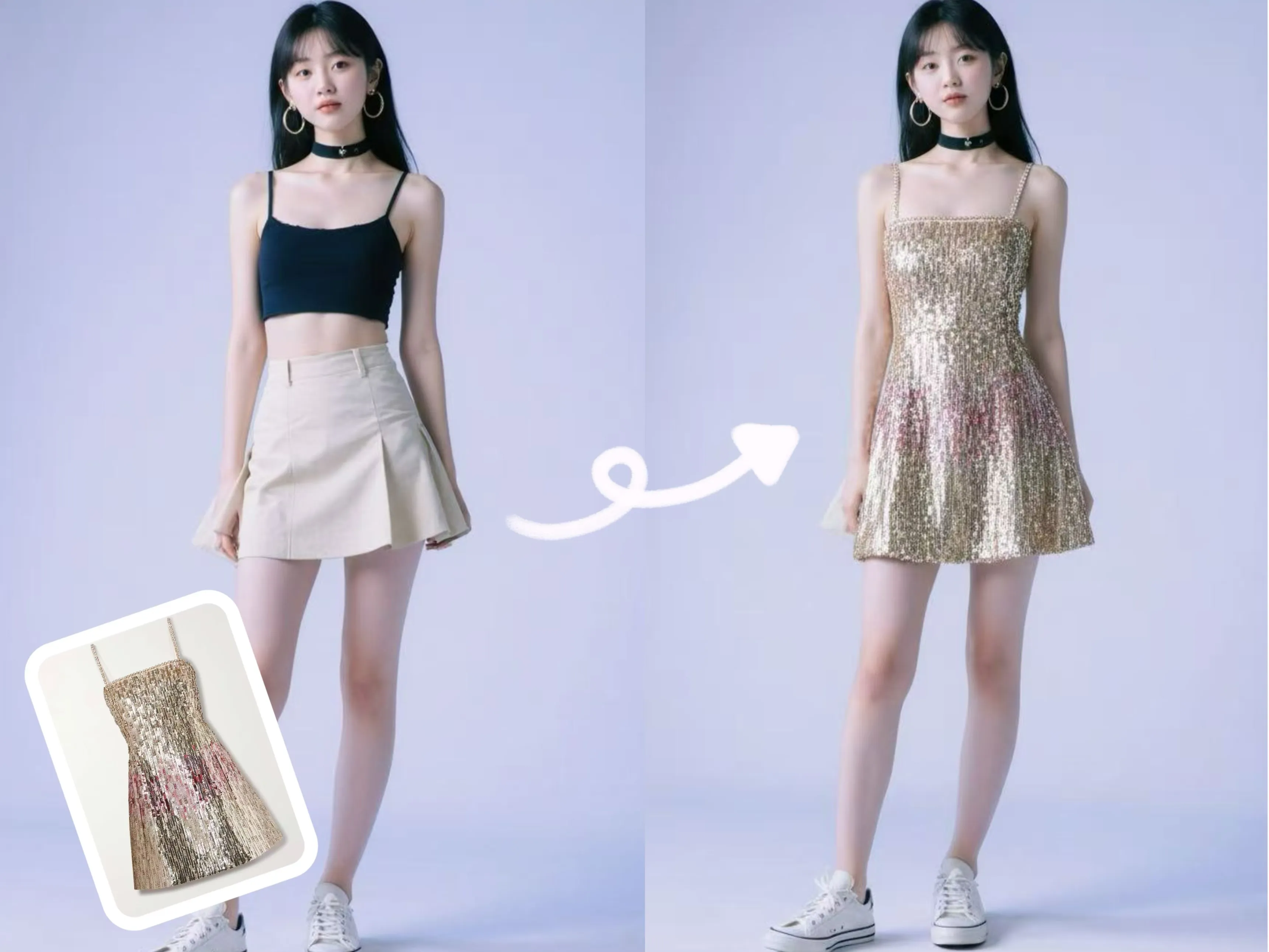
Fertige Ergebnisse prüfen und herunterladen
Wenn eine Anfrage abgeschlossen ist, prüfen Sie das Video im Verlauf und laden Sie das Ergebnis herunter, das Sie behalten möchten. Überprüfen Sie die Komposition und eventuelle unbeabsichtigte Details, bevor Sie es mit Ihrem Team teilen oder veröffentlichen.
Zugehörige Video-Workflows erkunden
Erkunden Sie verfügbare Video-Workflows und vergleichen Sie sie mit den verwandten Videoseiten. Der Generator ist die maßgebliche Quelle für aktuellen Modellzugriff und Einstellungen. Nutzen Sie die Prompt-Bibliothek, um veröffentlichte Ergebnisse und das Modell, das sie erstellt hat, zu studieren.
Wählen Sie ein aktiviertes Modell auf der AI Video-Seite. Prüfen Sie seine unterstützten Einstellungen und den Credit-Kostenvoranschlag, bevor Sie einen Clip aus Text oder einem Bild generieren.
Geben Sie für ein Video-Produktkonzept die Produktform, das Material, ein wichtiges Detail und die Umgebung an. Halten Sie Logos und Aussagen korrekt, lassen Sie Platz für Ihre eigene Typografie und prüfen Sie das Ergebnis, bevor Sie es in einer Anzeige verwenden.
Wähle eine unterstützte Ausgabegröße
Wählen Sie nur die Auflösung und das Seitenverhältnis, die für das ausgewählte Modell angezeigt werden. Prüfen Sie Bildausschnitt, feine Details und eventuellen Text im fertigen Video. Eine größere Ausgabegröße garantiert kein genaueres Ergebnis.
Schreiben Sie Ihr Video-Briefing rund um eine sichtbare Aktion. Fügen Sie die Umgebung, die Einstellungsgröße, die Kamerabewegung und die Beleuchtung hinzu. Halten Sie Dialog und Tonhinweise getrennt von den visuellen Anweisungen, damit die beabsichtigte Szene leicht zu verstehen ist.
Entwickeln Sie Ihr Video-Briefing rund um das Ergebnis, das Sie benötigen. Halten Sie die Hauptrichtung spezifisch, prüfen Sie unterstützte Einstellungen im Generator und kontrollieren Sie die fertige Arbeit, bevor Sie sie in Ihrem Projekt verwenden.
Entwickeln Sie Ihr Video-Briefing rund um das Ergebnis, das Sie benötigen. Halten Sie die Hauptrichtung spezifisch, prüfen Sie unterstützte Einstellungen im Generator und kontrollieren Sie die fertige Arbeit, bevor Sie sie in Ihrem Projekt verwenden.
Wählen Sie ein aktiviertes Modell auf der AI Video-Seite. Prüfen Sie seine unterstützten Einstellungen und den Credit-Kostenvoranschlag, bevor Sie einen Clip aus Text oder einem Bild generieren.
Beschreiben Sie Sprache, Umgebungsgeräusche und Musik als getrennte Anweisungen in Ihrem Video-Briefing. Die Audioausgabe hängt vom ausgewählten Modell und den im Generator angezeigten Optionen ab; prüfen Sie den fertigen Clip, statt anzunehmen, dass Ton enthalten ist.
Schreiben Sie Ihr Video-Briefing rund um eine sichtbare Aktion. Fügen Sie die Umgebung, die Einstellungsgröße, die Kamerabewegung und die Beleuchtung hinzu. Halten Sie Dialog und Tonhinweise getrennt von den visuellen Anweisungen, damit die beabsichtigte Szene leicht zu verstehen ist.
Beschreiben Sie Sprache, Umgebungsgeräusche und Musik als getrennte Anweisungen in Ihrem Video-Briefing. Die Audioausgabe hängt vom ausgewählten Modell und den im Generator angezeigten Optionen ab; prüfen Sie den fertigen Clip, statt anzunehmen, dass Ton enthalten ist.
Beschreiben Sie Sprache, Umgebungsgeräusche und Musik als getrennte Anweisungen in Ihrem Video-Briefing. Die Audioausgabe hängt vom ausgewählten Modell und den im Generator angezeigten Optionen ab; prüfen Sie den fertigen Clip, statt anzunehmen, dass Ton enthalten ist.
Verwenden Sie Referenzen, um das gewünschte Ergebnis zu erklären
Beschreiben Sie für Ihr Video-Briefing, wie sich das Motiv aus seiner Ausgangsposition bewegen soll. Wenn das ausgewählte Modell ein Bild oder einen Endframe unterstützt, nutzen Sie dies, um Komposition und Kontinuität zu erklären. Nehmen Sie nicht an, dass jeder Referenztyp akzeptiert wird.
Beschreiben Sie für Ihr Video-Briefing, wie sich das Motiv aus seiner Ausgangsposition bewegen soll. Wenn das ausgewählte Modell ein Bild oder einen Endframe unterstützt, nutzen Sie dies, um Komposition und Kontinuität zu erklären. Nehmen Sie nicht an, dass jeder Referenztyp akzeptiert wird.
Schreiben Sie Ihr Video-Briefing rund um eine sichtbare Aktion. Fügen Sie die Umgebung, die Einstellungsgröße, die Kamerabewegung und die Beleuchtung hinzu. Halten Sie Dialog und Tonhinweise getrennt von den visuellen Anweisungen, damit die beabsichtigte Szene leicht zu verstehen ist.
Entwickeln Sie Ihr Video-Briefing rund um das Ergebnis, das Sie benötigen. Halten Sie die Hauptrichtung spezifisch, prüfen Sie unterstützte Einstellungen im Generator und kontrollieren Sie die fertige Arbeit, bevor Sie sie in Ihrem Projekt verwenden.
Fertige Ergebnisse prüfen und herunterladen
Wählen Sie nur die Auflösung und das Seitenverhältnis, die für das ausgewählte Modell angezeigt werden. Prüfen Sie Bildausschnitt, feine Details und eventuellen Text im fertigen Video. Eine größere Ausgabegröße garantiert kein genaueres Ergebnis.
Geben Sie für ein Video-Produktkonzept die Produktform, das Material, ein wichtiges Detail und die Umgebung an. Halten Sie Logos und Aussagen korrekt, lassen Sie Platz für Ihre eigene Typografie und prüfen Sie das Ergebnis, bevor Sie es in einer Anzeige verwenden.
Wählen Sie nur die Auflösung und das Seitenverhältnis, die für das ausgewählte Modell angezeigt werden. Prüfen Sie Bildausschnitt, feine Details und eventuellen Text im fertigen Video. Eine größere Ausgabegröße garantiert kein genaueres Ergebnis.
Planen Sie Zeit ein, um jedes Videoergebnis zu prüfen und Ihr Briefing zu verfeinern. Die Verarbeitungszeit variiert je nach Modell, Anfrage und Serviceauslastung. Ändern Sie jeweils nur eine Richtung, damit Sie beurteilen können, welche Bearbeitung das Ergebnis verbessert.
Ein klareres kreatives Briefing für Veo
Geben Sie für ein Video-Produktkonzept die Produktform, das Material, ein wichtiges Detail und die Umgebung an. Halten Sie Logos und Aussagen korrekt, lassen Sie Platz für Ihre eigene Typografie und prüfen Sie das Ergebnis, bevor Sie es in einer Anzeige verwenden.
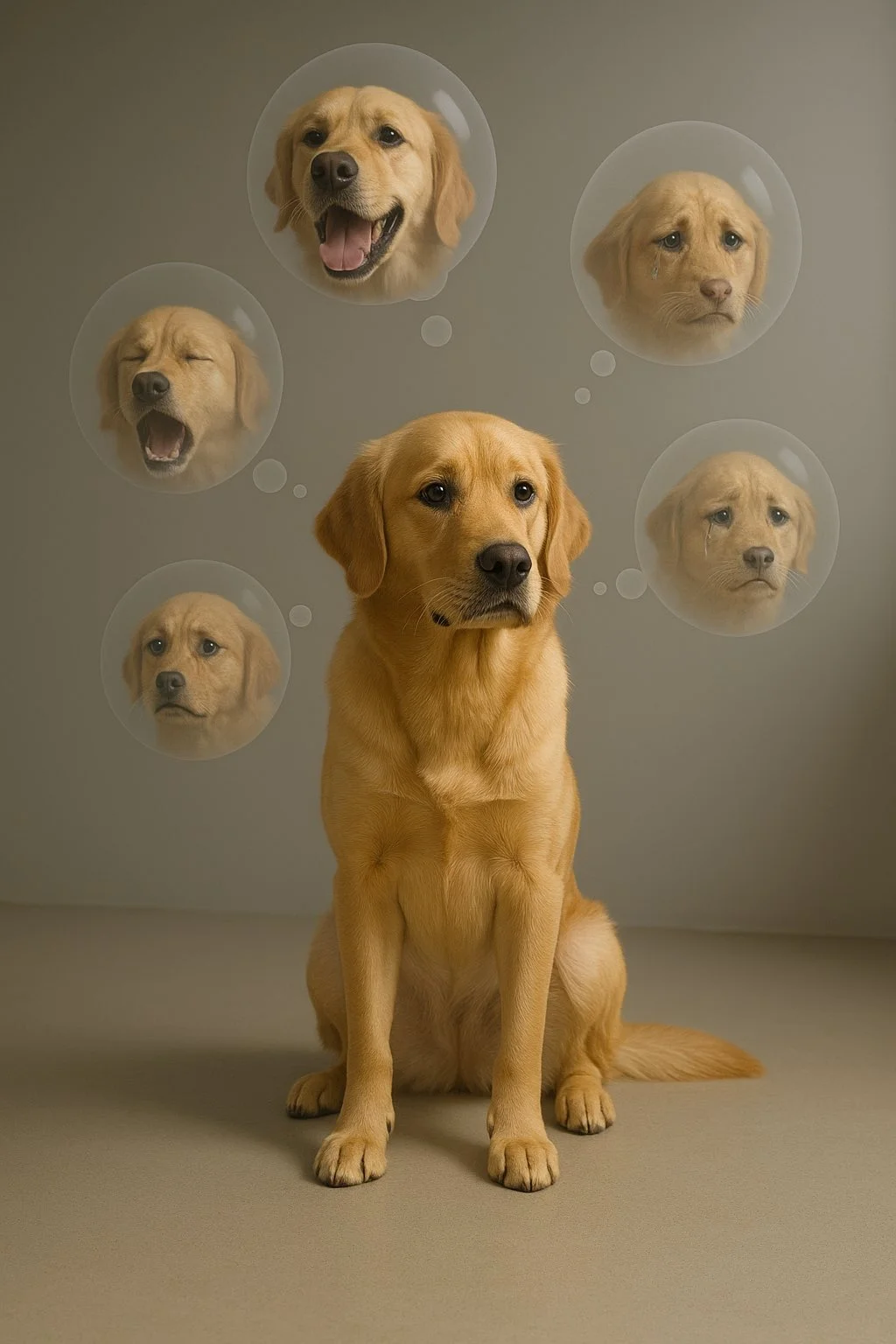
Planen Sie eine klare Aktion pro Aufnahme
Listen Sie die Details auf, die in Ihrem Video-Briefing wichtig sind: Identität, Form, Farben, Kleidung und Hintergrund. Verwenden Sie unterstützte Referenzen, wo passend, und vergleichen Sie jedes Ergebnis; exakte Konsistenz ist nicht garantiert.

Flexible Produktionsmodi
Geben Sie für ein Video-Produktkonzept die Produktform, das Material, ein wichtiges Detail und die Umgebung an. Halten Sie Logos und Aussagen korrekt, lassen Sie Platz für Ihre eigene Typografie und prüfen Sie das Ergebnis, bevor Sie es in einer Anzeige verwenden.
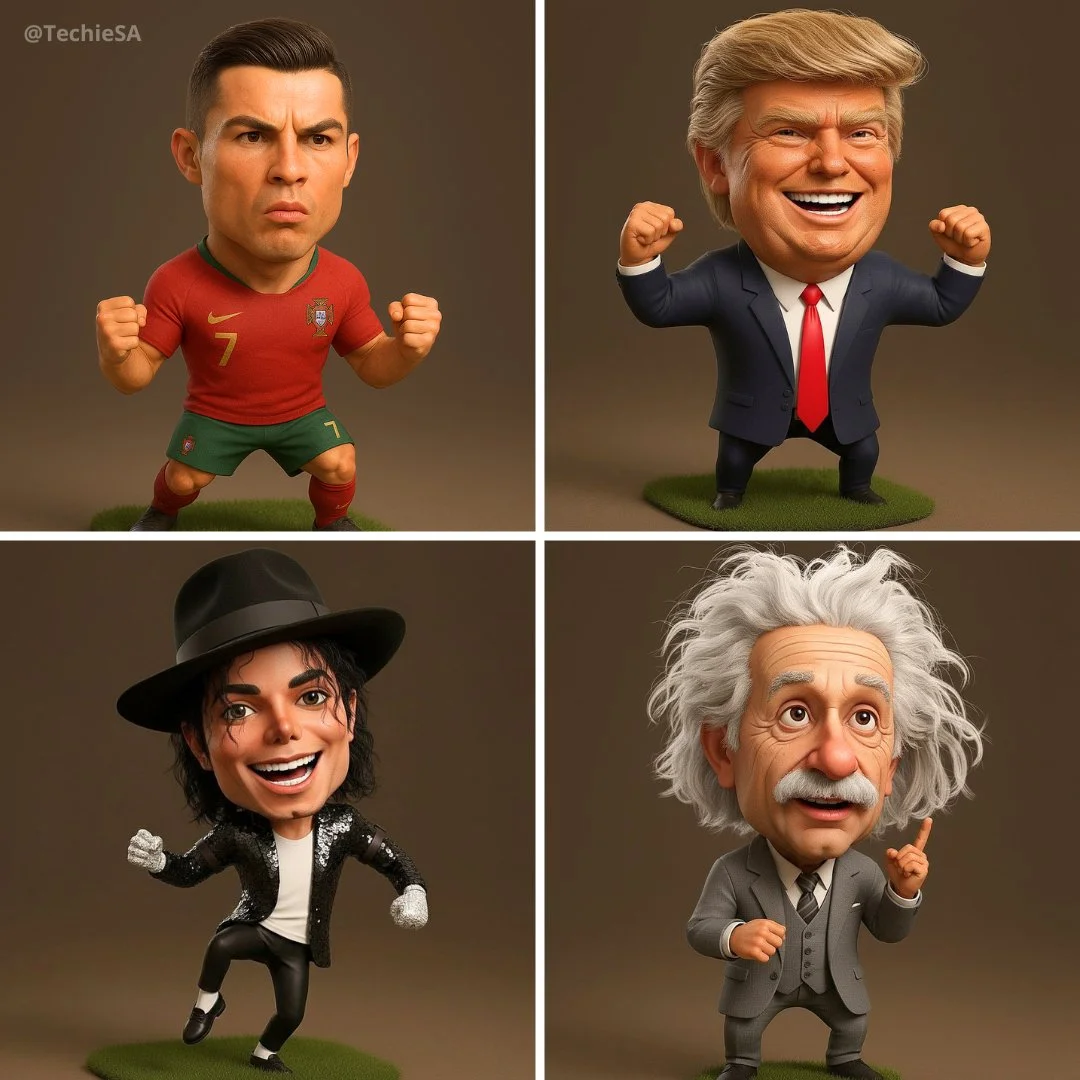
Formuliere präzise Bearbeitungs- und Stilvorgaben
Geben Sie für ein Video-Produktkonzept die Produktform, das Material, ein wichtiges Detail und die Umgebung an. Halten Sie Logos und Aussagen korrekt, lassen Sie Platz für Ihre eigene Typografie und prüfen Sie das Ergebnis, bevor Sie es in einer Anzeige verwenden.
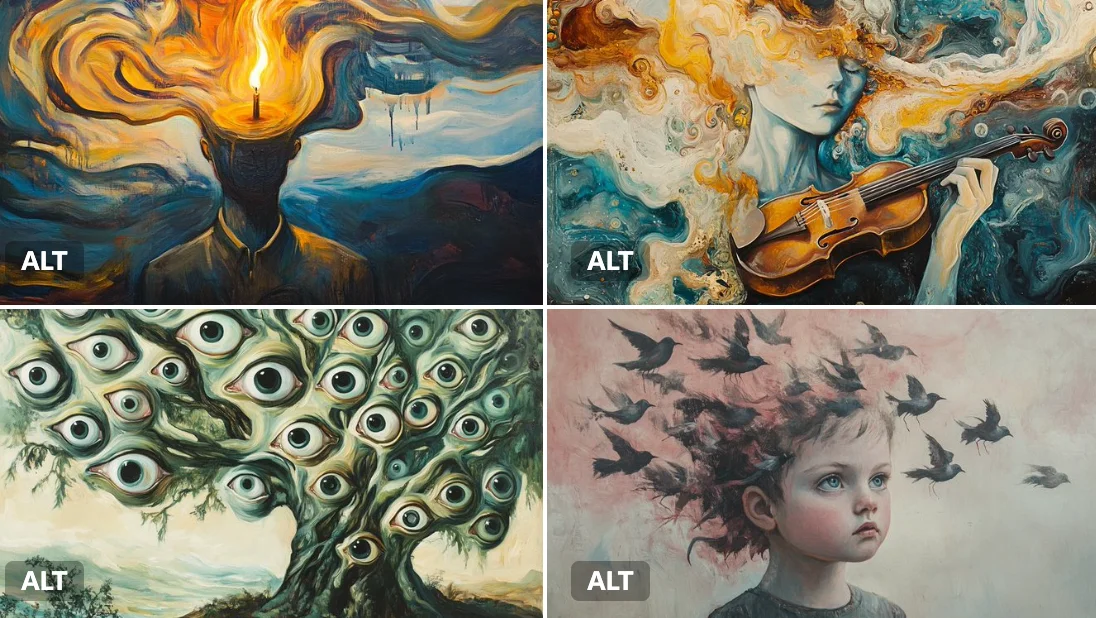
Variationen mit einem fokussierten Briefing erkunden
Erkunden Sie verfügbare Video-Workflows und vergleichen Sie sie mit den verwandten Videoseiten. Der Generator ist die maßgebliche Quelle für aktuellen Modellzugriff und Einstellungen. Nutzen Sie die Prompt-Bibliothek, um veröffentlichte Ergebnisse und das Modell, das sie erstellt hat, zu studieren.
Wählen Sie ein aktiviertes Modell auf der AI Video-Seite. Prüfen Sie seine unterstützten Einstellungen und den Credit-Kostenvoranschlag, bevor Sie einen Clip aus Text oder einem Bild generieren.
Geben Sie dem Hauptmotiv eine klare Aktion. Für ein Videokonzept ist ein präzises Briefing leichter zu beurteilen als eine Liste konkurrierender Effekte.
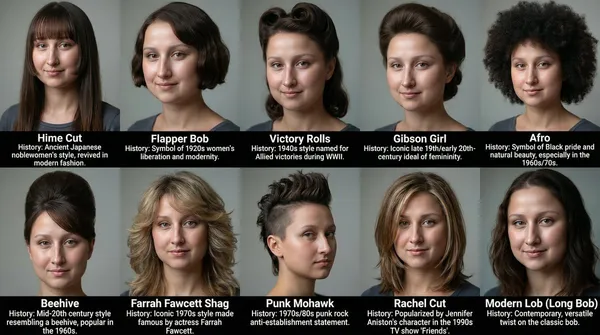
Veo Video-Workflow: Fragen und Antworten
Geben Sie für ein Video-Produktkonzept die Produktform, das Material, ein wichtiges Detail und die Umgebung an. Halten Sie Logos und Aussagen korrekt, lassen Sie Platz für Ihre eigene Typografie und prüfen Sie das Ergebnis, bevor Sie es in einer Anzeige verwenden.
Diese Highsfield-Seite erklärt den Video-Workflow. Sie hilft Ihnen, ein fokussiertes Briefing zu schreiben und die verfügbaren Eingaben zu prüfen. Der aktuelle Zugriff wird im Generator angezeigt; ein Modellname in einer Anleitung bedeutet nicht, dass es derzeit Anfragen annimmt.
Schreiben Sie Ihr Video-Briefing rund um eine sichtbare Aktion. Fügen Sie die Umgebung, die Einstellungsgröße, die Kamerabewegung und die Beleuchtung hinzu. Halten Sie Dialog und Tonhinweise getrennt von den visuellen Anweisungen, damit die beabsichtigte Szene leicht zu verstehen ist.
Entwickeln Sie Ihr Video-Briefing rund um das Ergebnis, das Sie benötigen. Halten Sie die Hauptrichtung spezifisch, prüfen Sie unterstützte Einstellungen im Generator und kontrollieren Sie die fertige Arbeit, bevor Sie sie in Ihrem Projekt verwenden.
Wählen Sie nur die Auflösung und das Seitenverhältnis, die für das ausgewählte Modell angezeigt werden. Prüfen Sie Bildausschnitt, feine Details und eventuellen Text im fertigen Video. Eine größere Ausgabegröße garantiert kein genaueres Ergebnis.
Beschreiben Sie Sprache, Umgebungsgeräusche und Musik als getrennte Anweisungen in Ihrem Video-Briefing. Die Audioausgabe hängt vom ausgewählten Modell und den im Generator angezeigten Optionen ab; prüfen Sie den fertigen Clip, statt anzunehmen, dass Ton enthalten ist.
Listen Sie die Details auf, die in Ihrem Video-Briefing wichtig sind: Identität, Form, Farben, Kleidung und Hintergrund. Verwenden Sie unterstützte Referenzen, wo passend, und vergleichen Sie jedes Ergebnis; exakte Konsistenz ist nicht garantiert.
Du kannst innerhalb von 10 Tagen nach dem Kauf eine Rückerstattung beantragen, wenn du ungenutzte Guthaben aus diesem Kauf hast und einen klaren Grund angibst, vorbehaltlich unserer Rückerstattungsrichtlinie. Wenn du berechtigt bist, kann ein ungenutzter Kauf vollständig erstattet werden; ein teilweise genutzter Kauf wird im Verhältnis zu den verbleibenden ungenutzten Guthaben erstattet. Vollständig genutzte Käufe sowie kostenlose oder Aktionsguthaben sind nicht erstattungsfähig.
Die Gültigkeit von Guthaben hängt vom Paket, Abonnement oder der Aktion ab, durch die sie ausgegeben wurden. Prüfe die Kaufbedingungen und Ablaufdaten unter Einstellungen > Guthaben. Eine Verlängerung oder ein neuer Kauf verlängert ältere Guthaben nicht. Nutze Guthaben vor ihrem angegebenen Ablaufdatum; gehe nicht davon aus, dass ungenutzte Abonnement-Guthaben unbegrenzt übertragen werden.
Credits, die für eine Aufgabe berechnet wurden, die als aufgrund eines Systemfehlers fehlgeschlagen bestätigt wurde, werden automatisch zurückerstattet. Eine Aufgabe, die noch in Bearbeitung ist, wurde noch nicht als fehlgeschlagen bestätigt. Prüfen Sie ihren Status und Ihren Guthabenverlauf, bevor Sie erneut einreichen. Wenn bei einem bestätigten Fehler weiterhin eine ungeklärte Belastung angezeigt wird, senden Sie eine E-Mail an support@highsfield.com mit der Task-ID.
KI-Ergebnisse können variieren, daher wird ein abgeschlossenes Ergebnis, das von Ihren Erwartungen abweicht, nicht automatisch als technischer Fehler behandelt. Berechtigte abgeschlossene Bildaufgaben können über die Rückerstattungsoption, wo verfügbar, zur Prüfung einer Credit-Rückerstattung eingereicht werden; eine Genehmigung ist erforderlich. Bei einem Video oder einem anderen Problem wenden Sie sich mit der Task-ID und Details an support@highsfield.com. Eine Credit-Rückerstattung erstattet Credits, kein Geld auf Ihre Zahlungsmethode.
Senden Sie eine E-Mail an support@highsfield.com. Geben Sie bei Abrechnungsfragen Ihre Konto-E-Mail-Adresse und Bestell-ID an; bei der Generierung geben Sie die Task-ID, eine Beschreibung des Problems und relevante Screenshots an. Wenn Sie als Gast gekauft haben, bewahren Sie die ursprünglichen Browserdaten und den Zahlungsbeleg auf, damit wir den Kauf leichter finden können.
Erkunden Sie Ihre nächste Veo Video-Idee
Wählen Sie nur die Auflösung und das Seitenverhältnis, die für das ausgewählte Modell angezeigt werden. Prüfen Sie Bildausschnitt, feine Details und eventuellen Text im fertigen Video. Eine größere Ausgabegröße garantiert kein genaueres Ergebnis.
highsfield.com · Aktualisiert
Neu auf dieser Seite
- — Die Prüfung von Veo-Verfügbarkeit, Kontoberechtigung und Credits wurde erläutert.
- — Bearbeitbare Beispiel-Prompts, getrennte Entwürfe für Text- und Referenzmodi sowie eine Funktion zum Wiederherstellen des Beispiels hinzugefügt.
- — Texte und Inhalte der Seite aktualisiert.
- — Seiteninhalt veröffentlicht.