
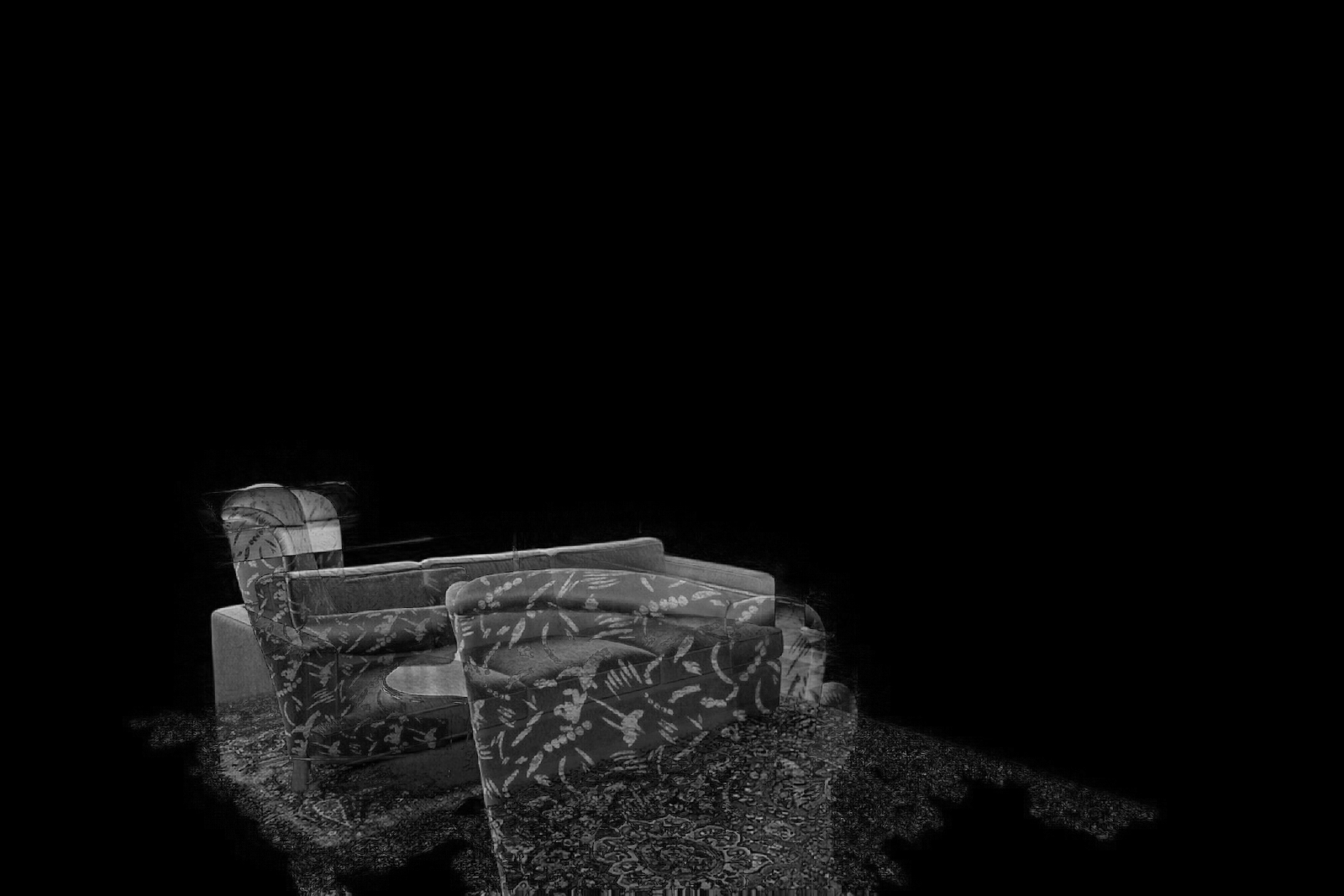
Verified prompt
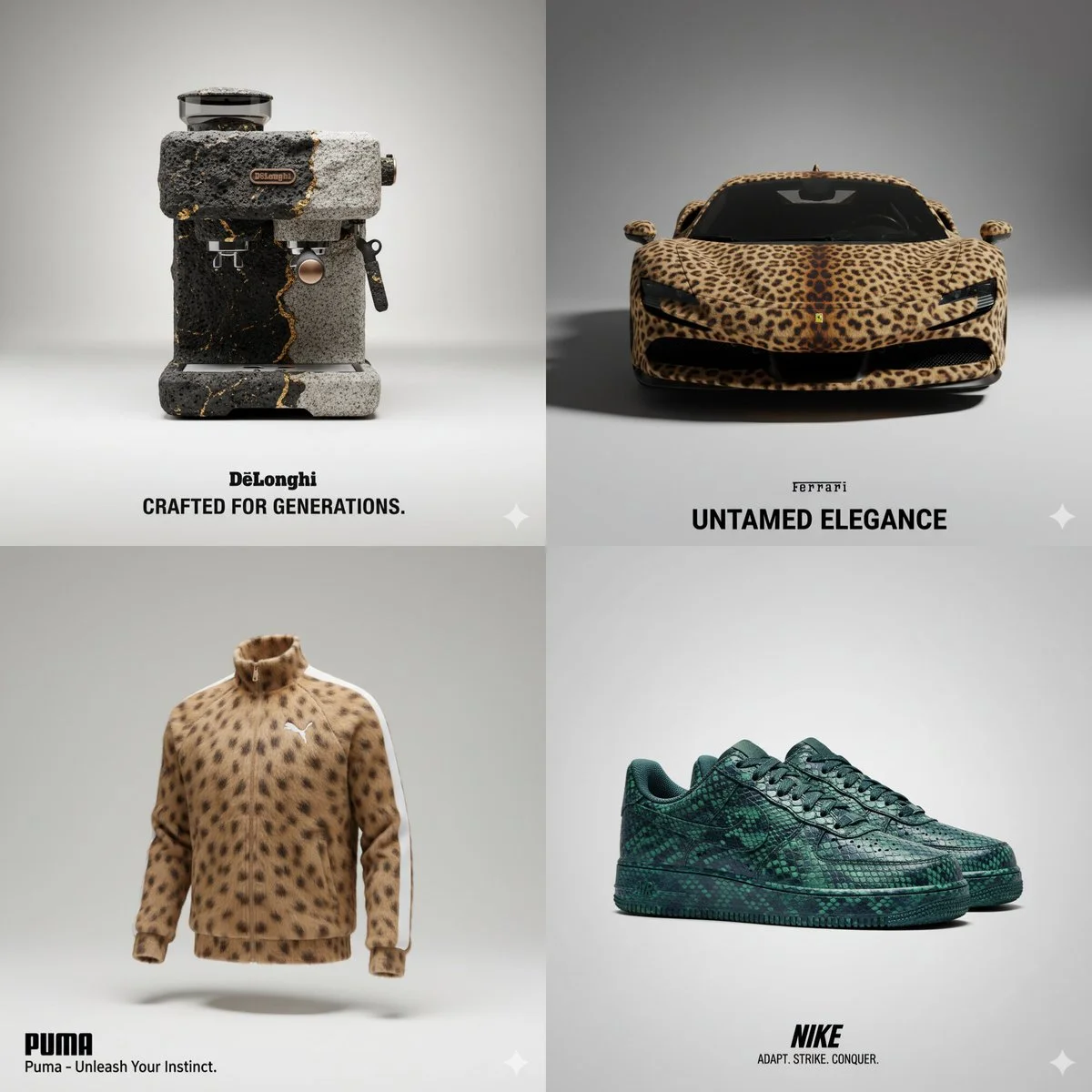
Verified prompt
A high-quality studio photograph of a [BRAND] fully covered in ultra-realistic [ANIMAL] texture (e.g., fur, feathers, skin, or scales), placed against a soft neutral background. The object’s original shape, key design elements, and brand identity remain clearly visible beneath the animal’s organic surface. Integrate the official logo of the brand prominently into the composition. Automatically generate a compelling and brand-appropriate slogan that draws symbolic inspiration from the animal’s qualities and matches the tone of a premium advertising campaign. The image must feature clean composition, soft shadows, minimalist styling, professional lighting, and highly detailed textures—each hair, scale, or wrinkle should be visible in sharp detail. Format 1:1.
A high-quality studio photograph of a [BRAND] fully covered in ultra-realistic [ANIMAL] texture (e.g., fur, feathers, skin, or scales), placed against a soft neutral background. The object’s original shape, key design elements, and brand identity remain clearly visible beneath the animal’s organic surface. Integrate the official logo of the brand prominently into the composition. Automatically generate a compelling and brand-appropriate slogan that draws symbolic inspiration from the animal’s qualities and matches the tone of a premium advertising campaign. The image must feature clean composition, soft shadows, minimalist styling, professional lighting, and highly detailed textures—each hair, scale, or wrinkle should be visible in sharp detail. Format 1:1.
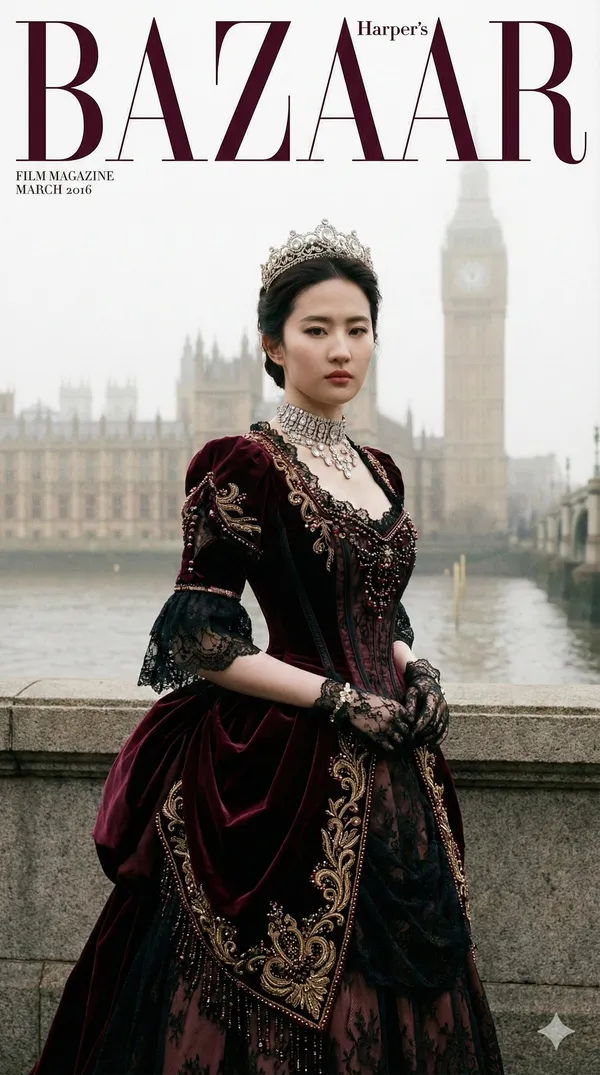
Verified prompt
rate a 9:16 vertical "Victorian Gothic Royal" realistic photo: Use my uploaded FACE_REF as the character identity reference, 100% restore facial features and bone structure; the character wears a heavily embellished court dress in the "Victorian era (19th century) court style" direction (corset, large crinoline, lace/velvet, royal jewelry), photographed by Tower Bridge or Westminster Palace (Big Ben) in London. The image should have Harper's Bazaar-level photography, styling, and cover design, maintaining the magazine's signature design style (bilingual design). 【INPUTS】 FACE_REF: My uploaded facial reference image (identity lock) 【ABSOLUTE PRIORITY | Identity Lock (Highest Priority)】 100% restore FACE_REF facial features and bone structure: eye spacing, nose bridge and nostrils, lip shape, jawline, cheekbone structure must be completely consistent, no drifting allowed. Real skin texture: visible fine texture and pores, no over-smoothing or influencer-style editing. Adult female image. 【SHOT TYPE | Choose one (model randomly selects one, must be consistent)】 A) Half-body cover: Chest to above waist, jewelry, lace collar and eyes most clear (recommended) B) Full-body cover: Complete head-to-toe presentation of the large crinoline silhouette combined with London landmarks, strong perspective (alternative) (Whether A/B: must maintain "cover composition", leaving white space for layout, but no torn paper/hand-drawn effects.) 【LOCATION | Scene (London, UK)】 London landmarks: Thames riverside, background is the magnificent Gothic architecture of Westminster Palace (Big Ben) or Tower Bridge towers. Weather (random): 1) London fog (classic foggy city texture, soft and mysterious lighting) 2) After rain (wet reflective ground, lead-gray sky) Clean background: No tourists, no modern signs, no phone status bar UI, no watermarks. 【LIGHTING & CAMERA | Magazine-quality Photography】 Lens feel: 85mm portrait quality (half-body) or 50mm/70mm (full-body), shallow depth of field, eyes sharpest. Lighting: Overcast diffused light + dramatic fill (emphasizing facial structure); diamonds/gems have real fire; velvet texture is deep. Colors: High-end cinematic feel, low-saturation blue-gray environment with deep clothing tones (red/blue/black) forming Gothic aesthetics; overall clean, transparent, noble. 【WARDROBE | Victorian Court Dress (Heavy embellishment, shaping, intricate details)】 Target aesthetic: "Wasp waist, large skirt, layered lace, heavy velvet, crown, queen aura". Silhouette and layers (X-shaped cut) Upper body: Highly structured corset, square or high collar, puff sleeves or leg-of-mutton sleeves Lower body: Huge crinoline or bustle, obvious stacking design at back waist, floor-length hem Decorations: Abundant ruffles, bows, hanging tassels Fabrics and craftsmanship Main fabrics: Heavy velvet, taffeta, Chantilly Lace Main techniques: Beading, gold thread embroidery, ribbon weaving Pattern themes: Damask, roses, thistle (Scottish symbol), paisley Details: Lace gloves, choker, medals/brooches Headpiece (Royal jewelry) Core structure: Victorian tiara or feather headdress Decorations: Diamonds, sapphires, pearls Earrings/Necklaces: Extremely exaggerated diamond necklaces, earrings 【COLOR MATRIX | Color Matching (Must execute, "Royal Dark" required)】 (Late Victorian deep luxury) Randomly select 1 of the following three "main color schemes" as base/large area main fabric color. Scheme G (Royal Blue): Base: Deep sapphire/midnight blue (velvet texture) Embroidery/Decoration: Silver lace, diamonds, sapphires Scheme A (Victorian Red): Base: Wine/burgundy red (deep passionate) Embroidery/Decoration: Black lace, gold embroidery, rubies Scheme R (Mourning Black): Base: Jet black (extremely Gothic) Embroidery/Decoration: Black beads, black lace, small amounts of gold or silver highlights 【POSE | Cover Pose (Majestic, rigid, queen-like)】 Half-body: Chin slightly raised, cold eyes, one hand gently touching necklace Full-body: Standing upright (like a portrait painting), hands clasped on crinoline, overwhelming presence Expression: Serious, haughty, imperious; absolutely no smile (Victorian style). 【OUTPUT】 1 vertical 9:16 realistic magazine cover-level photo Random: Half-body or full-body (A/B choose one) Random: Fog or rain (weather choose one) Random: Sapphire blue / Wine red / Jet black (color matrix choose one) Styling: Victorian court dress direction + Crown/Choker + Corset crinoline + Velvet lace
rate a 9:16 vertical "Victorian Gothic Royal" realistic photo: Use my uploaded FACE_REF as the character identity reference, 100% restore facial features and bone structure; the character wears a heavily embellished court dress in the "Victorian era (19th century) court style" direction (corset, large crinoline, lace/velvet, royal jewelry), photographed by Tower Bridge or Westminster Palace (Big Ben) in London. The image should have Harper's Bazaar-level photography, styling, and cover design, maintaining the magazine's signature design style (bilingual design). 【INPUTS】 FACE_REF: My uploaded facial reference image (identity lock) 【ABSOLUTE PRIORITY | Identity Lock (Highest Priority)】 100% restore FACE_REF facial features and bone structure: eye spacing, nose bridge and nostrils, lip shape, jawline, cheekbone structure must be completely consistent, no drifting allowed. Real skin texture: visible fine texture and pores, no over-smoothing or influencer-style editing. Adult female image. 【SHOT TYPE | Choose one (model randomly selects one, must be consistent)】 A) Half-body cover: Chest to above waist, jewelry, lace collar and eyes most clear (recommended) B) Full-body cover: Complete head-to-toe presentation of the large crinoline silhouette combined with London landmarks, strong perspective (alternative) (Whether A/B: must maintain "cover composition", leaving white space for layout, but no torn paper/hand-drawn effects.) 【LOCATION | Scene (London, UK)】 London landmarks: Thames riverside, background is the magnificent Gothic architecture of Westminster Palace (Big Ben) or Tower Bridge towers. Weather (random): 1) London fog (classic foggy city texture, soft and mysterious lighting) 2) After rain (wet reflective ground, lead-gray sky) Clean background: No tourists, no modern signs, no phone status bar UI, no watermarks. 【LIGHTING & CAMERA | Magazine-quality Photography】 Lens feel: 85mm portrait quality (half-body) or 50mm/70mm (full-body), shallow depth of field, eyes sharpest. Lighting: Overcast diffused light + dramatic fill (emphasizing facial structure); diamonds/gems have real fire; velvet texture is deep. Colors: High-end cinematic feel, low-saturation blue-gray environment with deep clothing tones (red/blue/black) forming Gothic aesthetics; overall clean, transparent, noble. 【WARDROBE | Victorian Court Dress (Heavy embellishment, shaping, intricate details)】 Target aesthetic: "Wasp waist, large skirt, layered lace, heavy velvet, crown, queen aura". Silhouette and layers (X-shaped cut) Upper body: Highly structured corset, square or high collar, puff sleeves or leg-of-mutton sleeves Lower body: Huge crinoline or bustle, obvious stacking design at back waist, floor-length hem Decorations: Abundant ruffles, bows, hanging tassels Fabrics and craftsmanship Main fabrics: Heavy velvet, taffeta, Chantilly Lace Main techniques: Beading, gold thread embroidery, ribbon weaving Pattern themes: Damask, roses, thistle (Scottish symbol), paisley Details: Lace gloves, choker, medals/brooches Headpiece (Royal jewelry) Core structure: Victorian tiara or feather headdress Decorations: Diamonds, sapphires, pearls Earrings/Necklaces: Extremely exaggerated diamond necklaces, earrings 【COLOR MATRIX | Color Matching (Must execute, "Royal Dark" required)】 (Late Victorian deep luxury) Randomly select 1 of the following three "main color schemes" as base/large area main fabric color. Scheme G (Royal Blue): Base: Deep sapphire/midnight blue (velvet texture) Embroidery/Decoration: Silver lace, diamonds, sapphires Scheme A (Victorian Red): Base: Wine/burgundy red (deep passionate) Embroidery/Decoration: Black lace, gold embroidery, rubies Scheme R (Mourning Black): Base: Jet black (extremely Gothic) Embroidery/Decoration: Black beads, black lace, small amounts of gold or silver highlights 【POSE | Cover Pose (Majestic, rigid, queen-like)】 Half-body: Chin slightly raised, cold eyes, one hand gently touching necklace Full-body: Standing upright (like a portrait painting), hands clasped on crinoline, overwhelming presence Expression: Serious, haughty, imperious; absolutely no smile (Victorian style). 【OUTPUT】 1 vertical 9:16 realistic magazine cover-level photo Random: Half-body or full-body (A/B choose one) Random: Fog or rain (weather choose one) Random: Sapphire blue / Wine red / Jet black (color matrix choose one) Styling: Victorian court dress direction + Crown/Choker + Corset crinoline + Velvet lace
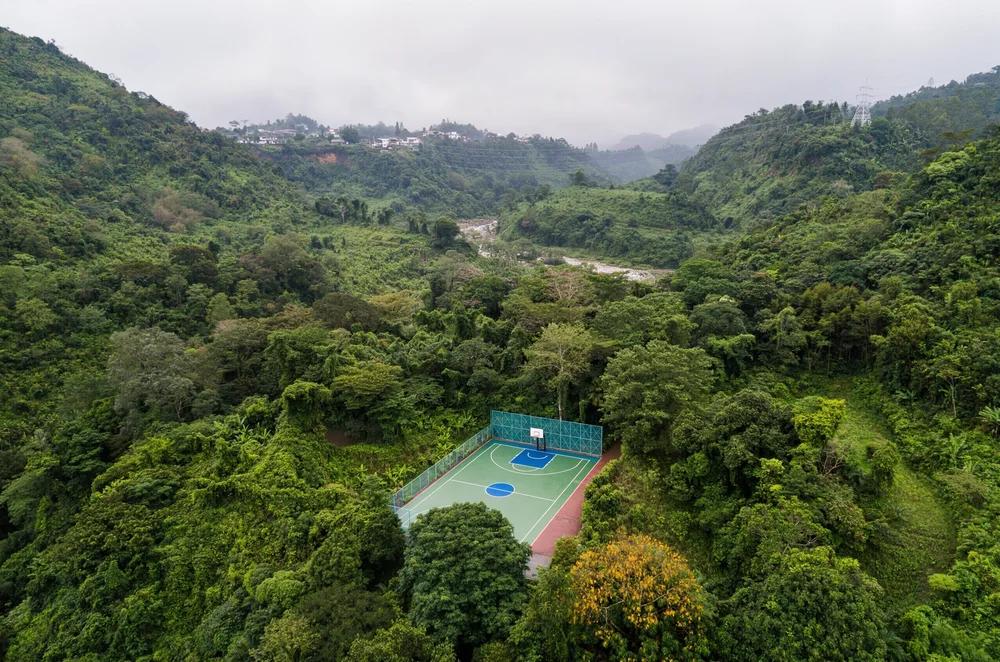
Verified prompt
Verified prompt
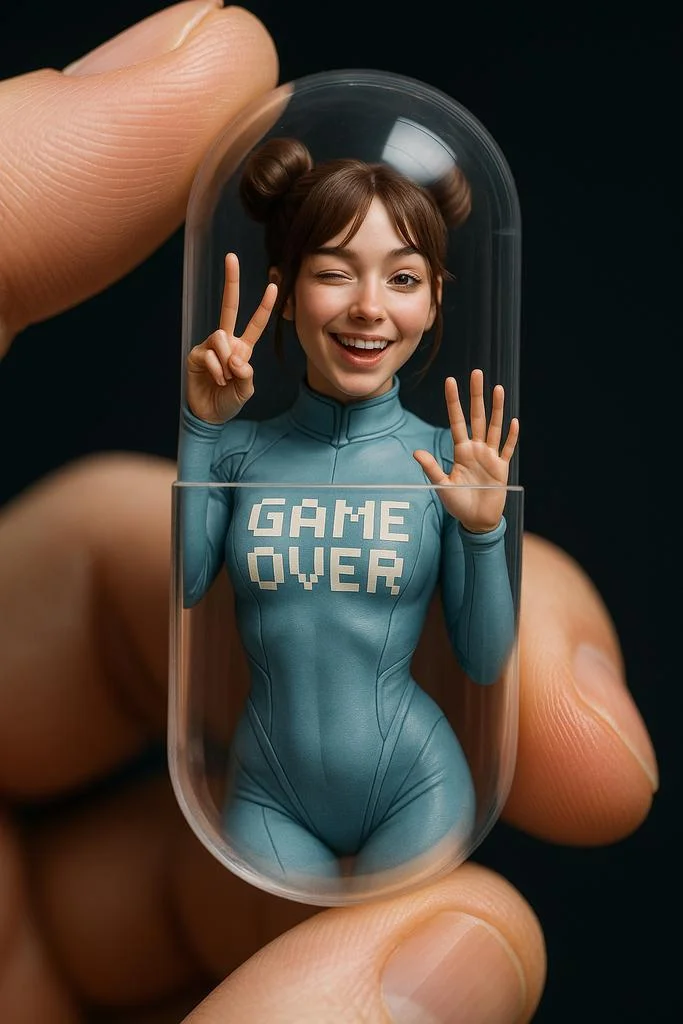
Close-up, A hand holding a transparent capsule, inside it is a miniature model of [character name], wearing [their iconic outfit and accessories]. The character is posed in a [specific, expressive or dynamic pose], interacting with the inner surface of the capsule, as if they are frozen or confined inside. Hyper-realistic, cinematic, studio lighting setup, photographed with a macro lens.
Close-up, A hand holding a transparent capsule, inside it is a miniature model of [character name], wearing [their iconic outfit and accessories]. The character is posed in a [specific, expressive or dynamic pose], interacting with the inner surface of the capsule, as if they are frozen or confined inside. Hyper-realistic, cinematic, studio lighting setup, photographed with a macro lens.
Verified prompt
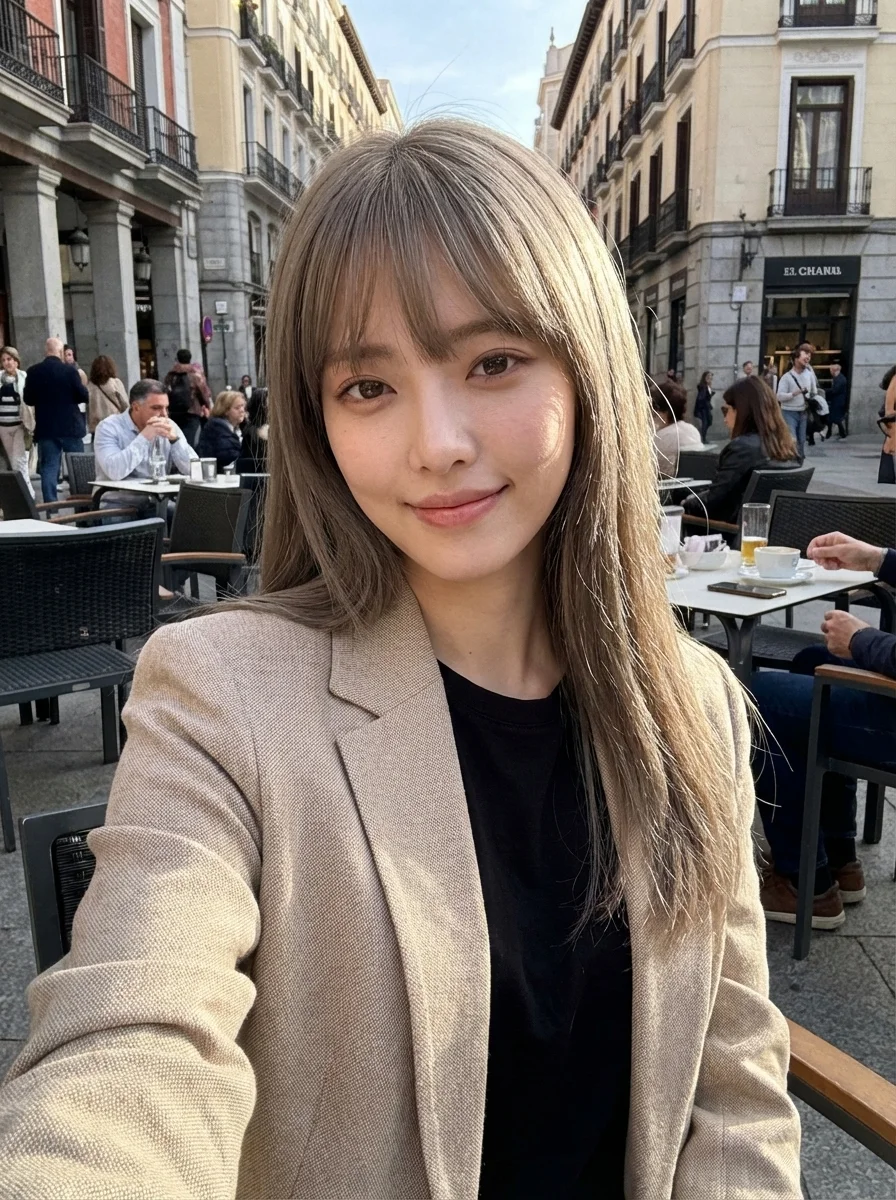
ndid, raw smartphone selfie photo. The subject is the uploaded woman, sitting at an outdoor cafe in the center of Madrid, captured using a front-facing smartphone camera. Sunlight hits her face from the side, creating natural highlights and soft shadows, authentic daytime lighting with no artificial setup. She has sun-kissed hair with a relaxed, natural texture. She wears a textured beige Zara-style blazer over a black top, effortless, everyday outfit styling. Natural daytime makeup, visible skin texture, no beauty retouching. A genuine, slight smile while looking directly at the phone camera. The image has a subtle grainy texture, reflecting a real smartphone photo aesthetic, as if shot on an iPhone 17 Pro Max. Overall mood: casual, warm, authentic, unposed. Feels like a spontaneous travel moment, not styled, not editorial, not influencer-like.
ndid, raw smartphone selfie photo. The subject is the uploaded woman, sitting at an outdoor cafe in the center of Madrid, captured using a front-facing smartphone camera. Sunlight hits her face from the side, creating natural highlights and soft shadows, authentic daytime lighting with no artificial setup. She has sun-kissed hair with a relaxed, natural texture. She wears a textured beige Zara-style blazer over a black top, effortless, everyday outfit styling. Natural daytime makeup, visible skin texture, no beauty retouching. A genuine, slight smile while looking directly at the phone camera. The image has a subtle grainy texture, reflecting a real smartphone photo aesthetic, as if shot on an iPhone 17 Pro Max. Overall mood: casual, warm, authentic, unposed. Feels like a spontaneous travel moment, not styled, not editorial, not influencer-like.
Verified prompt
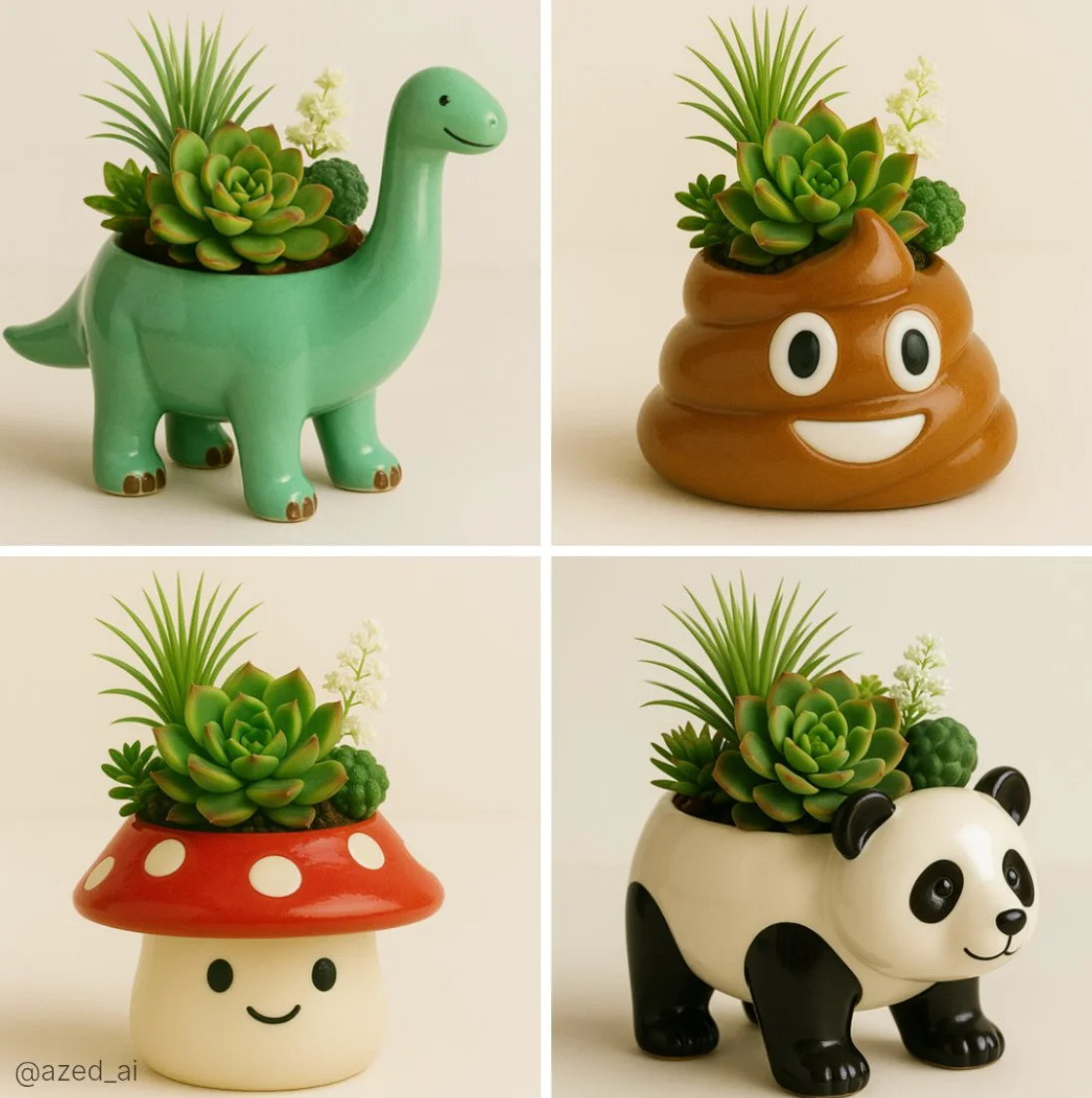
A high-quality photo of a cute ceramic [object/animal]-shaped planter with a glossy finish, filled with a variety of vibrant succulents and greenery including a spiky Haworthia, a rosette-shaped Echeveria, and delicate white flowers. The planter has a friendly face and sits on a soft, neutral background with diffused natural lighting, showcasing fine textures and color contrast in a clean, minimalistic composition
A high-quality photo of a cute ceramic [object/animal]-shaped planter with a glossy finish, filled with a variety of vibrant succulents and greenery including a spiky Haworthia, a rosette-shaped Echeveria, and delicate white flowers. The planter has a friendly face and sits on a soft, neutral background with diffused natural lighting, showcasing fine textures and color contrast in a clean, minimalistic composition
Verified prompt
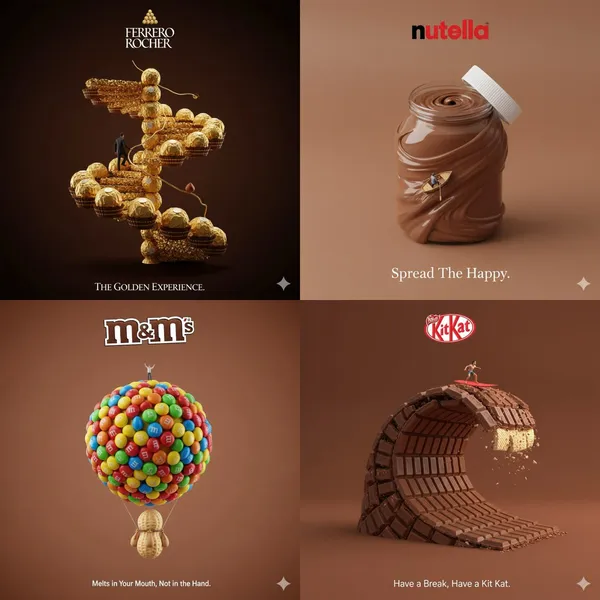
tive 3D ad for [Brand Name], with surreal object made from it, matching background color, real slogan below, logo on top, miniature person interacting, minimal and clever concept
tive 3D ad for [Brand Name], with surreal object made from it, matching background color, real slogan below, logo on top, miniature person interacting, minimal and clever concept
Verified prompt
Verified prompt
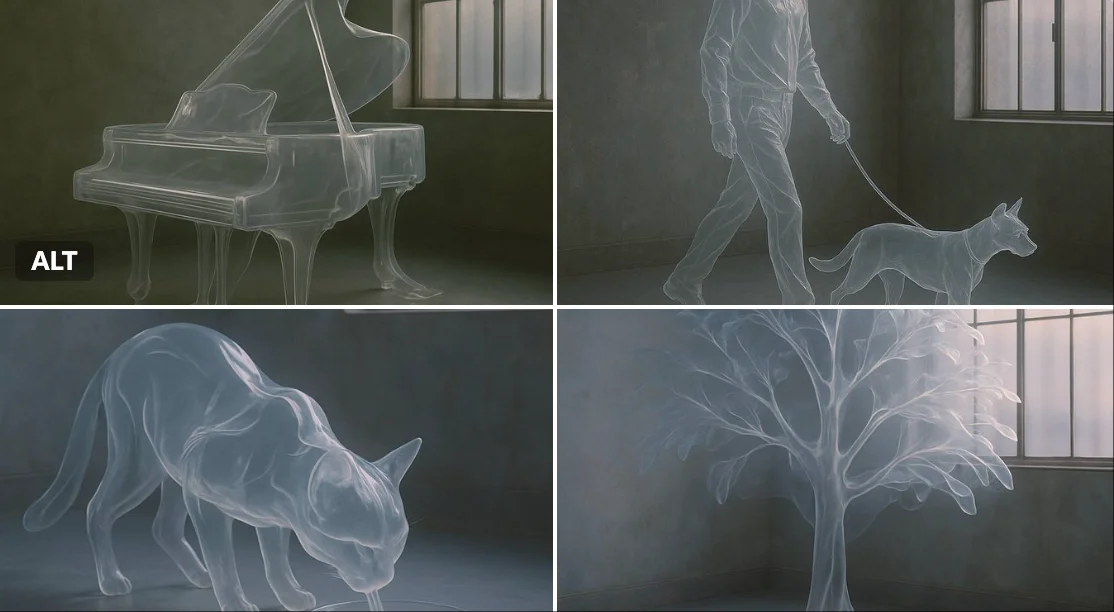
Verified prompt
A hyper-realistic photograph of a [SUBJECT] entirely made from a single, semi-rigid transparent material that drapes and folds like sheer plastic or molten glass. The object is fully recognizable in shape, yet ghostly and fluid, as if sculpted from air and frozen in motion. Set in a moody, industrial interior with aged concrete walls and diffused daylight from metal-barred windows. The lighting gently highlights the reflections, edges, and flowing curves of the transparent form. Dreamlike, minimalist, surreal design aesthetic.
A hyper-realistic photograph of a [SUBJECT] entirely made from a single, semi-rigid transparent material that drapes and folds like sheer plastic or molten glass. The object is fully recognizable in shape, yet ghostly and fluid, as if sculpted from air and frozen in motion. Set in a moody, industrial interior with aged concrete walls and diffused daylight from metal-barred windows. The lighting gently highlights the reflections, edges, and flowing curves of the transparent form. Dreamlike, minimalist, surreal design aesthetic.
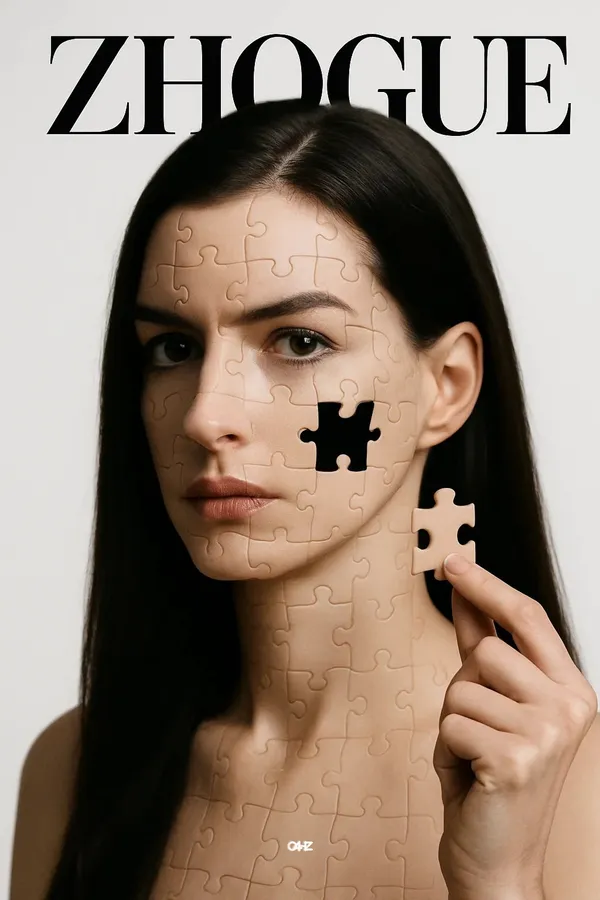
Verified prompt
-resolution studio portrait of a stunning young model "Anne Hathaway" as the central subject. She has straight black hair, set against a plain white background with no identifiable elements. Her face is slightly turned, yet her gaze is fixed directly on the camera—intense, focused, and unwavering. Her entire face is composed of puzzle pieces—each clearly defined with clean edges and subtle three-dimensional texture. She gently holds a puzzle piece, just removed from her cheek, revealing a hollow, dark void beneath. Concentrated directional lighting casts minimal shadows but precisely highlights the contours of her skin and the dimensional structure of the puzzle pieces. The overall atmosphere is surreal, precise, and hyper-realistic. At the top, a fashion magazine-style title "ZHOGUE" appears behind the figure.
-resolution studio portrait of a stunning young model "Anne Hathaway" as the central subject. She has straight black hair, set against a plain white background with no identifiable elements. Her face is slightly turned, yet her gaze is fixed directly on the camera—intense, focused, and unwavering. Her entire face is composed of puzzle pieces—each clearly defined with clean edges and subtle three-dimensional texture. She gently holds a puzzle piece, just removed from her cheek, revealing a hollow, dark void beneath. Concentrated directional lighting casts minimal shadows but precisely highlights the contours of her skin and the dimensional structure of the puzzle pieces. The overall atmosphere is surreal, precise, and hyper-realistic. At the top, a fashion magazine-style title "ZHOGUE" appears behind the figure.
Explore Image Workflows
Explore the Nano Banana 2 workflow and compare it with the related image pages. The generator is the source of truth for current model access and settings. Use the prompt library to study published results and the model that created them.


Nano Banana 2 AI Image Generator
Describe your subject, composition, lighting and style. Choose a supported image size and check the credit estimate before generating.
To edit an image, upload a reference and explain what should change and what should stay the same. Compare the finished result in History before downloading it.
Explore Nano Banana 2Build Your Nano Banana 2 Image Brief
Choose an aspect ratio for the place where your image will appear. Leave room around the subject if you plan to crop it later.
Advanced AI Image Generation & Customization
Describe lighting, materials and background together to give the image a consistent visual direction.
Write Precise Editing and Style Directions
Name the object or area you want to edit. Keep the instruction focused so you can judge the change clearly.
Preserve Your Subject While Editing
For a related set of images, keep the subject description and style instructions consistent. Review each result for unwanted differences.
Compare Variations Before Downloading
Choose only the resolution and aspect ratio shown for the selected model. Check framing, fine details and any text in the completed image. A larger output size does not guarantee a more accurate result.
Review Usage Terms Before Sharing
Check the applicable model and platform terms before using a result commercially. You are responsible for the rights to uploaded images, identifiable people, logos and any other source material in your Nano Banana 2 image brief.
Keep Your Workflow Simple
Develop your Nano Banana 2 image brief around the result you need. Keep the main direction specific, check supported settings in the generator, and review the completed work before using it in your project.
A Clearer Creative Brief for Nano Banana 2

Diverse Styles & Effects for Every Vision
Try a photographic, illustrated or graphic treatment for the same subject. Compare the results before choosing a direction.
Describe lighting, materials and background together to give your chosen style a consistent visual direction.
Versatile Nano Banana 2 AI Image Generator for Every Creator's Vision
Start your Nano Banana 2 image brief with a source image you have permission to use. Name the area to change and the colors, proportions or objects to preserve. Reference count and editing support depend on the selected model.


For Architects and Designers
Write your Nano Banana 2 image brief around a subject, composition, lighting and intended style. Add a material or texture when it matters. For edits, state one precise change and explain which parts of the source should remain intact.

For E-Commerce Professionals
List the details that matter in your Nano Banana 2 image brief: identity, shape, colors, clothing and background. Use supported references where appropriate and compare every result; exact consistency is not guaranteed.

For Content Publishers
Choose only the resolution and aspect ratio shown for the selected model. Check framing, fine details and any text in the completed image. A larger output size does not guarantee a more accurate result.

For Event Planners
Write your Nano Banana 2 image brief around a subject, composition, lighting and intended style. Add a material or texture when it matters. For edits, state one precise change and explain which parts of the source should remain intact.
From a Brief to a Reviewed Image: The Nano Banana 2 Workflow
Add Your Input
Start your Nano Banana 2 image brief with a source image you have permission to use. Name the area to change and the colors, proportions or objects to preserve. Reference count and editing support depend on the selected model.
Customize Your Options
The generator shows current model availability. When a model accepts requests, choose its supported settings and review the required credits before submitting. An unavailable model cannot start a job or deduct generation credits.
Generate and Refine
Write your Nano Banana 2 image brief around a subject, composition, lighting and intended style. Add a material or texture when it matters. For edits, state one precise change and explain which parts of the source should remain intact.
Review and Download Completed Results
Start your Nano Banana 2 image brief with a source image you have permission to use. Name the area to change and the colors, proportions or objects to preserve. Reference count and editing support depend on the selected model.
Nano Banana 2 Image Ideas for Your Projects
Choose only the resolution and aspect ratio shown for the selected model. Check framing, fine details and any text in the completed image. A larger output size does not guarantee a more accurate result.
Digital Art & Illustration
Choose only the resolution and aspect ratio shown for the selected model. Check framing, fine details and any text in the completed image. A larger output size does not guarantee a more accurate result.
Marketing & E-Commerce Visuals
For a Nano Banana 2 product concept, specify the product shape, material, key detail and setting. Keep logos and claims accurate, allow room for your own typography, and review the result before using it in an advertisement.
Educational Content & Presentations
Use a Nano Banana 2 visual concept to support one teaching or presentation point. Check facts and labels yourself, and add final captions in your editing workflow rather than relying on generated text.
Game Development
List the details that matter in your Nano Banana 2 image brief: identity, shape, colors, clothing and background. Use supported references where appropriate and compare every result; exact consistency is not guaranteed.
Creative Notes for Your Nano Banana 2 Image Brief
Give the main subject one clear action. For a Nano Banana 2 concept, a precise brief is easier to assess than a list of competing effects.

Nano Banana 2 Image Workflow: Questions & Answers
This Highsfield page explains the Nano Banana 2 image workflow. It helps you write a focused brief and review the available inputs. Current access is shown in the generator; a model name on a guide does not mean it currently accepts requests.
Write your Nano Banana 2 image brief around a subject, composition, lighting and intended style. Add a material or texture when it matters. For edits, state one precise change and explain which parts of the source should remain intact.
This Highsfield page explains the Nano Banana 2 image workflow. It helps you write a focused brief and review the available inputs. Current access is shown in the generator; a model name on a guide does not mean it currently accepts requests.
Use only the input modes and controls offered by the selected model. Describe the intended image clearly and add supported references when useful. This page does not promise separate motion-brush, audio-upload, restoration or editing tools.
Use only the input modes and controls offered by the selected model. Describe the intended image clearly and add supported references when useful. This page does not promise separate motion-brush, audio-upload, restoration or editing tools.
Check the applicable model and platform terms before using a result commercially. You are responsible for the rights to uploaded images, identifiable people, logos and any other source material in your Nano Banana 2 image brief.
The generator shows current model availability. When a model accepts requests, choose its supported settings and review the required credits before submitting. An unavailable model cannot start a job or deduct generation credits.
Develop your Nano Banana 2 image brief around the result you need. Keep the main direction specific, check supported settings in the generator, and review the completed work before using it in your project.
Explore Your Next Nano Banana 2 Image Idea
Explore the Nano Banana 2 workflow and compare it with the related image pages. The generator is the source of truth for current model access and settings. Use the prompt library to study published results and the model that created them.