Highsfield
Sign in
🚀 Create your next AI video — bring your ideas to life.

Seedance VideoHOTSeedance Prompts

AI Generations

AI VideoAI Image

CREATIVE TOOLS

Models

Veo AI VideoKling AI VideoBanana AI Image

Assets LibraryFavorites
What's New
Upgrade Plan
Highsfield

Left photo + right photo + motion video

Hotel Lobby AI for Your Next Performance Concept

Turn the orange-studio performance idea into a shot you can evaluate. Bring a character image and a motion reference, then explore a Hotel Lobby AI video with attention to framing, gesture and visual continuity.

Build my performance concept

Prepare a duo image from your two photos, then add a motion reference. Sign in to upload and review the model and credit quote before generating.

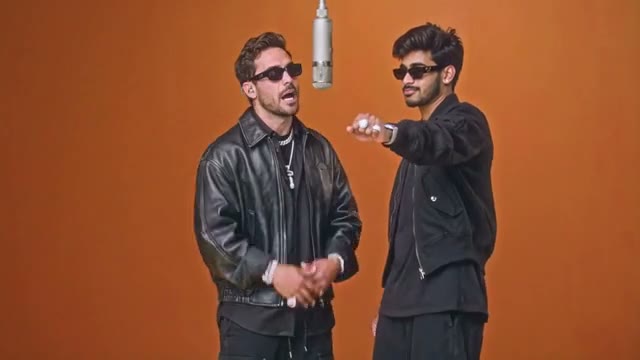
Classic Hotel Lobby Duo

Two performers, a suspended microphone and a simple orange backdrop.

Motion Control

Loading video models…

1. Motion reference video

Upload an MP4 / MOV, 3–30 seconds, up to 32 MB. Sign in to upload your own video.

PNG or JPG · up to 10 MB each. Keep both faces visible. Each photo fills its half of the duo image.

Sign in to prepare your duo and generate a video.

Both photos are combined into one reference image. The motion video guides the performance; independent face replacement is not provided.

59/10000
Required Credits—
Reopen this page to resume result checks. Confirmed failures are refunded automatically.

Classic Hotel Lobby Duo

Two performers, a suspended microphone and a simple orange backdrop.

Collected footage illustrates each style. Choosing a style changes this preview; upload your own permitted motion video for generation.

Hotel Lobby AI performance references

Compare staging, wardrobe and gesture before planning your own shot. Play a collected reference and inspect the framing; these videos illustrate the visual idea rather than promise a particular output.

Classic Hotel Lobby Duo

Two performers, a suspended microphone and a simple orange backdrop.

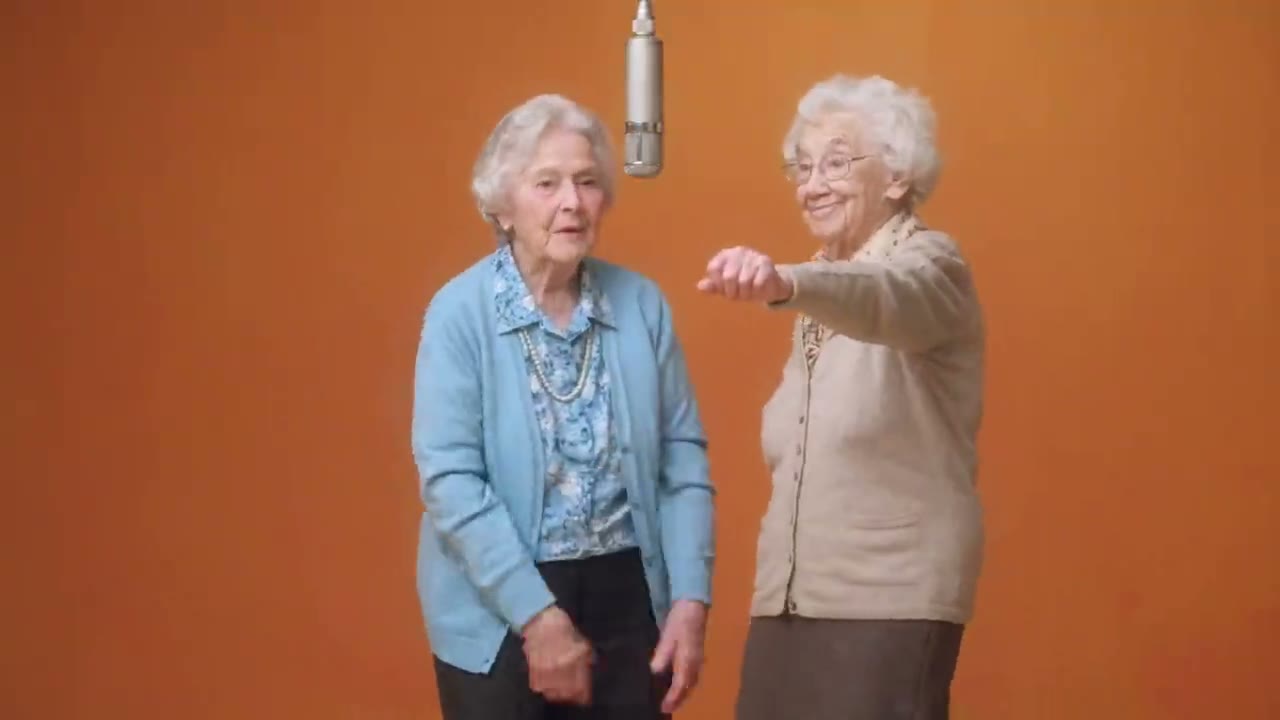
Grandma Rap Duo

Contrasting outfits and an energetic performance in the same studio setup.

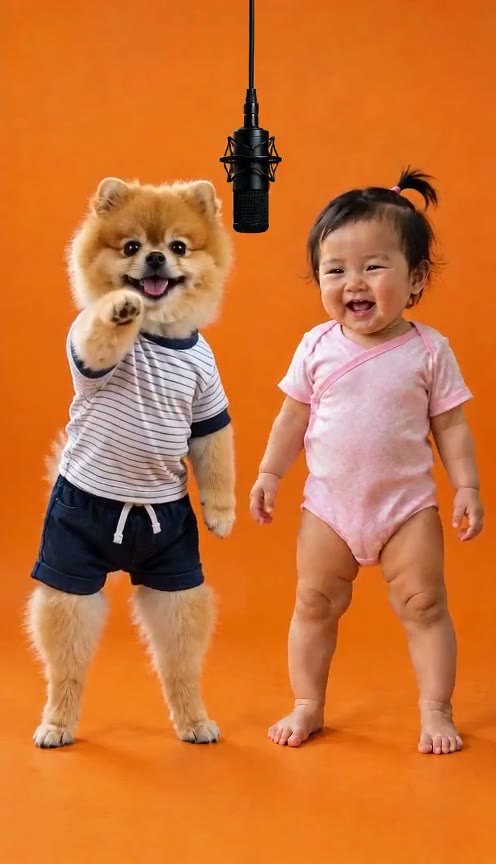
Pet & Baby Duo

A playful pairing with a clear gap between the two subjects.

Halloween Costume Duo

Costume silhouettes make the left and right performers easy to distinguish.

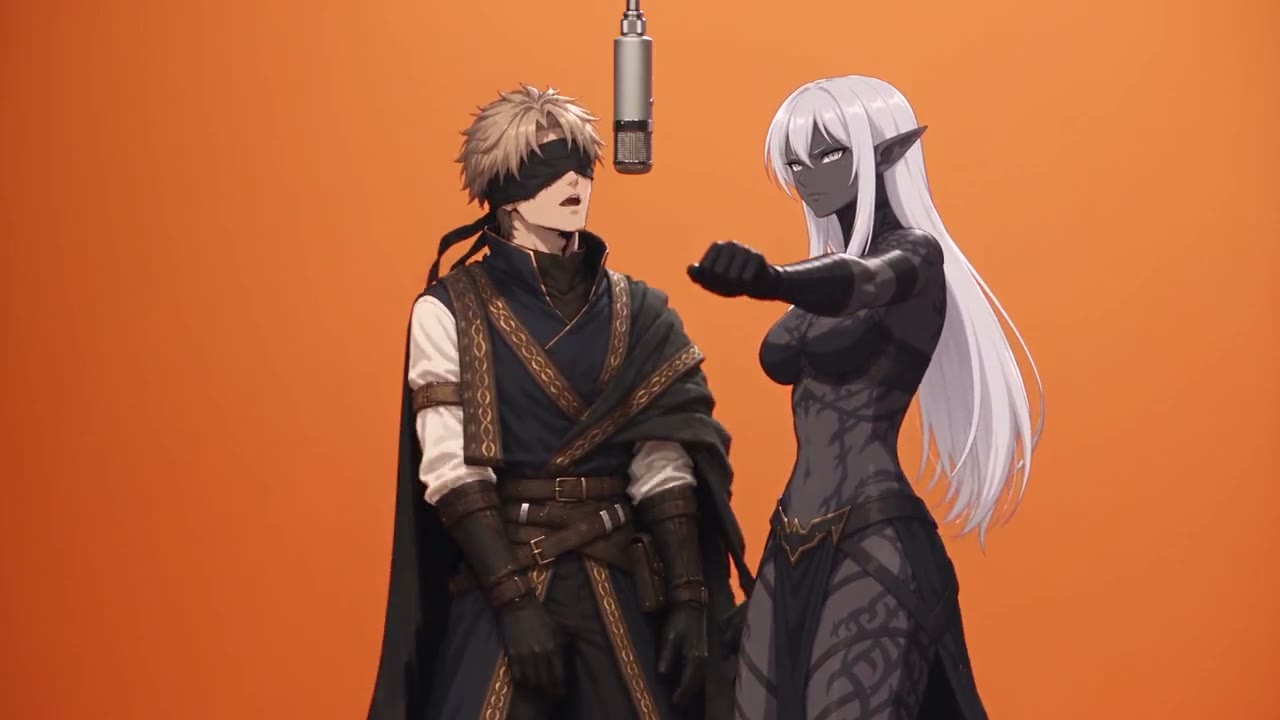
Anime Duo

Illustrated characters bring a different visual treatment to the duo format.

Grandma & Grandson Duo

An intergenerational pairing uses matching staging and contrasting identities.

Animal Sidekick Duo

A character and an animal sidekick share a readable performance space.

Orange Studio Duo

A studio performance with a suspended microphone and a warm orange backdrop.

Plan the look with visual references

Use these stills to compare silhouette, subject spacing and the microphone position in a performance concept.

Classic Hotel Lobby Duo: Hotel Lobby AI visual reference

Classic Hotel Lobby Duo

Two performers, a suspended microphone and a simple orange backdrop.

Anime Duo: Hotel Lobby AI visual reference

Anime Duo

Illustrated characters bring a different visual treatment to the duo format.

Grandma Rap Duo: Hotel Lobby AI visual reference

Grandma Rap Duo

Contrasting outfits and an energetic performance in the same studio setup.

Pet & Baby Duo: Hotel Lobby AI visual reference

Pet & Baby Duo

A playful pairing with a clear gap between the two subjects.

Make a Hotel Lobby AI video with your own performance

Prepare both performers for a shared stage. Upload a left photo and a right photo, then prepare a single duo reference image. Add a motion video to guide the performance and describe the orange studio in your prompt. The combined image is one model input, so identities are not replaced independently.

How to create your Hotel Lobby video

  1. 1. Define the shot with a motion clip

    Prepare an MP4 or MOV reference lasting 3–30 seconds and no larger than 32 MB. Choose a clip with a readable silhouette and limited occlusion. Frame the action you want to evaluate; the reference determines the movement you are asking the character to follow.

  2. 2. Prepare the left and right performers

    Choose two clear portraits with compatible camera angles. Put the first performer on the left and the second on the right, then select Prepare duo image. Review the combined reference before adding your studio brief.

  3. 3. Review the quote and complete the shot

    Check the displayed credit estimate and output settings before submitting. Watch the entire result, especially gestures near the face and microphone. Use the existing result and history controls to review or download the completed video.

Design a readable Hotel Lobby shot

The recognizable visual idea is easier to communicate when the character, background and action have distinct jobs.

Separate identity from staging

Let the character image establish identity and clothing. Use the prompt for the warm orange set, clean lighting and microphone placement. An image with a cluttered background can compete with the studio direction you are trying to establish.

Choose one performance beat

Build the shot around a clear nod, entrance or gesture. Fast turns, moving cameras and crossed arms make it harder to judge whether the character follows the reference. Start with a simpler beat before developing a more ambitious sequence.

Review the performance, frame by frame

A convincing opening frame does not establish that the whole sequence works.

Check continuity through transitions

Follow facial details, hands and clothing when the performer changes direction. If the microphone hides the mouth or hands pass across the face, inspect those moments closely. Choose a different reference when the same obstruction repeatedly causes problems.

Build a duo through editing

Make a separate shot for each character and alternate them in an editor. Keep set colour, camera height and crop consistent across both briefs. This is an editing workflow; it is not a guarantee of two independently controlled subjects in one generation.

Finish the concept for its intended audience

A visual generation still needs editorial decisions before it becomes a finished post.

Make sound a deliberate choice

Do not assume the reference song or synchronized vocals will appear in the output. Inspect the generated audio, if any, and add music you are authorized to use in your editing or publishing workflow. Choose the platform version of the soundtrack deliberately.

Keep room for the final crop

Leave breathing space around the head and microphone. For a vertical edit, test how captions and platform controls overlap the frame. Review the downloaded file at its actual output size rather than relying only on the small browser player.

Hotel Lobby AI prompt ideas

Suggested prompts describe the intended look. They are not generated examples or guarantees of the result; motion still comes from the reference video.

A two-performer studio brief

Two original performers side by side in a minimal orange studio, clearly visible faces and shoulders, contrasting jackets, a suspended microphone between them, soft frontal lighting and a steady camera, movement guided by the uploaded performance reference.

A contrasting second shot

An original illustrated performer in the same orange studio, contrasting jacket colour, matching camera height and waist-up framing, clear separation from the background, expressive movement guided by the reference clip.

Hotel Lobby AI: performance questions

How do collected references relate to this generator?

Collected references illustrate the Hotel Lobby performance idea. Prepare your own permitted images and motion reference, then review the actual model and credit quote. Choosing a reference changes the preview; it does not import a preset or promise artist endorsement.

Can I use two separate performer photos?

You can upload separate left and right photos and prepare one duo image. Pair that image with an uploaded performance reference to explore the shot. The inputs set a combined composition; they do not assign or replace the two video identities independently.

Is there a Hotel Lobby AI free option?

The page is free to browse. Rendering requires an available model and enough credits for its quote. Check your account balance and the current pricing page; a signup offer, if available, may not cover a complete motion video.

Is Highsfield the same as Higgsfield Hotel Lobby?

No. Highsfield is this site's brand. Searches for Higgsfield Hotel Lobby or Higgsfield AI Hotel Lobby refer to a separate product. Compare the actual inputs, presets and output controls rather than treating the similar names as an affiliation.

Can I use a character image prepared elsewhere?

You can prepare a character image in an image editor, then upload it in a supported format. Use a clear image you have permission to process; project files and editor settings are not imported.

Can a writing assistant help plan the performance?

A writing assistant can help organize a shot brief. Video rendering uses the selected model and its current credit quote; written planning does not provide a video preset or a separate generation integration.

Why does the face change during a gesture?

Hands, the microphone and strong head turns can hide identifying details. Try a clearer character image and a reference with less occlusion. Review the whole sequence; changing the prompt cannot reliably recover facial information that is absent from the inputs.

Does the result include the original song?

Original music, vocals and precise lip synchronization are not promised. Check the actual output and use an authorized soundtrack when editing. Only upload reference media and character images you have permission to process.

Can I upload a left photo and a right photo?

Yes. The two upload areas prepare one side-by-side reference image. Use it with a motion video, then review the result. This workflow does not control each identity independently.

Plan your next performance

Develop one readable performance first. Once its movement and framing hold together, use the same visual brief to plan the next shot and assemble a sequence.

Build my performance concept
Create a character image · Explore AI video tools · Check plans and credits · Read creative guides
Home

Explore AI Image and Video Workflows with Highsfield

Copyright 2025 © All rights reserved.

  • Highsfield
Support
  • Pricing
  • support@highsfield.com
  • Blog
Legal
  • Privacy Policy
  • Refund Policy
  • Terms & Conditions

AI Videos

  • Hotel Lobby AI Video Generator for Performance Concepts | Highsfield