
Crazy Frog AI Video Generator
Cast yourself and a friend in a fast-moving chase. Upload two portraits, choose who leads and who follows, and create a Crazy Frog AI video using the fixed 15-second reference. Keep the invisible ride, change the duo and make the joke your own.
Create your chase15-second chase reference
Loading history…
How to make a Crazy Frog AI video
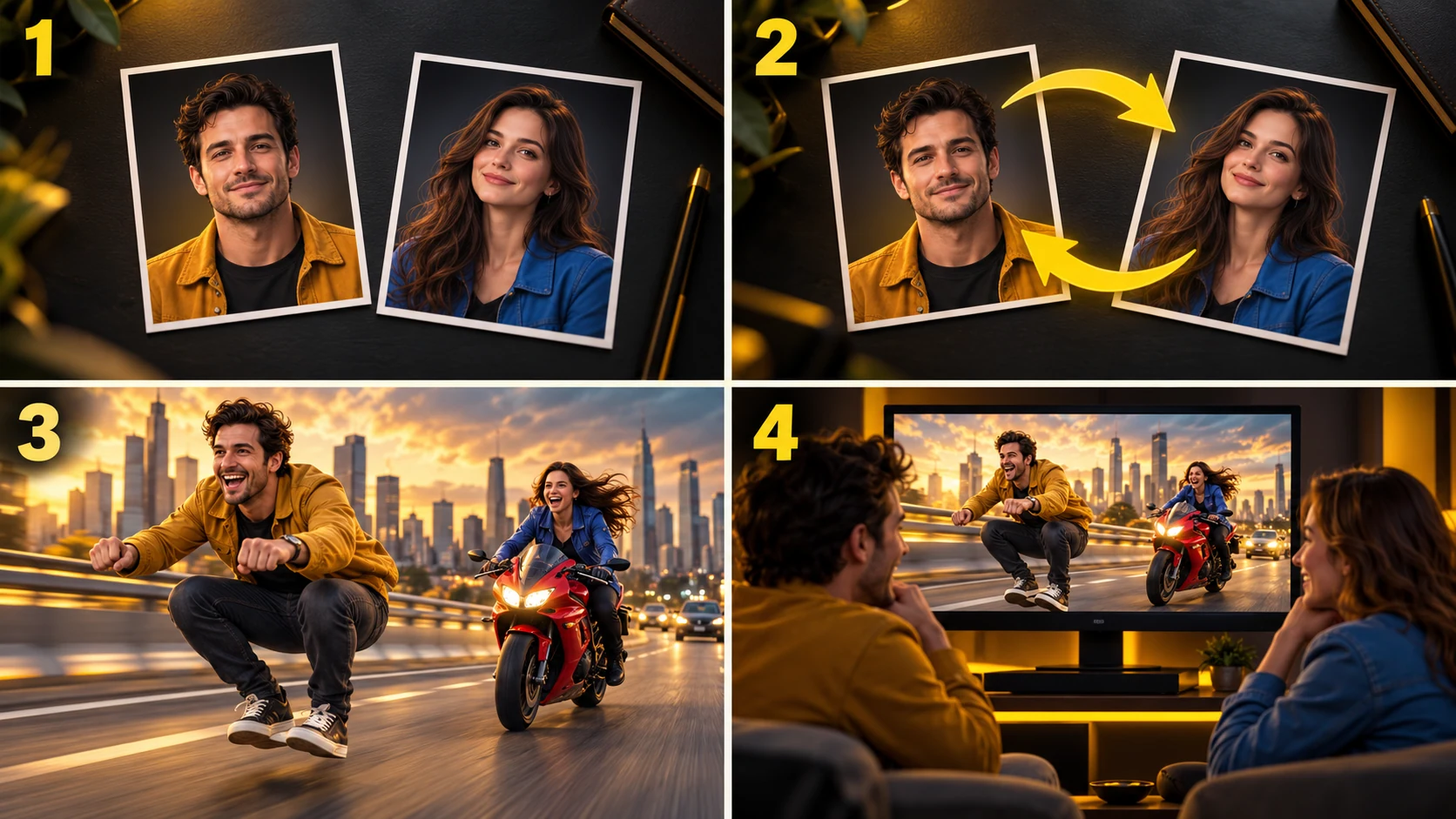
1. Choose the leading rider
Add a clear portrait to Photo 1. This person takes the forward, crouched riding pose with no visible motorcycle underneath. Pick a face that is easy to recognize without relying on clothing or the photo background.
2. Choose the pursuing rider
Add a separate portrait to Photo 2 for the rider on the red motorcycle. Decide on the relationship before generating: friendly rivals, siblings or a familiar creator duo. Keep the faces distinct so the chase is easy to follow.
3. Review the reference and quote
Watch the fixed chase preview to understand its pacing and camera changes. Add a short direction if you want, choose an available format and check the current credit quote. Uploading photos or swapping roles does not start generation.
4. Generate and review both roles
Start generation when the inputs are ready. Use the existing task and history area to follow progress, inspect both identities throughout the clip and download a completed result. Review the full chase before sharing.
Two portraits, one recognizable chase
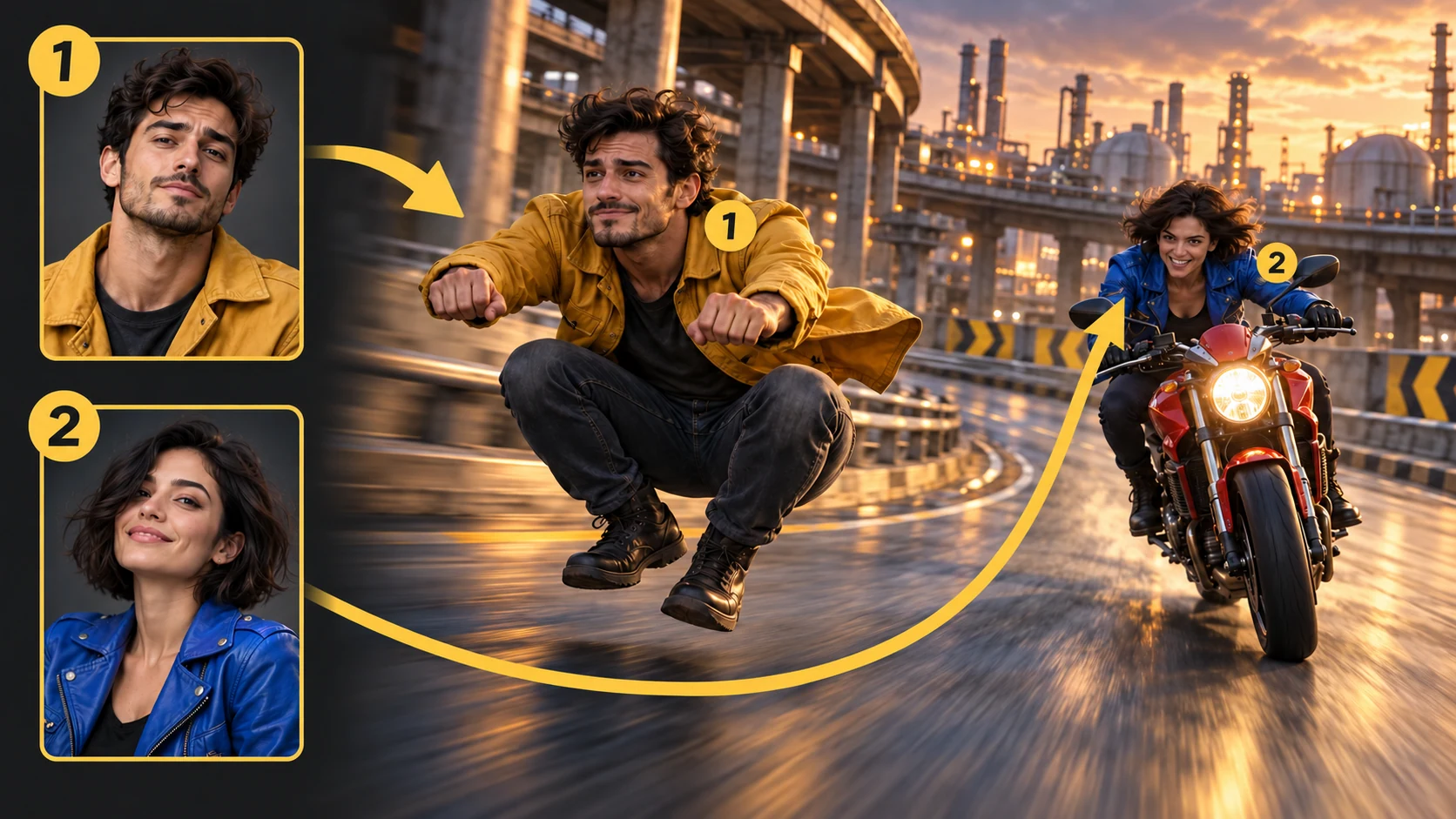
Separate identities for each role
Crazy Frog AI uses the two portraits as independent references. The generation instructions assign one person to the leading rider and the other to the pursuer, then ask the model to preserve those roles across the shot changes. Results still need a careful review.
A fixed motion reference
The supplied clip provides the road, pursuit and camera rhythm. The leading figure’s impossible riding pose is the visual hook, while the visible motorcycle makes the chase readable. You can focus on casting instead of writing a shot-by-shot scene from scratch.
Swap the duo before generating
Reverse the two photo slots to try a different relationship in the same scene. Keep the rest of your direction similar when comparing versions. Each new generation has its own displayed quote and task; swapping the inputs alone does not charge credits.
Existing Highsfield workflow
Use the same account, upload, credit and history features as the other Highsfield video tools. Available model settings determine the format and quote. There is no separate payment flow or extra scene-image generation step for this page.
Same duo, a different leading rider
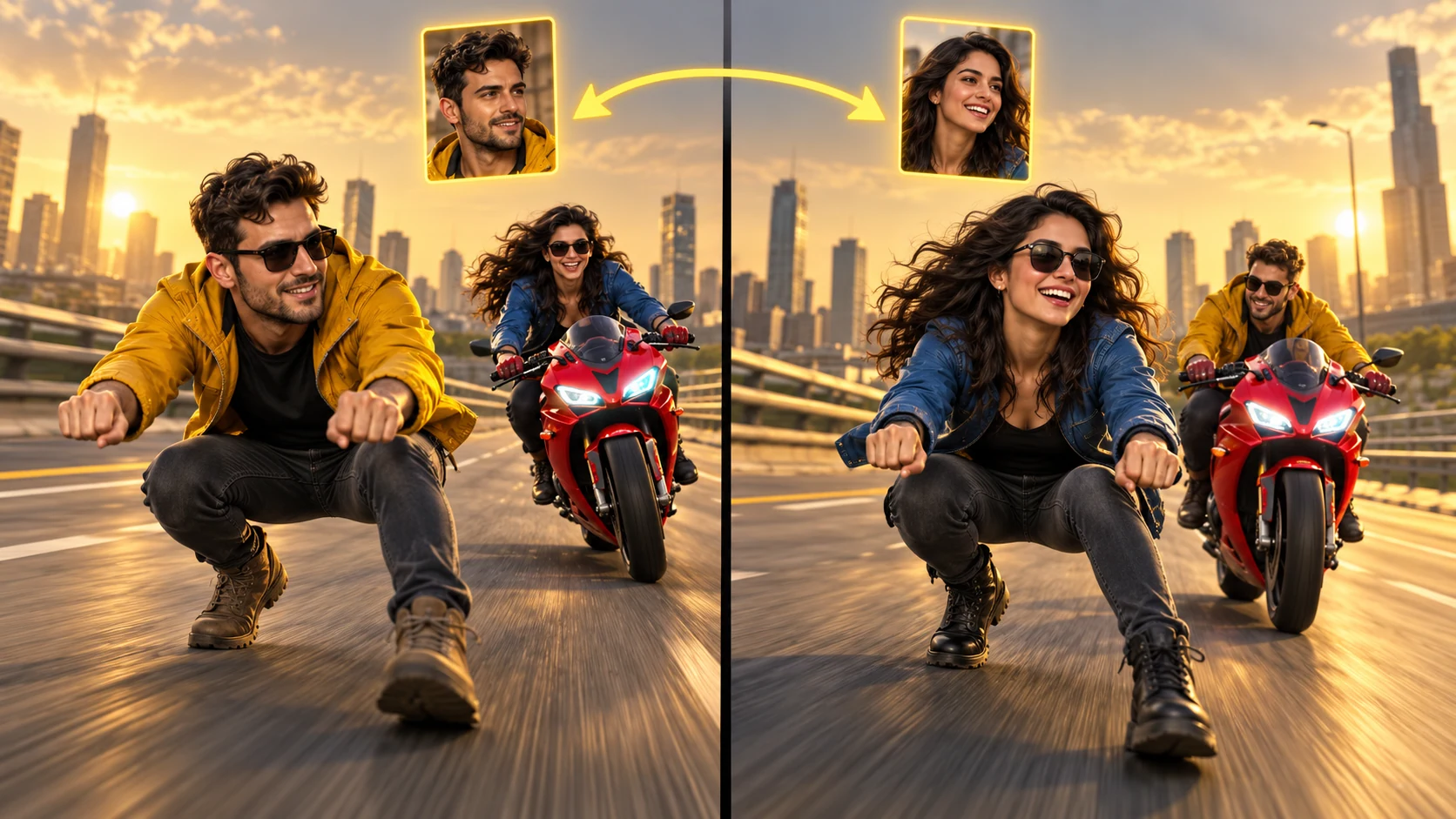
Try both sides of the chase
Photo 1 casts the leading rider; Photo 2 casts the pursuer on the red motorcycle. Use Swap roles to exchange the portraits before starting a new generation.
Keep the same short direction when comparing the two versions. Review both faces throughout each completed clip before choosing the one to share.
Choose your two ridersGive the Crazy Frog chase a personal twist
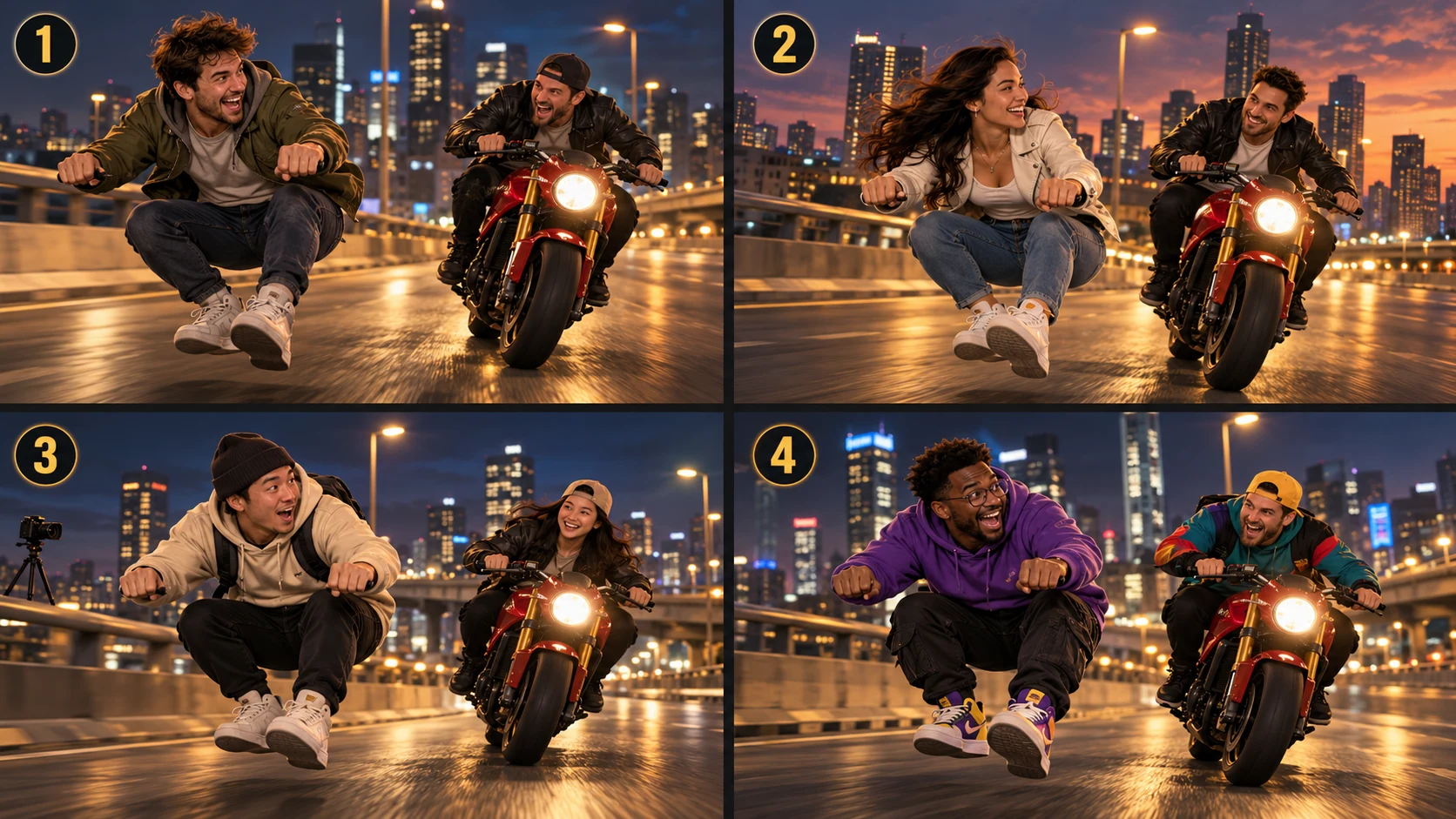
1. Friends and friendly rivals
Cast the friend who always starts an adventure as the lead and the organizer as the pursuer. One clear contrast is enough to create a readable joke. Swap the roles for a second interpretation instead of adding more characters.
2. Couples and siblings
Turn an everyday pairing into an exaggerated pursuit. Choose portraits that make each person recognizable, then use the reference scene to carry the action. Keep the direction focused on the two people rather than competing visual effects.
3. Creator collaborations
Plan a short reaction post with a collaborator in the other role. A concise caption can explain the relationship while the chase supplies the motion. Review faces, body movement and sound before including a generated clip in a finished edit.
4. Group-chat stories
Use a duo your group already knows and build the premise around an inside joke. The Crazy Frog theme works as the setting; the casting supplies the personal detail. A familiar pairing often needs less explanation than a complicated new storyline.
Prepare better photos for Crazy Frog AI
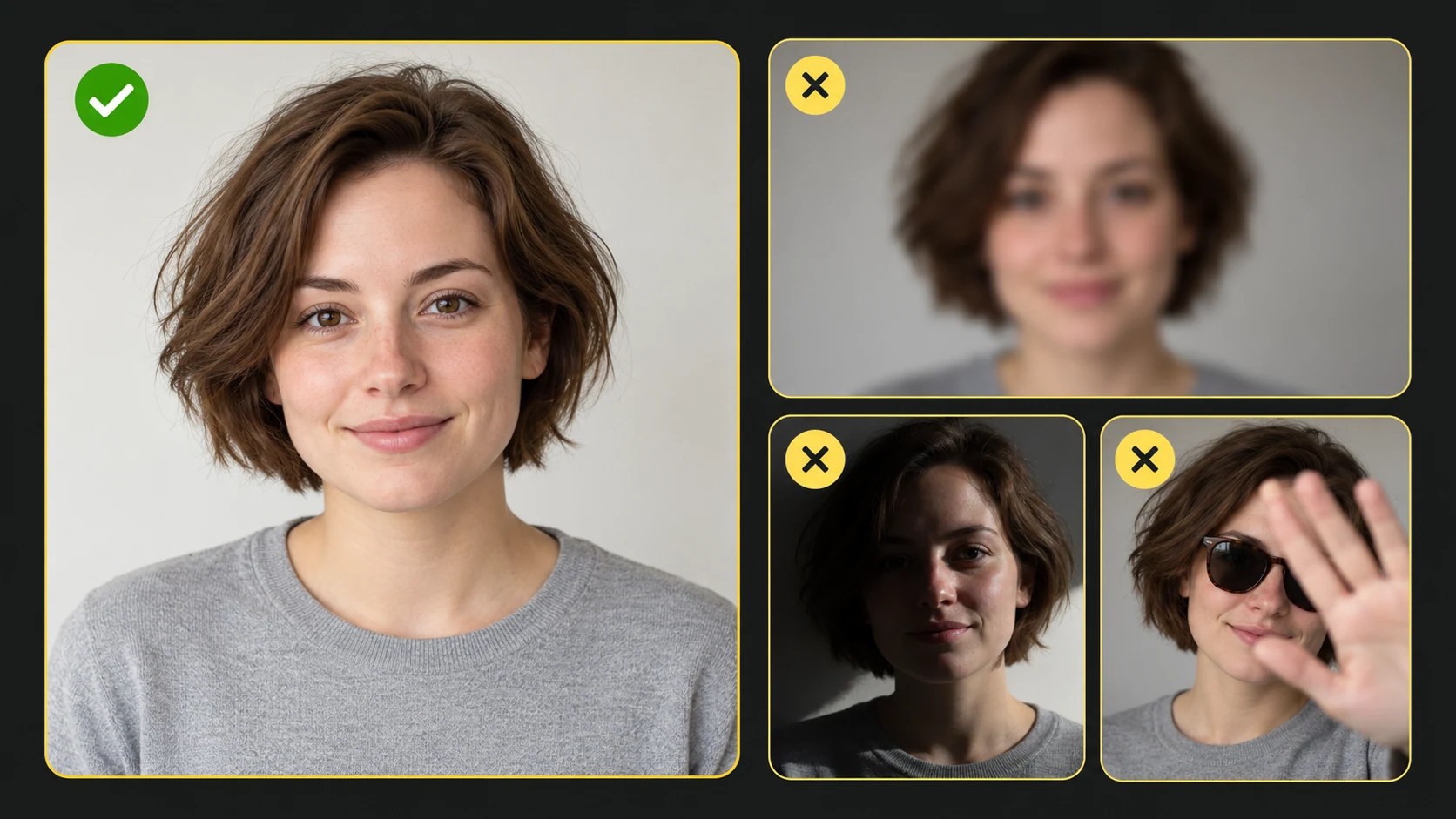
Use one person per portrait, with visible eyes and a clearly defined face. Even lighting and a sharp image make the reference easier to interpret. The person does not need to mimic the riding pose; the source clip supplies the action.
Compare facial details in the moving result, not just in the opening frame. Turns, motion blur and wider camera views can change how recognizable each rider looks. If one identity is weak, change that portrait first and keep the other inputs consistent for a useful comparison.
Crazy Frog AI video FAQ
What is a Crazy Frog AI video?
It is an AI-generated interpretation of the invisible-motorcycle chase, personalized with two reference portraits. This page combines your character photos with a fixed chase video rather than asking you to film the action. The first portrait identifies the lead; the second identifies the pursuer.
Which photo becomes the leading rider?
Photo 1 is assigned to the person crouching forward on the invisible motorcycle. Photo 2 is assigned to the pursuing rider on the visible red motorcycle. Use Swap roles to exchange the two references before generating. A swap changes the casting and requires a new generation; it does not edit an existing result.
Do I need to upload the chase video?
No. The 15-second chase reference is already selected on this page. You supply the two portraits and can add a short creative direction. The preview is the reference input, not a generated result for your uploaded photos.
How can I improve the two faces in my Crazy Frog AI result?
Choose separate, well-lit portraits with one clearly visible face in each. Avoid heavy blur, tiny faces and strong obstructions. Check both characters during close views, turns and wider shots. Fast movement and changing camera angles can alter facial detail, so recognition and role consistency are not guaranteed.
How long is the video and which settings can I choose?
The chase workflow uses a 15-second output. The available aspect ratios, resolutions and audio options come from the current model settings. Use the displayed options and review the live credit quote before generating; this page does not offer arbitrary durations.
Does Crazy Frog AI video generation cost credits?
Yes. The current quote includes the two image references, the fixed reference video and the selected output settings. Highsfield uses the existing account, credits and task workflow. The price shown before submission is the price to review; no fixed free allowance is promised here.
Will the result include the original Crazy Frog song?
The effect guides the visual chase. It does not promise the original song, exact sound effects or a licensed soundtrack. Any available generated-audio setting follows the selected model. Check the sound in your result and add an appropriate soundtrack separately if needed.
Are these illustrations actual video results?
No. The role diagram, use-case scenes and portrait guide explain how to prepare your inputs. They are AI-generated illustrations rather than recorded outputs from this video effect. The reference preview shows the chase clip used as an input, while your own completed generations appear in History.
Choose your duo and start the chase
Pick a leading rider and a pursuer, preview the chase and review the quote. Your next Crazy Frog AI video starts with two clear portraits and one simple joke.
Make my Crazy Frog AI video