

Invite vérifiée
Create a mascot for [BRAND NAME] logo following the JSON aesthetic below: { "style": "brand-inspired creative mascot generation", "subject_handling": { "adapt_to_uploaded_image": true, "preserve_uploaded_logo_shape_and_text": true, "extract_dominant_brand_colors": true, "analyze_logo_style_for_mood": true, "use_uploaded_image_as_primary_reference": true }, "mascot_generation": { "character_type": "open — could be an animal, humanoid, object, robot, fantasy creature, or abstract form", "design_strategy": "generate a mascot concept that visually complements the uploaded brand based on extracted brand colors, mood, and style", "style_alignment": "mascot should feel like part of the brand family — matching tone (playful, elegant, techy, minimal, etc.)", "color_usage": "use brand colors as dominant tones in mascot’s body, clothing, skin, or materials", "personality_embedding": "include expressive traits aligned with brand tone (e.g. curious, bold, serene, confident)" }, "composition": { "include_uploaded_logo_in_final_image": true, "arrangement": "mascot and logo presented together in a clear and balanced composition", "environment": "minimal scene or brand-aligned abstract background — not too busy", "interaction": "mascot may pose near, hold, or gesture to logo — but must not obscure or alter it" }, "lighting": { "type": "neutral or soft directional lighting depending on brand tone", "shadow_behavior": "soft contact shadows to ground elements" }, "camera": { "view_angle": "centered frontal or three-quarter depending on layout", "focus": "both mascot and logo in clear focus" }, "post_processing": { "enhance_color harmony between mascot and logo": true, "disable_style_overrides or artistic distortion": true }, "image_constraints": { "transparent_background": false, "aspect_ratio": [INSERT ASPECT RATIO], "include_text_if_present_in_logo": true, "preserve_uploaded_logo_geometry": true, "prevent_logo_modification": true }, "notes": "Use the uploaded logo or product image as the central brand reference. Automatically generate a unique mascot that feels like an original creation belonging to the brand — inspired by extracted colors, shapes, and mood. The mascot must not copy other mascots or use predefined templates. The final image should creatively showcase both the logo and its new mascot side-by-side, visually unified but distinct." }
Create a mascot for [BRAND NAME] logo following the JSON aesthetic below: { "style": "brand-inspired creative mascot generation", "subject_handling": { "adapt_to_uploaded_image": true, "preserve_uploaded_logo_shape_and_text": true, "extract_dominant_brand_colors": true, "analyze_logo_style_for_mood": true, "use_uploaded_image_as_primary_reference": true }, "mascot_generation": { "character_type": "open — could be an animal, humanoid, object, robot, fantasy creature, or abstract form", "design_strategy": "generate a mascot concept that visually complements the uploaded brand based on extracted brand colors, mood, and style", "style_alignment": "mascot should feel like part of the brand family — matching tone (playful, elegant, techy, minimal, etc.)", "color_usage": "use brand colors as dominant tones in mascot’s body, clothing, skin, or materials", "personality_embedding": "include expressive traits aligned with brand tone (e.g. curious, bold, serene, confident)" }, "composition": { "include_uploaded_logo_in_final_image": true, "arrangement": "mascot and logo presented together in a clear and balanced composition", "environment": "minimal scene or brand-aligned abstract background — not too busy", "interaction": "mascot may pose near, hold, or gesture to logo — but must not obscure or alter it" }, "lighting": { "type": "neutral or soft directional lighting depending on brand tone", "shadow_behavior": "soft contact shadows to ground elements" }, "camera": { "view_angle": "centered frontal or three-quarter depending on layout", "focus": "both mascot and logo in clear focus" }, "post_processing": { "enhance_color harmony between mascot and logo": true, "disable_style_overrides or artistic distortion": true }, "image_constraints": { "transparent_background": false, "aspect_ratio": [INSERT ASPECT RATIO], "include_text_if_present_in_logo": true, "preserve_uploaded_logo_geometry": true, "prevent_logo_modification": true }, "notes": "Use the uploaded logo or product image as the central brand reference. Automatically generate a unique mascot that feels like an original creation belonging to the brand — inspired by extracted colors, shapes, and mood. The mascot must not copy other mascots or use predefined templates. The final image should creatively showcase both the logo and its new mascot side-by-side, visually unified but distinct." }
Invite vérifiée
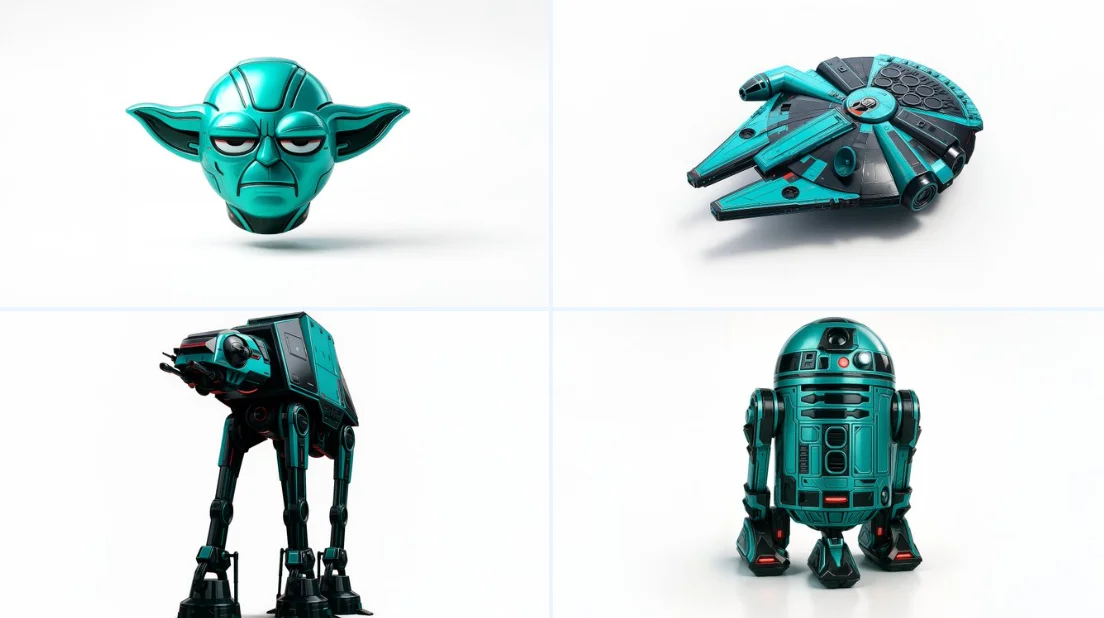
Retexture the image attached based on the json below { "style": "C4D hyper-realistic 3D render", "object_form": "detailed mechanical design", "geometry": { "shape": "sharp edges with smooth curves", "scale": "real-world proportion", "detailing": "high-poly mesh with intricate mechanical features" }, "material": { "base": "polished plastic and carbon fiber", "texture": "fine surface variation with specular maps", "finish": "high gloss with realistic reflections" }, "design_elements": { "decals": "subtle branding and panel lines", "surface_effects": "anodized gradients, emissive lighting elements", "aero_parts": "spoilers, splitters, and aggressive styling cues" }, "color_scheme": { "primary": "#0ae2c0", "secondary": "#111111", "accents": ["#ffffff", "#e00000"], "reflections": "real-world HDRI light environment", "background": "#ffffff" }, "lighting": { "type": "studio 3-point with HDRI", "intensity": "balanced with key fill and rim lights", "shadows": "soft, subtle contact shadow under object", "highlights": "strong specular reflections on curves" }, "rendering": { "engine": "Cinema 4D Redshift or Octane", "resolution": "ultra high-definition (4K+)", "focus": "object-centered with floating illusion", "background_blur": "none" }, "composition": { "layout": "centered in frame", "object_count": 1, "orientation": "three-quarter front view", "camera": "35mm lens, slightly elevated", "grounding": "floating mid-air with realistic soft shadow cast on white background" } }
Retexture the image attached based on the json below { "style": "C4D hyper-realistic 3D render", "object_form": "detailed mechanical design", "geometry": { "shape": "sharp edges with smooth curves", "scale": "real-world proportion", "detailing": "high-poly mesh with intricate mechanical features" }, "material": { "base": "polished plastic and carbon fiber", "texture": "fine surface variation with specular maps", "finish": "high gloss with realistic reflections" }, "design_elements": { "decals": "subtle branding and panel lines", "surface_effects": "anodized gradients, emissive lighting elements", "aero_parts": "spoilers, splitters, and aggressive styling cues" }, "color_scheme": { "primary": "#0ae2c0", "secondary": "#111111", "accents": ["#ffffff", "#e00000"], "reflections": "real-world HDRI light environment", "background": "#ffffff" }, "lighting": { "type": "studio 3-point with HDRI", "intensity": "balanced with key fill and rim lights", "shadows": "soft, subtle contact shadow under object", "highlights": "strong specular reflections on curves" }, "rendering": { "engine": "Cinema 4D Redshift or Octane", "resolution": "ultra high-definition (4K+)", "focus": "object-centered with floating illusion", "background_blur": "none" }, "composition": { "layout": "centered in frame", "object_count": 1, "orientation": "three-quarter front view", "camera": "35mm lens, slightly elevated", "grounding": "floating mid-air with realistic soft shadow cast on white background" } }
Invite vérifiée
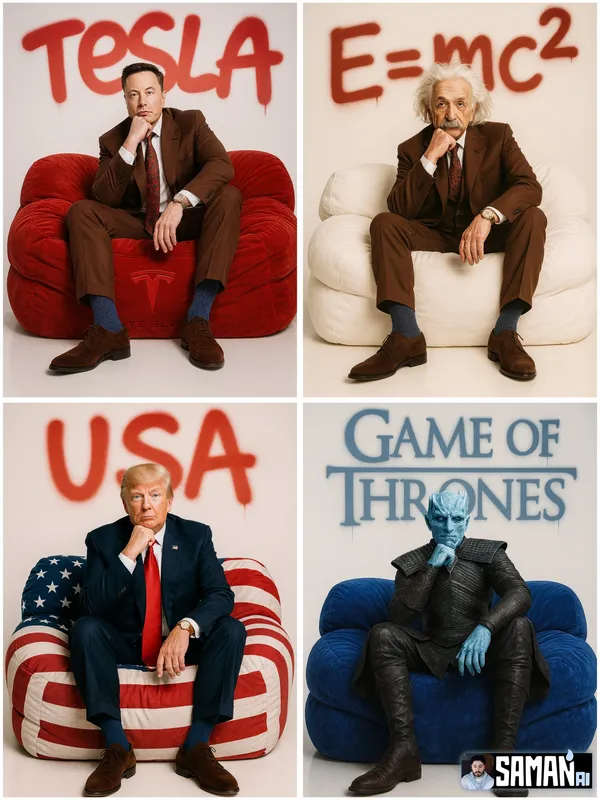
RACTER] sitting centered on an oversized puffy lounge sofa in [SOFA_COLOR], relaxed pose with one hand under chin, full-body. Clean white seamless studio, premium fashion-editorial lighting, hyper-real, minimal. Big spray-paint graffiti on the back wall reading “[TEXT]” with soft overspray and slight drips. 85mm look, crisp details, no clutter, no watermark. --ar 3:4
RACTER] sitting centered on an oversized puffy lounge sofa in [SOFA_COLOR], relaxed pose with one hand under chin, full-body. Clean white seamless studio, premium fashion-editorial lighting, hyper-real, minimal. Big spray-paint graffiti on the back wall reading “[TEXT]” with soft overspray and slight drips. 85mm look, crisp details, no clutter, no watermark. --ar 3:4
Invite vérifiée
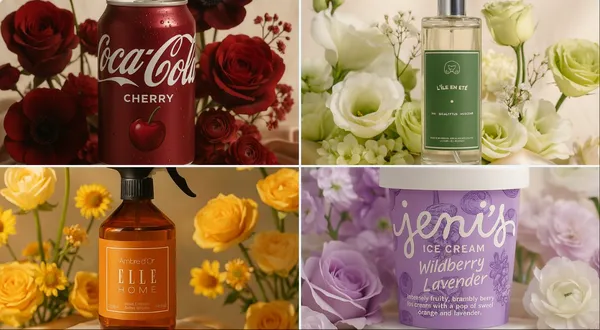
gh-end editorial photo of (PRODUCT NAME OR IMAGE) placed on a white marble pedestal, resting on champagne-colored silk. It is surrounded by pastel flowers whose type and color naturally harmonize with the product’s primary colors (COLOR PALETTE) — complementing and enhancing its tones. Soft natural light from the upper left. 3D realism, luxury product photography, shallow depth of field, 1:1 format.
gh-end editorial photo of (PRODUCT NAME OR IMAGE) placed on a white marble pedestal, resting on champagne-colored silk. It is surrounded by pastel flowers whose type and color naturally harmonize with the product’s primary colors (COLOR PALETTE) — complementing and enhancing its tones. Soft natural light from the upper left. 3D realism, luxury product photography, shallow depth of field, 1:1 format.
Invite vérifiée
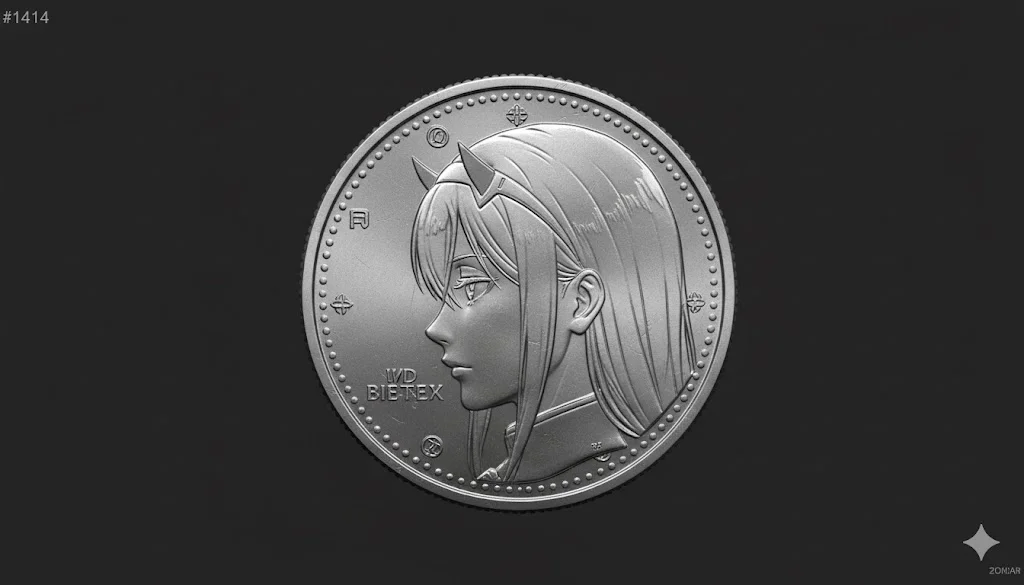
A detailed metallic coin featuring Person's face attached in the image ( Do not change facial features of the person from the uploaded photo. Keep face of person 100% accurate from the reference image. Keep the original face of the attached person unchanged and realistic) embossed in profile, crafted with realistic engraved textures and fine relief detailing. The coin surface shows light reflections, scratches, and metallic sheen. Include subtle inscriptions or symbols around the border to resemble authentic minting. Centered on a dark, minimal background to emphasize the coin’s texture and realism
A detailed metallic coin featuring Person's face attached in the image ( Do not change facial features of the person from the uploaded photo. Keep face of person 100% accurate from the reference image. Keep the original face of the attached person unchanged and realistic) embossed in profile, crafted with realistic engraved textures and fine relief detailing. The coin surface shows light reflections, scratches, and metallic sheen. Include subtle inscriptions or symbols around the border to resemble authentic minting. Centered on a dark, minimal background to emphasize the coin’s texture and realism
Invite vérifiée
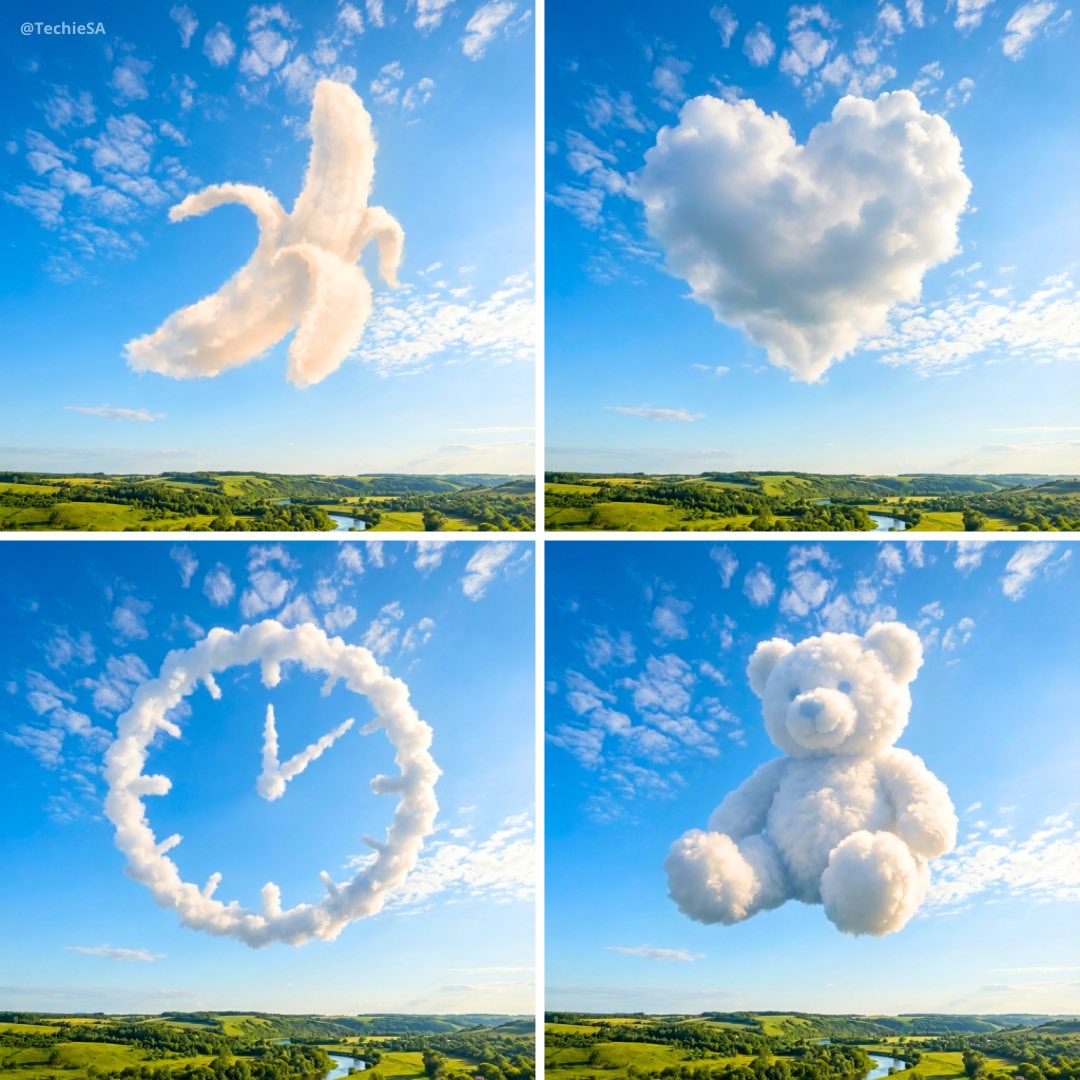
te an ultra-realistic sky scene where soft, natural cloud formations organically assemble into the clear silhouette of a [OBJECT]. The cloud shape appears high in a vibrant blue sky, floating naturally as if formed by wind and atmosphere, not artificially arranged. The composition is square (1080×1080). The cloud formation occupies the upper portion of the frame, while a recognizable natural landscape grounds the scene below (such as fields, hills, lakes, or trees). Lighting is crisp and daylight-bright, with sunlight creating gentle highlights and soft shadows on the clouds, enhancing depth, softness, and realism. The overall mood is calm, optimistic, and visually striking. Colors are rich and clean, the atmosphere feels peaceful, open, and refreshing, as if witnessing a quiet moment of natural wonder.
te an ultra-realistic sky scene where soft, natural cloud formations organically assemble into the clear silhouette of a [OBJECT]. The cloud shape appears high in a vibrant blue sky, floating naturally as if formed by wind and atmosphere, not artificially arranged. The composition is square (1080×1080). The cloud formation occupies the upper portion of the frame, while a recognizable natural landscape grounds the scene below (such as fields, hills, lakes, or trees). Lighting is crisp and daylight-bright, with sunlight creating gentle highlights and soft shadows on the clouds, enhancing depth, softness, and realism. The overall mood is calm, optimistic, and visually striking. Colors are rich and clean, the atmosphere feels peaceful, open, and refreshing, as if witnessing a quiet moment of natural wonder.
Invite vérifiée
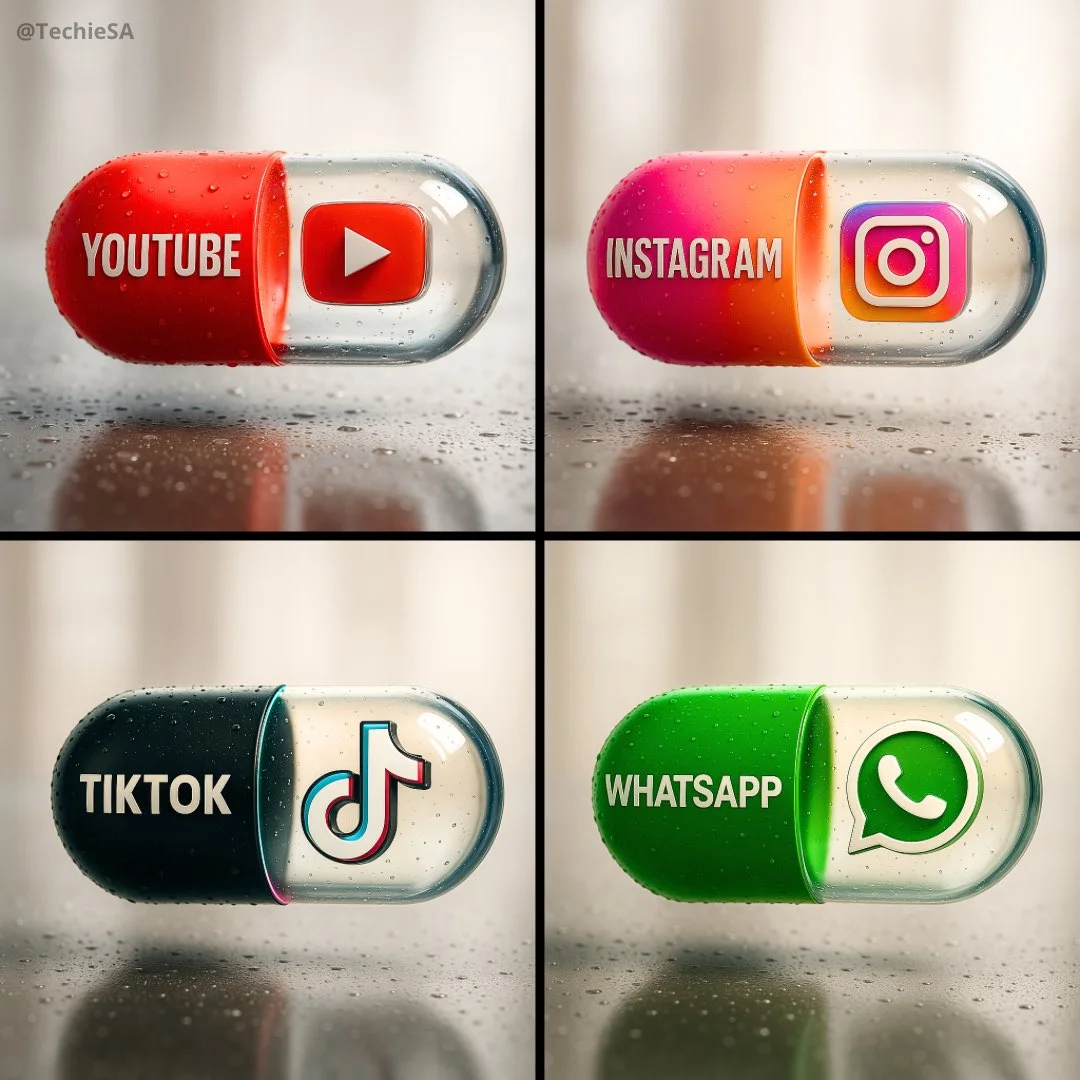
Create a hyper-realistic, stylish poster [1080x1080] aspect ratio featuring a horizontal tablet-capsule hovering above a surface covered in condensation and water droplets, with its shadow cast on the wet ground. One side of the capsule is transparent glass, while the other is glossy [COLOR/DESIGN] plastic, displaying the [BRAND] logo and name. Seamlessly floating inside the glass portion of the capsule is a photorealistic 3D model of the [LOGO], perfectly centered and suspended in zero gravity. The glass and plastic surfaces showcase strong reflections, refractions, and environmental distortions. The background is a softly blurred, elegant light-toned setting. Use a dynamic perspective with a stylish camera angle, professional studio lighting, and ultra-high detail to make the image look like a DSLR-captured photograph with impeccable realism.
Create a hyper-realistic, stylish poster [1080x1080] aspect ratio featuring a horizontal tablet-capsule hovering above a surface covered in condensation and water droplets, with its shadow cast on the wet ground. One side of the capsule is transparent glass, while the other is glossy [COLOR/DESIGN] plastic, displaying the [BRAND] logo and name. Seamlessly floating inside the glass portion of the capsule is a photorealistic 3D model of the [LOGO], perfectly centered and suspended in zero gravity. The glass and plastic surfaces showcase strong reflections, refractions, and environmental distortions. The background is a softly blurred, elegant light-toned setting. Use a dynamic perspective with a stylish camera angle, professional studio lighting, and ultra-high detail to make the image look like a DSLR-captured photograph with impeccable realism.
Invite vérifiée
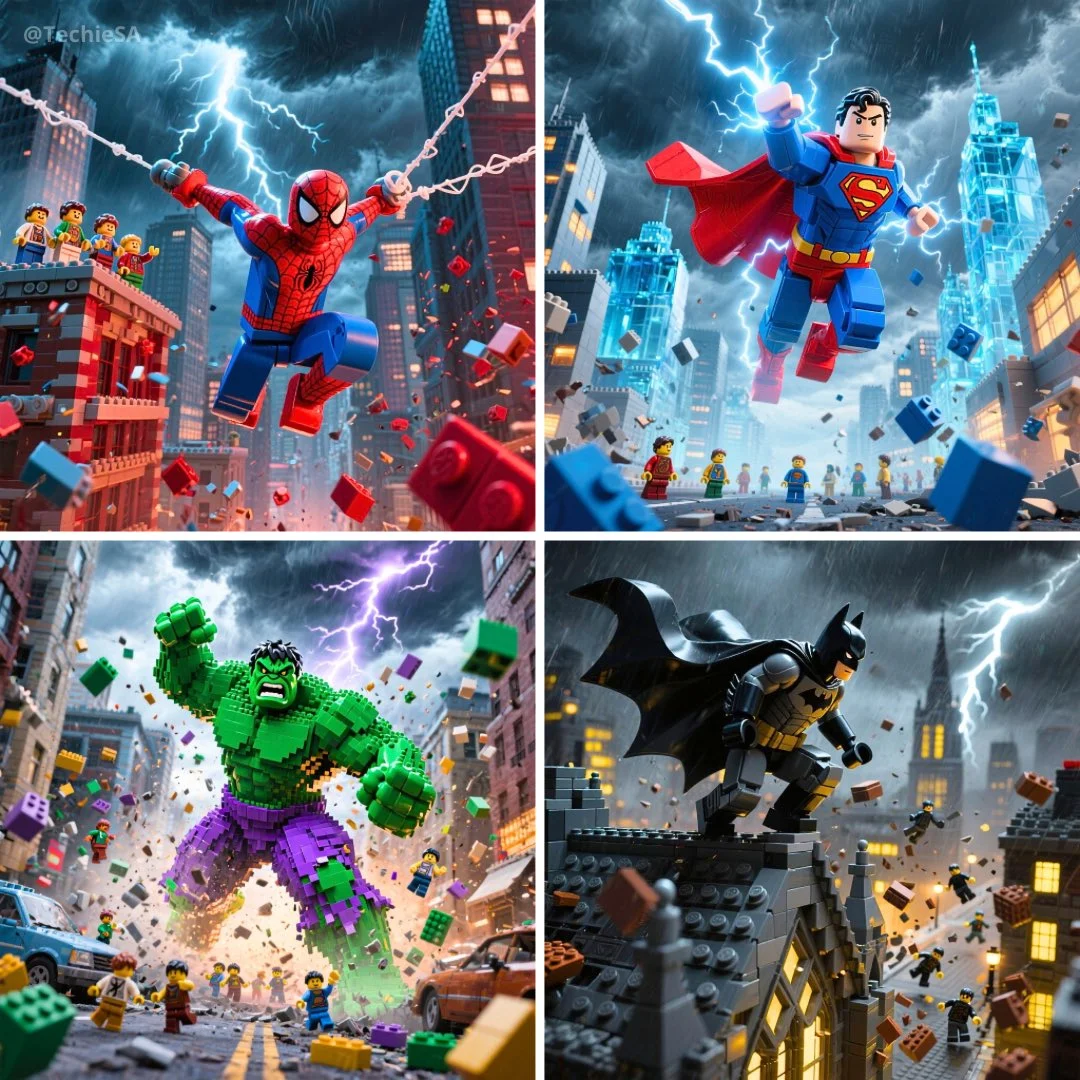
Epic LEGO [SUPERHERO] in dynamic action pose showcasing their signature powers, wearing their iconic costume with authentic colors and details, dramatic stormy sky with brilliant lightning bolts illuminating the scene, heroic stance amid swirling LEGO debris and flying bricks, small LEGO minifigures scattered throughout the scene watching in awe, cinematic movie poster composition with photorealistic rendering, epic superhero atmosphere with rich saturated colors, professional depth of field and dramatic lighting effects, 1080x1080 square format
Epic LEGO [SUPERHERO] in dynamic action pose showcasing their signature powers, wearing their iconic costume with authentic colors and details, dramatic stormy sky with brilliant lightning bolts illuminating the scene, heroic stance amid swirling LEGO debris and flying bricks, small LEGO minifigures scattered throughout the scene watching in awe, cinematic movie poster composition with photorealistic rendering, epic superhero atmosphere with rich saturated colors, professional depth of field and dramatic lighting effects, 1080x1080 square format
Invite vérifiée
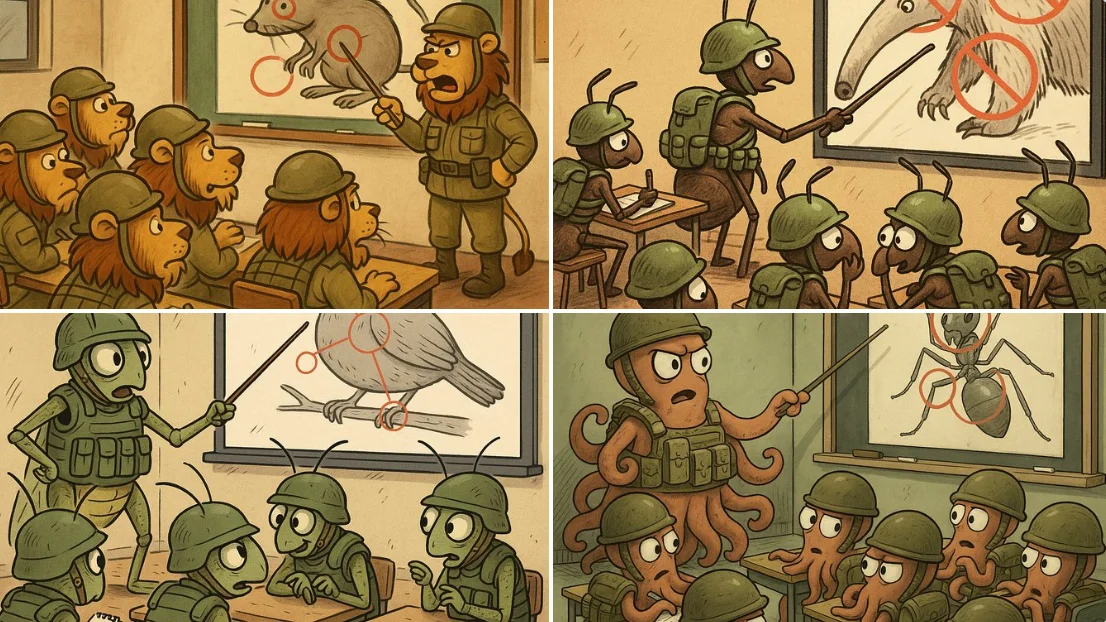
A humorous cartoon scene set inside a military training classroom, featuring a group of [Insect Name] soldiers sitting at desks, wearing tiny helmets and miniature combat gear. They listen attentively to their commander, who stands in front of a large board displaying a sketch of a threat to their existence — the enemy changes depending on the animal or insect. The commander explains the attack plan using a pointer, highlighting sensitive targets with red circles. Some soldiers take notes, others whisper tactical ideas to each other. The overall atmosphere blends seriousness with satire in an exaggerated cartoon style.
A humorous cartoon scene set inside a military training classroom, featuring a group of [Insect Name] soldiers sitting at desks, wearing tiny helmets and miniature combat gear. They listen attentively to their commander, who stands in front of a large board displaying a sketch of a threat to their existence — the enemy changes depending on the animal or insect. The commander explains the attack plan using a pointer, highlighting sensitive targets with red circles. Some soldiers take notes, others whisper tactical ideas to each other. The overall atmosphere blends seriousness with satire in an exaggerated cartoon style.
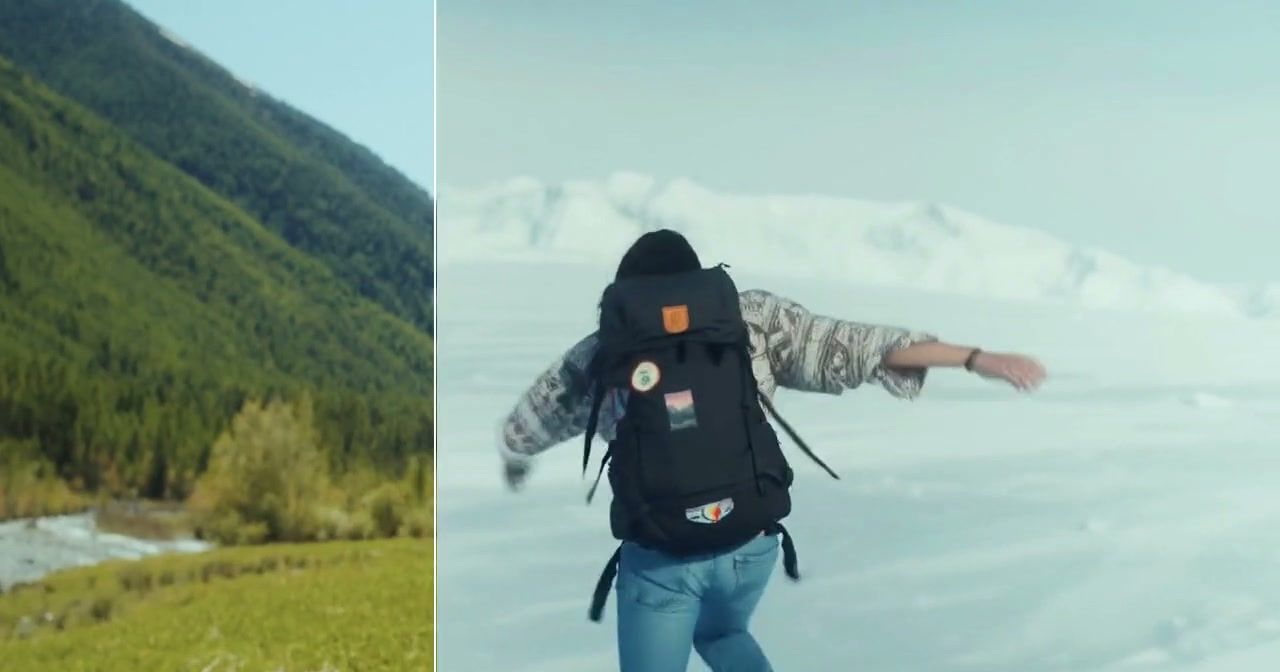
Invite vérifiée
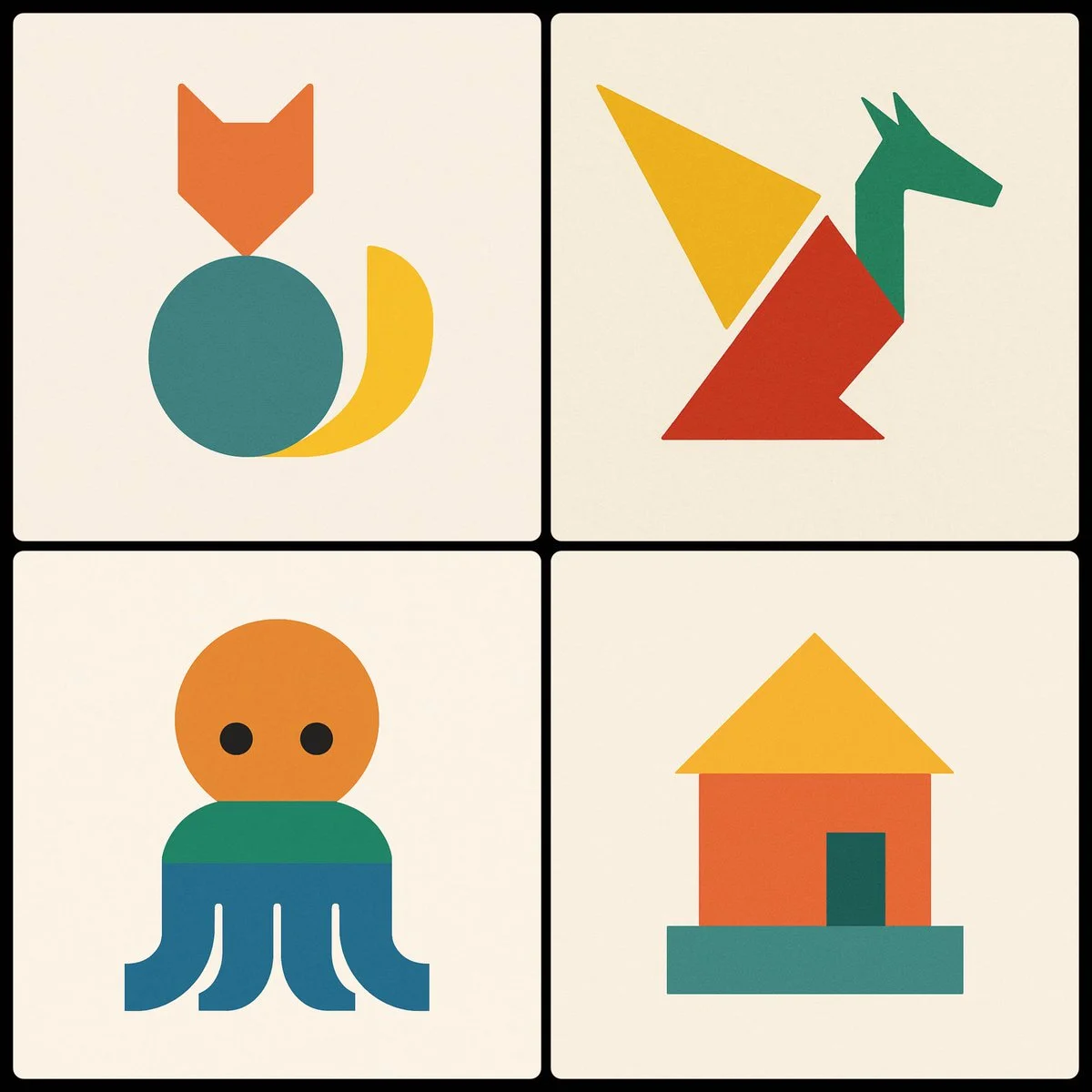
Invite vérifiée
Create a minimalist image of a [SUBJECT] using three geometric shapes, using a different color in each shape
Create a minimalist image of a [SUBJECT] using three geometric shapes, using a different color in each shape
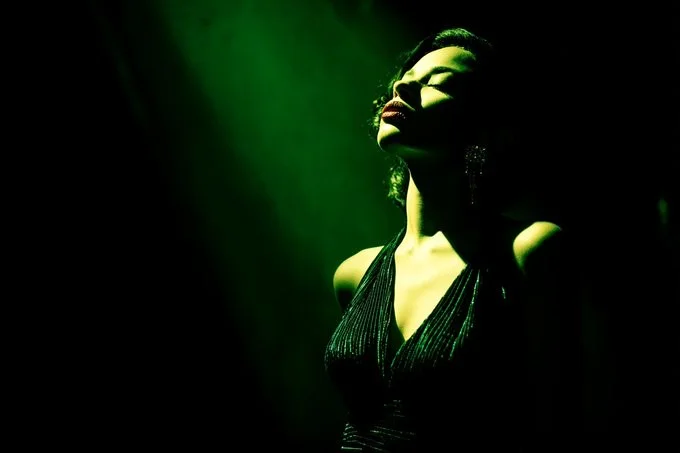
Invite vérifiée
[SUBJECT] caught in a Film Noir Spotlight. The scene is dominated by shadows, with a single, harsh light source revealing only a portion of the subject. Use [COLOR1] and [COLOR2] to tint the light, adding a touch of drama and intrigue.
[SUBJECT] caught in a Film Noir Spotlight. The scene is dominated by shadows, with a single, harsh light source revealing only a portion of the subject. Use [COLOR1] and [COLOR2] to tint the light, adding a touch of drama and intrigue.
Explorer les workflows d'images
Explorez le flux de travail Nano Banana 2 et comparez-le avec les pages d'images associées. Le générateur est la source de vérité pour l'accès actuel au modèle et les réglages. Utilisez la bibliothèque d'invites pour étudier les résultats publiés et le modèle qui les a créés.


Générateur d'images IA Nano Banana 2
Décrivez votre sujet, votre composition, votre éclairage et votre style. Choisissez une taille d’image prise en charge et vérifiez l’estimation de crédits avant de générer.
Pour modifier une image, importez une référence et expliquez ce qui doit changer et ce qui doit rester identique. Comparez le résultat final dans Historique avant de le télécharger.
Explorer Nano Banana 2Construisez votre brief d'image Nano Banana 2
Choisissez un rapport d’aspect adapté à l’endroit où votre image apparaîtra. Laissez de la marge autour du sujet si vous prévoyez de la recadrer plus tard.
Génération et personnalisation avancées d’images IA
Décrivez ensemble l’éclairage, les matières et l’arrière-plan pour donner à l’image une direction visuelle cohérente.
Rédigez des directions précises d'édition et de style
Nommez l’objet ou la zone que vous souhaitez modifier. Gardez l’instruction ciblée pour pouvoir juger clairement le changement.
Préserver votre sujet lors de la modification
Pour une série d’images associées, gardez la description du sujet et les instructions de style cohérentes. Vérifiez chaque résultat pour détecter les différences indésirables.
Comparer les variantes avant de télécharger
Choisissez uniquement la résolution et le ratio d'aspect affichés pour le modèle sélectionné. Vérifiez le cadrage, les détails fins et tout texte dans l'image terminée. Une taille de sortie plus grande ne garantit pas un résultat plus précis.
Vérifiez les conditions d'utilisation avant de partager
Vérifiez les conditions applicables du modèle et de la plateforme avant d'utiliser un résultat à des fins commerciales. Vous êtes responsable des droits sur les images téléversées, les personnes identifiables, les logos et tout autre matériel source dans votre brief d'image Nano Banana 2.
Gardez votre workflow simple
Développez votre brief d'image Nano Banana 2 autour du résultat dont vous avez besoin. Gardez la direction principale précise, vérifiez les réglages pris en charge dans le générateur et examinez le travail terminé avant de l'utiliser dans votre projet.
Un brief créatif plus clair pour Nano Banana 2

Divers styles et effets pour chaque vision
Essayez un traitement photographique, illustré ou graphique pour le même sujet. Comparez les résultats avant de choisir une direction.
Décrivez ensemble l’éclairage, les matières et l’arrière-plan pour donner à votre style choisi une direction visuelle cohérente.
Générateur d'images IA Nano Banana 2 polyvalent pour la vision de chaque créateur
Commencez votre brief d'image Nano Banana 2 avec une image source que vous avez la permission d'utiliser. Nommez la zone à modifier et les couleurs, proportions ou objets à préserver. Le nombre de références et la prise en charge de l'édition dépendent du modèle sélectionné.


Pour les architectes et les designers
Rédigez votre brief d'image Nano Banana 2 autour d'un sujet, d'une composition, d'un éclairage et d'un style souhaité. Ajoutez un matériau ou une texture lorsque cela compte. Pour les retouches, indiquez une modification précise et expliquez quelles parties de la source doivent rester intactes.

Pour les professionnels du commerce électronique
Listez les détails qui comptent dans votre brief d'image Nano Banana 2 : identité, forme, couleurs, vêtements et arrière-plan. Utilisez des références prises en charge lorsque c'est approprié et comparez chaque résultat ; une cohérence exacte n'est pas garantie.

Pour les éditeurs de contenu
Choisissez uniquement la résolution et le ratio d'aspect affichés pour le modèle sélectionné. Vérifiez le cadrage, les détails fins et tout texte dans l'image terminée. Une taille de sortie plus grande ne garantit pas un résultat plus précis.

Pour les organisateurs d'événements
Rédigez votre brief d'image Nano Banana 2 autour d'un sujet, d'une composition, d'un éclairage et d'un style souhaité. Ajoutez un matériau ou une texture lorsque cela compte. Pour les retouches, indiquez une modification précise et expliquez quelles parties de la source doivent rester intactes.
D'un brief à une image examinée : le flux de travail Nano Banana 2
Ajoutez votre contribution
Commencez votre brief d'image Nano Banana 2 avec une image source que vous avez la permission d'utiliser. Nommez la zone à modifier et les couleurs, proportions ou objets à préserver. Le nombre de références et la prise en charge de l'édition dépendent du modèle sélectionné.
Personnalisez vos options
Le générateur indique la disponibilité actuelle du modèle. Lorsqu'un modèle accepte des requêtes, choisissez ses paramètres pris en charge et vérifiez les crédits requis avant de soumettre. Un modèle indisponible ne peut pas lancer de tâche ni déduire de crédits de génération.
Générer et affiner
Rédigez votre brief d'image Nano Banana 2 autour d'un sujet, d'une composition, d'un éclairage et d'un style souhaité. Ajoutez un matériau ou une texture lorsque cela compte. Pour les retouches, indiquez une modification précise et expliquez quelles parties de la source doivent rester intactes.
Vérifiez et téléchargez les résultats terminés
Commencez votre brief d'image Nano Banana 2 avec une image source que vous avez la permission d'utiliser. Nommez la zone à modifier et les couleurs, proportions ou objets à préserver. Le nombre de références et la prise en charge de l'édition dépendent du modèle sélectionné.
Idées d'images Nano Banana 2 pour vos projets
Choisissez uniquement la résolution et le ratio d'aspect affichés pour le modèle sélectionné. Vérifiez le cadrage, les détails fins et tout texte dans l'image terminée. Une taille de sortie plus grande ne garantit pas un résultat plus précis.
Art et illustrations numériques
Choisissez uniquement la résolution et le ratio d'aspect affichés pour le modèle sélectionné. Vérifiez le cadrage, les détails fins et tout texte dans l'image terminée. Une taille de sortie plus grande ne garantit pas un résultat plus précis.
Visuels marketing et e-commerce
Pour un concept de produit Nano Banana 2, précisez la forme du produit, le matériau, le détail clé et le décor. Gardez les logos et les affirmations exacts, laissez de la place pour votre propre typographie et examinez le résultat avant de l'utiliser dans une publicité.
Contenu éducatif et présentations
Utilisez un concept visuel Nano Banana 2 pour appuyer un point d'enseignement ou de présentation. Vérifiez vous-même les faits et les étiquettes, et ajoutez les légendes finales dans votre flux de travail d'édition plutôt que de vous fier au texte généré.
Développement de jeux
Listez les détails qui comptent dans votre brief d'image Nano Banana 2 : identité, forme, couleurs, vêtements et arrière-plan. Utilisez des références prises en charge lorsque c'est approprié et comparez chaque résultat ; une cohérence exacte n'est pas garantie.
Notes créatives pour votre brief d'image Nano Banana 2
Donnez au sujet principal une action claire. Pour un concept Nano Banana 2, un brief précis est plus facile à évaluer qu'une liste d'effets concurrents.

Flux de travail d'image Nano Banana 2 : questions et réponses
Cette page Highsfield explique le flux de travail d'images Nano Banana 2. Elle vous aide à rédiger un brief ciblé et à examiner les entrées disponibles. L'accès actuel est indiqué dans le générateur ; un nom de modèle sur un guide ne signifie pas qu'il accepte actuellement des requêtes.
Rédigez votre brief d'image Nano Banana 2 autour d'un sujet, d'une composition, d'un éclairage et d'un style souhaité. Ajoutez un matériau ou une texture lorsque cela compte. Pour les retouches, indiquez une modification précise et expliquez quelles parties de la source doivent rester intactes.
Cette page Highsfield explique le flux de travail d'images Nano Banana 2. Elle vous aide à rédiger un brief ciblé et à examiner les entrées disponibles. L'accès actuel est indiqué dans le générateur ; un nom de modèle sur un guide ne signifie pas qu'il accepte actuellement des requêtes.
Utilisez uniquement les modes de saisie et les contrôles proposés par le modèle sélectionné. Décrivez clairement l'image souhaitée et ajoutez des références prises en charge lorsque c'est utile. Cette page ne promet pas d'outils distincts de pinceau animé, de téléversement audio, de restauration ou d'édition.
Utilisez uniquement les modes de saisie et les contrôles proposés par le modèle sélectionné. Décrivez clairement l'image souhaitée et ajoutez des références prises en charge lorsque c'est utile. Cette page ne promet pas d'outils distincts de pinceau animé, de téléversement audio, de restauration ou d'édition.
Vérifiez les conditions applicables du modèle et de la plateforme avant d'utiliser un résultat à des fins commerciales. Vous êtes responsable des droits sur les images téléversées, les personnes identifiables, les logos et tout autre matériel source dans votre brief d'image Nano Banana 2.
Le générateur indique la disponibilité actuelle du modèle. Lorsqu'un modèle accepte des requêtes, choisissez ses paramètres pris en charge et vérifiez les crédits requis avant de soumettre. Un modèle indisponible ne peut pas lancer de tâche ni déduire de crédits de génération.
Développez votre brief d'image Nano Banana 2 autour du résultat dont vous avez besoin. Gardez la direction principale précise, vérifiez les réglages pris en charge dans le générateur et examinez le travail terminé avant de l'utiliser dans votre projet.
Explorez votre prochaine idée d'image Nano Banana 2
Explorez le flux de travail Nano Banana 2 et comparez-le avec les pages d'images associées. Le générateur est la source de vérité pour l'accès actuel au modèle et les réglages. Utilisez la bibliothèque d'invites pour étudier les résultats publiés et le modèle qui les a créés.