
Planifiez des retouches d'image ciblées avec Nano Banana 2
Expliquez votre sujet, vos modifications et vos références
Listez les détails qui comptent dans votre brief d'image Nano Banana 2 : identité, forme, couleurs, vêtements et arrière-plan. Utilisez des références prises en charge lorsque c'est approprié et comparez chaque résultat ; une cohérence exacte n'est pas garantie.

Invite vérifiée
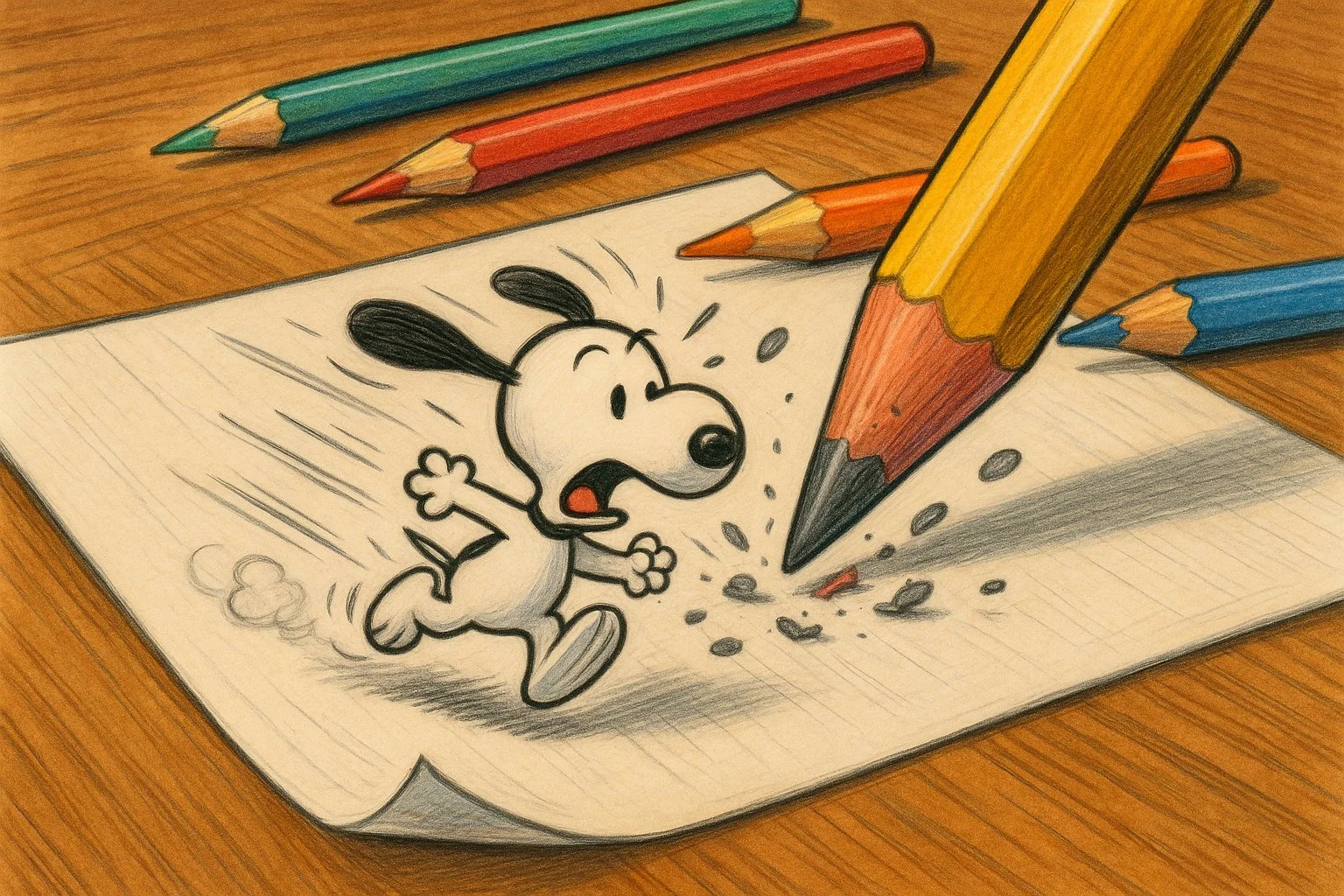
Imagine you’re a tiny cartoon character who has come to life on a piece of paper! Draw yourself running away from a giant pencil that’s trying to erase you. Add colorful pencils, a desk, and maybe some flying eraser bits for extra excitement. Use your wildest imagination to make it look like you’re bursting out of the page!
Imagine you’re a tiny cartoon character who has come to life on a piece of paper! Draw yourself running away from a giant pencil that’s trying to erase you. Add colorful pencils, a desk, and maybe some flying eraser bits for extra excitement. Use your wildest imagination to make it look like you’re bursting out of the page!
Invite vérifiée
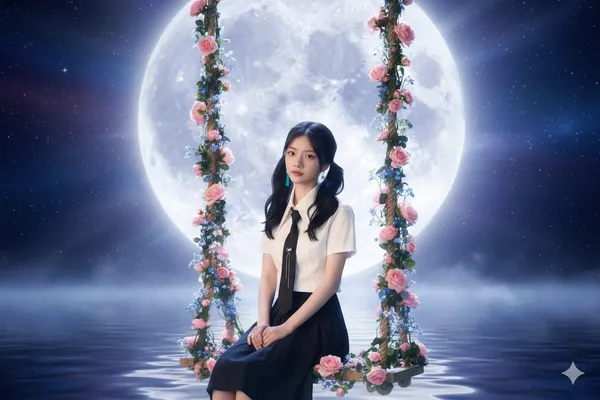
oto of a swing under the autumn moon
oto of a swing under the autumn moon
Invite vérifiée
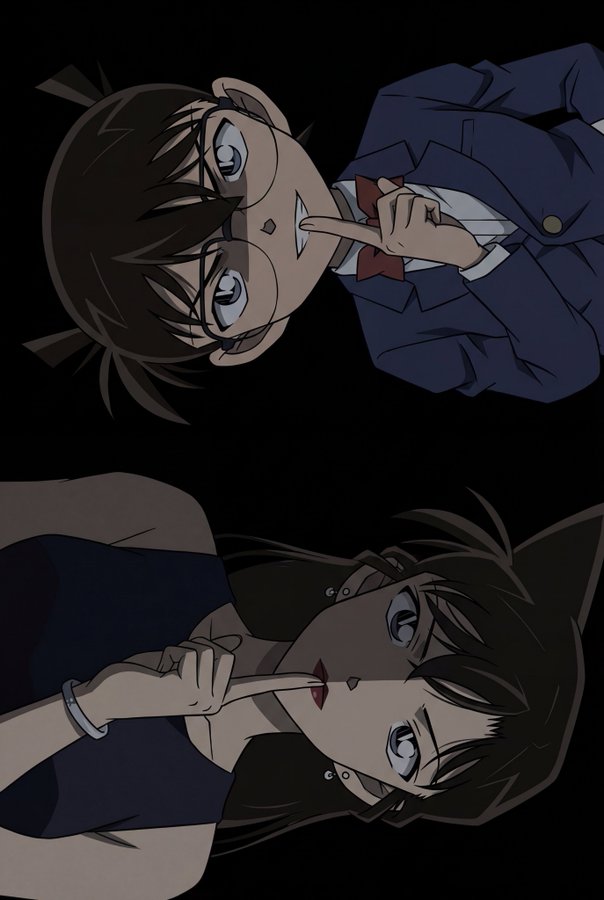
terpiece, best quality, highres:1.4), (official anime art source:1.3), (anime screencap style:1.3), (portrait dimensions:1.5), (tall aspect ratio:1.5), (vertical dual portrait:1.3), (continuous composition:1.2), (unified image:1.2), pure black background, (extremely dramatic chiaroscuro lighting:1.6), (heavy deep shadows:1.5), (sharp shadow edges:1.3), (low key lighting:1.5), (characters blending into darkness:1.4), minimal lighting, mysterious atmosphere, dark tones, (warm skin tones:1.3), (healthy complexion:1.2), (natural skin color:1.2), BREAK (bust shot, tight focus:1.3), 1boy, kudo shinichi, male focus, (lying flat on back:1.5), (perfectly horizontal body alignment:1.5), parallel to frame edge, head on left, (index finger on lips:1.3), shushing gesture, (closed mouth:1.3), (slight mysterious smirk:1.2), intense cold stare, (eyes shaded by hair:1.4), dark hair, (face half obscured by deep sharp shadow:1.4), (warm skin tone:1.2), wearing dark black suit jacket, dark tie, (clothes merging with shadow), absolutely no rim lighting, BREAK (bust shot, tight focus:1.3), 1girl, mouri ran, female focus, (lying flat on back:1.5), (inverted:1.4), upside down, (perfectly horizontal body alignment:1.5), parallel to frame edge, head on right, (index finger on lips:1.3), shushing gesture, (silver bracelet on left wrist:1.3), (serious cold expression:1.5), (calm steady look:1.3), (both eyes open sharp stare:1.4), (subtle blush:0.8), dark red lips, (warm skin tone:1.2), dark long hair flowing into darkness, earrings, wearing dark dress, (body and face hidden in deep sharp shadow:1.4), absolutely no rim lighting
terpiece, best quality, highres:1.4), (official anime art source:1.3), (anime screencap style:1.3), (portrait dimensions:1.5), (tall aspect ratio:1.5), (vertical dual portrait:1.3), (continuous composition:1.2), (unified image:1.2), pure black background, (extremely dramatic chiaroscuro lighting:1.6), (heavy deep shadows:1.5), (sharp shadow edges:1.3), (low key lighting:1.5), (characters blending into darkness:1.4), minimal lighting, mysterious atmosphere, dark tones, (warm skin tones:1.3), (healthy complexion:1.2), (natural skin color:1.2), BREAK (bust shot, tight focus:1.3), 1boy, kudo shinichi, male focus, (lying flat on back:1.5), (perfectly horizontal body alignment:1.5), parallel to frame edge, head on left, (index finger on lips:1.3), shushing gesture, (closed mouth:1.3), (slight mysterious smirk:1.2), intense cold stare, (eyes shaded by hair:1.4), dark hair, (face half obscured by deep sharp shadow:1.4), (warm skin tone:1.2), wearing dark black suit jacket, dark tie, (clothes merging with shadow), absolutely no rim lighting, BREAK (bust shot, tight focus:1.3), 1girl, mouri ran, female focus, (lying flat on back:1.5), (inverted:1.4), upside down, (perfectly horizontal body alignment:1.5), parallel to frame edge, head on right, (index finger on lips:1.3), shushing gesture, (silver bracelet on left wrist:1.3), (serious cold expression:1.5), (calm steady look:1.3), (both eyes open sharp stare:1.4), (subtle blush:0.8), dark red lips, (warm skin tone:1.2), dark long hair flowing into darkness, earrings, wearing dark dress, (body and face hidden in deep sharp shadow:1.4), absolutely no rim lighting
Invite vérifiée
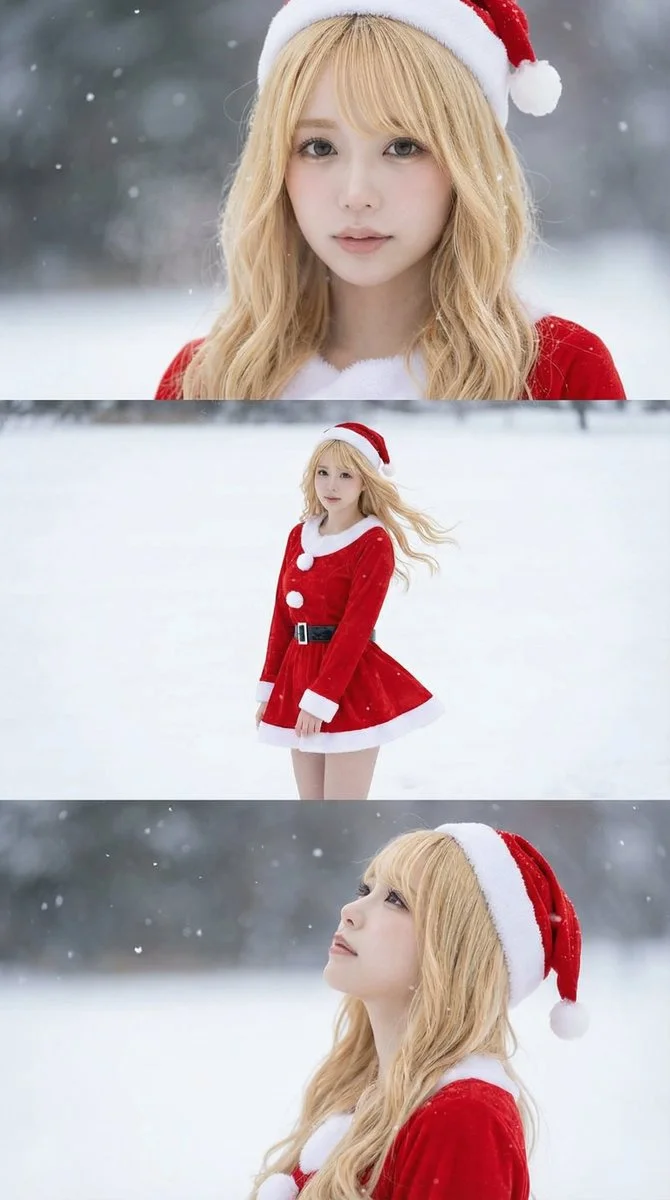
Borrowed from @iX00AI: Using the uploaded reference image, generate a horizontal three-panel composition with mini-skirt Santa cosplay in winter snow theme.
Borrowed from @iX00AI: Using the uploaded reference image, generate a horizontal three-panel composition with mini-skirt Santa cosplay in winter snow theme.
Invite vérifiée
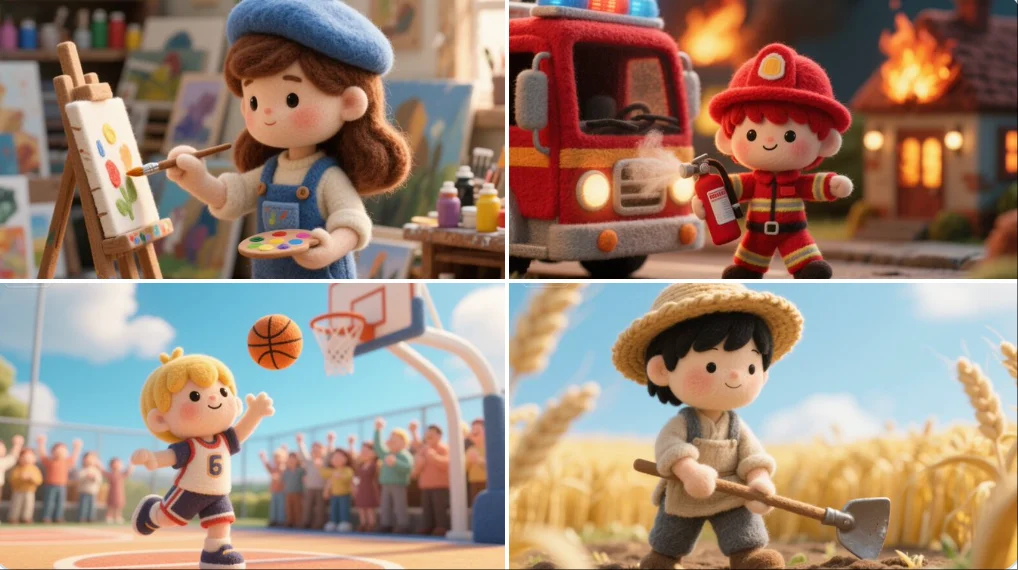
A felted wool figure of a [subject], handcrafted with soft fibers, uneven stitching, and visible textures. Set within a miniature diorama of layered fabrics and pastel props, the scene radiates cozy, storybook charm like a still from a tactile, stop-motion fairytale made entirely of felt and thread.
A felted wool figure of a [subject], handcrafted with soft fibers, uneven stitching, and visible textures. Set within a miniature diorama of layered fabrics and pastel props, the scene radiates cozy, storybook charm like a still from a tactile, stop-motion fairytale made entirely of felt and thread.
Invite vérifiée
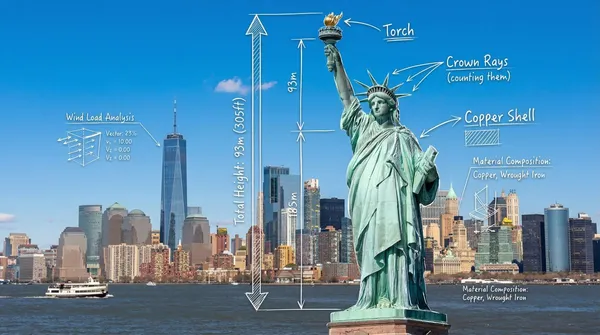
otorealistic wide-angle landscape shot of the Statue of Liberty with the New York City skyline and harbor in the background. Superimposed on the scene is a white, hand-drawn augmented reality technical overlay. Features include: 1. Sketchy white leader lines pointing to key details like the "Torch," "Crown Rays," and "Copper Shell" with handwritten text labels. 2. Large dimensional vertical measurement arrows indicating the total height from ground to torch. 3. Small floating wireframe icons showing wind load data and material composition. Aesthetic: Structural engineering analysis, F1 broadcast graphics style, bright outdoor daylight, architectural blueprint overlay.
otorealistic wide-angle landscape shot of the Statue of Liberty with the New York City skyline and harbor in the background. Superimposed on the scene is a white, hand-drawn augmented reality technical overlay. Features include: 1. Sketchy white leader lines pointing to key details like the "Torch," "Crown Rays," and "Copper Shell" with handwritten text labels. 2. Large dimensional vertical measurement arrows indicating the total height from ground to torch. 3. Small floating wireframe icons showing wind load data and material composition. Aesthetic: Structural engineering analysis, F1 broadcast graphics style, bright outdoor daylight, architectural blueprint overlay.
Invite vérifiée
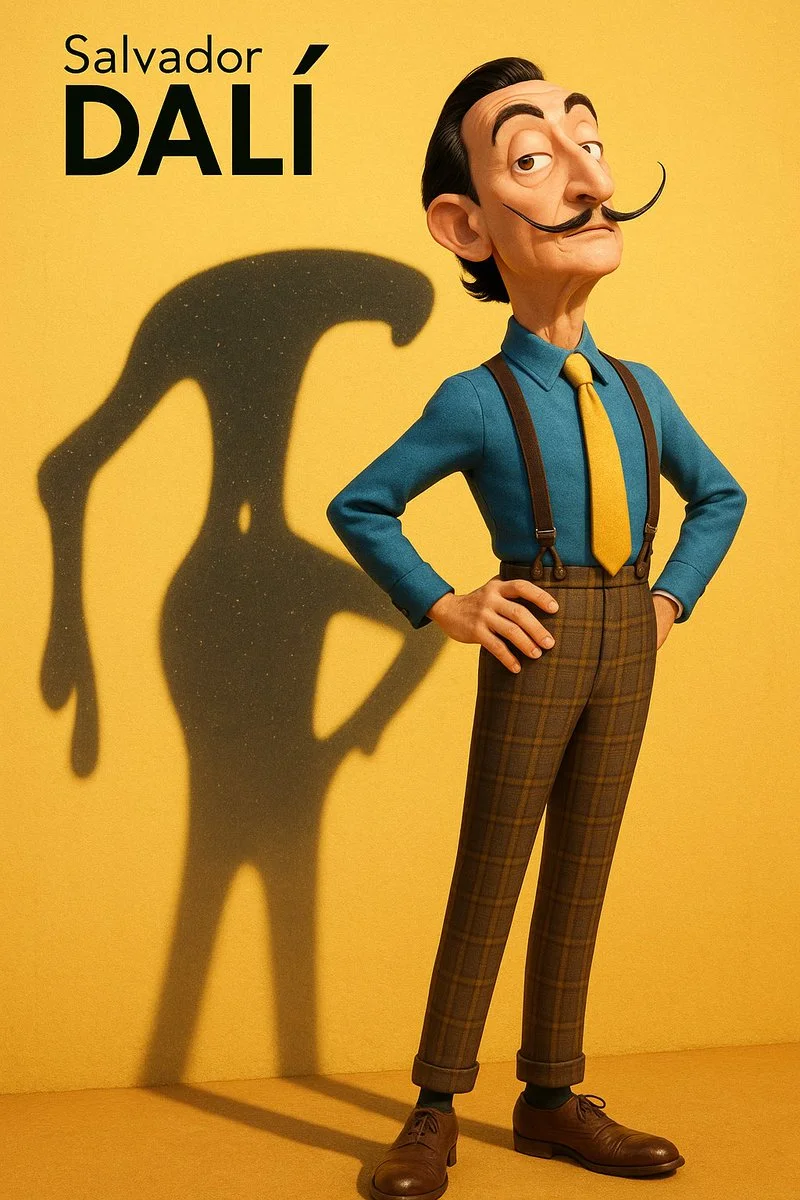
A high-resolution vertical Pixar-style 3D character illustration. Main character: Salvador Dalí — depicted as a tall, slim, and slightly exaggerated Pixar-style 3D character. Wearing a classic blue shirt, yellow tie, high-waisted plaid trousers with suspenders, and leather shoes. His iconic long upturned mustache, slick black hair, sharply arched eyebrows, and slightly eccentric posture. Stands with chest out, one hand on hip, head tilted slightly back in his typical theatrical flair. Background: Flat, clean yellow background with subtle surface texture. Strong sunlight from top-left casts a distinct and enlarged shadow on the wall behind him. Key Concept – Shadow as spiritual projection: The shadow cast behind him does **not** mirror his body shape. Instead, it takes the form of one of his most iconic artworks — a surreal melted clock with long dripping arms, inspired by “The Persistence of Memory”. The melted clock shadow is positioned diagonally, starting from his shoulder, stretching wide and low across the yellow wall, surreal and fluid, yet unmistakably symbolic. This shadow is **Dalí’s legacy made visible** — a symbolic extension of his identity through time, dream, and visual distortion. Lighting & Rendering: Pixar-like rendering with detailed but stylized textures. Use subtle filmic grain, soft shadows, and warm color grading. Subtle sparkles or light speckles inside the shadow to evoke dreamlike texture. Typography (top-left corner): “Salvador Dalí” in minimalist black sans-serif font, “Dalí” bolded.
A high-resolution vertical Pixar-style 3D character illustration. Main character: Salvador Dalí — depicted as a tall, slim, and slightly exaggerated Pixar-style 3D character. Wearing a classic blue shirt, yellow tie, high-waisted plaid trousers with suspenders, and leather shoes. His iconic long upturned mustache, slick black hair, sharply arched eyebrows, and slightly eccentric posture. Stands with chest out, one hand on hip, head tilted slightly back in his typical theatrical flair. Background: Flat, clean yellow background with subtle surface texture. Strong sunlight from top-left casts a distinct and enlarged shadow on the wall behind him. Key Concept – Shadow as spiritual projection: The shadow cast behind him does **not** mirror his body shape. Instead, it takes the form of one of his most iconic artworks — a surreal melted clock with long dripping arms, inspired by “The Persistence of Memory”. The melted clock shadow is positioned diagonally, starting from his shoulder, stretching wide and low across the yellow wall, surreal and fluid, yet unmistakably symbolic. This shadow is **Dalí’s legacy made visible** — a symbolic extension of his identity through time, dream, and visual distortion. Lighting & Rendering: Pixar-like rendering with detailed but stylized textures. Use subtle filmic grain, soft shadows, and warm color grading. Subtle sparkles or light speckles inside the shadow to evoke dreamlike texture. Typography (top-left corner): “Salvador Dalí” in minimalist black sans-serif font, “Dalí” bolded.
Invite vérifiée
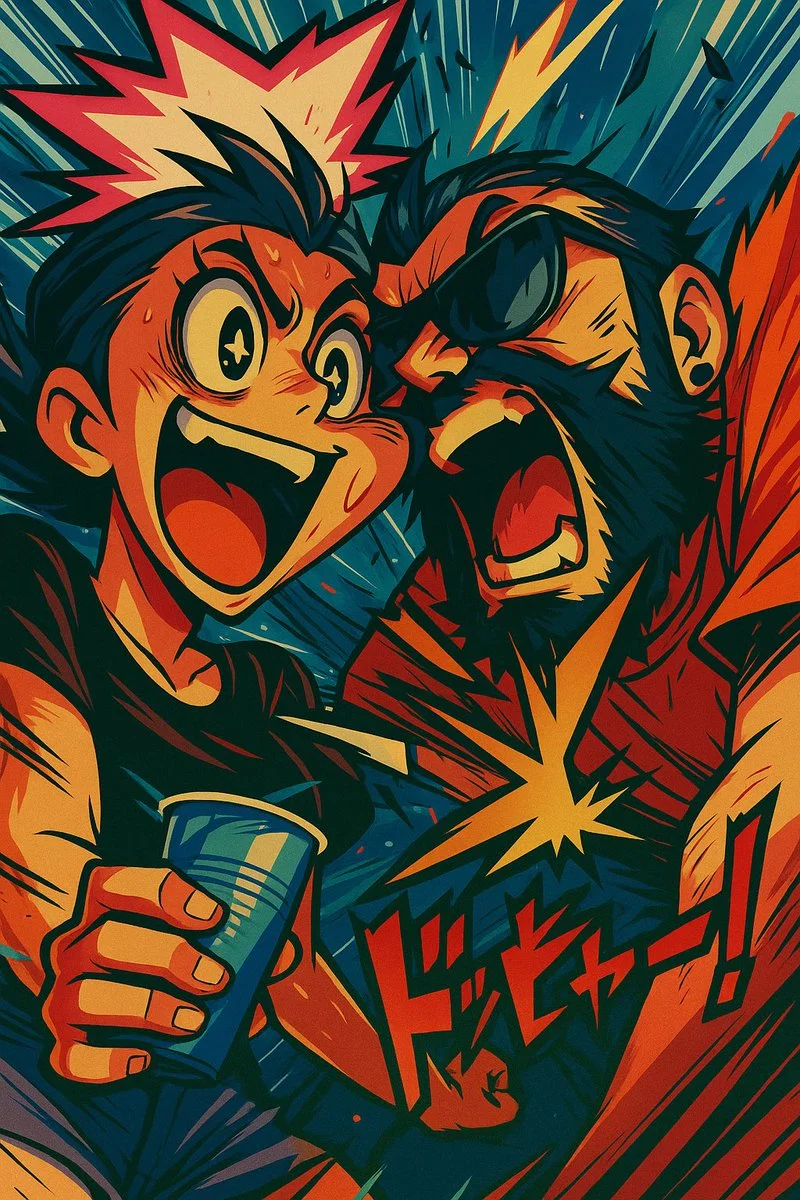
Transform this image into an over-the-top anime illustration in the style of Trigger / Gainax. Use exaggerated expressions, wild motion lines, and hyperdynamic poses. The anatomy should be fluid and distorted for emphasis — limbs stretching or snapping into action. Add speed lines, explosive backgrounds, and dramatic lighting effects. Integrate onomatopoeia or stylized text for extra chaos. Colors should be bold, saturated, and contrasting. The result should feel like a freeze frame from Kill la Kill or FLCL, mid-action, full of energy and visual impact.
Transform this image into an over-the-top anime illustration in the style of Trigger / Gainax. Use exaggerated expressions, wild motion lines, and hyperdynamic poses. The anatomy should be fluid and distorted for emphasis — limbs stretching or snapping into action. Add speed lines, explosive backgrounds, and dramatic lighting effects. Integrate onomatopoeia or stylized text for extra chaos. Colors should be bold, saturated, and contrasting. The result should feel like a freeze frame from Kill la Kill or FLCL, mid-action, full of energy and visual impact.
Invite vérifiée
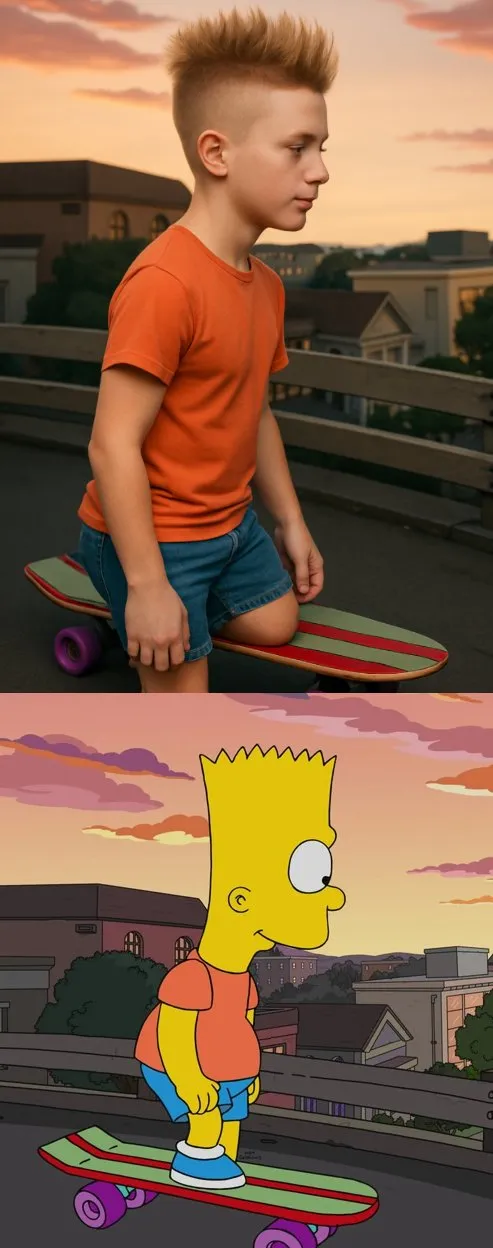
sform the cartoon character from the reference image into a hyper-realistic human while maintaining their core attributes (clothing, hairstyle, facial expression, accessories, and proportions, age and so on). Create a photorealistic portrait
sform the cartoon character from the reference image into a hyper-realistic human while maintaining their core attributes (clothing, hairstyle, facial expression, accessories, and proportions, age and so on). Create a photorealistic portrait
Invite vérifiée
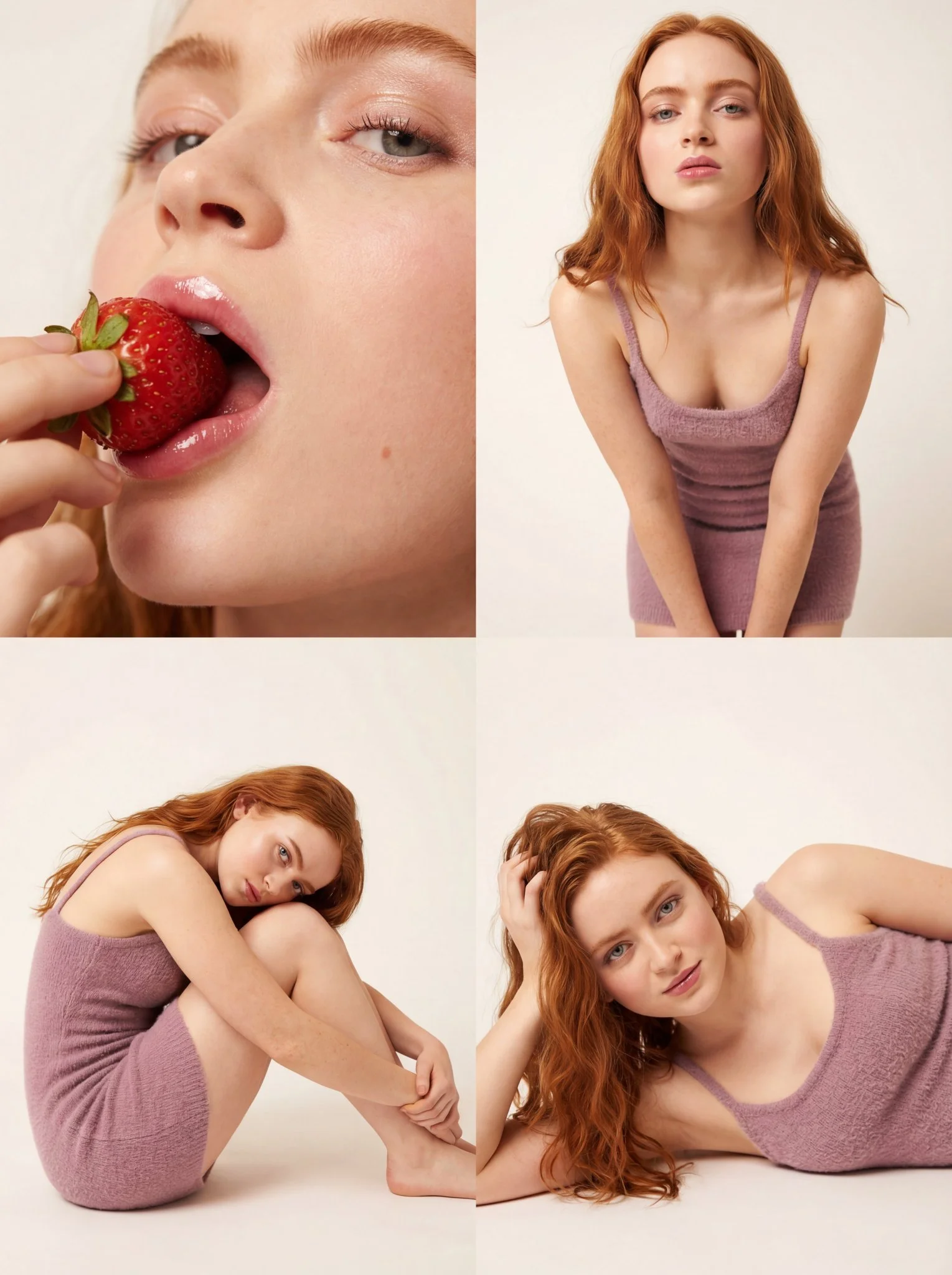
Ultra-photorealistic 8k texture quality with ray-traced studio lighting. Long loosely wavy voluminous hair with natural individual strands. Hyper-realistic porous skin with dewy glass-skin effect, heavy blush on cheeks, high-gloss plump natural pink lips, clean defined lashes. Mini dress bodycon/tight fit in soft textured knit/boucle fabric, soft mauve or neutral taupe color with spaghetti straps. Seamless paper soft off-white/beige studio background. Large diffuse softbox front-left key light with reflector fill right. 4-panel collage: Top-Left extreme close-up eating strawberry with moisture on surface and gloss reflection on lips; Top-Right medium shot thigh-up leaning forward with direct gaze; Bottom-Left full body seated side profile knees to chest; Bottom-Right close-up candid relaxed expression. 1:1 aspect ratio.
Ultra-photorealistic 8k texture quality with ray-traced studio lighting. Long loosely wavy voluminous hair with natural individual strands. Hyper-realistic porous skin with dewy glass-skin effect, heavy blush on cheeks, high-gloss plump natural pink lips, clean defined lashes. Mini dress bodycon/tight fit in soft textured knit/boucle fabric, soft mauve or neutral taupe color with spaghetti straps. Seamless paper soft off-white/beige studio background. Large diffuse softbox front-left key light with reflector fill right. 4-panel collage: Top-Left extreme close-up eating strawberry with moisture on surface and gloss reflection on lips; Top-Right medium shot thigh-up leaning forward with direct gaze; Bottom-Left full body seated side profile knees to chest; Bottom-Right close-up candid relaxed expression. 1:1 aspect ratio.
Invite vérifiée
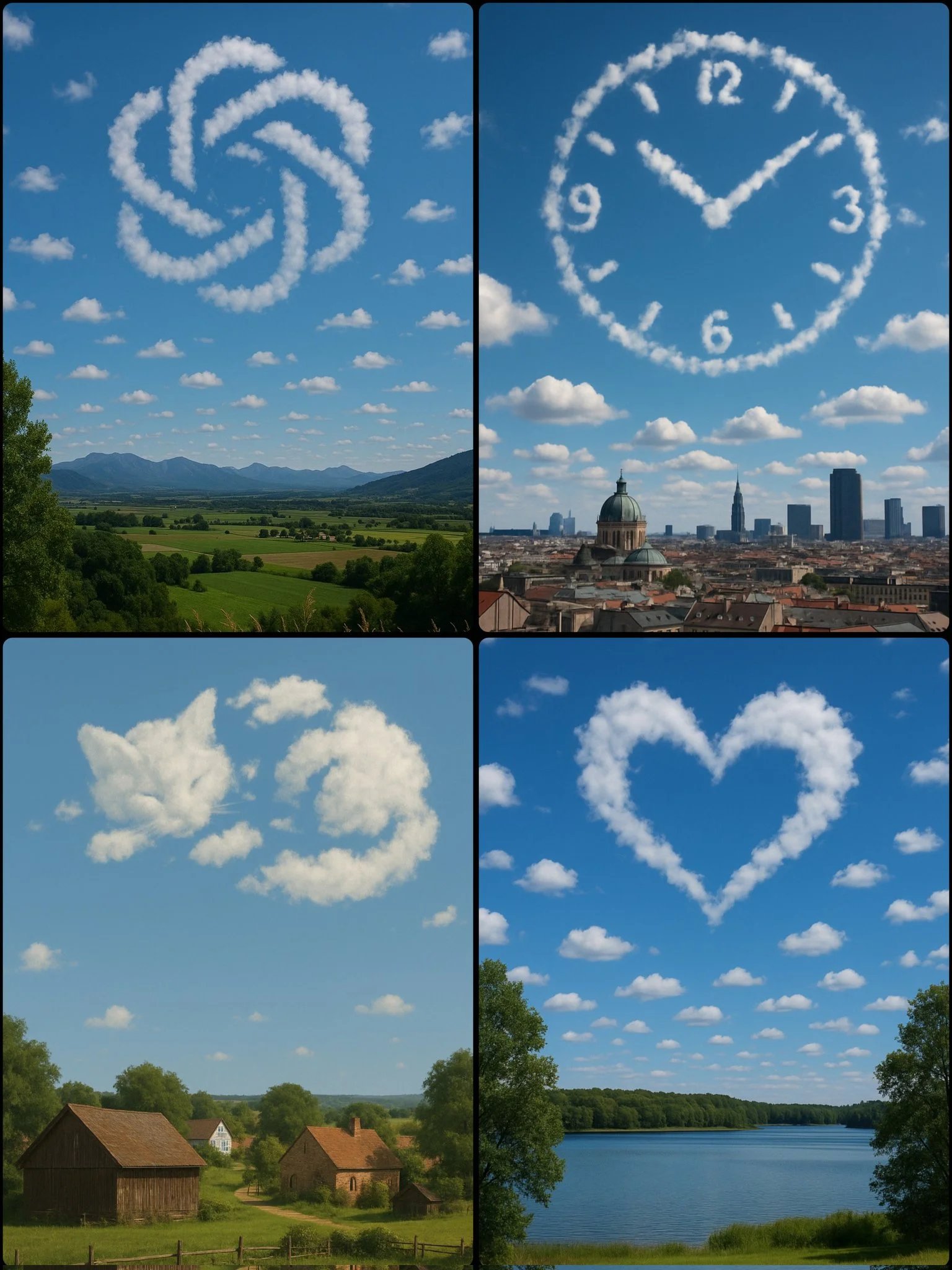
A photograph captures a daytime scene with a [SUBJECT/OBJECT] formed by scattered clouds in the sky, positioned above a [LOCATION]
A photograph captures a daytime scene with a [SUBJECT/OBJECT] formed by scattered clouds in the sky, positioned above a [LOCATION]
Invite vérifiée
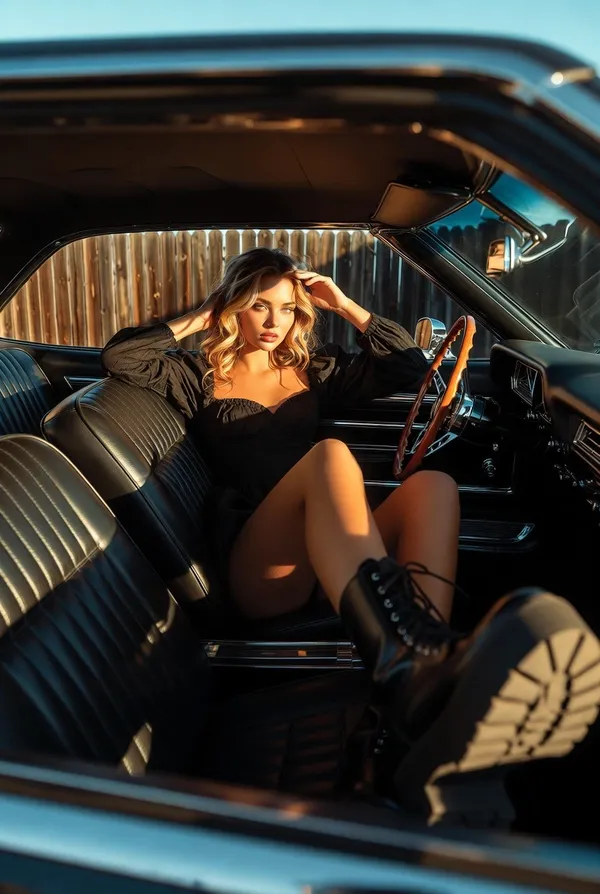
"scene_description": "A cinematic, wide-angle interior shot of a stylish young woman lounging inside a vintage American muscle car during golden hour.", "subject": { "type": "young woman", "age": "early 20s", "features": { "hair": "long, volumetric, sun-kissed honey blonde hair, tousled and windblown texture", "skin": "fair with warm golden undertones from the sun", "expression": "confident, alluring gaze directly into the lens, slight pout" }, "attire": "black puff-sleeve milkmaid-style mini dress or romper with a sweetheart neckline", "position": "reclined comfortably across the front bench/bucket seats, one leg extended towards the camera (foreshortened), one knee bent, hand resting casually against her forehead." }, "action": { "primary": "lounging in the passenger seat", "secondary": "shielding eyes/touching hair with left hand", "effect": "relaxed, rebellious 'cool girl' aesthetic" }, "environment": { "setting": "Interior of a classic 1960s/70s muscle car", "foreground_elements": [ "vintage wood-rimmed 3-spoke steering wheel (partial view)", "black vinyl dashboard", "chrome accents" ], "background_elements": [ "wooden ranch-style fence visible through window", "clear blue sky", "car rear view mirror reflecting a sliver of the face" ] }, "lighting": { "style": "Natural Golden Hour", "key_light": { "type": "Direct, warm sunlight", "color": "golden amber", "illuminates": [ "face", "hair highlights", "legs" ] }, "shadows": "Deep, high-contrast shadows inside the car cabin, creating depth" }, "style": { "medium": "35mm film photography", "aesthetic": "Vintage Americana, editorial fashion, indie road trip", "quality": "high fidelity, grain simulation", "details": "ultra-realistic textures on leather and skin" }, "scene_composition": { "subject_action": "Lounging with attitude, dominating the frame", "camera_behavior": "Wide-angle interior shot, creating perspective distortion on the boots", "depth_layering": "Steering wheel foreground -> Subject focus -> Exterior background" }, "visual_description": { "core_subject": "A photorealistic young woman with blonde waves.", "attire_physics": "The black fabric of the dress absorbs light, while the leather boots have specular highlights.", "skin_rendering": "Warm, glowing skin texture with natural highlighting from the sun." }, "lighting_and_atmosphere": { "type": "Golden Hour Natural Light", "specifics": "Hard sunlight entering through the car window, creating distinct shadow lines across the interior upholstery.", "color_grade": "Warm, Kodak Portra 400 inspired, rich blacks and vibrant skin tones." }, "attire_customization": { "current_clothing": "Black long-sleeve puff-shoulder top with sweetheart neckline, black chunky platform combat boots with laces.", "customizable_clothing": "User can replace with 'denim jacket', 'white summer dress', etc." }, "brand_product_customization": { "current_brand_product": "Dr. Martens style combat boots", "customizable_brand": "", "customizable_product": "", "product_placement_area": "The boots in the foreground or the car interior branding." }, "objects_and_props": { "main_objects": [ "Vintage car seats (ribbed black leather)", "Steering wheel", "Rearview mirror" ], "secondary_objects": [ "Wooden fence outside", "Chrome door handle" ] }, "camera_and_lens": { "focal_length_feel": "24mm or 28mm (wide angle)", "aperture_effect": "f/5.6 (deep enough to keep interior sharp, slight softness outside)", "camera_angle": "Eye-level relative to seated subject, shot from driver's side perspective", "lens_type": "Wide angle prime lens", "bokeh_style": "Minimal bokeh, mostly sharp context" } }
"scene_description": "A cinematic, wide-angle interior shot of a stylish young woman lounging inside a vintage American muscle car during golden hour.", "subject": { "type": "young woman", "age": "early 20s", "features": { "hair": "long, volumetric, sun-kissed honey blonde hair, tousled and windblown texture", "skin": "fair with warm golden undertones from the sun", "expression": "confident, alluring gaze directly into the lens, slight pout" }, "attire": "black puff-sleeve milkmaid-style mini dress or romper with a sweetheart neckline", "position": "reclined comfortably across the front bench/bucket seats, one leg extended towards the camera (foreshortened), one knee bent, hand resting casually against her forehead." }, "action": { "primary": "lounging in the passenger seat", "secondary": "shielding eyes/touching hair with left hand", "effect": "relaxed, rebellious 'cool girl' aesthetic" }, "environment": { "setting": "Interior of a classic 1960s/70s muscle car", "foreground_elements": [ "vintage wood-rimmed 3-spoke steering wheel (partial view)", "black vinyl dashboard", "chrome accents" ], "background_elements": [ "wooden ranch-style fence visible through window", "clear blue sky", "car rear view mirror reflecting a sliver of the face" ] }, "lighting": { "style": "Natural Golden Hour", "key_light": { "type": "Direct, warm sunlight", "color": "golden amber", "illuminates": [ "face", "hair highlights", "legs" ] }, "shadows": "Deep, high-contrast shadows inside the car cabin, creating depth" }, "style": { "medium": "35mm film photography", "aesthetic": "Vintage Americana, editorial fashion, indie road trip", "quality": "high fidelity, grain simulation", "details": "ultra-realistic textures on leather and skin" }, "scene_composition": { "subject_action": "Lounging with attitude, dominating the frame", "camera_behavior": "Wide-angle interior shot, creating perspective distortion on the boots", "depth_layering": "Steering wheel foreground -> Subject focus -> Exterior background" }, "visual_description": { "core_subject": "A photorealistic young woman with blonde waves.", "attire_physics": "The black fabric of the dress absorbs light, while the leather boots have specular highlights.", "skin_rendering": "Warm, glowing skin texture with natural highlighting from the sun." }, "lighting_and_atmosphere": { "type": "Golden Hour Natural Light", "specifics": "Hard sunlight entering through the car window, creating distinct shadow lines across the interior upholstery.", "color_grade": "Warm, Kodak Portra 400 inspired, rich blacks and vibrant skin tones." }, "attire_customization": { "current_clothing": "Black long-sleeve puff-shoulder top with sweetheart neckline, black chunky platform combat boots with laces.", "customizable_clothing": "User can replace with 'denim jacket', 'white summer dress', etc." }, "brand_product_customization": { "current_brand_product": "Dr. Martens style combat boots", "customizable_brand": "", "customizable_product": "", "product_placement_area": "The boots in the foreground or the car interior branding." }, "objects_and_props": { "main_objects": [ "Vintage car seats (ribbed black leather)", "Steering wheel", "Rearview mirror" ], "secondary_objects": [ "Wooden fence outside", "Chrome door handle" ] }, "camera_and_lens": { "focal_length_feel": "24mm or 28mm (wide angle)", "aperture_effect": "f/5.6 (deep enough to keep interior sharp, slight softness outside)", "camera_angle": "Eye-level relative to seated subject, shot from driver's side perspective", "lens_type": "Wide angle prime lens", "bokeh_style": "Minimal bokeh, mostly sharp context" } }
Explorer les workflows d'images
Explorez le flux de travail Nano Banana 2 et comparez-le avec les pages d'images associées. Le générateur est la source de vérité pour l'accès actuel au modèle et les réglages. Utilisez la bibliothèque d'invites pour étudier les résultats publiés et le modèle qui les a créés.


Nano Banana 2 : créer et éditer en langage naturel
Développez votre brief d'image Nano Banana 2 autour du résultat dont vous avez besoin. Gardez la direction principale précise, vérifiez les réglages pris en charge dans le générateur et examinez le travail terminé avant de l'utiliser dans votre projet.
Choisissez uniquement la résolution et le ratio d'aspect affichés pour le modèle sélectionné. Vérifiez le cadrage, les détails fins et tout texte dans l'image terminée. Une taille de sortie plus grande ne garantit pas un résultat plus précis.
Explorer Nano Banana 2
D'un brief à une image examinée : le flux de travail Nano Banana 2
Prévoyez du temps pour inspecter chaque résultat d'image et affiner votre brief. Le temps de traitement varie selon le modèle, la requête et la charge du service. Changez une direction à la fois afin de pouvoir juger quelle modification améliore le résultat.

Entrez l'invite ou téléchargez l'image
Commencez votre brief d'image Nano Banana 2 avec une image source que vous avez la permission d'utiliser. Nommez la zone à modifier et les couleurs, proportions ou objets à préserver. Le nombre de références et la prise en charge de l'édition dépendent du modèle sélectionné.

Vérifiez la disponibilité, les réglages et les crédits
Prévoyez du temps pour inspecter chaque résultat d'image et affiner votre brief. Le temps de traitement varie selon le modèle, la requête et la charge du service. Changez une direction à la fois afin de pouvoir juger quelle modification améliore le résultat.

Vérifiez et téléchargez les résultats terminés
Lorsqu'une requête est terminée, inspectez l'image dans l'Historique et téléchargez le résultat que vous souhaitez conserver. Vérifiez la composition et tout détail involontaire avant de la partager avec votre équipe ou de la publier.
Construisez votre brief d'image Nano Banana 2
Pour un concept de produit Nano Banana 2, précisez la forme du produit, le matériau, le détail clé et le décor. Gardez les logos et les affirmations exacts, laissez de la place pour votre propre typographie et examinez le résultat avant de l'utiliser dans une publicité.

Expliquez votre sujet, vos modifications et vos références
Commencez votre brief d'image Nano Banana 2 avec une image source que vous avez la permission d'utiliser. Nommez la zone à modifier et les couleurs, proportions ou objets à préserver. Le nombre de références et la prise en charge de l'édition dépendent du modèle sélectionné.

Décrivez les changements et les détails à préserver
Rédigez votre brief d'image Nano Banana 2 autour d'un sujet, d'une composition, d'un éclairage et d'un style souhaité. Ajoutez un matériau ou une texture lorsque cela compte. Pour les retouches, indiquez une modification précise et expliquez quelles parties de la source doivent rester intactes.

Vérifiez les détails sur chaque résultat
Prévoyez du temps pour inspecter chaque résultat d'image et affiner votre brief. Le temps de traitement varie selon le modèle, la requête et la charge du service. Changez une direction à la fois afin de pouvoir juger quelle modification améliore le résultat.

Expliquez votre sujet, vos modifications et vos références
Listez les détails qui comptent dans votre brief d'image Nano Banana 2 : identité, forme, couleurs, vêtements et arrière-plan. Utilisez des références prises en charge lorsque c'est approprié et comparez chaque résultat ; une cohérence exacte n'est pas garantie.
Un brief créatif plus clair pour Nano Banana 2
Prévoyez du temps pour inspecter chaque résultat d'image et affiner votre brief. Le temps de traitement varie selon le modèle, la requête et la charge du service. Changez une direction à la fois afin de pouvoir juger quelle modification améliore le résultat.

Expliquez votre sujet, vos modifications et vos références
Prévoyez du temps pour inspecter chaque résultat d'image et affiner votre brief. Le temps de traitement varie selon le modèle, la requête et la charge du service. Changez une direction à la fois afin de pouvoir juger quelle modification améliore le résultat.

Médias sociaux et publicité
Pour un concept de produit Nano Banana 2, précisez la forme du produit, le matériau, le détail clé et le décor. Gardez les logos et les affirmations exacts, laissez de la place pour votre propre typographie et examinez le résultat avant de l'utiliser dans une publicité.

Vérifiez les détails sur chaque résultat
Listez les détails qui comptent dans votre brief d'image Nano Banana 2 : identité, forme, couleurs, vêtements et arrière-plan. Utilisez des références prises en charge lorsque c'est approprié et comparez chaque résultat ; une cohérence exacte n'est pas garantie.

Flux de travail de production efficace
Pour un concept de produit Nano Banana 2, précisez la forme du produit, le matériau, le détail clé et le décor. Gardez les logos et les affirmations exacts, laissez de la place pour votre propre typographie et examinez le résultat avant de l'utiliser dans une publicité.
Notes créatives pour votre brief d'image Nano Banana 2
Donnez au sujet principal une action claire. Pour un concept Nano Banana 2, un brief précis est plus facile à évaluer qu'une liste d'effets concurrents.

Flux de travail d'image Nano Banana 2 : questions et réponses
Pour un concept de produit Nano Banana 2, précisez la forme du produit, le matériau, le détail clé et le décor. Gardez les logos et les affirmations exacts, laissez de la place pour votre propre typographie et examinez le résultat avant de l'utiliser dans une publicité.
Cette page Highsfield explique le flux de travail d'images Nano Banana 2. Elle vous aide à rédiger un brief ciblé et à examiner les entrées disponibles. L'accès actuel est indiqué dans le générateur ; un nom de modèle sur un guide ne signifie pas qu'il accepte actuellement des requêtes.
Cette page Highsfield explique le flux de travail d'images Nano Banana 2. Elle vous aide à rédiger un brief ciblé et à examiner les entrées disponibles. L'accès actuel est indiqué dans le générateur ; un nom de modèle sur un guide ne signifie pas qu'il accepte actuellement des requêtes.
Rédigez votre brief d'image Nano Banana 2 autour d'un sujet, d'une composition, d'un éclairage et d'un style souhaité. Ajoutez un matériau ou une texture lorsque cela compte. Pour les retouches, indiquez une modification précise et expliquez quelles parties de la source doivent rester intactes.
Commencez votre brief d'image Nano Banana 2 avec une image source que vous avez la permission d'utiliser. Nommez la zone à modifier et les couleurs, proportions ou objets à préserver. Le nombre de références et la prise en charge de l'édition dépendent du modèle sélectionné.
Développez votre brief d'image Nano Banana 2 autour du résultat dont vous avez besoin. Gardez la direction principale précise, vérifiez les réglages pris en charge dans le générateur et examinez le travail terminé avant de l'utiliser dans votre projet.
Cette page Highsfield explique le flux de travail d'images Nano Banana 2. Elle vous aide à rédiger un brief ciblé et à examiner les entrées disponibles. L'accès actuel est indiqué dans le générateur ; un nom de modèle sur un guide ne signifie pas qu'il accepte actuellement des requêtes.
Utilisez uniquement les modes de saisie et les contrôles proposés par le modèle sélectionné. Décrivez clairement l'image souhaitée et ajoutez des références prises en charge lorsque c'est utile. Cette page ne promet pas d'outils distincts de pinceau animé, de téléversement audio, de restauration ou d'édition.
Listez les détails qui comptent dans votre brief d'image Nano Banana 2 : identité, forme, couleurs, vêtements et arrière-plan. Utilisez des références prises en charge lorsque c'est approprié et comparez chaque résultat ; une cohérence exacte n'est pas garantie.
Rédigez votre brief d'image Nano Banana 2 autour d'un sujet, d'une composition, d'un éclairage et d'un style souhaité. Ajoutez un matériau ou une texture lorsque cela compte. Pour les retouches, indiquez une modification précise et expliquez quelles parties de la source doivent rester intactes.
Pour un concept de produit Nano Banana 2, précisez la forme du produit, le matériau, le détail clé et le décor. Gardez les logos et les affirmations exacts, laissez de la place pour votre propre typographie et examinez le résultat avant de l'utiliser dans une publicité.
Choisissez uniquement la résolution et le ratio d'aspect affichés pour le modèle sélectionné. Vérifiez le cadrage, les détails fins et tout texte dans l'image terminée. Une taille de sortie plus grande ne garantit pas un résultat plus précis.
Explorez votre prochaine idée d'image Nano Banana 2
Choisissez uniquement la résolution et le ratio d'aspect affichés pour le modèle sélectionné. Vérifiez le cadrage, les détails fins et tout texte dans l'image terminée. Une taille de sortie plus grande ne garantit pas un résultat plus précis.