Higgsfield Hotel Lobby: Identify the Workflow Before You Create
Understand Higgsfield Hotel Lobby searches, distinguish platforms and input types, and plan an original duo scene with clear limits on template and audio claims.
Watch the illustrated guide
Original illustrated explanation with synthesized English narration and English captions. No generation test or original performance footage.
English transcript
Highsfield dot com and Higgsfield dot ai are different domains. Check the exact service before following a Hotel Lobby tutorial. A written scene, one composed image, two portraits, and a reference video require different input support. Verify the actual controls. For this fictional duo illustration, plan a fixed camera, one small gesture, and two visible faces. Do not assume exact choreography or soundtrack reproduction. Check composition, identity, and movement separately. This is an illustrated workflow explanation, not a tested Hotel Lobby preset.
Searching for “Higgsfield Hotel Lobby” can lead to three different things: the original performance, an AI remake template, or a general video tool used to build a similar scene. Identify which one a page provides before uploading photos or buying credits. Highsfield.com and Higgsfield.ai are different domains; this Highsfield guide does not claim an affiliation or an official Hotel Lobby preset.
What the name refers to
COLORS' own listing identifies a “Hotel Lobby” performance by Quavo and Takeoff. The AI trend draws on the recognizable duo staging. In this context, the phrase describes a music-performance reference, rather than an architectural tour of a hotel's reception area.
If your goal is the recognizable orange-studio format, write that explicitly. A prompt containing only “hotel lobby” leaves room for a completely different interpretation.
Verify a Higgsfield Hotel Lobby claim
Higgsfield's official homepage describes video creation and a Genjutsu workflow that recasts existing motion. That public description does not, by itself, establish a dedicated Hotel Lobby template, free access to it, or rights to the original soundtrack.
We checked public product information on October 4, 2026. This guide does not verify an exact Hotel Lobby preset on Higgsfield. A tutorial showing a finished clip is also insufficient evidence: it might combine several tools and an external editor.
Before following a guide, look for four things: the exact product domain, the named input mode, the reference assets required, and the export shown at the end. If any step is missing, ask what operation happens between the screenshots.
Choose the workflow by its input
| What you have | What you need to verify |
|---|---|
| A written scene idea | Text-to-video controls and supported settings |
| A composed still of two characters | Image-to-video support and framing behavior |
| An authorized performance reference | Actual reference-video or motion-transfer support |
| Two separate portraits | A tool that explicitly accepts and positions both subjects |
These are different contracts. An image-to-video button does not establish two-photo compositing. A general video generator does not establish frame-for-frame performance transfer. Our analysis is that input compatibility should be checked before judging visual quality, because an attractive example can hide a workflow your chosen tool cannot accept.
Write a scene brief for Highsfield
Highsfield's video page shows text-to-video and image-to-video modes. Use only the controls offered by the selected model. Inspect the account's current estimate and output options rather than copying another platform's settings.
For an original scene inspired by simple duo staging, an illustrative starting brief is:
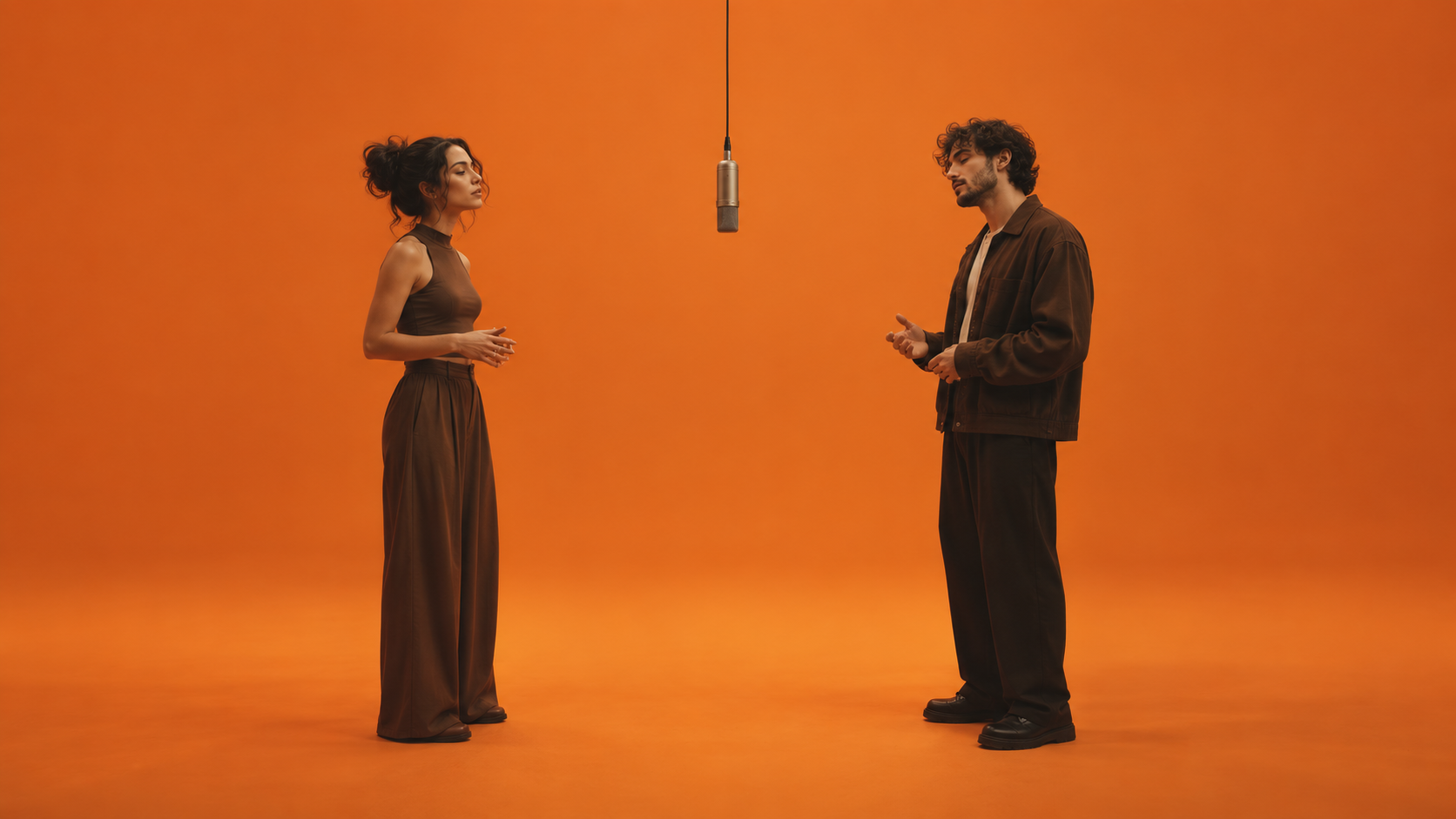
A fixed medium-wide shot of two fictional performers against a seamless warm-orange studio wall. One suspended microphone between them. The left performer makes a small hand gesture while the right performer listens. Keep both faces visible and the camera still. No cuts and no added text.
This has not been tested as a Hotel Lobby recreation. It specifies a manageable original action; it does not promise the source performance's choreography, identities, or audio.
Inspect the result before adding complexity
Watch once for composition, once for identity consistency, and once for movement. Note the first frame where a problem appears. If one face becomes obscured, revise the gesture or spacing before introducing a camera move. If the microphone wanders, simplify the scene and compare another attempt under the same settings.
Treat soundtrack selection as a separate production decision. Access to a generated video does not establish permission to reuse a song. For an original sound design, check the selected model's audio options and review the completed clip.
Browse Highsfield's published prompt examples for approaches to shot descriptions. Use those examples to improve your brief, while keeping the distinction between a general creation workflow and a verified trend-specific template clear.