
Study Video Storytelling with Seedance 2.5
Bring Your Creative Vision to Life
This generator uses the enabled Seedance 2.5 model for text-to-video and image-to-video. Review its supported settings and credit quote. Examples are general published inspiration; inspect each case for the model that created it.
Verified prompt
STYLE / OVERALL Format: Vertical 9:16. Environment: Lived-in, cozy home environment. Include visible, textured elements: a cluttered coffee table with magazines, a plush sofa, and warm, soft lighting from a table lamp. No more sterile, dark empty rooms. Skin: Natural, unfiltered skin texture with visible pores. SHOT-BY-SHOT SEQUENCE Shot 1 (0–2s): Half-Body Visual: She is sitting in a cozy, cluttered living room. A notification pops up on her phone screen with the clear text: "Hey, what are you doing?" Audio: Sharp "Ding!" notification sound. Shot 2 (2–4s): Half-Body Visual: She looks up, unimpressed. Speech (Lip-Sync): "So my ex just texted me for the first time in eight months—" Shot 3 (4–7s): Half-Body Visual: She rolls her eyes. Speech (Lip-Sync): "—and guess what I was wearing when I randomly bumped into him last week." Shot 4 (7–9.5s): Close-Up Insert Visual: Quick, snappy cut to the Élurea bottle being spritzed on her collarbone. Audio: Sharp spray SFX + snappy "whoosh." Shot 5 (9.5–12.5s): Half-Body Visual: She sits back with smug, "villain era" confidence. Speech (Lip-Sync): "Didn’t say a word to him. Didn’t have to." Shot 6 (12.5–15s): Extreme Macro Close-Up Visual: The camera zooms into an extreme macro view of the bottle. The label "Élurea" is perfectly clear, sharp, and centered in the frame. Speech (Lip-Sync): "This is the villain era."
STYLE / OVERALL Format: Vertical 9:16. Environment: Lived-in, cozy home environment. Include visible, textured elements: a cluttered coffee table with magazines, a plush sofa, and warm, soft lighting from a table lamp. No more sterile, dark empty rooms. Skin: Natural, unfiltered skin texture with visible pores. SHOT-BY-SHOT SEQUENCE Shot 1 (0–2s): Half-Body Visual: She is sitting in a cozy, cluttered living room. A notification pops up on her phone screen with the clear text: "Hey, what are you doing?" Audio: Sharp "Ding!" notification sound. Shot 2 (2–4s): Half-Body Visual: She looks up, unimpressed. Speech (Lip-Sync): "So my ex just texted me for the first time in eight months—" Shot 3 (4–7s): Half-Body Visual: She rolls her eyes. Speech (Lip-Sync): "—and guess what I was wearing when I randomly bumped into him last week." Shot 4 (7–9.5s): Close-Up Insert Visual: Quick, snappy cut to the Élurea bottle being spritzed on her collarbone. Audio: Sharp spray SFX + snappy "whoosh." Shot 5 (9.5–12.5s): Half-Body Visual: She sits back with smug, "villain era" confidence. Speech (Lip-Sync): "Didn’t say a word to him. Didn’t have to." Shot 6 (12.5–15s): Extreme Macro Close-Up Visual: The camera zooms into an extreme macro view of the bottle. The label "Élurea" is perfectly clear, sharp, and centered in the frame. Speech (Lip-Sync): "This is the villain era."
Verified prompt
ねこをモチーフにした小さなぬいぐるみ風の動物たちが、巨大なマカロンの天文台で星を見ているミニチュア世界。マカロンの屋根、クリームの望遠鏡、砂糖菓子の星、夜空の背景。丸い顔、小さな黒い点目、短い手足、400x736縦長の動画入力用。
ねこをモチーフにした小さなぬいぐるみ風の動物たちが、巨大なマカロンの天文台で星を見ているミニチュア世界。マカロンの屋根、クリームの望遠鏡、砂糖菓子の星、夜空の背景。丸い顔、小さな黒い点目、短い手足、400x736縦長の動画入力用。
Verified prompt
“Create a crisp, clean infographic storyboard poster for THE MILKSHAKE MAKER. Wide 16:9 layout, white background, black borders, bold black typography, premium Pixar 3D stylized rendering, bright vivid colors — creamy vanilla white, vivid red cherry, pure white whipped cream, chrome counter shine, warm diner neon glow, checkered floor red and white. Top header: THE MILKSHAKE MAKER TOTAL VIDEO TIME: 12 SECONDS 8 SHOTS · THICK · CREAMY · CLASSIC DINER Legend icons: ACTION, HEAT, TIME HINT, INGREDIENT Same Pixar-style young male soda jerk throughout — warm friendly smile, white paper hat, red bow tie, classic American diner setting, chrome counter, red vinyl stools, checkered floor, neon sign glowing in the window, warm afternoon light. 8 panels: Panel 1 — THE OPENER: Wide action shot. Soda jerk tosses the metal blender cup up with one hand and locks it firmly onto the mixer base with a confident flick of his wrist — motion frozen mid-action, his focused smile visible. Chrome counter, red vinyl stools and checkered floor visible around him. Different from the standing-and-presenting energy — this is action from frame one. Panel 2 — THE SCOOP: Close-up. Ice cream scoop digging deep into a tub of creamy vanilla ice cream — thick generous scoops lifted out and dropped into the metal blender cup one after another. Panel 3 — THE MILK: Wide medium with him fully visible. Soda jerk tilts a glass milk bottle, pouring a thick steady stream into the blender cup over the ice cream — his face focused, posture leaning slightly forward. Character back in frame. Panel 4 — THE BLEND: Dramatic close-up. Blender spinning at full speed — the milkshake swirling and churning vigorously inside the cup, a visible vortex forming, becoming completely smooth and impossibly thick. Panel 5 — THE POUR: Overhead locked shot looking straight down into the tall glass as the thick milkshake pours in from above — swirling and settling as it fills, the surface forming a slow spiral. Completely different angle from any other panel in the series. Panel 6 — THE CREAM: Wide medium with him fully visible. Soda jerk piping whipped cream in a tall perfect swirl on top of the milkshake — his hand steady and precise, face focused with concentration, the cream building higher with each pass. Panel 7 — THE CHERRY: Close-up dramatic, low side angle. A single bright red cherry falling from above into frame, about to land on the whipped cream peak — captured mid-fall at a completely different angle from the cream panel before it. Panel 8 — THE SIP: Wide warm shot, completely different setting energy from panel 1. Customer seated at the counter wraps both hands around the tall glass, leans in and takes the first sip through the straw — eyes closing in pure satisfaction, whipped cream on their nose. Soda jerk watching proudly from behind the counter, arms crossed, warm smile. Diner neon glowing softly behind them both. Footer: VIDEO FLOW: 8 shots × ~1.5s = 12 seconds. First scoop to first sip. CAMERA TIPS: wide action shot for the opener, close-up for the scoop, wide medium with him visible for the milk pour, dramatic close-up for the blend, overhead locked for the pour, wide medium with him visible for the whipped cream, close-up low side angle for the cherry, wide warm for the first sip LIGHT & STYLE: warm diner afternoon light, creamy vanilla white, vivid red cherry, pure white whipped cream, chrome counter shine, checkered floor, Pixar vivid warm colors throughout SODA JERK NOTES: one soda jerk, one glass, one perfect milkshake. Thick, creamy, and classic diner done right.”
“Create a crisp, clean infographic storyboard poster for THE MILKSHAKE MAKER. Wide 16:9 layout, white background, black borders, bold black typography, premium Pixar 3D stylized rendering, bright vivid colors — creamy vanilla white, vivid red cherry, pure white whipped cream, chrome counter shine, warm diner neon glow, checkered floor red and white. Top header: THE MILKSHAKE MAKER TOTAL VIDEO TIME: 12 SECONDS 8 SHOTS · THICK · CREAMY · CLASSIC DINER Legend icons: ACTION, HEAT, TIME HINT, INGREDIENT Same Pixar-style young male soda jerk throughout — warm friendly smile, white paper hat, red bow tie, classic American diner setting, chrome counter, red vinyl stools, checkered floor, neon sign glowing in the window, warm afternoon light. 8 panels: Panel 1 — THE OPENER: Wide action shot. Soda jerk tosses the metal blender cup up with one hand and locks it firmly onto the mixer base with a confident flick of his wrist — motion frozen mid-action, his focused smile visible. Chrome counter, red vinyl stools and checkered floor visible around him. Different from the standing-and-presenting energy — this is action from frame one. Panel 2 — THE SCOOP: Close-up. Ice cream scoop digging deep into a tub of creamy vanilla ice cream — thick generous scoops lifted out and dropped into the metal blender cup one after another. Panel 3 — THE MILK: Wide medium with him fully visible. Soda jerk tilts a glass milk bottle, pouring a thick steady stream into the blender cup over the ice cream — his face focused, posture leaning slightly forward. Character back in frame. Panel 4 — THE BLEND: Dramatic close-up. Blender spinning at full speed — the milkshake swirling and churning vigorously inside the cup, a visible vortex forming, becoming completely smooth and impossibly thick. Panel 5 — THE POUR: Overhead locked shot looking straight down into the tall glass as the thick milkshake pours in from above — swirling and settling as it fills, the surface forming a slow spiral. Completely different angle from any other panel in the series. Panel 6 — THE CREAM: Wide medium with him fully visible. Soda jerk piping whipped cream in a tall perfect swirl on top of the milkshake — his hand steady and precise, face focused with concentration, the cream building higher with each pass. Panel 7 — THE CHERRY: Close-up dramatic, low side angle. A single bright red cherry falling from above into frame, about to land on the whipped cream peak — captured mid-fall at a completely different angle from the cream panel before it. Panel 8 — THE SIP: Wide warm shot, completely different setting energy from panel 1. Customer seated at the counter wraps both hands around the tall glass, leans in and takes the first sip through the straw — eyes closing in pure satisfaction, whipped cream on their nose. Soda jerk watching proudly from behind the counter, arms crossed, warm smile. Diner neon glowing softly behind them both. Footer: VIDEO FLOW: 8 shots × ~1.5s = 12 seconds. First scoop to first sip. CAMERA TIPS: wide action shot for the opener, close-up for the scoop, wide medium with him visible for the milk pour, dramatic close-up for the blend, overhead locked for the pour, wide medium with him visible for the whipped cream, close-up low side angle for the cherry, wide warm for the first sip LIGHT & STYLE: warm diner afternoon light, creamy vanilla white, vivid red cherry, pure white whipped cream, chrome counter shine, checkered floor, Pixar vivid warm colors throughout SODA JERK NOTES: one soda jerk, one glass, one perfect milkshake. Thick, creamy, and classic diner done right.”
Verified prompt
TITLE: Cadbury 3 in 1 Chocolate Drink FORMAT: • Premium commercial storyboard sheet • Single-page portrait layout • Professional Swiss editorial grid • 3 × 4 storyboard layout (12 scenes) • Clean white premium paper background • Perfect spacing and symmetrical alignment • High-end advertising agency presentation • Client pitch deck quality • Luxury editorial composition HEADER: • Large bold centered product title • Small handwritten "Storyboard Title" note in top-left • Cute chocolate mascot illustration in top-right • Five premium information cards: - Duration: 30 Seconds - Style: POV Hand | Cozy Kitchen | Lifestyle Commercial - Audience: Teens & Adults - Audio Suggestion: Happy, Warm, Feel-good Music - Why This Style Works: Natural POV, Cozy Mood, Relatable Experience GRID STRUCTURE: • 12 premium storyboard cards • Equal card size • Perfect 3 columns × 4 rows • Rounded corners (18px) • Thin light-grey borders • Soft ambient shadows • Equal gutter spacing • Editorial magazine layout EACH STORYBOARD CARD: • Scene number inside white circular badge • Timestamp in top-right • Large cinematic image occupying 70% of card • Thin divider below image • Three information blocks: - Visual - Action - Dialogue • Bold labels with smaller supporting text • Clean typography hierarchy • Comfortable padding • Consistent spacing SCENE FLOW: 1. Product hero shot in hand 2. Opening the chocolate packet 3. Pouring chocolate powder into mug 4. Pouring hot water 5. Stirring smoothly 6. Rich creamy swirl close-up 7. Holding warm mug 8. Aroma beauty shot 9. First sip moment 10. Product beside prepared drink 11. Thumbs-up reaction 12. Final hero packshot with mascot VISUAL STYLE: • Cozy kitchen environment • Warm golden morning sunlight • Soft natural shadows • Creamy neutral color palette • Realistic product photography • Cinematic composition • Shallow depth of field • Premium commercial lighting • Lifestyle advertising aesthetic GRAPHIC ELEMENTS: • Tiny hand-drawn hearts • Sparkles • Stars • Cute doodles • Minimal arrows • Handwritten notes • Small chocolate mascot appearing naturally throughout • Decorative elements only around edges • Never cluttered TYPOGRAPHY: • Modern geometric sans-serif • Bold premium title • Editorial hierarchy • Elegant section labels • Highly readable body text • Consistent font sizes • Magazine-quality layout COLOR PALETTE: • Warm white • Soft cream • Light beige • Chocolate brown • Cadbury purple accents • Neutral grey typography • Warm golden highlights FOOTER: • Left: Total Duration – 30 Seconds • Center: 9:16 Vertical • Right: Style – POV Hand | Lifestyle | Cozy | Cute • Thin divider line above footer • Minimal premium information layout OVERALL AESTHETIC: Apple Keynote presentation, Pentagram design system, Behance featured project, Dribbble showcase quality, luxury editorial document, premium commercial storyboard, cinematic production board, advertising agency presentation, ultra clean, minimal, elegant, highly organized, print-ready, 8K, ultra detailed.
TITLE: Cadbury 3 in 1 Chocolate Drink FORMAT: • Premium commercial storyboard sheet • Single-page portrait layout • Professional Swiss editorial grid • 3 × 4 storyboard layout (12 scenes) • Clean white premium paper background • Perfect spacing and symmetrical alignment • High-end advertising agency presentation • Client pitch deck quality • Luxury editorial composition HEADER: • Large bold centered product title • Small handwritten "Storyboard Title" note in top-left • Cute chocolate mascot illustration in top-right • Five premium information cards: - Duration: 30 Seconds - Style: POV Hand | Cozy Kitchen | Lifestyle Commercial - Audience: Teens & Adults - Audio Suggestion: Happy, Warm, Feel-good Music - Why This Style Works: Natural POV, Cozy Mood, Relatable Experience GRID STRUCTURE: • 12 premium storyboard cards • Equal card size • Perfect 3 columns × 4 rows • Rounded corners (18px) • Thin light-grey borders • Soft ambient shadows • Equal gutter spacing • Editorial magazine layout EACH STORYBOARD CARD: • Scene number inside white circular badge • Timestamp in top-right • Large cinematic image occupying 70% of card • Thin divider below image • Three information blocks: - Visual - Action - Dialogue • Bold labels with smaller supporting text • Clean typography hierarchy • Comfortable padding • Consistent spacing SCENE FLOW: 1. Product hero shot in hand 2. Opening the chocolate packet 3. Pouring chocolate powder into mug 4. Pouring hot water 5. Stirring smoothly 6. Rich creamy swirl close-up 7. Holding warm mug 8. Aroma beauty shot 9. First sip moment 10. Product beside prepared drink 11. Thumbs-up reaction 12. Final hero packshot with mascot VISUAL STYLE: • Cozy kitchen environment • Warm golden morning sunlight • Soft natural shadows • Creamy neutral color palette • Realistic product photography • Cinematic composition • Shallow depth of field • Premium commercial lighting • Lifestyle advertising aesthetic GRAPHIC ELEMENTS: • Tiny hand-drawn hearts • Sparkles • Stars • Cute doodles • Minimal arrows • Handwritten notes • Small chocolate mascot appearing naturally throughout • Decorative elements only around edges • Never cluttered TYPOGRAPHY: • Modern geometric sans-serif • Bold premium title • Editorial hierarchy • Elegant section labels • Highly readable body text • Consistent font sizes • Magazine-quality layout COLOR PALETTE: • Warm white • Soft cream • Light beige • Chocolate brown • Cadbury purple accents • Neutral grey typography • Warm golden highlights FOOTER: • Left: Total Duration – 30 Seconds • Center: 9:16 Vertical • Right: Style – POV Hand | Lifestyle | Cozy | Cute • Thin divider line above footer • Minimal premium information layout OVERALL AESTHETIC: Apple Keynote presentation, Pentagram design system, Behance featured project, Dribbble showcase quality, luxury editorial document, premium commercial storyboard, cinematic production board, advertising agency presentation, ultra clean, minimal, elegant, highly organized, print-ready, 8K, ultra detailed.
Verified prompt
Create a highly photorealistic empty cinema auditorium very closely inspired by a real 4DX with ScreenX room, matching the look of a modern commercial theater with a centered front screen and projection continuing across the tall left and right side walls. Use a symmetrical wide-angle view from the back of the room. Show black premium cinema seats in rows with a central aisle, subtle blue floor lighting along the aisle, dark walls, and a ceiling with evenly spaced long horizontal white linear lights. The room should feel sleek, minimal, and realistic, with the side walls functioning as ScreenX projection surfaces. All screens must be turned off and appear as clean deep-black inactive surfaces, including the main front screen and both side walls, with no movie image, no light content, no text, and no logos. Keep the room empty with no audience and no people anywhere. Emphasize realistic multiplex architecture, clean geometry, realistic materials, subtle reflections, cinematic shadows, and a high-end ultra-realistic photography style. No branding, no watermark, no posters, no on-screen content.
Create a highly photorealistic empty cinema auditorium very closely inspired by a real 4DX with ScreenX room, matching the look of a modern commercial theater with a centered front screen and projection continuing across the tall left and right side walls. Use a symmetrical wide-angle view from the back of the room. Show black premium cinema seats in rows with a central aisle, subtle blue floor lighting along the aisle, dark walls, and a ceiling with evenly spaced long horizontal white linear lights. The room should feel sleek, minimal, and realistic, with the side walls functioning as ScreenX projection surfaces. All screens must be turned off and appear as clean deep-black inactive surfaces, including the main front screen and both side walls, with no movie image, no light content, no text, and no logos. Keep the room empty with no audience and no people anywhere. Emphasize realistic multiplex architecture, clean geometry, realistic materials, subtle reflections, cinematic shadows, and a high-end ultra-realistic photography style. No branding, no watermark, no posters, no on-screen content.
Verified prompt
风格:真实、高级、自然光汽车时尚短片,白天城市光线,快节奏卡点混剪 人物锁定: 始终使用参考图中的同一位棕发女性。五官、发型、肤色、年龄和身材比例全程一致,绝不换脸。 穿搭与车辆固定组合(全片不得串换): 组合A:黄色短款吊带背心+黑色白边运动短裤+白色运动鞋 ←→ 黑黄双色内饰豪华SUV 组合B:黑色一字肩修身连衣裙+金色细腰带 ←→ 酒红色皮革内饰敞篷跑车 组合C:黑色机车皮夹克+白色内搭+高腰喇叭牛仔裤 ←→ 深红色内饰轿跑 组合D:奶油白短款西装+同色A字短裙+珍珠项链 ←→ 米白色内饰轿车 组合E:雾霾蓝修身运动套装+白色棒球帽+白色斜挎小包 ←→ 冷灰浅蓝内饰运动轿跑 摄影规则: 固定副驾驶机位,斜拍驾驶位,人物位于画面中间偏右,方向盘位于右侧前景。换车后保持相近的脸部大小、坐姿、视线、安全带角度和扶方向盘位置。行驶镜头车外景物始终从右向左移动,阳光和树影在人物身上流动。 所有变装和换车均使用音乐重拍上的单帧硬切。没有魔法变装、渐变或复杂特效。 SHOT 1|上车动作匹配(0-5秒) 0-1.6秒:组合A。主角坐进SUV驾驶位,低头拉过安全带,右手拉住肩带,左手摸向腰侧卡扣,嘴里轻轻哼着歌。1.6秒在卡扣即将扣合时硬切。 1.6-3.1秒:组合B。保持相同低头角度、手部位置和安全带方向,她无缝接续上一镜的动作把安全带"咔哒"扣好,随手理了一下裙摆。3.1秒硬切。 3.1-4.0秒:组合C。她从驾驶门坐入,同时把黑色手提包干脆地甩向左侧副驾驶座。4.0秒在包甩过画面中线时硬切。 4.0-5.0秒:组合D。浅色手提包沿完全相同的轨迹继续飞向副驾驶座稳稳落下,她坐稳后右手顺势带上车门,回头朝副驾方向轻轻一笑。 SHOT 2|驾驶变装轮换(5-12.5秒) 5.0-6.4秒:硬切到车辆已在行驶。组合B,安全带已系好,右手扶方向盘,左手搭在腿上,短发被气流轻轻吹动,她跟着音乐微微点头。6.4秒硬切。 6.4-7.7秒:组合A,保持人物姿态和构图,她看向前方道路,手指在方向盘上打拍子。7.7秒硬切。 7.7-9.0秒:组合E,右手扶方向盘,左手轻轻把耳边短发别到耳后,目光扫了一眼副驾驶座。9.0秒硬切。 9.0-10.2秒:组合C,保持相同坐姿,她短暂看向镜头挑了下眉,随即转回道路。10.2秒硬切。 10.2-11.3秒:组合D,浅色手提包放在副驾驶座上,她平稳驾驶,嘴角带笑像在跟副驾聊天。11.3秒硬切。 11.3-12.5秒:组合B,她微微抬起下巴,从容驾驶,窗外光影快速掠过。 SHOT 3|快速轮换与收尾(12.5-15秒) 12.5-13.2秒:踩重拍硬切组合A,她正随节奏轻晃肩膀。 13.2-13.9秒:保持头部、肩膀和手部位置,硬切组合D。 13.9-15.0秒:最后硬切组合C。主角双手短暂握住方向盘,随后微微转脸看向镜头,露出自信、克制的表情,干净定格结束。 音效设计: 开场安全带"咔哒"声接轻快鼓点;每次硬切落在音乐重拍上,配极短的切换音效;行驶段有轻微引擎声和风声垫底;结尾重拍收束。 剪辑要求: 每次切换都必须是干净的单帧硬切。硬切前后人物的头部位置、肩膀高度、安全带斜线、视线方向和方向盘位置尽量对齐。车辆只通过座椅颜色、内饰材质和车顶结构区分,不展示车辆外观。人物每个镜头必须有具体的小动作(哼歌、打拍子、别头发、点头、微笑、挑眉),禁止任何镜头呆坐不动。 负面提示词: 换脸,长发,人物比例变化,服装融化,服装与车辆组合错乱,车辆内饰变形,渐变变装,粒子转场,闪白转场,旋转转场,机位漂移,方向盘换边,安全带方向改变,手部畸形,多余肢体,包漂浮,错误文字,字幕,水印,塑料CG质感
风格:真实、高级、自然光汽车时尚短片,白天城市光线,快节奏卡点混剪 人物锁定: 始终使用参考图中的同一位棕发女性。五官、发型、肤色、年龄和身材比例全程一致,绝不换脸。 穿搭与车辆固定组合(全片不得串换): 组合A:黄色短款吊带背心+黑色白边运动短裤+白色运动鞋 ←→ 黑黄双色内饰豪华SUV 组合B:黑色一字肩修身连衣裙+金色细腰带 ←→ 酒红色皮革内饰敞篷跑车 组合C:黑色机车皮夹克+白色内搭+高腰喇叭牛仔裤 ←→ 深红色内饰轿跑 组合D:奶油白短款西装+同色A字短裙+珍珠项链 ←→ 米白色内饰轿车 组合E:雾霾蓝修身运动套装+白色棒球帽+白色斜挎小包 ←→ 冷灰浅蓝内饰运动轿跑 摄影规则: 固定副驾驶机位,斜拍驾驶位,人物位于画面中间偏右,方向盘位于右侧前景。换车后保持相近的脸部大小、坐姿、视线、安全带角度和扶方向盘位置。行驶镜头车外景物始终从右向左移动,阳光和树影在人物身上流动。 所有变装和换车均使用音乐重拍上的单帧硬切。没有魔法变装、渐变或复杂特效。 SHOT 1|上车动作匹配(0-5秒) 0-1.6秒:组合A。主角坐进SUV驾驶位,低头拉过安全带,右手拉住肩带,左手摸向腰侧卡扣,嘴里轻轻哼着歌。1.6秒在卡扣即将扣合时硬切。 1.6-3.1秒:组合B。保持相同低头角度、手部位置和安全带方向,她无缝接续上一镜的动作把安全带"咔哒"扣好,随手理了一下裙摆。3.1秒硬切。 3.1-4.0秒:组合C。她从驾驶门坐入,同时把黑色手提包干脆地甩向左侧副驾驶座。4.0秒在包甩过画面中线时硬切。 4.0-5.0秒:组合D。浅色手提包沿完全相同的轨迹继续飞向副驾驶座稳稳落下,她坐稳后右手顺势带上车门,回头朝副驾方向轻轻一笑。 SHOT 2|驾驶变装轮换(5-12.5秒) 5.0-6.4秒:硬切到车辆已在行驶。组合B,安全带已系好,右手扶方向盘,左手搭在腿上,短发被气流轻轻吹动,她跟着音乐微微点头。6.4秒硬切。 6.4-7.7秒:组合A,保持人物姿态和构图,她看向前方道路,手指在方向盘上打拍子。7.7秒硬切。 7.7-9.0秒:组合E,右手扶方向盘,左手轻轻把耳边短发别到耳后,目光扫了一眼副驾驶座。9.0秒硬切。 9.0-10.2秒:组合C,保持相同坐姿,她短暂看向镜头挑了下眉,随即转回道路。10.2秒硬切。 10.2-11.3秒:组合D,浅色手提包放在副驾驶座上,她平稳驾驶,嘴角带笑像在跟副驾聊天。11.3秒硬切。 11.3-12.5秒:组合B,她微微抬起下巴,从容驾驶,窗外光影快速掠过。 SHOT 3|快速轮换与收尾(12.5-15秒) 12.5-13.2秒:踩重拍硬切组合A,她正随节奏轻晃肩膀。 13.2-13.9秒:保持头部、肩膀和手部位置,硬切组合D。 13.9-15.0秒:最后硬切组合C。主角双手短暂握住方向盘,随后微微转脸看向镜头,露出自信、克制的表情,干净定格结束。 音效设计: 开场安全带"咔哒"声接轻快鼓点;每次硬切落在音乐重拍上,配极短的切换音效;行驶段有轻微引擎声和风声垫底;结尾重拍收束。 剪辑要求: 每次切换都必须是干净的单帧硬切。硬切前后人物的头部位置、肩膀高度、安全带斜线、视线方向和方向盘位置尽量对齐。车辆只通过座椅颜色、内饰材质和车顶结构区分,不展示车辆外观。人物每个镜头必须有具体的小动作(哼歌、打拍子、别头发、点头、微笑、挑眉),禁止任何镜头呆坐不动。 负面提示词: 换脸,长发,人物比例变化,服装融化,服装与车辆组合错乱,车辆内饰变形,渐变变装,粒子转场,闪白转场,旋转转场,机位漂移,方向盘换边,安全带方向改变,手部畸形,多余肢体,包漂浮,错误文字,字幕,水印,塑料CG质感
Verified prompt
Create a crisp, clean infographic storyboard poster for THE FIREFIGHTER. Wide 16:9 layout, white background, black borders, bold black typography, premium Pixar 3D stylized rendering, intense dramatic colors — fiery deep oranges, emergency red, smoke charcoal grays, bright helmet yellows, heroic steel blues. Top header: THE FIREFIGHTER TOTAL VIDEO TIME: 15 SECONDS 8 SHOTS · INTENSE · HEROIC · POWERFUL Legend icons: ACTION, DANGER, TIME HINT, GEAR Same Pixar-style firefighter throughout: strong brave young woman, full turnout gear, yellow helmet, urban fire station and city street setting, dramatic emergency lighting. 8 panels: → Alarm sounds — firefighter leaps from bunk, alarm light flashes red, station erupts into action → Gearing up — turnout pants pulled on, jacket zipped, helmet snapped on in rapid fluid motion → Down the pole — slides down fire pole with speed and precision, lands perfectly ready → Engine rolls — fire truck bursts through station doors, lights blazing, siren screaming into city → Arrives at scene — truck stops, smoke pouring from building, firefighter jumps out focused and calm → Hose deployed — heavy hose shouldered, valve cranked open, powerful water stream erupts out → Into the smoke — firefighter pushes through smoke and heat, mask on, fearless and determined → Rescue complete — emerges from building carrying survivor, colleagues cheer, sunrise breaking behind Footer: VIDEO FLOW: 8 shots × ~1.5s = 15 seconds. Alarm to rescue. CAMERA TIPS: close-up on gear snap, hose water eruption, and final sunrise rescue, wide on fire scene arrival, dramatic low angle on engine rolling out LIGHT & STYLE: dramatic emergency lighting, fiery deep oranges, emergency reds, smoke charcoal grays, heroic steel blues, shallow depth of field, Pixar vivid heroic colors FIREFIGHTER NOTES: one firefighter, one rescue, one heroic moment. Intense, powerful, deeply inspiring.
Create a crisp, clean infographic storyboard poster for THE FIREFIGHTER. Wide 16:9 layout, white background, black borders, bold black typography, premium Pixar 3D stylized rendering, intense dramatic colors — fiery deep oranges, emergency red, smoke charcoal grays, bright helmet yellows, heroic steel blues. Top header: THE FIREFIGHTER TOTAL VIDEO TIME: 15 SECONDS 8 SHOTS · INTENSE · HEROIC · POWERFUL Legend icons: ACTION, DANGER, TIME HINT, GEAR Same Pixar-style firefighter throughout: strong brave young woman, full turnout gear, yellow helmet, urban fire station and city street setting, dramatic emergency lighting. 8 panels: → Alarm sounds — firefighter leaps from bunk, alarm light flashes red, station erupts into action → Gearing up — turnout pants pulled on, jacket zipped, helmet snapped on in rapid fluid motion → Down the pole — slides down fire pole with speed and precision, lands perfectly ready → Engine rolls — fire truck bursts through station doors, lights blazing, siren screaming into city → Arrives at scene — truck stops, smoke pouring from building, firefighter jumps out focused and calm → Hose deployed — heavy hose shouldered, valve cranked open, powerful water stream erupts out → Into the smoke — firefighter pushes through smoke and heat, mask on, fearless and determined → Rescue complete — emerges from building carrying survivor, colleagues cheer, sunrise breaking behind Footer: VIDEO FLOW: 8 shots × ~1.5s = 15 seconds. Alarm to rescue. CAMERA TIPS: close-up on gear snap, hose water eruption, and final sunrise rescue, wide on fire scene arrival, dramatic low angle on engine rolling out LIGHT & STYLE: dramatic emergency lighting, fiery deep oranges, emergency reds, smoke charcoal grays, heroic steel blues, shallow depth of field, Pixar vivid heroic colors FIREFIGHTER NOTES: one firefighter, one rescue, one heroic moment. Intense, powerful, deeply inspiring.
Verified prompt
Main Subject: Young Korean woman, early 20s, natural everyday appearance, faded charcoal-grey sleeveless crop top, loose high-waisted light-wash jeans, black canvas sneakers, black cord necklace, black wavy hair in a messy side ponytail with wispy bangs. Realistic skin texture, minimal makeup, warm and approachable personality. Maintain identical identity, clothing, hairstyle, and appearance throughout. Rooftop Evening Location: Small Korean rooftop terrace overlooking neighborhood rooftops. 00:00–00:03 She carries a cup of coffee upstairs. 00:03–00:06 She leans on the railing watching birds fly overhead. 00:06–00:09 Wind gently moves her hair. 00:09–00:12 She laughs after hearing someone call her name. 00:12–00:15 She smiles at the camera while sunset light fades before an abrupt cut.
Main Subject: Young Korean woman, early 20s, natural everyday appearance, faded charcoal-grey sleeveless crop top, loose high-waisted light-wash jeans, black canvas sneakers, black cord necklace, black wavy hair in a messy side ponytail with wispy bangs. Realistic skin texture, minimal makeup, warm and approachable personality. Maintain identical identity, clothing, hairstyle, and appearance throughout. Rooftop Evening Location: Small Korean rooftop terrace overlooking neighborhood rooftops. 00:00–00:03 She carries a cup of coffee upstairs. 00:03–00:06 She leans on the railing watching birds fly overhead. 00:06–00:09 Wind gently moves her hair. 00:09–00:12 She laughs after hearing someone call her name. 00:12–00:15 She smiles at the camera while sunset light fades before an abrupt cut.
Verified prompt
Bullet time effect. A businessman in white shirt and black tie slipping and falling backwards on an icy wet street in Wall Street, New York. Coffee cup standing on ground, liquid exploding outward frozen in mid-air. Ice chunks, water droplets, and coffee splash all completely suspended time is frozen. Tall buildings on both sides creating a canyon effect. The camera smoothly orbits 360 degrees around the falling man at low ground level angle, only the camera moves while everything else remains perfectly still. Cinematic, overcast dramatic lighting, wide angle lens distortion.
Bullet time effect. A businessman in white shirt and black tie slipping and falling backwards on an icy wet street in Wall Street, New York. Coffee cup standing on ground, liquid exploding outward frozen in mid-air. Ice chunks, water droplets, and coffee splash all completely suspended time is frozen. Tall buildings on both sides creating a canyon effect. The camera smoothly orbits 360 degrees around the falling man at low ground level angle, only the camera moves while everything else remains perfectly still. Cinematic, overcast dramatic lighting, wide angle lens distortion.
Verified prompt
BROADCAST TYPE: Live business news report covering a sudden stock market crash during trading hours. ON-AIR REPORTER: Female journalist, early 30s. Sharp blazer, earpiece, handheld mic with financial network logo. Composed but visibly tense. LIVE BROADCAST TIME: 11:20 AM. Bright daylight, glass-walled trading floor visible behind glass partition. REPORT LOCATION: Outside a stock exchange building. Digital ticker boards flashing red numbers. Traders visible through windows, gesturing anxiously. Passersby stopping to check phones. BROADCAST CAMERA: Steady tripod-mounted main shot with a secondary handheld cutaway camera. Occasional quick zoom to ticker board numbers dropping. Reflections of red digital numbers on glass. LIVE SEGMENTS: Opening: Reporter explains the sudden index drop and market panic. Update: Camera cuts to trading floor screens showing plunging graphs. Eyewitness Moment: A trader stepping outside briefly comments on the chaos. Situation Change: Ticker shows a fresh plunge, reporter reacts live to the number. Closing: Reporter signs off, noting market will be watched closely into afternoon. LIVE AUDIO: Muffled trading floor shouting, city traffic, notification pings from nearby phones, reporter's controlled voice, no music. BROADCAST REALISM: Genuine tension, traders ignoring camera, real-time number changes driving reactions, natural interruptions from passersby glancing at screens.
BROADCAST TYPE: Live business news report covering a sudden stock market crash during trading hours. ON-AIR REPORTER: Female journalist, early 30s. Sharp blazer, earpiece, handheld mic with financial network logo. Composed but visibly tense. LIVE BROADCAST TIME: 11:20 AM. Bright daylight, glass-walled trading floor visible behind glass partition. REPORT LOCATION: Outside a stock exchange building. Digital ticker boards flashing red numbers. Traders visible through windows, gesturing anxiously. Passersby stopping to check phones. BROADCAST CAMERA: Steady tripod-mounted main shot with a secondary handheld cutaway camera. Occasional quick zoom to ticker board numbers dropping. Reflections of red digital numbers on glass. LIVE SEGMENTS: Opening: Reporter explains the sudden index drop and market panic. Update: Camera cuts to trading floor screens showing plunging graphs. Eyewitness Moment: A trader stepping outside briefly comments on the chaos. Situation Change: Ticker shows a fresh plunge, reporter reacts live to the number. Closing: Reporter signs off, noting market will be watched closely into afternoon. LIVE AUDIO: Muffled trading floor shouting, city traffic, notification pings from nearby phones, reporter's controlled voice, no music. BROADCAST REALISM: Genuine tension, traders ignoring camera, real-time number changes driving reactions, natural interruptions from passersby glancing at screens.
Verified prompt
90年代の日本アニメ風 伝説の剣を抜くためにやってきたキャラクター 大見得を切るセリフを話しながら思いっきり抜くために叫びながら踏ん張るが オナラをしてしまい情けない時間が流れる カメラもすごい演出 風が吹き荒れる そしてオナラをする すると 無音になり一瞬世界が止まり 剣が抜けてやったーと言う
90年代の日本アニメ風 伝説の剣を抜くためにやってきたキャラクター 大見得を切るセリフを話しながら思いっきり抜くために叫びながら踏ん張るが オナラをしてしまい情けない時間が流れる カメラもすごい演出 風が吹き荒れる そしてオナラをする すると 無音になり一瞬世界が止まり 剣が抜けてやったーと言う
Verified prompt
“Anime visual reference sheet, hand-drawn animation art style, clean cream beige background #F5F0E8. Bold clean outlines, cel shading, pure 2D anime illustration. Title: SMASH BURGER in large bold dark lettering top left, subtitle: VISUAL REFERENCE SHEET — hand-drawn animation with decorative leaf ornaments. TOP LEFT — INGREDIENTS PANEL with border: Six illustrated ingredients in a row each with label and description below — Raw beef ball (smooth and round, glistening), Brioche bun (golden, sliced in half showing pillowy interior), American cheese (single square slice pale yellow), Fresh lettuce (bright crispy green leaf), Tomato slice (deep red, juice visible), Special sauce (in a small bowl, cream orange color). BOTTOM LEFT — TOOLS PANEL with border: Four illustrated tools in a row each labeled — Heavy metal spatula (for smashing), Cast iron griddle (dark and seasoned), Kitchen knife (wooden handle, for slicing), White ceramic plate (for serving). Plus one large feature illustration: cross section of the finished burger showing all layers clearly labeled. TOP RIGHT — FINISHED BURGER large hero illustration: A perfect smash burger on a white plate, top bun slightly askew, melted cheese dripping down the sides, sauce visible, sesame seeds on the bun, steam rising, shot from a slight angle showing height and layers. BOTTOM RIGHT — MAKING PROCESS PANEL: Five numbered steps with small illustrations — 1. Beef ball dropped on hot griddle sizzling. 2. Spatula smashing it flat edges crisping. 3. Cheese slice melting over the patty. 4. Layers stacked one by one on toasted bun. 5. Top bun pressed down knife slicing through center revealing all layers. BOTTOM — COLOR PALETTE row of labeled swatches: Brioche Gold #D4A55A, Raw Meat Red #8B1A1A, Crisped Brown #3D1F0A, Cheese Yellow #F5C518, Lettuce Green #4A7C59, Tomato Red #C0392B, Sauce Cream #F5ECD7, Griddle Black #1C1C1C, Background #F5F0E8. Bold anime outlines, cel shading, flat colors with soft shadows, hand-drawn animation food illustration style, identical layout and visual style to the Neapolitan Pizza reference sheet.”
“Anime visual reference sheet, hand-drawn animation art style, clean cream beige background #F5F0E8. Bold clean outlines, cel shading, pure 2D anime illustration. Title: SMASH BURGER in large bold dark lettering top left, subtitle: VISUAL REFERENCE SHEET — hand-drawn animation with decorative leaf ornaments. TOP LEFT — INGREDIENTS PANEL with border: Six illustrated ingredients in a row each with label and description below — Raw beef ball (smooth and round, glistening), Brioche bun (golden, sliced in half showing pillowy interior), American cheese (single square slice pale yellow), Fresh lettuce (bright crispy green leaf), Tomato slice (deep red, juice visible), Special sauce (in a small bowl, cream orange color). BOTTOM LEFT — TOOLS PANEL with border: Four illustrated tools in a row each labeled — Heavy metal spatula (for smashing), Cast iron griddle (dark and seasoned), Kitchen knife (wooden handle, for slicing), White ceramic plate (for serving). Plus one large feature illustration: cross section of the finished burger showing all layers clearly labeled. TOP RIGHT — FINISHED BURGER large hero illustration: A perfect smash burger on a white plate, top bun slightly askew, melted cheese dripping down the sides, sauce visible, sesame seeds on the bun, steam rising, shot from a slight angle showing height and layers. BOTTOM RIGHT — MAKING PROCESS PANEL: Five numbered steps with small illustrations — 1. Beef ball dropped on hot griddle sizzling. 2. Spatula smashing it flat edges crisping. 3. Cheese slice melting over the patty. 4. Layers stacked one by one on toasted bun. 5. Top bun pressed down knife slicing through center revealing all layers. BOTTOM — COLOR PALETTE row of labeled swatches: Brioche Gold #D4A55A, Raw Meat Red #8B1A1A, Crisped Brown #3D1F0A, Cheese Yellow #F5C518, Lettuce Green #4A7C59, Tomato Red #C0392B, Sauce Cream #F5ECD7, Griddle Black #1C1C1C, Background #F5F0E8. Bold anime outlines, cel shading, flat colors with soft shadows, hand-drawn animation food illustration style, identical layout and visual style to the Neapolitan Pizza reference sheet.”
Seedance 2.5 AI Video Generator
Develop your Seedance 2.5 video brief around the result you need. Keep the main direction specific, check supported settings in the generator, and review the completed work before using it in your project.
Describe speech, ambient sound and music as separate directions in your Seedance 2.5 video brief. Audio output depends on the selected model and the options shown in the generator; check the finished clip rather than assuming sound is included.
Explore Seedance 2.5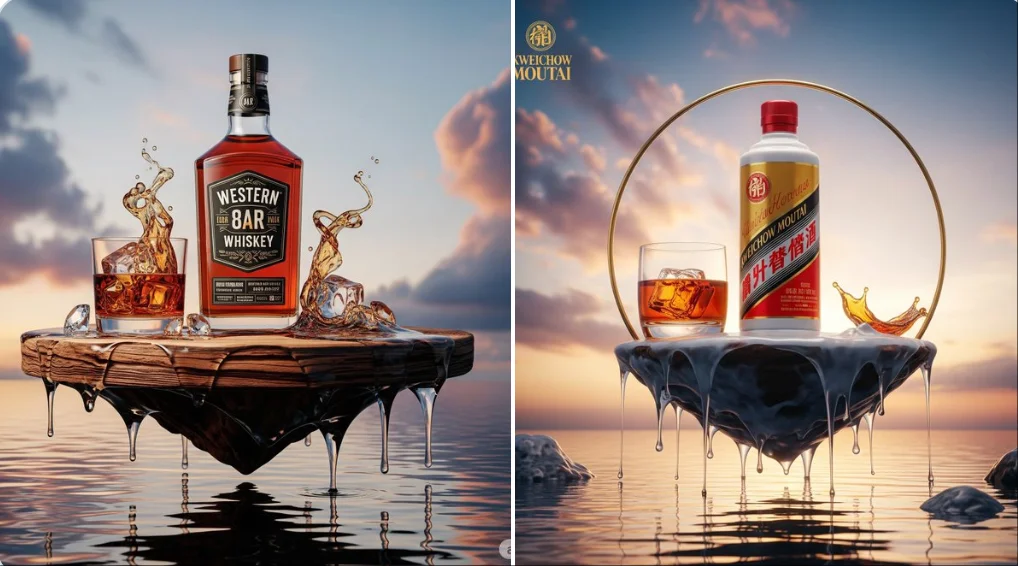
From a Brief to a Reviewed Video: The Seedance 2.5 Workflow
Choose your input, describe a shot, review the settings and credits, then inspect the completed video.
Choose Text to Video / Image to Video
For your Seedance 2.5 video brief, describe how the subject should move from its starting pose. If the selected model supports an image or ending frame, use it to explain composition and continuity. Do not assume every reference type is accepted.
Enter prompt
Write your Seedance 2.5 video brief around one visible action. Add the setting, shot size, camera movement and lighting. Keep dialogue and sound cues separate from the visual instructions so the intended scene is easy to understand.
Review Availability, Settings and Credits
Review the selected model, duration, aspect ratio, resolution and audio option where available. Check the credit quote before submitting.
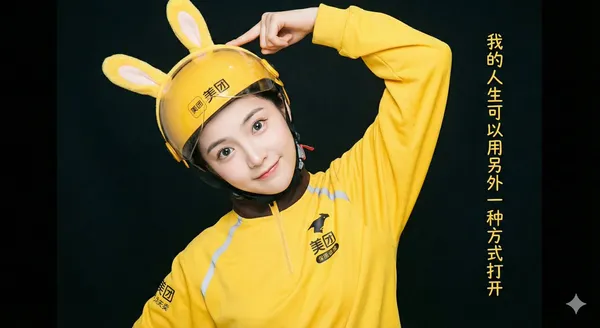
Review and Download Completed Results
When a request completes, inspect the video in History and download the result you want to keep. Review the composition and any unintended details before sharing it with your team or publishing it.
Explore Related Video Workflows
Use the related pages to compare input workflows. Confirm the selected model on each page before preparing references.
Build Your Seedance 2.5 Video Brief
Build the brief around references, sound, camera movement and one main action.
Use References to Explain the Intended Result
A supported reference image can establish the starting composition. Describe how the subject should move from that pose.
- Use text-to-video for a scene described in words.
- Use image-to-video when the selected model accepts a reference image.
- For a product reference, keep the shape and materials accurate and describe the intended movement.
Plan Sound and Visuals for Your Seedance 2.5 Video
Keep sound directions separate from the visual action. Audio availability depends on the selected model and settings.
- Check whether the selected model offers an audio option.
- Describe speech, ambient sound and music as separate cues when audio is supported.
- Listen to the completed clip and check that its sound fits the scene.
Describe Camera Movement and Timing
Describe one camera move and how it relates to the subject. Keep the action simple enough to review across the whole clip.
- State the intended move, such as a slow pan, a push-in or a tracking shot.
- Describe the direction and pace of the subject’s movement.
- Check the result for sudden camera changes, distorted motion and continuity errors.
Plan One Clear Action per Shot
Give the subject one visible action, with a clear starting pose and direction of movement.
- Review character details and scene continuity throughout the completed clip.
- For an advertisement or social post, check the final framing and leave space for captions added during editing.
- Check the applicable model and platform terms before using a result commercially. You are responsible for the rights to uploaded images, identifiable people, logos and any other source material in your Seedance 2.5 video brief.
A Clearer Creative Brief for Seedance 2.5
Before submitting, check that the references, sound directions and shot timing support the same scene.
Use References to Explain the Intended Result
Choose a reference that clearly shows the subject and starting pose, and use only the reference types accepted by the selected model.
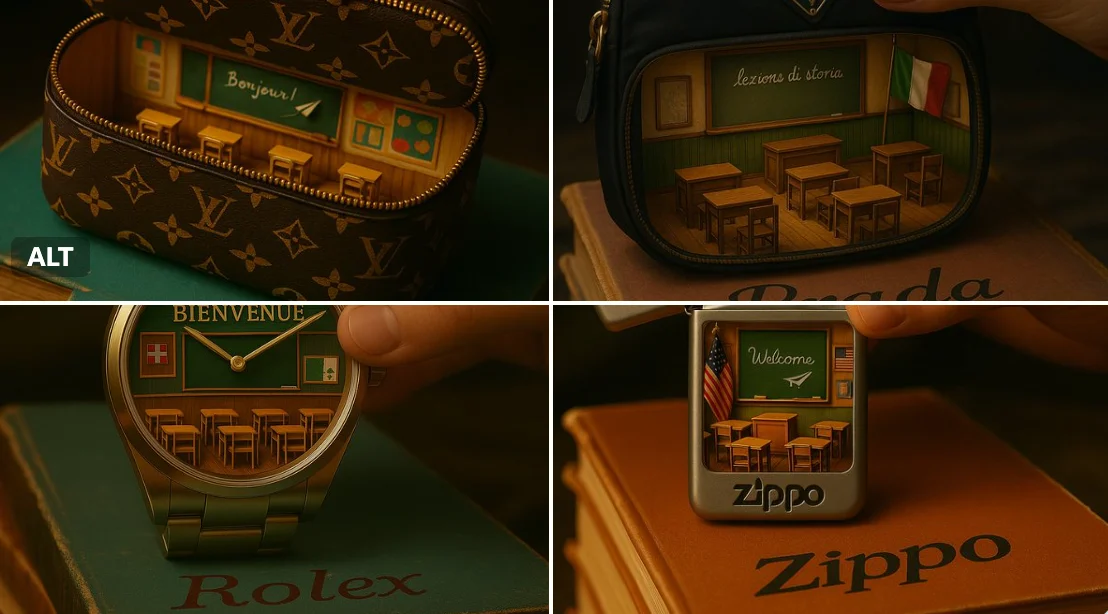
Plan Sound and Visuals for Your Seedance 2.5 Video
Write sound cues separately and enable audio only when the model supports it. Review the delivered soundtrack before sharing.
Describe Camera Movement and Timing
Describe the shot size, camera direction and pace. Keep competing camera moves out of the same short clip.
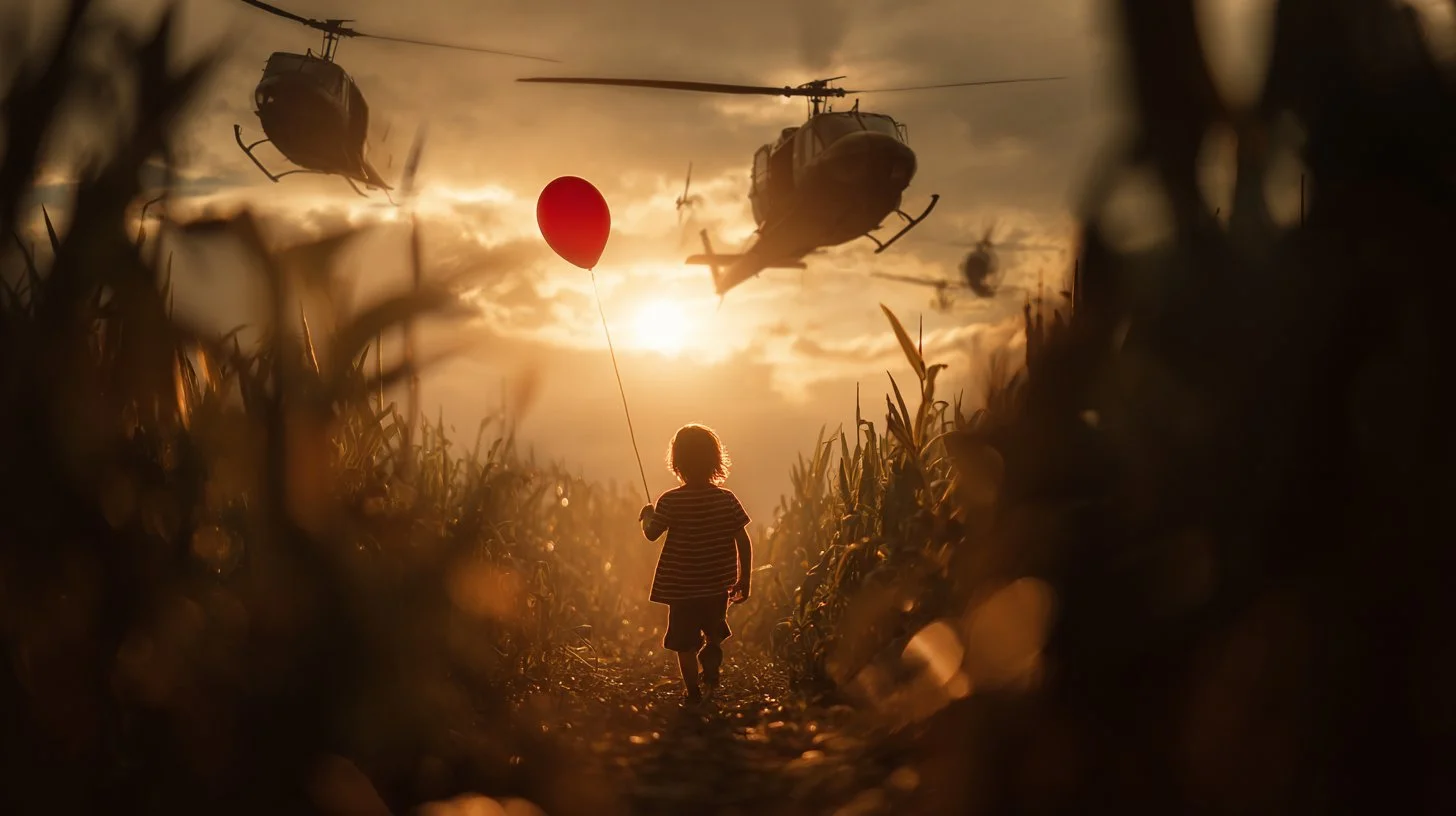
Plan One Clear Action per Shot
Choose one action that fits the selected duration. Review the opening and ending before planning another shot.
Creative Notes for Your Seedance 2.5 Video Brief
Give the main subject one clear action. For a Seedance 2.5 concept, a precise brief is easier to assess than a list of competing effects.
Seedance 2.5 Video Workflow: Questions & Answers
Use these answers to check inputs, audio and output settings before starting a request.
This Highsfield page explains the Seedance 2.5 video workflow. It helps you write a focused brief and review the available inputs. Current access is shown in the generator; a model name on a guide does not mean it currently accepts requests.
Use only the input modes and controls offered by the selected model. Describe the intended video clearly and add supported references when useful. This page does not promise separate motion-brush, audio-upload, restoration or editing tools.
Describe speech, ambient sound and music as separate directions in your Seedance 2.5 video brief. Audio output depends on the selected model and the options shown in the generator; check the finished clip rather than assuming sound is included.
For a Seedance 2.5 product concept, specify the product shape, material, key detail and setting. Keep logos and claims accurate, allow room for your own typography, and review the result before using it in an advertisement.
List the details that matter in your Seedance 2.5 video brief: identity, shape, colors, clothing and background. Use supported references where appropriate and compare every result; exact consistency is not guaranteed.
Choose only the resolution and aspect ratio shown for the selected model. Check framing, fine details and any text in the completed video. A larger output size does not guarantee a more accurate result.
You can request a refund within 10 days of purchase if you have unused credits from that purchase and provide a clear reason, subject to our Refund Policy. If eligible, an unused purchase can be fully refunded; a partly used purchase is refunded in proportion to its remaining unused credits. Fully used purchases and free or promotional credits are not refundable.
Credit validity depends on the pack, subscription or promotion that issued them. Review the purchase terms and expiration dates in Settings > Credits. A renewal or new purchase does not extend older credits. Use credits before their stated expiration; do not assume unused subscription credits roll over indefinitely.
Credits charged for a task that is confirmed as failed due to a system error are returned automatically. A task that is still processing has not yet been confirmed as failed. Check its status and your credit history before submitting again. If a confirmed failure still shows an unresolved charge, email support@highsfield.com with the task ID.
AI results can vary, so a completed result that differs from your expectations is not automatically treated as a technical failure. Eligible completed image tasks can be submitted for credit refund review using the refund option where available; approval is required. For a video or another issue, contact support@highsfield.com with the task ID and details. A credit refund returns credits, not money to your payment method.
Email support@highsfield.com. For billing, include your account email and order ID; for generation, include the task ID, issue description and relevant screenshots. If you purchased as a guest, keep the original browser data and payment receipt so we can help locate the purchase.
Explore Your Next Seedance 2.5 Video Idea
Allow time to inspect each video result and refine your brief. Processing time varies by model, request and service load. Change one direction at a time so that you can judge which edit improves the result.
highsfield.com · Updated
What's new on this page
- — Seedance 2.5 now follows the first-frame image aspect ratio, locks incompatible ratio choices, and restores the previous fixed ratio when the image is removed.
- — Added editable example prompts and separate drafts for text and reference modes, with an action to restore the example.
- — Updated page copy and content. Updated page generator or navigation settings. Updated page copy and content.
- — Updated page copy and content.
- — Page content published.